

Microsoft Excel
Free web spreadsheets or full desktop power with Microsoft 365 and Copilot AI
Free planPaid from $99.99/yearFree trial
- Web app
- iOS (iPhone & iPad)
- Android
- macOS

Collaborative, AI-powered spreadsheets - free with a Google account
Collaborative, AI-powered spreadsheets - free with a Google account Google Sheets is the spreadsheet most of the internet learned collaboration on.
Google Sheets earns its rating as the most accessible collaborative spreadsheet available. Real-time co-editing remains the benchmark, the free tier is genuinely full-featured for individuals, Gemini AI features are integrated directly into the grid rather than bolted on, and the Workspace plans bundle Sheets with email, storage and meetings at transparent per-user prices with a 14-day trial. For shared spreadsheet work, nothing is easier to adopt.
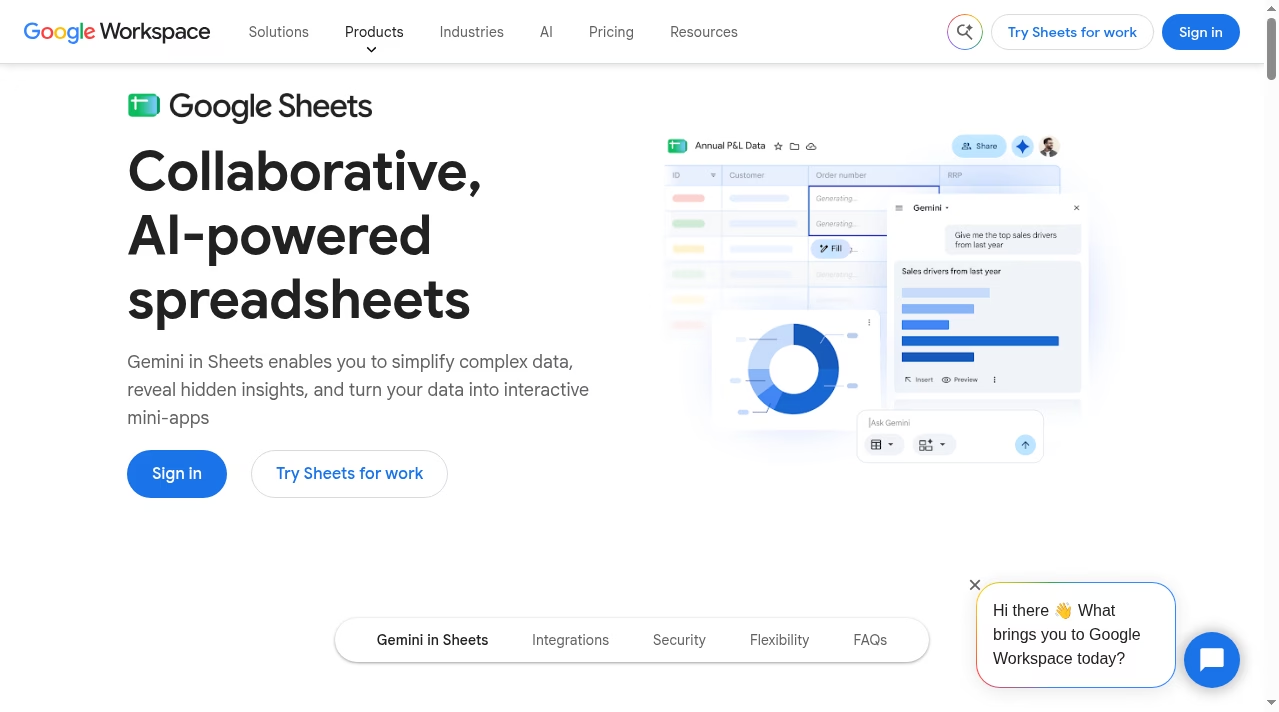
Google Sheets is the spreadsheet most of the internet learned collaboration on. It runs entirely in the browser and in mobile apps, is free with a personal Google account, and is included in every Google Workspace business plan. Real-time co-editing, comments, suggestions and version history are built in, and the current version adds Gemini AI features for building spreadsheets from prompts, auto-populating tables and turning data into interactive mini-apps.
The core spreadsheet is genuinely capable: hundreds of functions, pivot tables, charts, conditional formatting, data validation, filter views and Apps Script for automation in JavaScript. Connected Sheets links to big data sources for teams that outgrow cell limits, and the grid now extends beyond tables with Sheets canvas – custom dashboards, heat maps and Kanban boards without code. Import and export of Excel files is native, so mixed environments work fine.
Gemini in Sheets is the current headline: generate a spreadsheet
Google Sheets is the spreadsheet most of the internet learned collaboration on. It runs entirely in the browser and in mobile apps, is free with a personal Google account, and is included in every Google Workspace business plan. Real-time co-editing, comments, suggestions and version history are built in, and the current version adds Gemini AI features for building spreadsheets from prompts, auto-populating tables and turning data into interactive mini-apps.
The core spreadsheet is genuinely capable: hundreds of functions, pivot tables, charts, conditional formatting, data validation, filter views and Apps Script for automation in JavaScript. Connected Sheets links to big data sources for teams that outgrow cell limits, and the grid now extends beyond tables with Sheets canvas – custom dashboards, heat maps and Kanban boards without code. Import and export of Excel files is native, so mixed environments work fine.
Gemini in Sheets is the current headline: generate a spreadsheet structure from a prompt, fill columns of data automatically, ask questions about trends in plain language and visualize answers as mini-apps. For business plans, the Workspace wrapper adds the admin pieces – custom business email, pooled storage, security controls, eDiscovery and Vault on higher tiers.
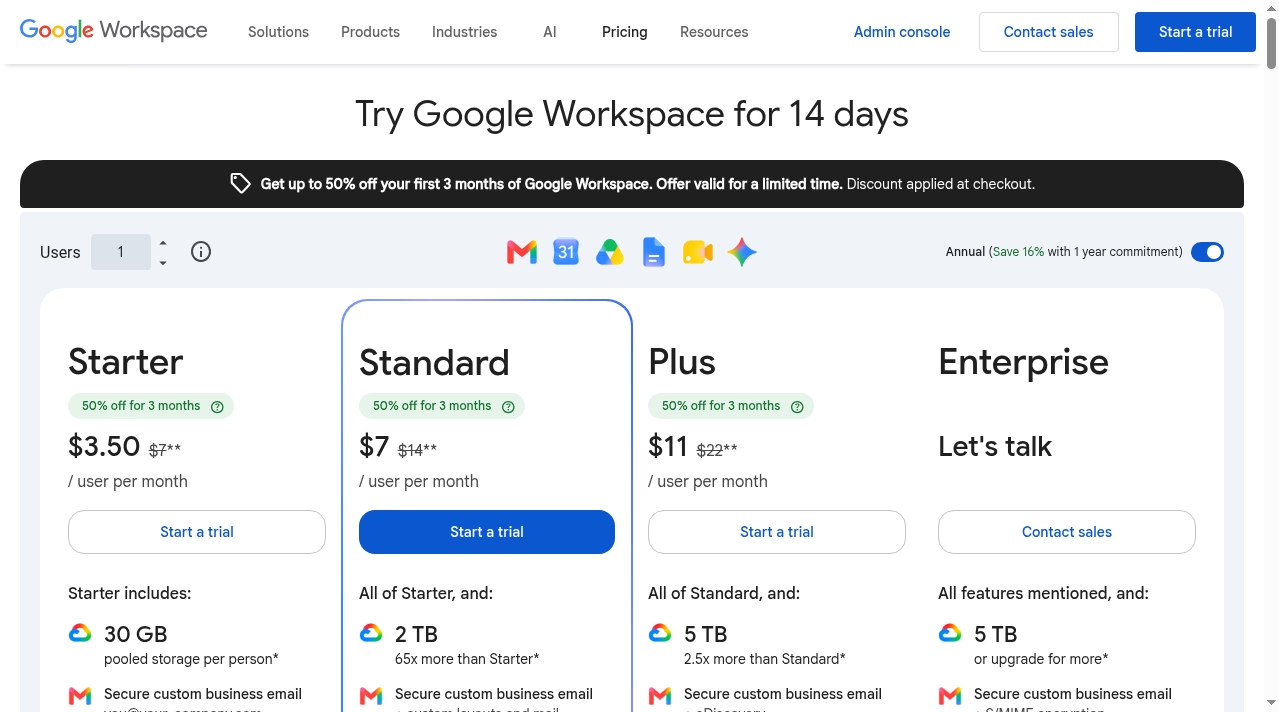
Pricing is simple. Personal use is free. For business, Sheets comes inside Google Workspace: Starter at $7 per user per month, Standard at $14 and Plus at $22 (annual commitment rates; a 50%-off first-3-months promotion was running at research time), with Enterprise quoted by sales. Google offers a 14-day Workspace trial, so teams can evaluate the whole suite – Sheets, Docs, Gmail, Meet, Drive – together.
Watch-outs: Sheets is weaker than desktop Excel for very large or calculation-heavy models, and power users will miss some advanced charting and analysis depth. Offline work exists but is best effort. And teams that need governed, app-like databases rather than spreadsheets may outgrow it into tools like Airtable.
The ecosystem around the grid is a real advantage: AppSheet turns a spreadsheet into a no-code internal app, Google Forms feeds responses straight into Sheets, and Looker Studio connects for live dashboards. Zapier and the Google Workspace Marketplace extend it to thousands of third-party tools when native hooks are not enough. Support runs through Google’s help center and community forums for free users, while paid Workspace plans include direct support through the admin console.
For almost any team that needs a shared spreadsheet, Google Sheets is the default answer for a reason: frictionless sharing, a familiar grid, AI assistance that is actually shipping inside the product, and a free tier that makes adoption a non-decision.
We researched Google Sheets in October 2026 using the official Google Workspace product and pricing pages, Google support documentation and Google's public terms, and compared its stated capabilities and pricing against other spreadsheet software in this category. Ratings reflect editorial judgment based on that research. We did not run a paid deployment for this listing.
| Pricing | Free+Paid |
|---|---|
| Starting price | From $7 |
| Free plan | Yes |
| Free trial | Yes (14 days) |
| Pricing page | View pricing |
| Platforms | Web app, iOS (iPhone & iPad), Android |
| API | Yes |
| Company | Google LLC |
| Apps Insight Score | 47/100 |
| Implementation | Easy |
| Learning curve | Beginner |
Editorial points are assigned by AppsInsight editors and cannot be purchased or influenced.
| Feature | Google Sheets | Microsoft Excel |
|---|---|---|
| Rating | 4.5 / 5 | 4.5 / 5 |
| Pricing | Free+Paid | Free+Paid |
| Starting price | From $7 | From $99.99/year |
| Free plan | Included | Included |
| Free trial | Yes (14 days) | Yes |
| Platforms | Web app, iOS (iPhone & iPad), Android | Web app, iOS (iPhone & iPad), Android, macOS, Windows |
| Best for | Teams of any size that collaborate on spreadsheets daily Individuals and small businesses that need a free, capable spreadsheet Organizations already on Google Workspace Analysts who want AI help building and filling spreadsheets Mixed environments that exchange Excel files with partners | Analysts and finance teams who need advanced formulas, pivot tables and data modeling Households and students using the free web version for budgets and trackers Organizations standardized on Microsoft 365 Developers automating spreadsheets through Microsoft Graph |
Free web spreadsheets or full desktop power with Microsoft 365 and Copilot AI
Free web spreadsheets or full desktop power with Microsoft 365 and Copilot AI
No reviews yet. Be the first to review this app.
Already have an account? Log in to track your reviews.