


Smartsheet
Spreadsheet-style work management platform for projects, portfolios and processes at scale.
Paid SubscriptionFrom $9/user/mo30-day trial
- Web app
- iOS (iPhone & iPad)
- Android
- macOS

Free all-in-one office suite for documents, spreadsheets, presentations and PDF
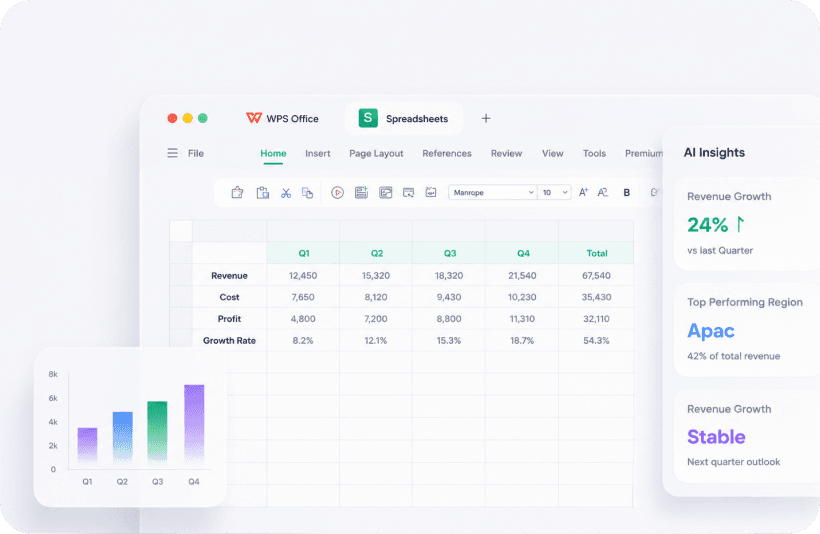
Free all-in-one office suite for documents, spreadsheets, presentations and PDF WPS Office is an all-in-one office suite from Kingsoft Office Software Inc., a company founded in 1988 that reports more than 3,000 employees.
WPS Office delivers a genuinely free, Microsoft Office-compatible suite on six platforms including Linux, with a single flat $69.99/year upgrade for full PDF editing, AI tools and no ads.
WPS Office is an all-in-one office suite from Kingsoft Office Software Inc., a company founded in 1988 that reports more than 3,000 employees. The suite serves 600 million monthly active users across 220+ countries and 46 languages.
WPS combines Writer, Spreadsheets, Presentation and PDF tools in one install, with compatibility for Microsoft Word, Excel and PowerPoint formats. The Standard plan is free: it includes the full suite with basic PDF tools, limited templates, 1GB of cloud storage and ads. Documents sync through WPS’s built-in cloud, and teams can collaborate on documents in real time.
The Pro+ plan costs $69.99 per year (about $5.83 per month billed annually) and removes ads while adding full PDF editing and conversion, unlimited templates, 20GB of cloud storage, e-signature and AI tools with daily usage limits. A Pro+ Sharing Plan for teams costs $41.99 per year per user with a two-user minimum and a 3-day
WPS Office is an all-in-one office suite from Kingsoft Office Software Inc., a company founded in 1988 that reports more than 3,000 employees. The suite serves 600 million monthly active users across 220+ countries and 46 languages.
WPS combines Writer, Spreadsheets, Presentation and PDF tools in one install, with compatibility for Microsoft Word, Excel and PowerPoint formats. The Standard plan is free: it includes the full suite with basic PDF tools, limited templates, 1GB of cloud storage and ads. Documents sync through WPS’s built-in cloud, and teams can collaborate on documents in real time.
The Pro+ plan costs $69.99 per year (about $5.83 per month billed annually) and removes ads while adding full PDF editing and conversion, unlimited templates, 20GB of cloud storage, e-signature and AI tools with daily usage limits. A Pro+ Sharing Plan for teams costs $41.99 per year per user with a two-user minimum and a 3-day free trial.
WPS Office runs on Windows, Mac, Linux, Android, iOS and the web, making it one of the few office suites with an official Linux client.
WPS Office is a practical pick for individuals and small teams who want a capable, Microsoft Office-compatible suite at no cost, with an affordable flat-rate upgrade. Heavy AI users should note the daily usage limits, and the free tier’s ads will put off some users.
We researched WPS Office in October 2026 using the official website, the rendered official pricing page, and the official about, privacy, terms and help-center pages. No hands-on testing was performed.
| Pricing | Free+Paid |
|---|---|
| Starting price | $69.99/year |
| Free plan | Yes |
| Free trial | Yes (3 days) |
| Pricing page | View pricing |
| Platforms | Web app, iOS (iPhone & iPad), Android, macOS, Windows, Linux |
| API | No |
| Company | Kingsoft Office Software Inc. |
| Apps Insight Score | 46/100 |
| Implementation | Easy |
| Learning curve | Beginner |
Editorial points are assigned by AppsInsight editors and cannot be purchased or influenced.
| Feature | WPS Office | Smartsheet | Airtable | Google Sheets |
|---|---|---|---|---|
| Rating | 4.2 / 5 | 4.6 / 5 | 4.5 / 5 | 4.5 / 5 |
| Pricing | Free+Paid | Paid Subscription | Free+Paid | Free+Paid |
| Starting price | $69.99/year | From $9/user/mo | From $20/seat/mo | From $7 |
| Free plan | Included | Included | Included | Included |
| Free trial | Yes (3 days) | Yes (30 days) | No | Yes (14 days) |
| Platforms | Web app, iOS (iPhone & iPad), Android, macOS, Windows, Linux | Web app, iOS (iPhone & iPad), Android, macOS, Windows | Web app, iOS (iPhone & iPad), Android, macOS, Windows | Web app, iOS (iPhone & iPad), Android |
| Best for | Individuals and small teams wanting a free Microsoft Office-compatible suite Users who work across many devices, including Linux | Teams whose shared spreadsheets have become fragile project trackers Project and PMO teams needing Gantt, dashboards and automations Enterprises that need SSO, governance and portfolio tooling Spreadsheet-comfortable teams that want structure without retraining | Operations, content teams, light CRM | Teams of any size that collaborate on spreadsheets daily Individuals and small businesses that need a free, capable spreadsheet Organizations already on Google Workspace Analysts who want AI help building and filling spreadsheets Mixed environments that exchange Excel files with partners |
WPS Office vs Smartsheet WPS Office vs Airtable WPS Office vs Google Sheets
$0 /mo
$0 billed annually
$69.99/year billed annually
$41.99/year/user billed annually

Spreadsheet-style work management platform for projects, portfolios and processes at scale.


Spreadsheet-database hybrid for flexible workflows

Collaborative, AI-powered spreadsheets - free with a Google account

Free web spreadsheets or full desktop power with Microsoft 365 and Copilot AI

Free collaborative spreadsheet with an AI data analyst, part of Zoho Workplace.

AI-first spreadsheet with live data integrations and a plain-language AI Analyst.

Apple's free spreadsheet app with polished templates and real-time collaboration

Open-source office suite with spreadsheet, document and presentation editors, free desktop apps and a cloud collaboration…

Open-source relational spreadsheet-database with Python formulas, granular permissions and self-hosting
AI-first spreadsheet with live data integrations and a plain-language AI Analyst.
No reviews yet. Be the first to review this app.
Already have an account? Log in to track your reviews.