


Smartsheet
Spreadsheet-style work management platform for projects, portfolios and processes at scale.
Paid SubscriptionFrom $9/user/mo30-day trial
- Web app
- iOS (iPhone & iPad)
- Android
- macOS

Apple's free spreadsheet app with polished templates and real-time collaboration
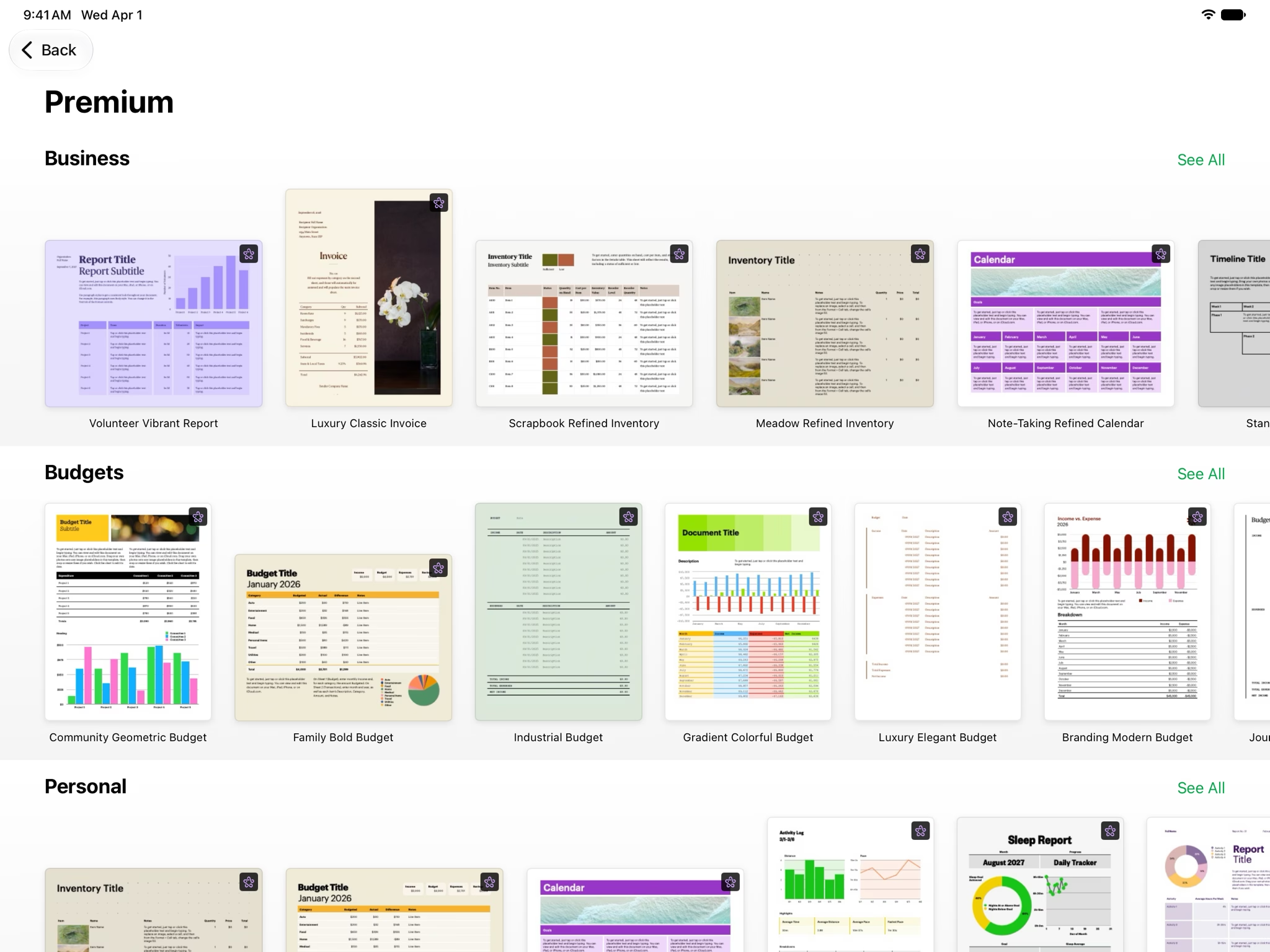
Apple's free spreadsheet app with polished templates and real-time collaboration Numbers, listed on the App Store as “Numbers: Make Spreadsheets”, is Apple Inc.’s spreadsheet app.
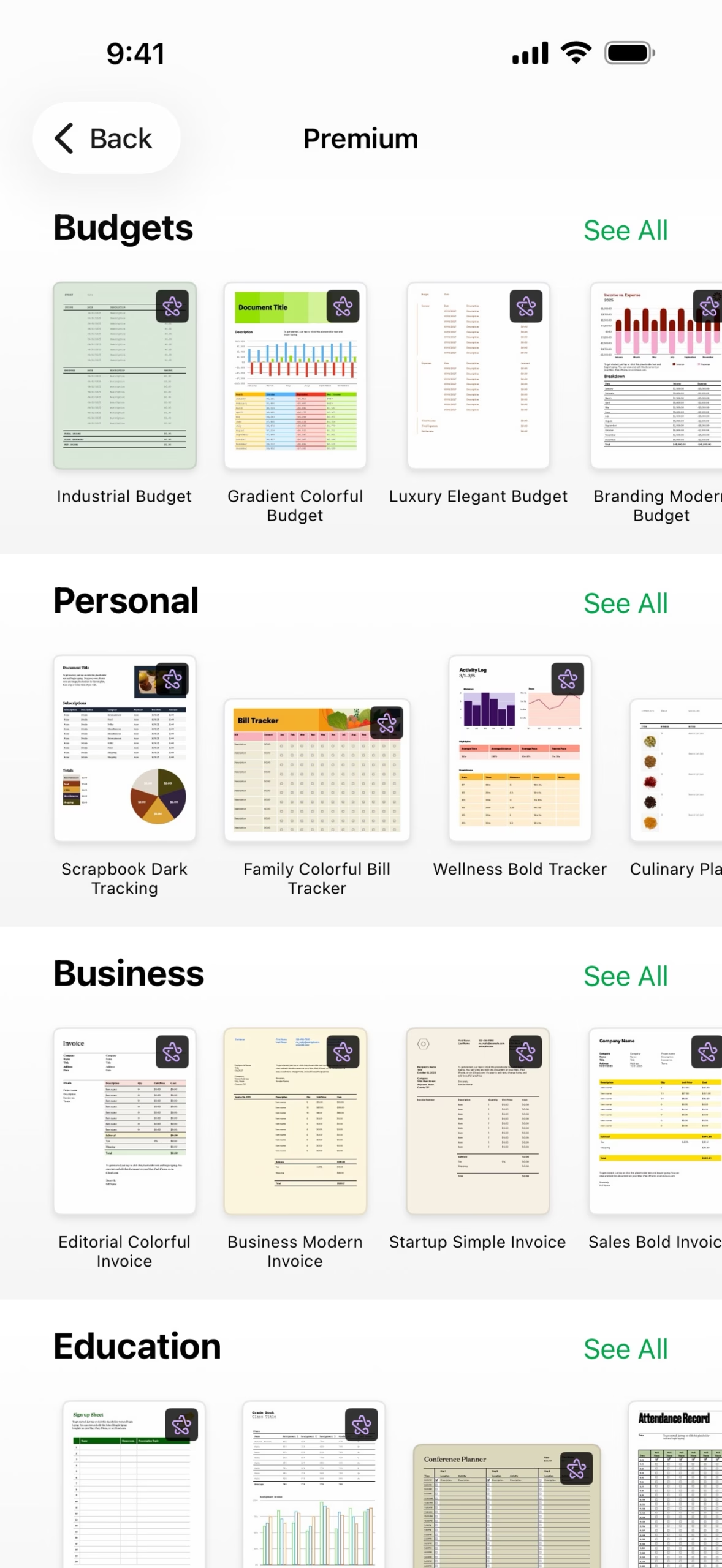
Numbers is free, beautifully designed and genuinely capable - templates, pivot tables, interactive charts and real-time collaboration - making it the easiest spreadsheet recommendation for anyone on Apple devices.
Numbers, listed on the App Store as “Numbers: Make Spreadsheets”, is Apple Inc.’s spreadsheet app. It is completely free on Mac, iPhone and iPad, and a web version, Numbers for iCloud, runs in a browser.
Numbers leans into presentation: Apple-designed templates cover budgets, invoices, checklists and more, and sheets can mix tables, charts, text and images on a free-form canvas. Pivot tables and categories help summarize and group data, and interactive charts turn results into visuals. Real-time collaboration lets several people edit the same spreadsheet at once across Apple devices and the web, documents sync through iCloud, and Microsoft Excel files import and export cleanly.
Since January 2026, Apple has offered an optional Apple Creator Studio subscription that adds premium content and AI features across Numbers, Pages, Keynote and Freeform, plus Apple’s pro apps. Creator Studio costs $12.99 per month or $129 per year with a 1-month free trial; students
Numbers, listed on the App Store as “Numbers: Make Spreadsheets”, is Apple Inc.’s spreadsheet app. It is completely free on Mac, iPhone and iPad, and a web version, Numbers for iCloud, runs in a browser.
Numbers leans into presentation: Apple-designed templates cover budgets, invoices, checklists and more, and sheets can mix tables, charts, text and images on a free-form canvas. Pivot tables and categories help summarize and group data, and interactive charts turn results into visuals. Real-time collaboration lets several people edit the same spreadsheet at once across Apple devices and the web, documents sync through iCloud, and Microsoft Excel files import and export cleanly.
Since January 2026, Apple has offered an optional Apple Creator Studio subscription that adds premium content and AI features across Numbers, Pages, Keynote and Freeform, plus Apple’s pro apps. Creator Studio costs $12.99 per month or $129 per year with a 1-month free trial; students and educators pay $2.99 per month or $29.99 per year, and a new Mac or iPad purchase includes 3 months free. The Numbers app itself remains free without it.
Numbers is the natural spreadsheet choice for people already using Apple devices who want good-looking results without paying for a subscription. There are no Windows or Android apps, so mixed-platform teams will need to rely on the iCloud web version.
We researched Numbers in October 2026 using the official App Store listing and iTunes data, Apple's official Apple Creator Studio page, and Apple's official support, privacy and terms pages. No hands-on testing was performed.
| Pricing | Free+Paid |
|---|---|
| Free plan | Yes |
| Free trial | No |
| Pricing page | View pricing |
| Platforms | Web app, iOS (iPhone & iPad), macOS |
| API | No |
| Company | Apple Inc. |
| Apps Insight Score | 46/100 |
| Implementation | Easy |
| Learning curve | Beginner |
Editorial points are assigned by AppsInsight editors and cannot be purchased or influenced.
| Feature | Numbers | Smartsheet | Airtable | Google Sheets |
|---|---|---|---|---|
| Rating | 4.4 / 5 | 4.6 / 5 | 4.5 / 5 | 4.5 / 5 |
| Pricing | Free+Paid | Paid Subscription | Free+Paid | Free+Paid |
| Starting price | — | From $9/user/mo | From $20/seat/mo | From $7 |
| Free plan | Included | Included | Included | Included |
| Free trial | No | Yes (30 days) | No | Yes (14 days) |
| Platforms | Web app, iOS (iPhone & iPad), macOS | Web app, iOS (iPhone & iPad), Android, macOS, Windows | Web app, iOS (iPhone & iPad), Android, macOS, Windows | Web app, iOS (iPhone & iPad), Android |
| Best for | Mac, iPhone and iPad users who want a free, polished spreadsheet app People who care about presentation-quality charts and layouts | Teams whose shared spreadsheets have become fragile project trackers Project and PMO teams needing Gantt, dashboards and automations Enterprises that need SSO, governance and portfolio tooling Spreadsheet-comfortable teams that want structure without retraining | Operations, content teams, light CRM | Teams of any size that collaborate on spreadsheets daily Individuals and small businesses that need a free, capable spreadsheet Organizations already on Google Workspace Analysts who want AI help building and filling spreadsheets Mixed environments that exchange Excel files with partners |
Numbers vs Smartsheet Numbers vs Airtable Numbers vs Google Sheets
$0 /mo
$0 billed annually
$12.99 /mo
$129/year billed annually

Spreadsheet-style work management platform for projects, portfolios and processes at scale.


Spreadsheet-database hybrid for flexible workflows

Collaborative, AI-powered spreadsheets - free with a Google account

Free web spreadsheets or full desktop power with Microsoft 365 and Copilot AI

Free collaborative spreadsheet with an AI data analyst, part of Zoho Workplace.

AI-first spreadsheet with live data integrations and a plain-language AI Analyst.

Free all-in-one office suite for documents, spreadsheets, presentations and PDF

Open-source office suite with spreadsheet, document and presentation editors, free desktop apps and a cloud collaboration…

Open-source relational spreadsheet-database with Python formulas, granular permissions and self-hosting
AI-first spreadsheet with live data integrations and a plain-language AI Analyst.
No reviews yet. Be the first to review this app.
Already have an account? Log in to track your reviews.