

Somewhere between WhatsApp taking over family chats and Discord taking over everything else, GroupMe quietly became the default group chat of American college life. But 2026 has been a strange year for it: Microsoft shipped its biggest update in years, and then announced it is retiring the SMS feature that made GroupMe famous. So is GroupMe still worth using in 2027, or is it time to move your group somewhere else? This review looks at what the app actually does today, what changed this year, and who it still makes sense for, using facts verified on GroupMe’s and Microsoft’s own pages in October 2026.
At AppsInsight we review the apps people actually run their groups on, from WhatsApp and Slack to newer tools, following the same review methodology each time. If you are also weighing private email alongside private chat, our recent Proton Mail review covers the other half of that decision. If your group is actually a business evaluating tools rather than a friend circle, our Costpoint review and software glossary are better starting points.
1. What GroupMe is and who owns it
GroupMe is a free group messaging app. Microsoft’s own description is deliberately simple: it is a way to stay in touch with friends and family, and anyone in your address book can be added to a group, even friends without smartphones. The app launched in 2010, was bought by Skype in 2011, and became part of Microsoft when Microsoft acquired Skype later that year. It has lived inside Microsoft ever since, and since the 2024 reboot its messaging and calling run on Microsoft Teams infrastructure underneath.
The founding story explains the product. GroupMe launched in 2010, when smartphones were new and most people still texted, with a simple trick: give every group its own phone number, and whatever anyone texts to it, everyone receives. It won its launch-year audience at South by Southwest, grew fast, and was acquired by Skype for a reported $85 million within about a year. When Microsoft bought Skype in October 2011, GroupMe came along in the deal. That lineage matters today because it explains both the app’s texting DNA and, as we will see, the feature it is now retiring.
GroupMe’s center of gravity has always been the United States, and specifically US campuses. Millions of students use it for classes, clubs, dorms, intramural teams and parties, which is why so much of its product development aims at student life. It works on Android, iOS, the web, and as of this year, proper desktop apps for Mac and Windows.
2. What you can do with GroupMe today
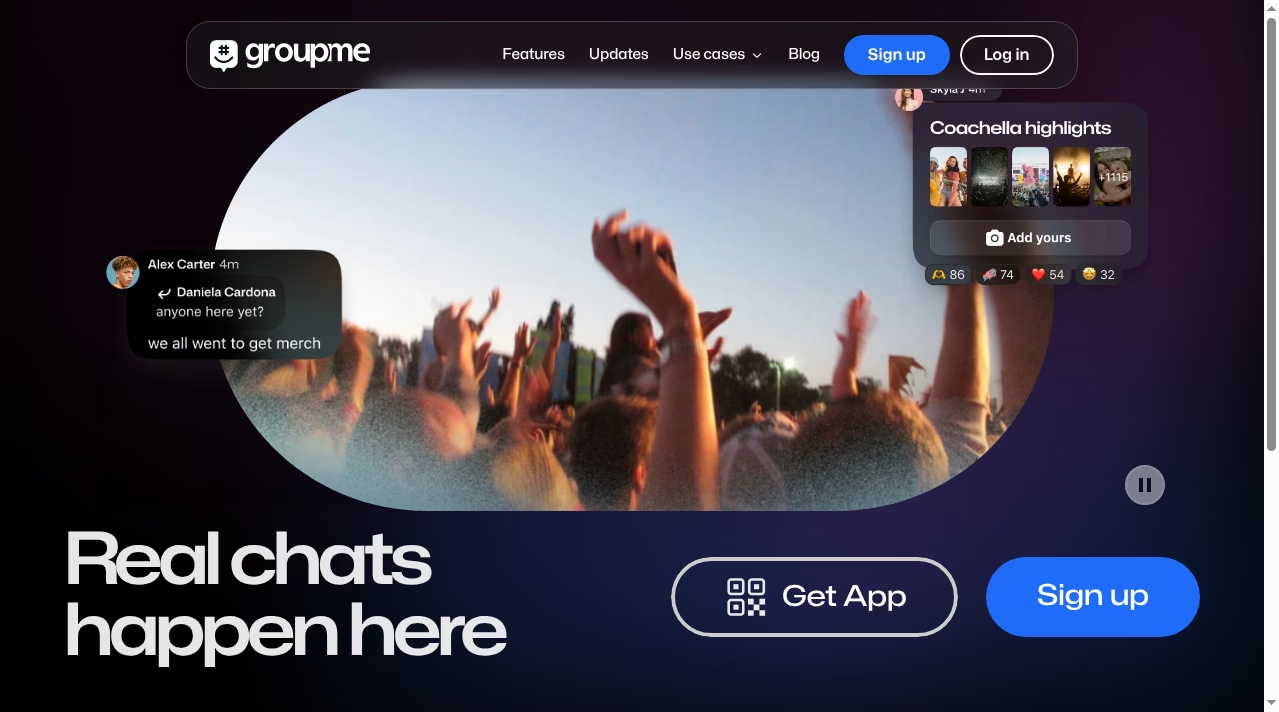
The core loop is unchanged: create a group, add people from your contacts, and everyone chats in one reply-all thread. On top of that base, the current app includes:
- Groups of up to 5,000 members. That is the hard cap per Microsoft’s support docs, which also warn that anything over about 200 people gets noisy fast, because every reply notifies everyone.
- Direct messages and announcement groups, where only admins post, useful for clubs and teams broadcasting updates.
- Photos, videos, GIFs, polls and events built into the chat, plus message reactions and 1-1 calling, both added in the 2024 overhaul.
- Copilot AI inside the app. You can chat with Microsoft’s Copilot directly in GroupMe or highlight a message and tap Ask Copilot for context or a web-powered answer. If you follow Microsoft’s AI push, our ChatGPT vs Microsoft Copilot comparison explains what that assistant is and is not good at.
- Share links so people can join a group from a URL instead of needing an invite from a member. Group admins create them from the group’s settings, and they can be regenerated if a link escapes beyond its intended audience.
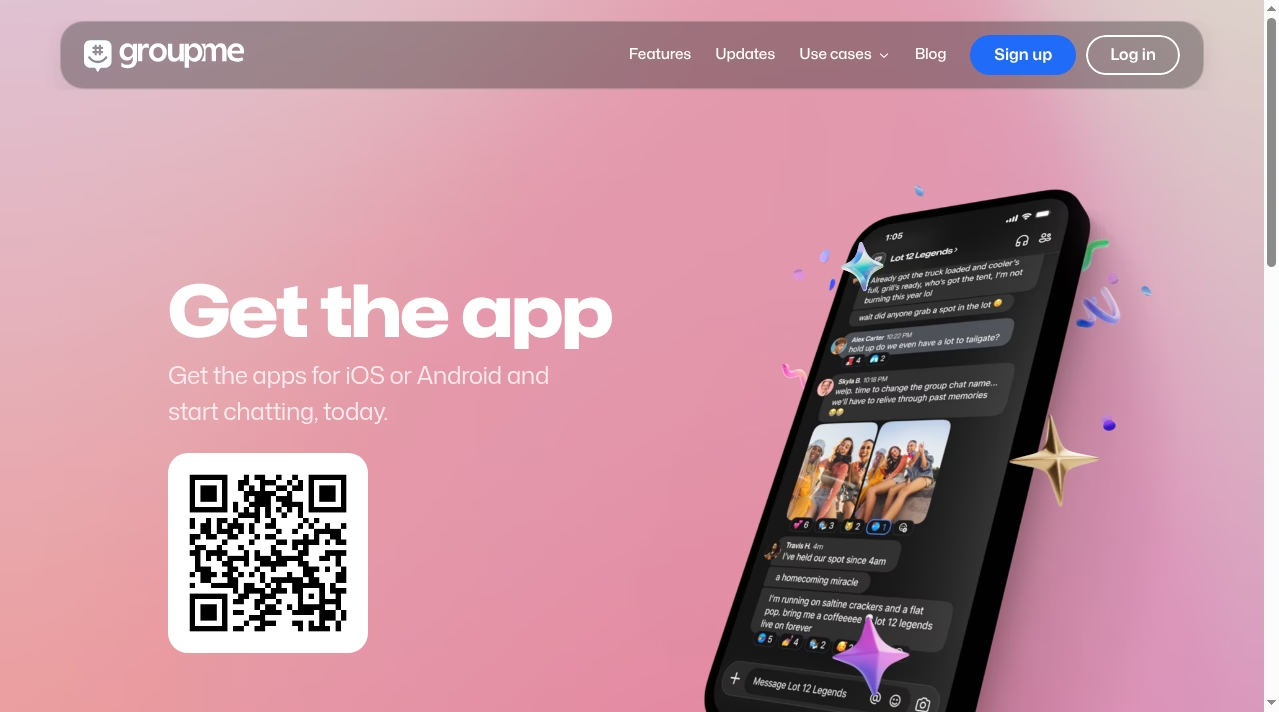
Everything is free. There are no paid tiers, no ads inside the chat experience, and no storage meter to watch. Microsoft monetizes the ecosystem, not the app.
Two built-ins deserve special mention because they replace whole other apps. Polls settle the “where are we eating” debate inside the chat instead of across forty messages. And events work like a lightweight invitation service: create the event, share the RSVP link, and the guest list lives in the same place as the conversation about it. For a club officer or team captain, that combination – chat, poll, event, announcement – covers roughly 90 percent of group coordination without leaving the app.
Getting people in is deliberately low-friction. GroupMe syncs with your address book and shows which contacts are already on the service; anyone else can be invited by link or added directly to a group. Media sharing handles everyday photos and clips well, though very large files compress; for sending full-quality videos or big photo sets to the group, a dedicated transfer service from our guide on how to send large files online for free works better, with the link dropped into the chat.
A few management features regular users rely on daily. Every group and chat can be muted individually, which is how people survive a 200-member dorm thread; notification, theme and message settings live under the Settings tab on every platform. Chats you are done with can be hidden or archived rather than deleted, and the Archive tab keeps them retrievable. From your profile you can turn on two-step verification, which is worth the thirty seconds it takes, and export your data or delete your account entirely – Microsoft keeps those controls in the open rather than buried, which not every free app does.
3. The v16 update: GroupMe’s biggest year in a decade
For years the fairest criticism of GroupMe was that Microsoft had forgotten it existed. That ended with the May 2024 reboot (new interface, reactions, Copilot, calling) and accelerated with v16, released in August 2026, which GroupMe itself calls its biggest drop yet. The highlights:
- Real desktop apps for Mac and Windows with full chats, events, members and native notifications. Until now, desktop meant the browser.
- Events with themes, fonts and effects, plus custom links for the playlist, dress code, food, wishlist, payments, parking and anything else, so event details stop getting buried in chat.
- Capacity limits and RSVP deadlines for events, so headcounts lock before you order the pizza.
- A new Find friends experience with suggestions, a friends list and requests.
The 2024 reboot deserves a sentence of its own, because it set the foundation: a rebuilt interface on iOS and Android, richer link previews, chat reactions, 1-1 calling, and the move onto Teams infrastructure for reliability. GroupMe said at the time that this was only the start, and v16 shows that was more than a press line. Two meaningful updates in two years is a better recent track record than many bigger-name messengers.
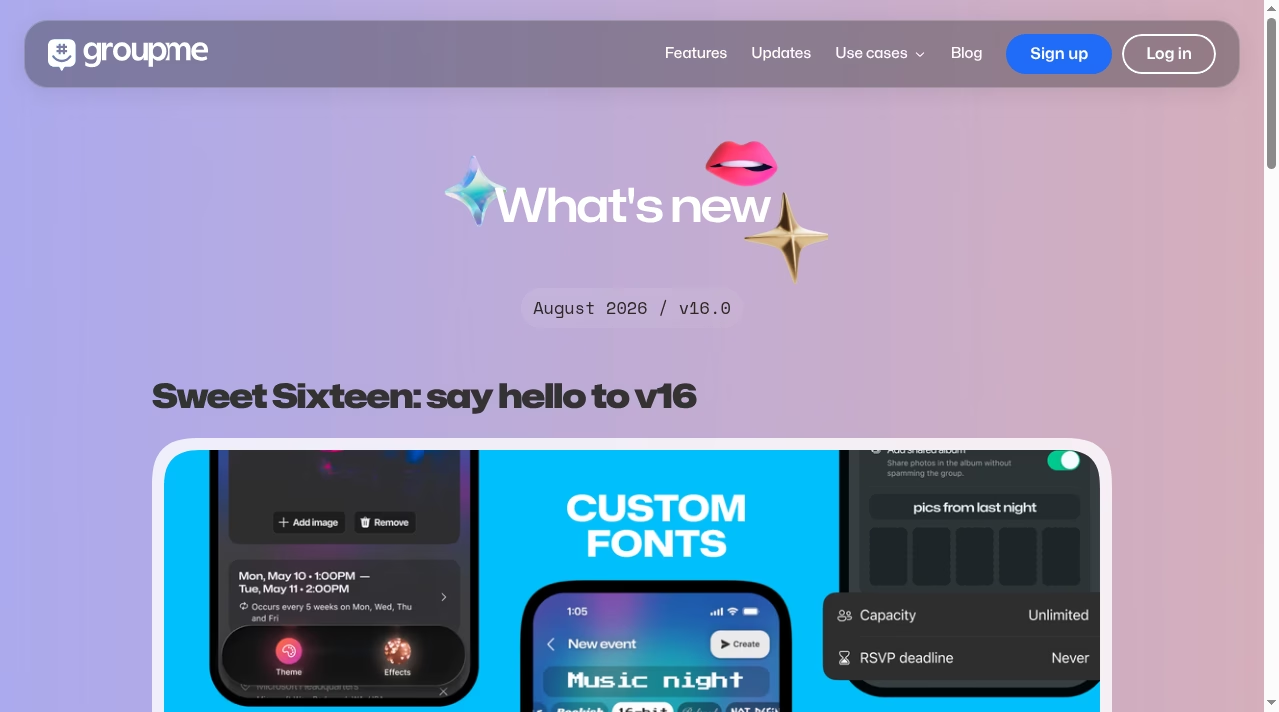
The pattern across both updates is clear: Microsoft is investing in GroupMe again, and investing specifically around student life and events rather than trying to turn it into a Teams or WhatsApp competitor.
Why is Microsoft bothering? The most plausible reading is strategic rather than financial: GroupMe reaches a demographic – US students – that Microsoft struggles to hold onto as they graduate into workplaces that might choose Slack or Google. Keeping Copilot and Teams-adjacent infrastructure in front of them during college is cheap brand-building. Whatever the motive, the result for users is the same: a once-neglected app is now getting real engineering attention.
4. GroupMe Campus: the feature no rival matches
Campus is GroupMe’s moat. Students verify their school email address and unlock a private space for their university: a directory of verified students, class and club groups, campus events, and You-may-know suggestions from their actual courses and clubs. The v16 refresh made it easier to build groups too: you can search verified students by class year and major, see mutuals, and add a whole lab section in a couple of taps.
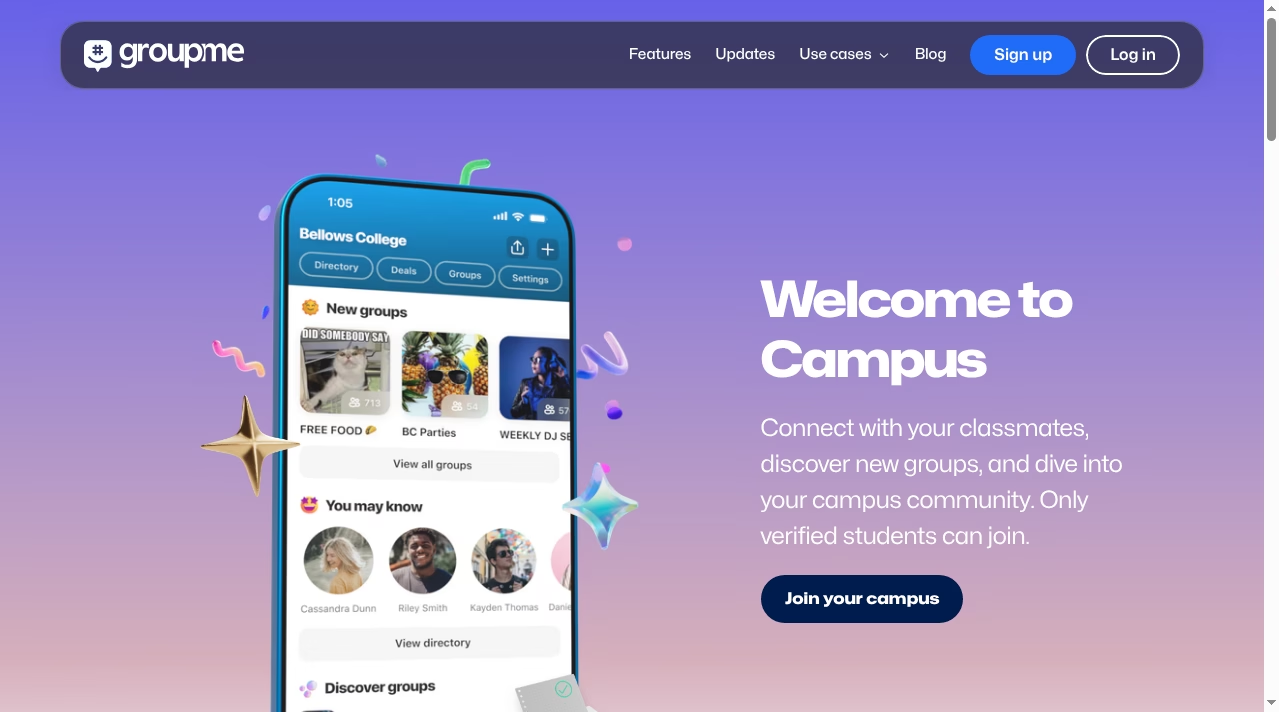
The practical effect shows up every semester. A freshman joins their dorm group before move-in day, finds their project team’s chat from the class directory, discovers the club fair groups through Campus, and RSVPs to the first tailgate through an event link, all without exchanging a single phone number. GroupMe says millions of students run their campus lives on it each fall, and the v16 investment suggests Microsoft wants to keep it that way. The verification step is the quiet win: because members are tied to real school emails, campus spaces avoid the anonymous-drive-by problem that plagues open invite links on other platforms.
No mainstream rival offers anything equivalent. WhatsApp has communities but no verification; Discord has servers but no idea what a seminar is. If your group is a class, a club or a dorm floor, this is the reason GroupMe is still the default on so many campuses. For group work beyond chat, students usually pair it with a docs tool like Notion (see our docs and wikis category) and a meeting app like Zoom.
5. The SMS shutdown: the 2026 decision that changes who can stay
Now the hard part. On August 17, 2026, GroupMe announced it is discontinuing two-way SMS mode: the feature that let people participate in a group by plain text message, without the app or even a smartphone. The shutdown is rolling out group by group. The next time a group’s number receives an SMS, members see a notice and a seven-day countdown, and then SMS access to that group ends.
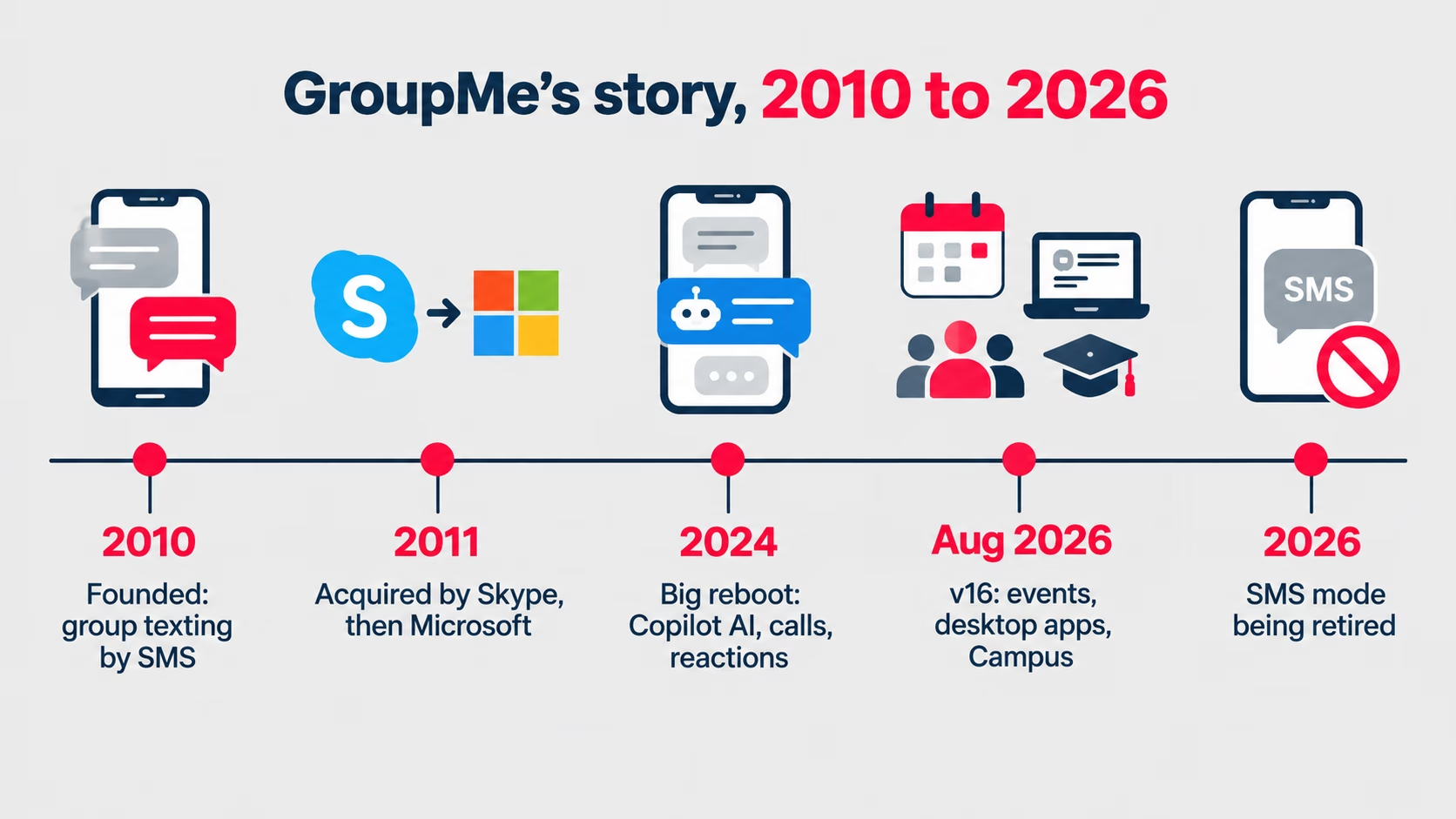
GroupMe’s reasoning is honest: SMS mode was the whole product in 2010, but today nearly all usage happens in the app, where photos, polls, events, reactions and AI features live, none of which SMS can carry. What is not changing: verification codes still arrive by SMS, SMS friend invitations still work, and message history is preserved. GroupMe’s fix for affected members is to use the app or groupme.com in a browser with the same login.
For most users this changes nothing. But SMS mode had one job the app cannot replace: it included people without smartphones or data plans. The classic examples are a grandparent in a family group, a parent on a basic phone in a school group, or a crew that coordinated by text because texting was the lowest common denominator. The announcement drew real pushback, including petitions asking GroupMe to keep SMS alive, precisely because those members cannot simply get the app. If your group includes someone like that, this is the single most important fact in this review, and our explainer on SMS and RCS covers the fallback options your group still has.
If your group is affected, the practical order of operations is: make sure every member has the app or knows the browser route, export or screenshot anything you need from older SMS-only threads (history is preserved, but only inside GroupMe), and pin a message explaining the change before the countdown starts, not during it. Groups that genuinely cannot bring a member across should evaluate alternatives now; RCS, covered in the explainer linked above, is the closest modern equivalent to what SMS mode offered.
6. GroupMe vs WhatsApp, Discord and Slack
Here is how GroupMe stacks up against the apps groups most often switch to or from:
| GroupMe | Discord | Slack | ||
|---|---|---|---|---|
| Price | Free | Free | Free (paid Nitro optional) | Free tier; paid plans for history and admin controls |
| End-to-end encryption | No | Yes, by default | No | No |
| Max group size | 5,000 | 1,024 per group | Servers scale to hundreds of thousands | Workspace-based |
| Best at | Campus groups, events, casual US groups | Personal and international messaging | Large communities with channels | Work communication |
| Structure | Flat reply-all threads | Flat threads plus communities | Servers with channels and roles | Channels, threads, integrations |
| Desktop | Web, Mac and Windows apps (new in v16) | Web and desktop apps | Full desktop apps | Full desktop apps |
The short version: WhatsApp wins on privacy and global reach, Discord wins on big structured communities, Slack wins at work, and GroupMe wins when your group is a class, a club, a team or a friend group that just wants events and a chat that everyone is already on.
Two scenario shortcuts from the table. If your group chat exists to plan things – rehearsals, shifts, tailgates, study sessions – GroupMe’s events tooling is the only one of the four that treats that as a first-class job rather than an afterthought. And if your group spans iPhone and Android users who refuse to agree on anything, all four work cross-platform, but GroupMe and WhatsApp ask the least technical setup of the least technical member. Discord and Slack both assume members will learn a structure; GroupMe assumes they will not, and designs accordingly.
7. Where GroupMe falls short
No end-to-end encryption. This is the biggest technical gap. Messages are encrypted in transit, but GroupMe (and Microsoft) can read them on the server; there is no E2E option. For casual campus chatter that may not matter. For anything sensitive, use an encrypted messenger instead, and apply the same scrutiny you would to any account security question – our endpoint security explainer is a good starting framework.
Big groups get chaotic. GroupMe is reply-all by design. Microsoft’s own docs warn that groups over 200 people get noisy, and there are no channels or threads to organize a large community. If you need structure, that is Discord’s entire product.
The SMS exit strands some members. As covered above, groups that relied on text-only participants lose them unless those members can use the app or a browser.
Search and catch-up are basic. GroupMe has message search, but in a busy group with months of history, finding a specific message or catching up after a week away is harder than in Slack or Discord, where threads and channels keep topics separated. Announcement groups help, but only when an admin enforces them.
It is US-centric. GroupMe works elsewhere, but its culture, phone-number handling and Campus network are built around the United States. International friend groups almost always land on WhatsApp instead.
Light admin tooling. Compared with Discord’s roles and moderation or Slack’s admin console, GroupMe’s controls are basic: add and remove members, mute, and announcement mode. For most friend groups that is fine; for anything that needs governance it is not.
8. So, is GroupMe still worth using in 2027?
Our verdict, based on the current product:
Yes, if your group is campus-based or event-driven. Between Campus verification, the v16 event tools and the new desktop apps, GroupMe in 2027 is better at its core job than it has ever been. If your class, club or team already runs on it, there is no reason to move.
Yes, with a caveat, for casual friend and family groups where everyone has a smartphone. It is free, simple and now actively developed again. The caveat is privacy: if your conversations need end-to-end encryption, GroupMe is the wrong tool, full stop.
No, if your group depends on text-only members. The SMS retirement is the one change that can genuinely break a group. If someone in your roster can only participate by plain text, start planning your move now rather than when the seven-day countdown appears.
If you do decide to move, the realistic landing spots are WhatsApp for general groups (encrypted, global, everyone has it) and Discord for structured communities. There is no official GroupMe export that recreates your chat elsewhere, so treat the move as a fresh start rather than a migration: pick the new home, post the link, and give the group a week to drift across before going quiet on the old one. You can browse more options in our app review section and the wider apps directory, and our review methodology explains how we score them.
No, if you need a structured community. Anything with hundreds of active members, multiple topics or moderation needs belongs on Discord or a work tool. GroupMe is a group chat, not a community platform, and it knows it.
9. Frequently asked questions
Is GroupMe free?
Yes, completely. There are no paid plans, subscriptions or in-chat ads. GroupMe is owned by Microsoft and runs as a free consumer product, with calling and messaging now powered by Microsoft Teams infrastructure behind the scenes.
Is GroupMe safe and private?
GroupMe accounts support two-step verification (set it up from your profile on any platform), and you control who joins your groups, with the ability to remove or block members and report concerns. But messages are not end-to-end encrypted, which means Microsoft can access chat content on its servers, unlike WhatsApp or Signal. Treat GroupMe like email: fine for everyday coordination, wrong for sensitive information.
What happened to GroupMe SMS mode?
GroupMe announced on August 17, 2026 that it is retiring two-way SMS mode, the feature that let people join group chats by plain text without the app. The shutdown rolls out group by group with a seven-day notice after a group’s number next receives an SMS. Verification codes and SMS invitations still work, and chat history is preserved.
How do I leave or mute a GroupMe group?
Open the group, then its settings, and choose Leave Group – the chat then moves to your Archive, where you can retrieve it later. If you do not want to leave but need quiet, mute the group instead: you stay a member and can catch up when you choose, without a notification for every message. Hidden and archived chats all live under the Archive tab on mobile, web and desktop.
How many people can be in a GroupMe group?
Up to 5,000 members per group, which is the hard maximum Microsoft supports. In practice, Microsoft warns that groups larger than about 200 people become noisy because GroupMe is reply-all: every message notifies every member.
Does GroupMe work on desktop computers?
Yes. GroupMe has always worked in a desktop web browser, and the v16 update in August 2026 added native Mac and Windows apps with full chats, events, member management and native notifications.
What is GroupMe Campus?
Campus is GroupMe’s verified student network. You verify your school email address to unlock your university’s directory, class and club groups, campus events and people suggestions from your courses. It is the main reason GroupMe remains the default group chat at many US colleges.
Can I use GroupMe without a smartphone?
Yes, through groupme.com in any web browser or the new desktop apps, using the same account. What is ending is participation by plain SMS text message; the browser and desktop routes remain fully supported.