Gmail is free, fast and everywhere, so any email service that asks for money has a simple question to answer: what exactly are you paying for? Proton Mail’s answer is privacy. It encrypts your inbox so thoroughly that even Proton itself cannot read your messages, and it charges subscribers directly instead of monetizing your data. But is that trade worth it for a normal inbox in 2027, and which plan makes sense if you decide it is? This review looks at what Proton Mail actually does, what it costs right now, and where it genuinely falls short, using facts verified on Proton’s own pages in October 2026.
At AppsInsight we review software across every category, from enterprise ERP platforms like Costpoint to consumer apps like WhatsApp and Slack. Our verdicts follow the same review methodology every time: primary sources, current pricing, and honest downsides. You can find more like this on the AppsInsight blog.
1. What Proton Mail is and who is behind it
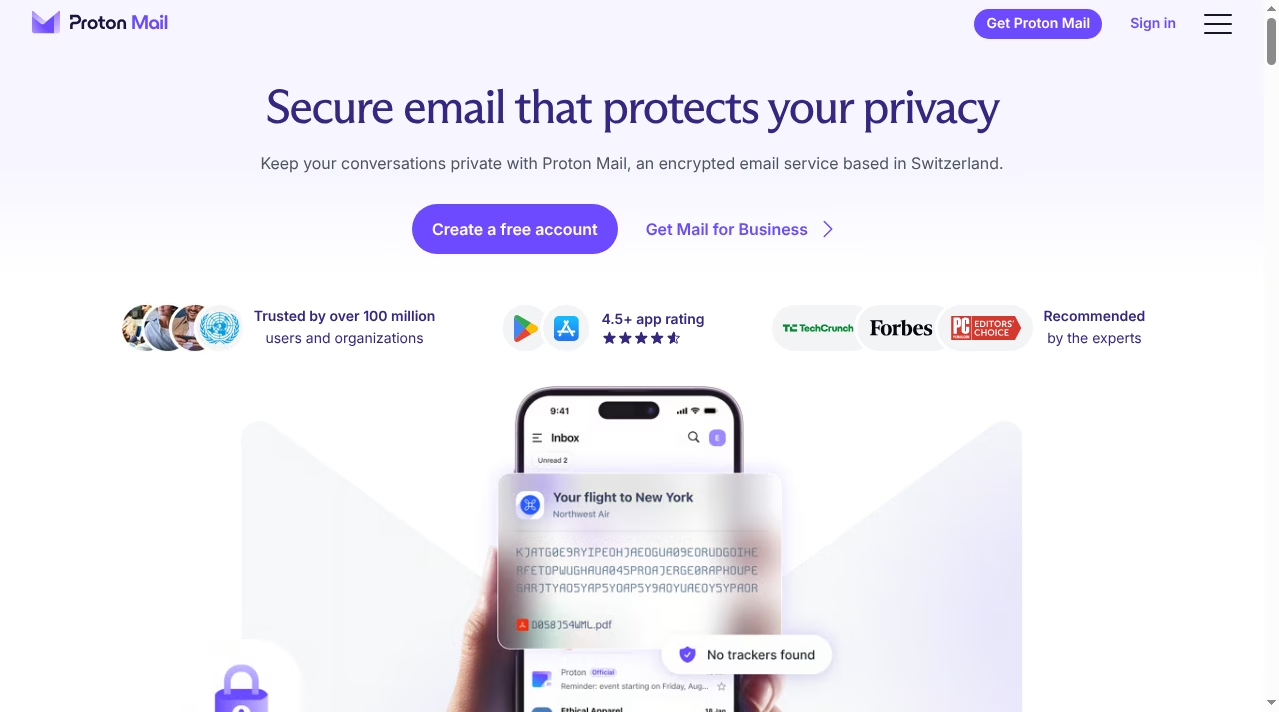
Proton Mail is an encrypted email service based in Switzerland. Proton says it was born in 2014 when a team of scientists who met at CERN decided to build an internet where privacy is the default. The project launched after a public crowdfunding campaign in which more than 10,000 people donated over $500,000. Today the service is operated by Proton AG, a Swiss corporation whose primary shareholder is the non-profit Proton Foundation, based in Geneva. That structure matters: the company’s stated purpose is protecting privacy, not maximizing advertising revenue.
The pitch has found an audience. Proton’s own site says the service is trusted by over 100 million users and organizations, and the mobile apps carry a 4.5+ store rating. It has also picked up recommendations from outlets like TechCrunch, Forbes and PCMag. Under the same account you get Proton’s other services: Proton Calendar, Proton Drive, Proton Pass, Proton VPN, Proton Wallet, Proton Meet and Lumo, its private AI assistant. That makes Proton less a single email app and more a privacy-focused alternative to the Google workspace most people use by default, alongside tools we have covered separately like Notion and the apps in our docs and wikis category.
One structural detail is worth understanding before you trust any privacy company: incentives. Proton AG says its primary shareholder is the non-profit Proton Foundation, which exists to defend online privacy rather than to maximize returns for outside investors. That does not make the company perfect, but it does mean its revenue comes from subscriptions, so the product roadmap answers to paying users instead of advertisers. In an industry where “free” usually means you are the product, that alignment is the foundation everything else sits on.
2. How Proton Mail’s encryption actually works
Proton Mail’s core promise is zero-access encryption. Your messages are stored encrypted in a way that Proton cannot decrypt, because the keys live with you, not on its servers. On the pricing page Proton states it plainly: the company is funded entirely by paying subscribers and never has access to your data, on any plan. Emails between two Proton Mail users are end-to-end encrypted automatically. When you write to someone on Gmail or Outlook, the message travels with TLS like ordinary email, but you can also send password-protected emails that keep the contents encrypted end to end.
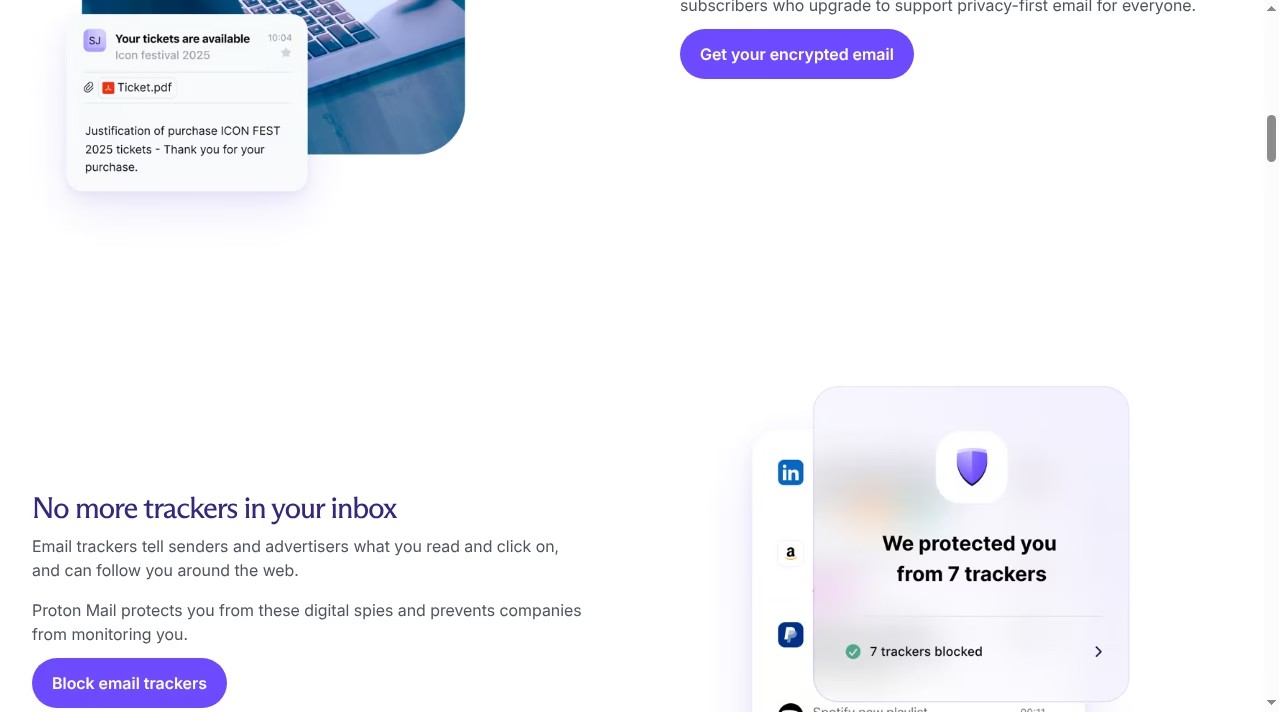
The second layer is about what does not happen in your inbox. Proton Mail blocks email trackers: the invisible pixels that tell senders and advertisers what you read and click on. Anyone who has looked into AI in email marketing knows how much of that targeting depends on tracking pixels and behavioral data. Proton strips that surveillance out and shows you a count of blocked trackers. It is a similar philosophy to encrypted messaging generally: if you have read our explainer on SMS and RCS, you know that the transport layer determines who can read a conversation. Proton applies the same logic to email.
Because the servers sit in Switzerland, your mail falls under Swiss privacy law rather than US or EU jurisdiction. And because Proton’s apps are open source, outside researchers can inspect the code instead of taking the encryption story on faith. No system is magic – a determined attacker with your password still gets in, which is why Proton also offers two-factor authentication and, on higher plans, its Sentinel account protection program. Pair a private inbox with the basics from our endpoint security explainer and you cover both the account and the device.
3. What the free plan includes
Proton Free costs nothing and is not a trial. You get one email address, up to 1 GB of mail storage (500 MB to start, boosted to 1 GB by completing Proton’s get-started checklist), and a send limit of 150 messages a day. The Easy Switch import assistant is included, so you can pull existing mail, contacts and calendars across from Gmail or Outlook during setup. The same free account also unlocks the free tiers of Proton’s other apps: 3 personal calendars, Proton VPN Free with one connection, up to 5 GB on Proton Drive, Proton Pass with 10 hide-my-email aliases, and more.
The bundled free tiers are more useful than they look on paper. Proton Calendar Free covers three personal calendars with encrypted event details. Proton Pass Free stores unlimited logins in two vaults and includes ten hide-my-email aliases, which alone can clean up years of newsletter spam. Proton Drive Free gives you up to 5 GB for documents, and Proton VPN Free covers one device with no data cap. For a secondary or privacy-first identity, the free bundle is a complete starter kit, not a crippled demo.
There are no ads and no data monetization on the free tier – the catch is purely the limits. One gigabyte fills up faster than most people expect if you keep attachments, and 150 messages a day is tight for anyone who emails for work. Two things the free plan does not give you: a custom email domain, and IMAP/SMTP access for desktop clients, which requires Proton Mail Bridge on a paid plan. If your attachment habits lean heavy, our guide on how to send large files online for free covers services that pair well with a small inbox.
4. Proton Mail pricing: Free vs Mail Plus vs Unlimited
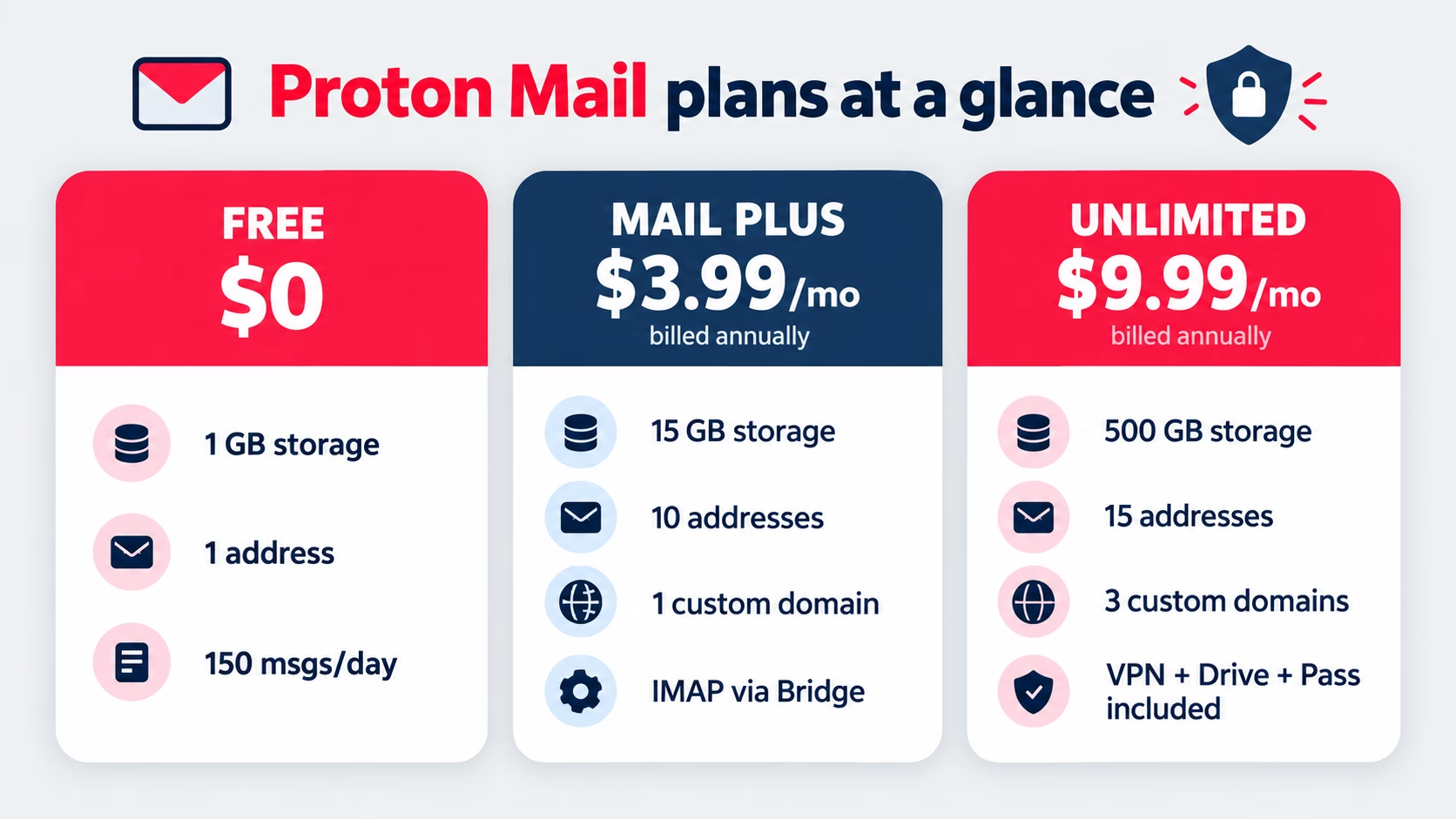
Here is the current lineup from Proton’s official pricing page. All figures are the per-month prices on the 12-month billing option, which Proton discounts by 20 to 23 percent against paying month to month.
| Plan | Price (annual billing) | Storage | Addresses | Custom domains | Best for |
|---|---|---|---|---|---|
| Proton Free | $0 | Up to 1 GB | 1 | None | Trying private email, light personal use |
| Mail Plus | $3.99/mo ($47.88/yr); $4.99 monthly | 15 GB shared with Drive | 10 | 1 | Everyday private inbox, desktop clients |
| Proton Unlimited | $9.99/mo ($119.88/yr); $12.99 monthly | 500 GB shared with Drive | 15 | 3 | Replacing Google One: VPN, Drive, Pass included |
| Duo / Family | Varies | Up to 3 TB total | Shared across members | Yes | Up to 6 family members or friends |
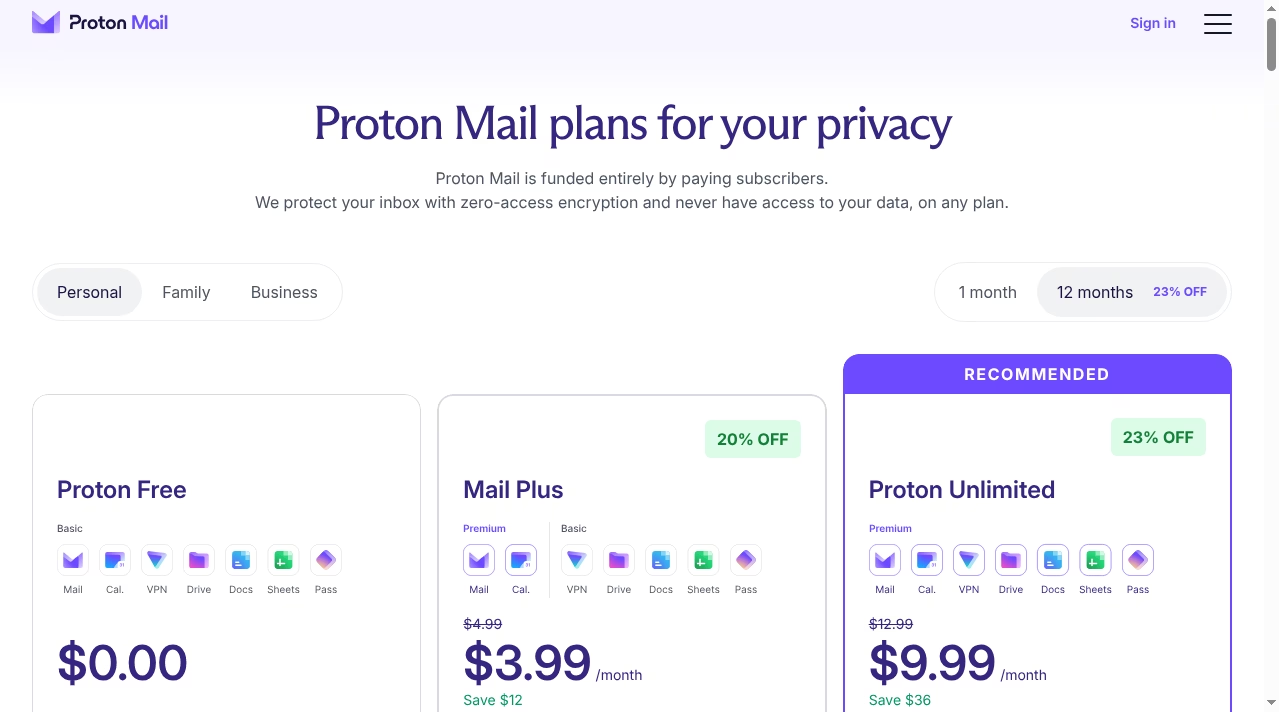
Mail Plus is the sweet spot for most individuals. Beyond the bigger storage and ten addresses, it unlocks unlimited labels, folders and filters, catch-all email, auto-reply, contact groups, priority support, Dark Web Monitoring, an @pm.me short address, and Proton Mail Bridge for desktop clients. It also lifts the daily sending cap. Proton Unlimited makes sense when you would otherwise pay separately for a VPN and cloud storage: it bundles the paid tiers of VPN, Drive, Pass, Calendar and Wallet, plus Sentinel account protection. If you are weighing it against Google’s bundle, compare what you currently pay for storage, a VPN and a password manager combined – the $9.99 figure often lands close to what people already spend across three separate subscriptions.
5. Where Proton Mail genuinely shines
Privacy that survives a breach. Because stored mail is encrypted with keys Proton does not hold, a server compromise exposes ciphertext, not your messages. That is a fundamentally different risk profile from a conventional inbox.
A clean, modern product. The web and mobile apps are fast, well designed and translated into everyday language. Labels, folders, filters and keyboard shortcuts all behave the way a Gmail user expects, which lowers the switching cost considerably.
Hide-my-email aliases. Paid plans include alias addresses through Proton Pass (built on SimpleLogin, which joined Proton): you hand a unique alias to every shop, newsletter and app, and shut any of them off the moment spam starts. It is the single most practical anti-spam feature in the product.
Password-protected email to anyone. You can send an end-to-end encrypted message to a non-Proton address; the recipient opens it with a shared password in the browser. Lawyers, doctors and journalists use this constantly, and it costs the recipient nothing.
Custom domains and a short @pm.me address. Mail Plus supports one custom domain (Unlimited supports three), so freelancers and small businesses can run professional addresses on encrypted email without a full workspace subscription. Paid users can also send from a short @pm.me address, which is far easier to dictate over the phone than a long alias.
Switching help that works. The Easy Switch assistant imports mail, contacts and calendars from Gmail, Outlook and Yahoo, and it is included even on the free plan. Combined with auto-forwarding from your old provider, it removes most of the historical pain of changing email addresses.
The bundle effect. Calendar, Drive, Pass and VPN under one private account replaces four separate vendors. For people building a privacy-conscious remote setup, it pairs naturally with the tools in our virtual desktop explainer and meeting software like Zoom (which Proton Meet is starting to challenge, with free 60-minute calls for up to 50 participants).
6. The honest downsides you should know
A review that skips the friction is marketing, so here is what actually stings.
Search is weaker than Gmail. Because Proton’s servers cannot read your messages, server-side search cannot index message bodies the way Google does. Proton has improved this with client-side search in its apps, but if your workflow depends on instantly finding a phrase inside a five-year-old email, you will feel the difference.
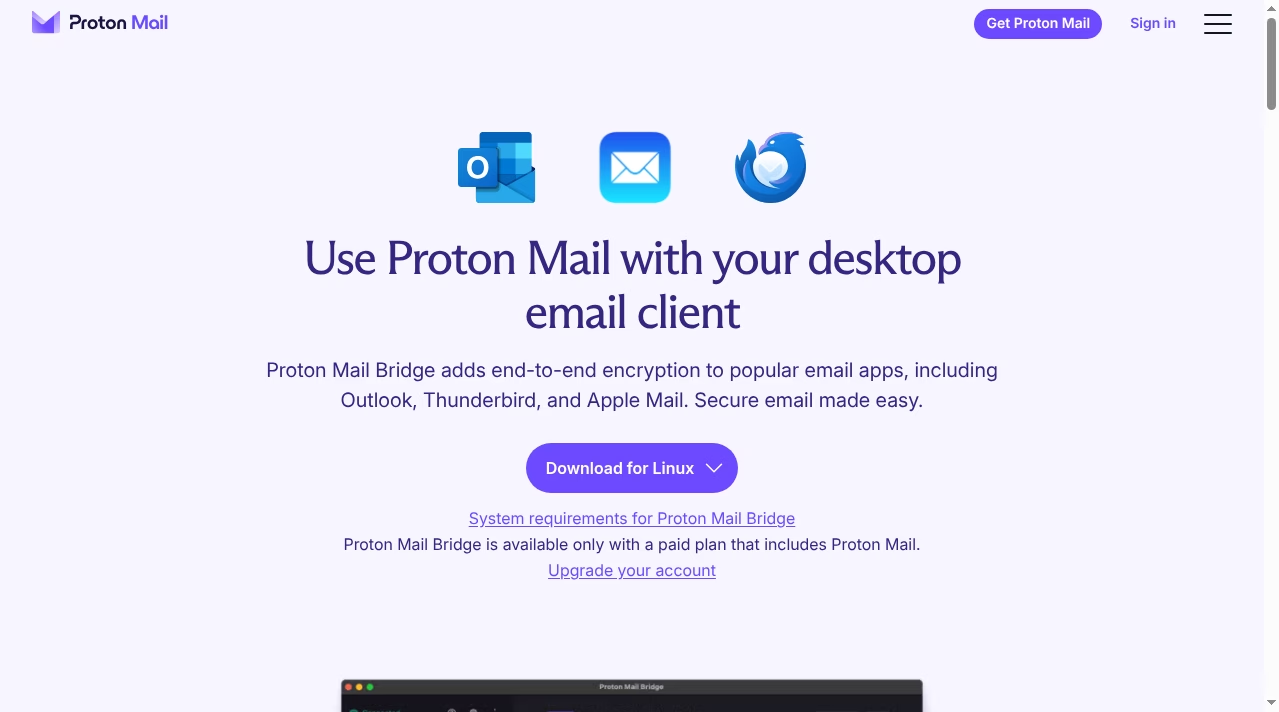
Desktop email clients need Bridge, and Bridge needs a paid plan. Outlook, Thunderbird and Apple Mail only work through Proton Mail Bridge, a small app that handles encryption locally – and it is not available on the free plan. If you live in a third-party client, budget for Mail Plus at minimum.
The free tier is genuinely small. 1 GB and 150 messages a day is fine for a secondary inbox, tight for a primary one. Google gives 15 GB free; Proton gives you privacy instead of space.
You are paying for something Gmail gives away. Fifteen gigabytes free and world-class spam filtering is a hard offer to beat on pure economics. Mail Plus at $3.99 a month buys less raw storage than Google gives away; what you are really buying is the encryption model and the tracker blocking. If privacy is not a priority for you, that trade will not feel worth it, and pretending otherwise would be dishonest.
Switching takes effort. Easy Switch imports mail and contacts, but your old address does not forward itself forever. Plan on a transition period with auto-forwarding from your old provider, and expect a few weeks of telling contacts your new address. Some users report the import and adjustment period is the roughest part of the move.
It is still email. End-to-end encryption only covers Proton-to-Proton mail and password-protected messages automatically. Mail to a regular Gmail address is encrypted in transit, not end to end – the same limitation every email service has, including the secure messaging apps we cover like WhatsApp’s email-free model. Proton cannot change how the world’s email protocol works.
7. Proton Mail vs Gmail and Outlook
The real comparison most people are making is Proton Mail against the free giants. Gmail and Outlook.com give you more free storage, deeper integrations with calendars, docs and AI assistants (if you are curious how the AI side is evolving, see our ChatGPT vs Microsoft Copilot comparison), and unbeatable search. In return, Google and Microsoft scan inbox signals to improve their products, and Google famously built an advertising business on user data.
Proton Mail inverts that deal: less free storage, no inbox scanning, no ads, no AI training on your messages, and a subscription instead of your data. Proton does have its own AI assistant, Lumo, which is designed around the same privacy rules. The choice is less about features than about what you are comfortable funding. If your inbox holds medical letters, legal documents, client work or anything you would not want profiled, Proton’s model is the safer default. If you need 15 GB free and best-in-class search, Gmail still wins on raw value.
Against Outlook.com the story is similar, with one extra wrinkle: many people only use Outlook because it came with their work account or Microsoft 365 subscription. Proton does not try to be a corporate suite with a hundred integrations. It does one job – private email – and bundles a focused set of private tools around it. If your life runs on Teams, OneDrive and SharePoint, Proton is an addition, not a replacement. If you are actively trying to leave the big ecosystems, it is the most complete exit ramp currently available to consumers.
8. So, is Proton Mail worth it in 2027?
Here is our honest verdict, after comparing the current plans against what the free alternatives offer.
The free plan is worth it for almost everyone. It costs nothing to run a Proton address alongside your existing inbox, and it is the easiest way to keep sensitive threads – banking, medical, legal, government – out of an ad-funded mailbox. Use Easy Switch, forward the essentials, and see whether the apps fit you.
Mail Plus is worth it if privacy is a priority and you want a daily driver. At $3.99 a month on annual billing, it is cheaper than a coffee and it removes the two real blockers: storage and Bridge. This is the plan we would point most individual users to.
Proton Unlimited is worth it when it replaces other subscriptions. If you already pay for a VPN, a password manager or cloud storage, $9.99 a month for the whole private suite is fair value. If you would only use the email, Mail Plus is the smarter buy.
If you decide to move, the sensible order is: create the free account, run Easy Switch, set up forwarding from your old address, update your ten most important logins, and only then consider paying. Upgrade to Mail Plus the day you need more storage or a desktop client, not before.
Skip it (or wait) if you depend on powerful server-side search, live inside desktop email clients and will not pay, or need a huge free mailbox. And if your needs are team productivity rather than personal privacy, a business suite or the collaboration tools we review, like Slack and Notion, solve a different problem.
9. Frequently asked questions
Is Proton Mail really free?
Yes. Proton Free is a permanent free tier with 1 email address, up to 1 GB of storage and a 150 message per day send limit. It carries no ads and Proton does not monetize your data on any plan. The paid plans exist to lift the limits, not to remove advertising.
Can Proton read my emails?
No. Proton Mail uses zero-access encryption, which means your stored messages are encrypted with keys Proton does not possess. The company states that it never has access to your data on any plan, and its apps are open source so the design can be independently inspected.
Is Proton Mail good for business use?
Yes, with the right plan. Mail Plus supports one custom domain and Unlimited supports three, so you can run you@yourcompany.com on encrypted email. Proton also offers dedicated business plans with multiple users. For regulated industries, check your compliance obligations before migrating, as you would before adopting any platform – our guide on choosing business software covers the general evaluation framework.
Can I use Proton Mail with Outlook or Apple Mail?
Yes, through Proton Mail Bridge, a small desktop app that encrypts and decrypts locally so standard clients can talk to Proton over IMAP/SMTP. Bridge requires a paid plan. Without it, you use Proton’s own web and mobile apps, which are polished enough that many users never miss their old client.
What happens to my old Gmail if I switch?
Nothing happens to it automatically. Proton’s Easy Switch assistant imports your existing messages, contacts and calendars, and you can set Gmail to forward new mail to your Proton address during the transition. Most people keep the old account alive for a few months while contacts and services catch up with the new address.
Is Proton Mail safer than Gmail?
It is more private by design. Gmail protects your account well against outside attackers, but Google itself can access inbox content and uses it to improve services. Proton’s zero-access model removes the provider from the equation entirely. For account security both support two-factor authentication; Proton adds its Sentinel protection program on higher plans.
Does Proton Mail work offline?
Partially. The mobile apps cache recent mail for offline reading, and Bridge lets desktop clients work offline as normal. The web app needs a connection. If offline-first email matters to you, a paid plan with Bridge and Thunderbird is the most reliable Proton setup.