Best AI Notetaker

Grain

AI notetaker for teams that turns meetings into usable context
Free plan
- Web app
- Browser extension
- iOS (iPhone & iPad)
- Android

Open source AI coding agent for VS Code, JetBrains, CLI and cloud
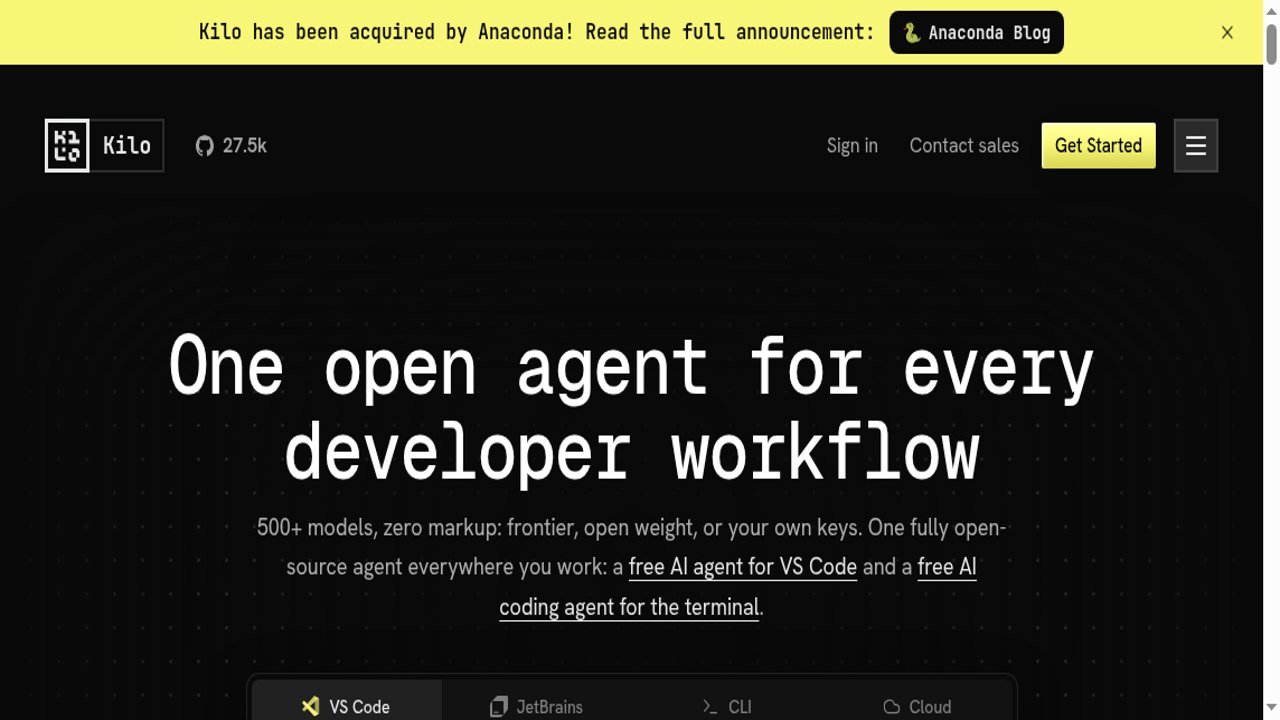
Open source AI coding agent for VS Code, JetBrains, CLI and cloud Kilo, known for Kilo Code, is an open source AI coding agent that runs in VS Code, JetBrains IDEs, the terminal and the cloud.
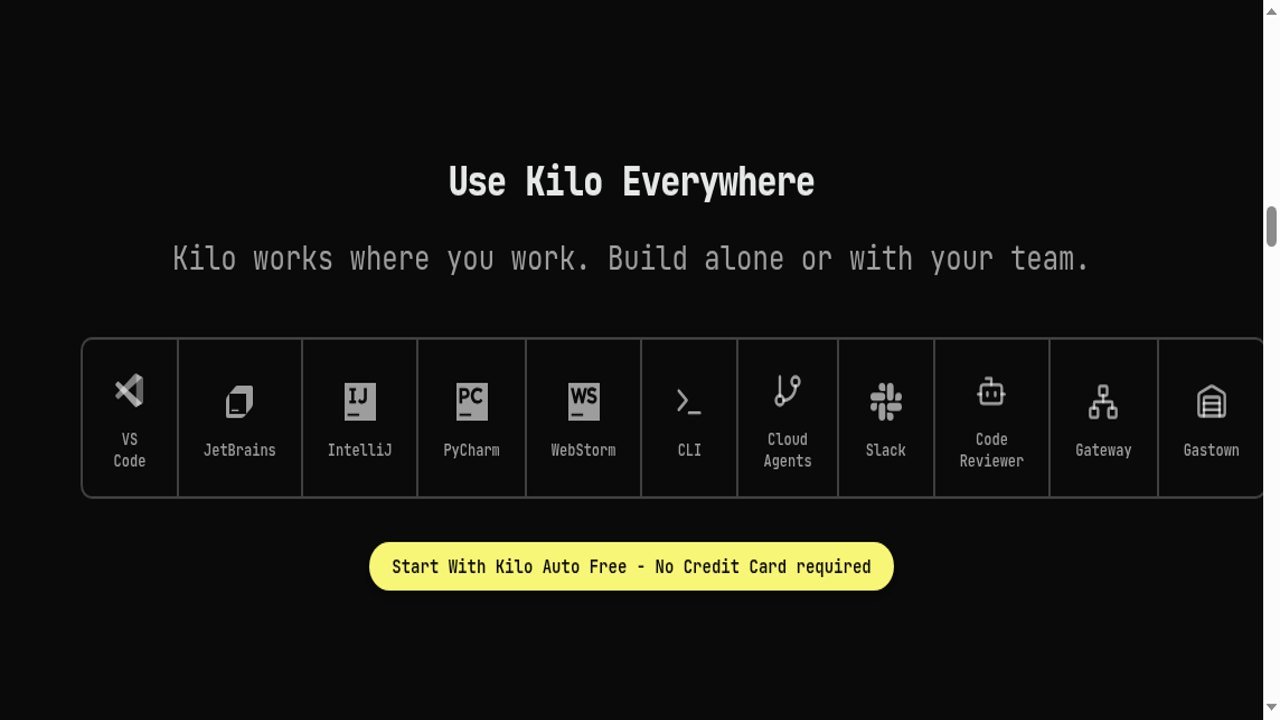
An open source agent that works across editors and the terminal, with no model markup and a bring-your-own-key option, gives developers control over cost and privacy.
Kilo, known for Kilo Code, is an open source AI coding agent that runs in VS Code, JetBrains IDEs, the terminal and the cloud. It has specialized modes (Code, Architect, Debug and others), local and cloud agents that work in parallel isolated worktrees, a code reviewer, and a Slack integration. The source is published on GitHub under the MIT license, and the repo showed 27.5k stars on the site when I checked.
The pricing logic is unusual. The extensions are free. You pay separately for AI inference, and Kilo says it adds no markup on models: use free models via Kilo Auto Free, bring your own provider keys, run local models through Ollama or LM Studio, or pay as you go through the Kilo Gateway, with 500+ models available. Cloud compute is billed on usage.
Platform plans are Free, Teams at $15 per user a month with a 14-day Enterprise
Kilo, known for Kilo Code, is an open source AI coding agent that runs in VS Code, JetBrains IDEs, the terminal and the cloud. It has specialized modes (Code, Architect, Debug and others), local and cloud agents that work in parallel isolated worktrees, a code reviewer, and a Slack integration. The source is published on GitHub under the MIT license, and the repo showed 27.5k stars on the site when I checked.
The pricing logic is unusual. The extensions are free. You pay separately for AI inference, and Kilo says it adds no markup on models: use free models via Kilo Auto Free, bring your own provider keys, run local models through Ollama or LM Studio, or pay as you go through the Kilo Gateway, with 500+ models available. Cloud compute is billed on usage.
Platform plans are Free, Teams at $15 per user a month with a 14-day Enterprise trial, and Enterprise with SSO, audit logs and SLAs. The site banner says Kilo has been acquired by Anaconda, so check the announcement for what that means for roadmap and pricing.
Claims like 5M+ users and 10T+ tokens a month are Kilo’s own. I did not install it or run a coding task.
AppsInsight desk research by Deepika Pandey, October 5, 2026. Sources: kilo.ai and kilo.ai/pricing. I did not install the extension or run a task. Usage numbers are Kilo's own; inference prices vary by model and are not listed here.
Site banner notes Kilo was acquired by Anaconda. Releases are on GitHub (Kilo-Org/kilocode/releases).
| Pricing | Free+Paid |
|---|---|
| Starting price | $0 |
| Free plan | Yes |
| Free trial | No |
| Pricing page | View pricing |
| Platforms | Web app, Self-hosted / On-premise, CLI / Terminal |
| API | No |
| Company | Kilo |
| Apps Insight Score | 41/100 |
| Implementation | Easy |
| Learning curve | Intermediate |
Editorial points are assigned by AppsInsight editors and cannot be purchased or influenced.
| Feature | Kilo Code | Grain | OpenClaw | Decagon |
|---|---|---|---|---|
| Rating | 4.0 / 5 | 5.0 / 5 | 5.0 / 5 | 5.0 / 5 |
| Pricing | Free+Paid | Free plan | — | — |
| Starting price | $0 | Free | — | — |
| Free plan | Included | Included | No | No |
| Free trial | No | No | No | No |
| Platforms | Web app, Self-hosted / On-premise, CLI / Terminal | Web app, Browser extension, iOS (iPhone & iPad), Android, macOS, Windows, Linux | macOS, Windows, Linux | Web app |
| Best for | Developers and teams who want an open source coding agent, choose their own models and keys, and work across VS Code, JetBrains and the CLI. | Sales teams, customer success teams, founders, agencies, ops teams, AI-first teams | Developers, solo founders, technical operators, AI enthusiasts, marketing agencies, SMB teams, support teams, internal ops teams | Enterprise SaaS teams, CX operations leaders, customer support automation teams, product-led companies, ops-heavy support organizations |
Kilo Code vs Grain Kilo Code vs OpenClaw Kilo Code vs Decagon
$0 /mo
$15 per user /mo
Custom /mo


AI notetaker for teams that turns meetings into usable context




AI dictation that cleans up speech in any app

German AI voice agent platform that answers and makes phone calls, books appointments and follows up…

One workspace to run Claude Code, Codex and any coding agent in parallel

Sai, an autonomous computer agent that runs your screen tasks in the cloud or on your…
Build and publish real apps from Claude, ChatGPT or Cursor, with backend and hosting included
No reviews yet. Be the first to review this app.
Already have an account? Log in to track your reviews.