




What is Wispr Flow?
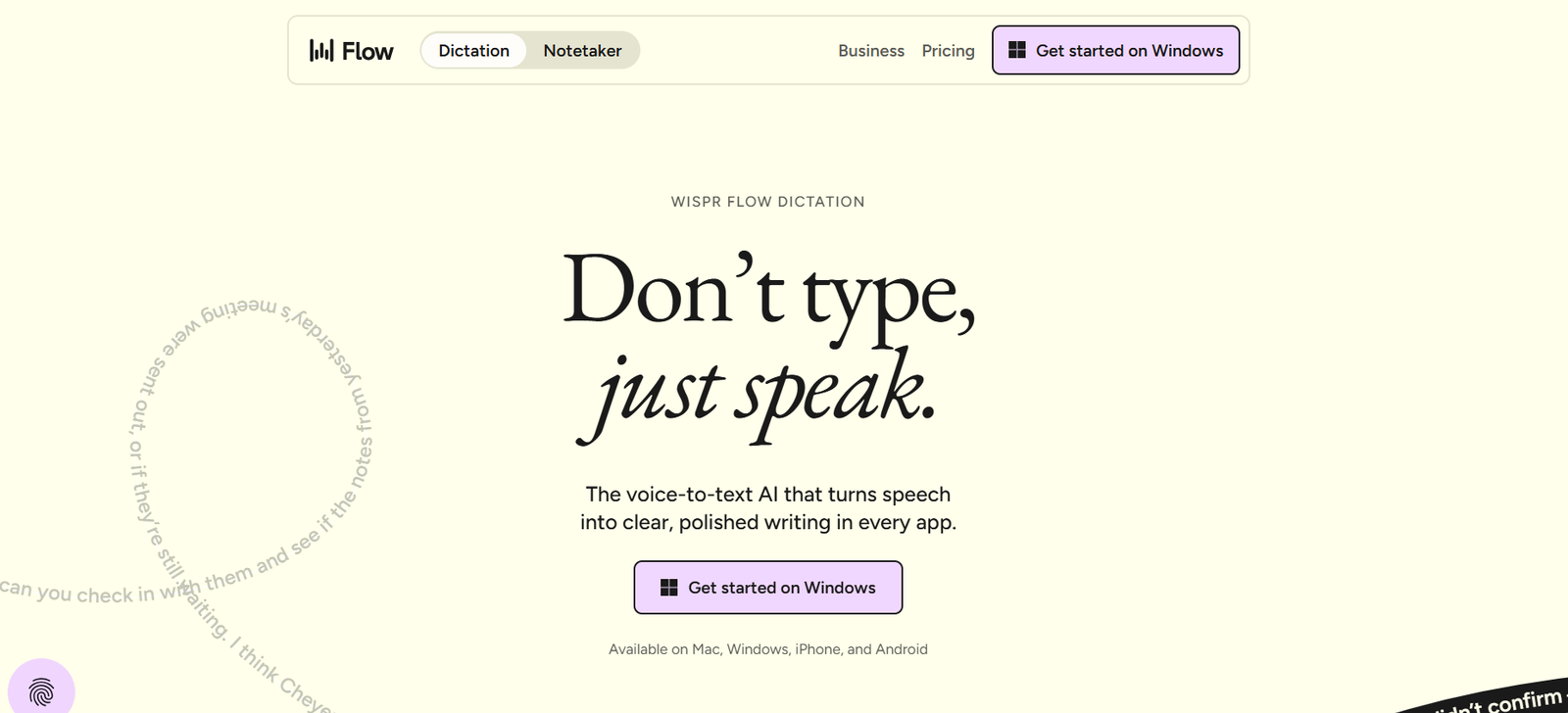
AI dictation that cleans up speech in any app Wispr Flow is an AI dictation app that turns speech into polished text in any app.

Our verdict
After testing several AI productivity tools, my team and I found Wispr Flow to be one of the most effective voice-to-text solutions for professionals who want to write faster without sacrificing accuracy. Instead of typing every word, you can simply speak naturally, and Wispr Flow converts your thoughts into polished text across emails, documents, notes, and other applications.
What stood out to us was its speed, impressive transcription accuracy, and ability to understand natural speech. The platform also helps refine your writing, making it especially useful for founders, marketers, developers, and anyone who spends hours creating content or responding to messages.
Based on our hands-on evaluation, we recommend Wispr Flow for individuals and teams looking to improve productivity, reduce time spent typing, and communicate more efficiently using AI-powered voice dictation.
Full review
Wispr Flow is an AI dictation app that turns speech into polished text in any app. It runs on Mac, Windows, iPhone, and Android, so it fits into the places people already write all day. The core job is simple: speak naturally and get cleaned-up text back without the usual cleanup pass. It helps people who spend a lot of time in email, chat, docs, notes, or code editors. The site shows it handling filler words, corrections, punctuation, and formatting as you talk. That matters if you draft fast, change your mind mid-sentence, or need something ready to send instead of raw transcript. One concrete differentiator is that Flow works wherever your cursor is, with no plugins or app-specific setup. The site also positions it as a cleaner alternative to built-in voice typing, especially for people who want their dictation to read like they wrote it, not like they spoke
Wispr Flow is an AI dictation app that turns speech into polished text in any app. It runs on Mac, Windows, iPhone, and Android, so it fits into the places people already write all day. The core job is simple: speak naturally and get cleaned-up text back without the usual cleanup pass. It helps people who spend a lot of time in email, chat, docs, notes, or code editors. The site shows it handling filler words, corrections, punctuation, and formatting as you talk. That matters if you draft fast, change your mind mid-sentence, or need something ready to send instead of raw transcript. One concrete differentiator is that Flow works wherever your cursor is, with no plugins or app-specific setup. The site also positions it as a cleaner alternative to built-in voice typing, especially for people who want their dictation to read like they wrote it, not like they spoke it. Wispr Flow is free, with a solo Flow Pro tier for users who want more.
Who it's for
Best for
- Solo professionals
- founders
- executives
- students
- writers
- knowledge workers
- mobile-first users
At a glance
| Pricing | Free plan |
|---|---|
| Free plan | Yes |
| Free trial | No |
| Pricing page | View pricing |
| Platforms | iOS (iPhone & iPad), Android, macOS, Windows |
| API | No |
| Company | Wispr |
| Apps Insight Score | 56/100 |
Why this app scored 56/100
Editorial Review 29/30
- Product quality 10/10 10/10
- Ease of use 5/5 5/5
- Feature depth 5/5 5/5
- Innovation 5/5 5/5
- Value for money 3/3 3/3
- Recommendation confidence 1/2 1/2
Trust & Verification 16/25
- AppsInsight badge installed Badge verified 15/15
- HTTPS website HTTPS 1/1
- Business support email Missing 0/1
- Privacy policy published Missing 0/2
- Terms of service published Missing 0/1
- Security certifications None listed 0/2
- Knowledge base / help center Missing 0/2
- Social profiles linked 1 profile linked 0/1
Community 0/20
- Verified reviews & rating 0 reviews (5 needed) 0/15
- Recent reviews No reviews yet 0/5
Product Profile 10/20
- Detailed description 166 words 1/3
- Screenshots 1 screenshot 1/3
- Demo video Video added 2/2
- FAQ 4 items 1/2
- Feature list 8 items 1/2
- Pricing published Plan tiers published 3/3
- Pros & cons Pros & cons listed 1/1
- Integrations 0 integrations 0/2
- API available No 0/1
- Company details 1 of 3 details filled 0/1
Freshness 1/5
- Listing recently updated Updated 76 days ago 1/3
- Recent changelog entry No changelog entries 0/2
Editorial points are assigned by AppsInsight editors and cannot be purchased or influenced.
Built for
Industry
SaaS & technology
Industry
E-commerce & retail
Industry
Healthcare
Industry
Finance & insurance
Industry
Education
Industry
Marketing & agencies
Industry
Real estate
Industry
Legal
Industry
HR & recruiting
Industry
Manufacturing
Industry
Hospitality & travel
Industry
Nonprofit
Industry
Government & public sector
Industry
Media & entertainment
Industry
Professional services
How Wispr Flow compares
| Feature | Wispr Flow | OpenClaw | Decagon | Cursor |
|---|---|---|---|---|
| Rating | 5.0 / 5 | 5.0 / 5 | 5.0 / 5 | 5.0 / 5 |
| Pricing | Free plan | — | — | — |
| Starting price | Free | — | — | — |
| Free plan | Included | No | No | No |
| Free trial | No | No | No | No |
| Platforms | iOS (iPhone & iPad), Android, macOS, Windows | macOS, Windows, Linux | Web app | Web app |
| Best for | Solo professionals, founders, executives, students, writers, knowledge workers, mobile-first users | Developers, solo founders, technical operators, AI enthusiasts, marketing agencies, SMB teams, support teams, internal ops teams | Enterprise SaaS teams, CX operations leaders, customer support automation teams, product-led companies, ops-heavy support organizations | Software engineers, SaaS product teams, ecommerce development teams, engineering managers, teams that use Slack and GitHub, developers who want agentic coding help |
Wispr Flow vs OpenClaw Wispr Flow vs Decagon Wispr Flow vs Cursor
Key features
Cross-App Dictation
Dictate into any text field on your device without setup or plugins.
Auto Cleanup
Removes filler words, false starts, and repeated phrases as you speak.
Real-Time Rewrites
Accepts mid-sentence corrections and updates the text while you talk.
Auto Formatting
Turns speech into polished paragraphs, lists, and structured messages.
Personal Dictionary
Learns names, acronyms, and unusual terms so it gets them right more often.
Voice Snippets
Stores repeated text, links, and phrases that you can expand by speaking a shortcut.
Style Matching
Adapts output for different contexts like texts, work chat, and email.
100+ Language Support
Detects and transcribes many languages for users who switch languages during the day.
Key benefits
- Finish messages and drafts much faster because you can speak instead of typing everything out.
- Spend less time cleaning up transcripts after the fact.
- Keep moving across apps without copying text between tools.
- Reduce friction on long emails, notes, and follow-ups when you need polished text quickly.
- Handle mixed language or name-heavy writing with fewer manual fixes.
Pricing
Free plan
Solo
Flow Pro
- Unlimited dictation
- centralized billing
- and admin portal.
Pros & Cons
Pros
- Free plan available, with no free trial needed.
- Runs on Mac, Windows, iPhone, and Android, so the same workflow follows you across devices.
- Works in any app where you can type, with no plugins required.
- The site says it removes filler words, catches corrections, and formats as you speak.
- Supports a solo Flow Pro tier for users who need more than the free plan.
Cons
- The fact sheet lists no API and no integrations.
- Free use is capped at 2,000 words per week according to the site FAQ.
- There is no free trial; access starts with the free plan.
- Android support is still limited in places, with some custom-input apps not yet covered.
Screenshots & media
Wispr Flow Demo
Wispr Flow alternatives
View all alternatives
Best AI Agents for Enterprise


Best AI Agent for Enterprise

Best AI Notetaker

Grain

AI notetaker for teams that turns meetings into usable context
Free plan
- Web app
- Browser extension
- iOS (iPhone & iPad)
- Android

ElevenLabs
AI voice platform for text to speech, voice cloning, dubbing, music and conversational voice agents, with…
Free planPaid from $0
- Web app
- iOS (iPhone & iPad)
- Android
- API / SDK
More AI Agents apps

Aircall
AI-powered customer communications platform uniting voice, SMS and WhatsApp for sales and support teams.
Paid Subscription$30/license/mo annual7-day trial
- Web app
- iOS (iPhone & iPad)
- Android
- macOS

Hyrax
AI repository audits, reviewed fix pull requests and shared context for coding tools.
Free planPaid from $30
- Web app
Yedric
Embeddable AI assistant that takes actions inside your app, not just answers questions
Free plan
- Web app
- API / SDK
- Shopify app

Kilo Code
Open source AI coding agent for VS Code, JetBrains, CLI and cloud
Free planPaid from $0
- Web app
- Self-hosted / On-premise
- CLI / Terminal
User reviews
No reviews yet. Be the first to review this app.
Write a review
Already have an account? Log in to track your reviews.
Frequently asked questions
Is Wispr Flow free?
Yes. The site says Flow is free, with 2,000 words per week on the free plan and no credit card required.
What platforms does Wispr Flow support?
Wispr Flow runs on Mac, Windows, iPhone, and Android.
Does Wispr Flow work in every app?
The site says it works wherever your cursor is, so it can type into any app or text field that accepts standard input.
How is Wispr Flow different from built-in voice typing?
It cleans up filler words, handles corrections as you speak, and formats text automatically instead of leaving you with raw transcript.