

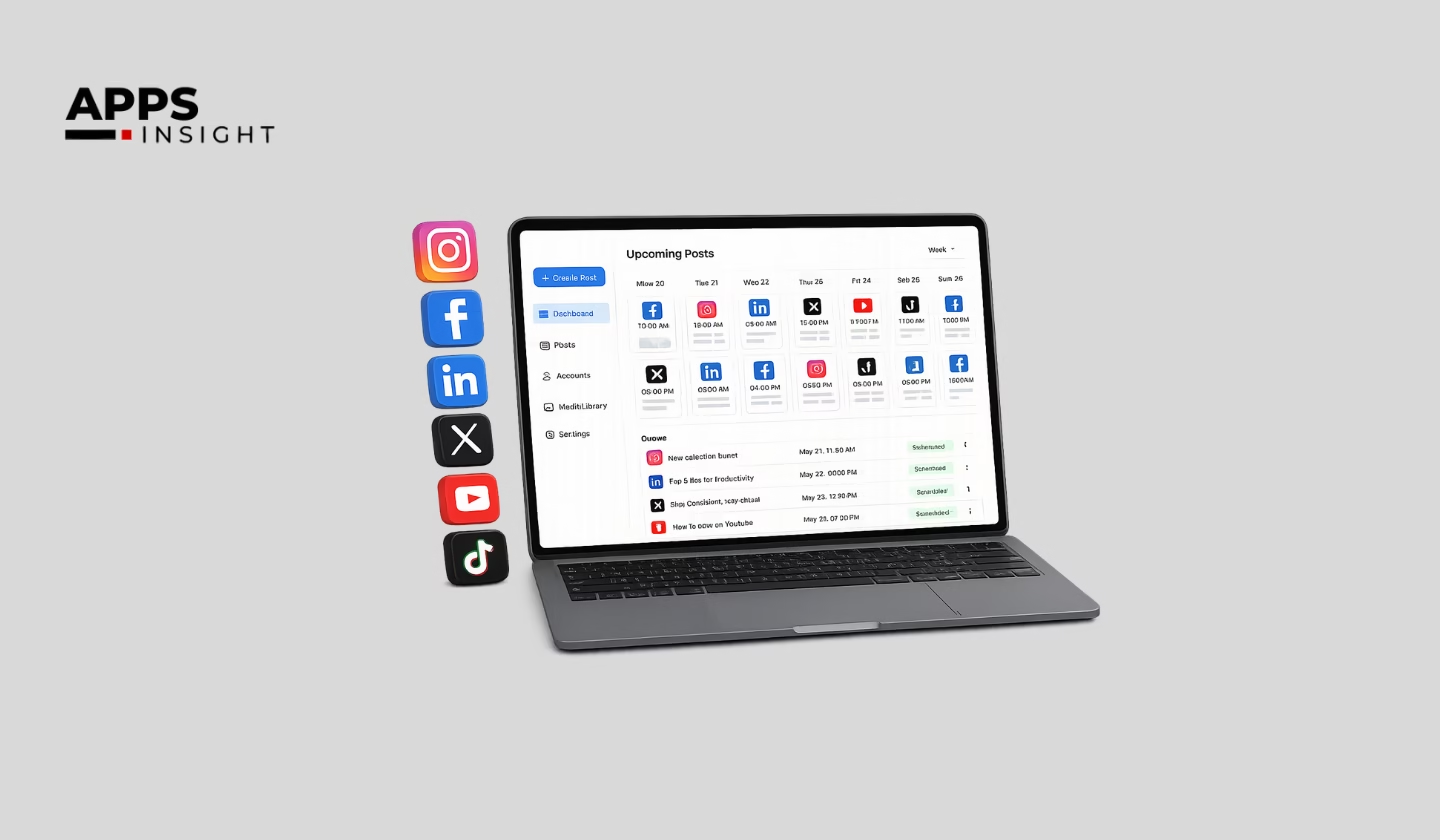
Managing social media has changed completely over the last few years, and we can clearly see that businesses now need smarter tools instead of basic post schedulers.
As marketers, creators, and agencies grow across multiple platforms, handling everything manually becomes difficult. We now need tools that help us schedule content faster, automate repetitive work, track performance, manage teams, and improve engagement from one dashboard. That is one of the biggest reasons many businesses are actively searching for reliable Publer Alternatives that offer better flexibility, stronger automation, and more advanced analytics.
The market itself also proves how fast this industry is growing.
According to Fortune Business Insights, the global social media management market was valued at USD 32.48 billion in 2025 and is expected to reach USD 164.52 billion by 2034. The report also highlights a strong CAGR of 19.7% during the forecast period.
Another report by Technavio predicts that the social media management software market could grow by USD 73.79 billion between 2025 and 2030 because businesses are heavily investing in automation, AI-powered marketing, and centralized publishing systems.
From my experience working with social media workflows for years, I have noticed that the best platforms are not always the most expensive ones. Instead, the right tool depends on your business goals, team size, content strategy, and reporting needs. Some tools focus more on automation, while others perform better for collaboration, analytics, evergreen posting, or visual content planning.
In this guide, we will compare the top alternatives to Publer in detail. We will look at their strengths, pricing, automation features, analytics capabilities, AI support, scheduling experience, and overall usability. Whether you are a creator, startup, agency, or growing brand, this comparison will help you choose a platform that saves time and improves your social media workflow.
The good part is that today’s tools are far more advanced, beginner-friendly, and scalable than they were just a few years ago. Before we explore each platform in detail, let us first take a quick look at all the tools side by side.
Publer Alternatives At a Glance
| Tool | Best For | Key Strength |
|---|---|---|
| Loomly | Content collaboration | Easy approval workflows |
| SocialBee | Content management | Category-based scheduling |
| OneUp | Small teams & agencies | Simple automation |
| Zoho Social | Deep analytics | Advanced reporting |
| RecurPost | Evergreen content | Content recycling |
| SocialPilot | Agencies | Client management |
| Later | Instagram creators | Visual planning |
| Metricool | Analytics tracking | Multi-platform insights |
| OnlySocial | Budget users | Affordable automation |
| RADAAR | Monitoring & inbox | Unified social listening |
| Hootsuite | Enterprises | Advanced reporting |
| Ripl | Social graphics & videos | Visual content creation |
About Publer
Publer is a well-known social media scheduling and automation platform designed for creators, businesses, and agencies that want to manage multiple social accounts from one place. It supports platforms like Facebook, Instagram, LinkedIn, Pinterest, TikTok, YouTube, and X, which makes content management easier for growing teams.
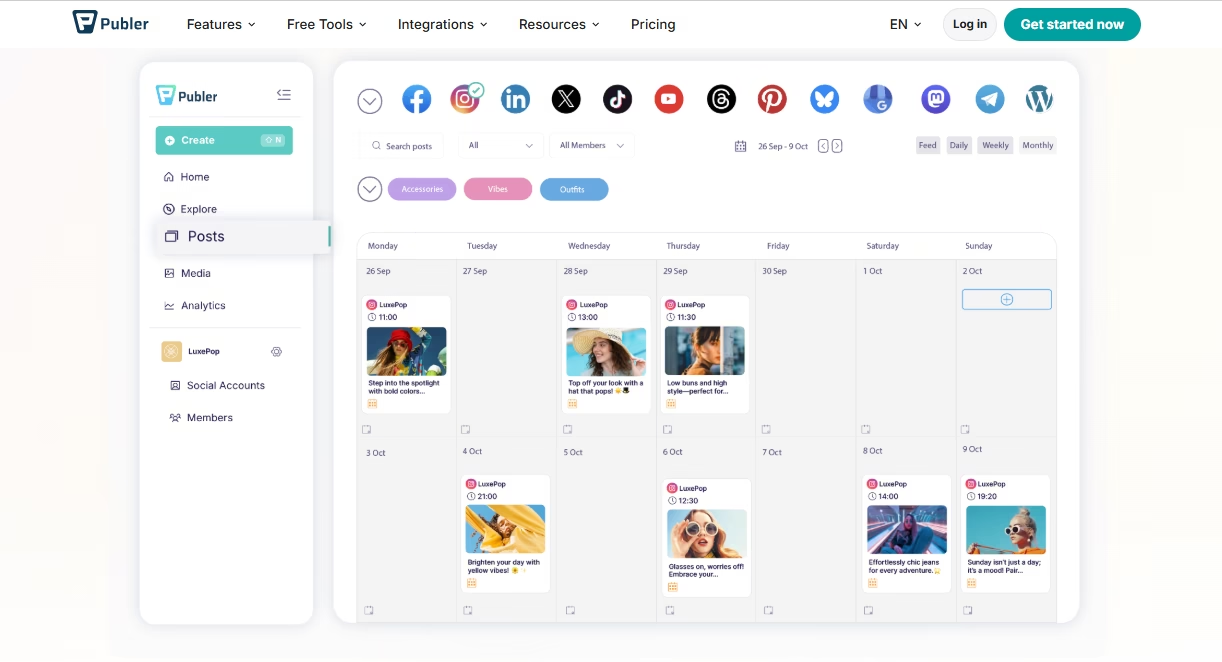
One reason many users prefer Publer is its simple and beginner-friendly interface. We can quickly schedule posts, automate publishing, recycle evergreen content, and organize content calendars without spending too much time learning the platform. It also offers AI caption assistance, analytics, collaboration tools, and bulk scheduling features that help improve workflow efficiency.
However, as businesses grow, their social media needs also become more advanced. Some users require deeper analytics, stronger team collaboration, advanced reporting, better automation, or more flexible pricing options. Agencies may also need better client management and approval systems for handling multiple brands.
That is why many marketers and businesses eventually start exploring different Publer Alternatives that better match their workflow, content strategy, and scaling requirements.
What’s The Need To Look for Publer Alternatives
Publer is a solid tool for scheduling and managing social media content, but every business has different goals and workflows. As teams grow, many users start looking for tools that offer more flexibility, better automation, deeper analytics, or easier collaboration.
For example, agencies often need advanced client management and reporting features. Content creators may want stronger AI content support and visual planning tools. Some businesses also prefer platforms with better integrations, unified inbox management, or affordable pricing for larger teams.
We also cannot ignore how fast social media is changing today. With the rise of Growing Social Media Platforms In The US, businesses now manage more channels than ever before. Because of this, brands need smarter workflows and better automation to stay consistent online.
Another major reason is engagement. Modern tools now help businesses discover better posting times, automate repetitive tasks, and apply Tricks to Increase Your Engagement on Social Media more effectively through analytics and AI suggestions.
That is why many businesses now compare different Publer Alternatives before choosing a long-term social media management solution.
Key Features To Consider Before Choosing A Social Media Management Tool
Choosing the right social media tool is important because it affects productivity, content quality, and overall workflow. Before selecting any platform, we should focus on features that actually make social media management easier and faster.
Here are the most important features to consider:
- Easy Scheduling & Automation: A good platform should allow us to schedule posts across multiple social media channels smoothly. Features like bulk scheduling, recurring posts, and automated publishing save a lot of time.
- Advanced Analytics & Reporting: Detailed reports help us track engagement, audience growth, reach, clicks, and campaign performance. Better analytics lead to smarter content decisions.
- Team Collaboration Tools: Shared calendars, approval workflows, and team access make collaboration easier for agencies and businesses managing multiple users.
- AI Content Assistance: Modern platforms now offer AI caption generation, hashtag suggestions, and content ideas. Some tools also work alongside Free AI Tools For Creating Social Media Posts to improve content creation speed.
- Content Calendar Management: Visual content calendars help organize campaigns, maintain posting consistency, and plan content ahead of time.
- Multi-Platform Support: The platform should support major networks like Facebook, Instagram, LinkedIn, Pinterest, TikTok, and X from one dashboard.
- User-Friendly Interface: A simple dashboard helps teams work faster without spending too much time learning the software.
- Integrations & Mobile Access: Integration with Canva, Google Drive, CRM systems, and mobile apps improves workflow flexibility.
- Affordable Pricing: The right tool should provide useful features without becoming too expensive as the business grows.
The best social media management platform is the one that matches our workflow, team size, and long-term marketing goals.
How AI Is Transforming Social Media Automation Platforms
Artificial Intelligence is changing the way we manage social media. Earlier, businesses spent hours writing captions, planning posts, tracking analytics, and managing engagement manually. Today, AI tools help simplify most of these tasks.
Here are some major ways AI is improving social media automation platforms:
- AI Caption & Content Generation: Many platforms now generate captions, hashtags, post ideas, and content variations automatically. This helps teams create content faster while maintaining consistency.
- Smart Scheduling Suggestions: AI can analyze audience activity and recommend the best posting times for higher reach and engagement.
- Performance Predictions: Some tools use AI to predict how posts may perform based on past engagement data and audience behavior.
- Better Analytics & Insights: AI-powered analytics help businesses understand trends, audience interests, and campaign performance more accurately.
- Automated Content Recycling: AI helps identify evergreen content that can be reposted automatically to improve long-term engagement.
- Improved Audience Research: Marketers also use technologies connected with OSINT Tools to analyze audience behavior, monitor trends, and gather public insights for better targeting strategies. Some advanced research systems even help brands Find Information On Anyone publicly available online for market research and audience analysis purposes.
- Faster Workflow Management: AI reduces repetitive work and allows teams to focus more on strategy, creativity, and customer interaction.
Today, many businesses rely on the best AI tools to improve content quality, automate daily tasks, and scale social media marketing more efficiently. As AI technology continues evolving, social media platforms will become even smarter, faster, and more personalized.
1) Loomly

Loomly is one of the most user-friendly social media management tools available today. It is designed for businesses, agencies, marketing teams, and creators that need a simple but organized workflow for content planning and publishing.
One thing we really like about Loomly is its clean dashboard and collaboration-focused features. The platform makes it easy to create, review, approve, and schedule content across multiple social media channels from one place. Teams can work together smoothly without confusion, which is very helpful for businesses managing large content calendars.
Loomly supports major platforms like Facebook, Instagram, LinkedIn, TikTok, Pinterest, YouTube, and X. It also provides post ideas, optimization tips, hashtag suggestions, and audience targeting recommendations that help improve content quality.
Another strong feature is its approval workflow system. Team members can leave comments, review drafts, and approve posts before publishing. This helps agencies and brands maintain content quality and avoid publishing mistakes.
The analytics section is also simple to understand. We can track engagement, audience growth, and post performance without dealing with overly complex reports.
Although Loomly may not offer the deepest automation compared to some advanced tools, it performs exceptionally well for collaboration, content organization, and scheduling. For businesses that value a smooth workflow and easy team communication, Loomly is definitely a strong option among today’s Publer Alternatives.
Best For:
- Marketing teams
- Content collaboration
- Agencies managing approval workflows
- Businesses handling multiple social accounts
- Teams that want a simple and organized dashboard
Key Features
- Multi-platform scheduling
- Content calendar management
- Post approval workflows
- Analytics and reporting
- Hashtag suggestions
- Team collaboration tools
- Media library management
- Post optimization tips
Pros
- Beginner-friendly interface
- Excellent collaboration features
- Easy content approvals
- Supports multiple social platforms
- Clean and organized dashboard
Cons
- Limited advanced automation
- Higher pricing for larger teams
- Analytics are simpler than enterprise tools
2) SocialBee (Best for Content Management)
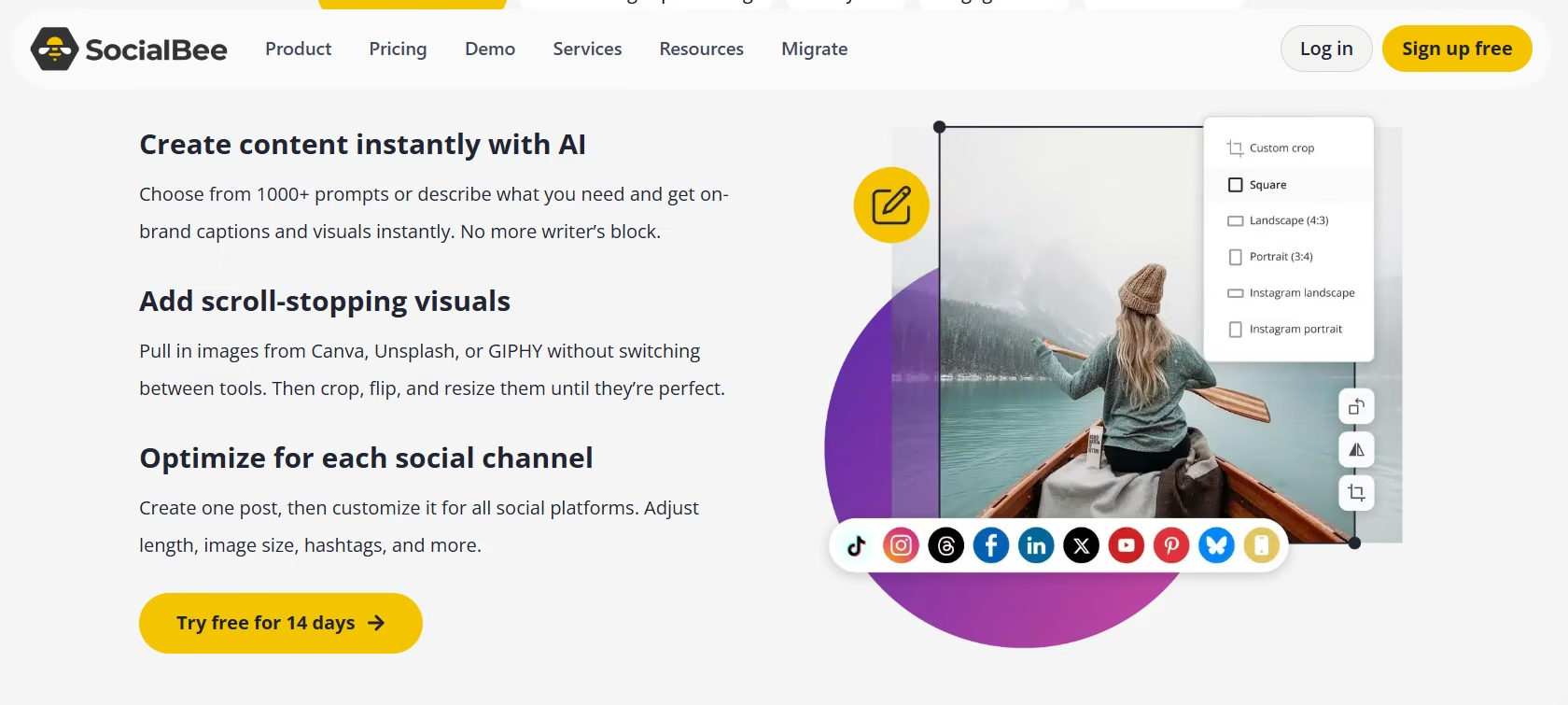
SocialBee is a powerful social media management platform that focuses heavily on content organization and automation. It is a great choice for businesses, creators, coaches, and agencies that regularly publish large amounts of content across multiple social media platforms.
One feature that makes SocialBee stand out is its category-based scheduling system. Instead of manually organizing every post, we can create content categories like promotional posts, blogs, quotes, videos, or educational content. The platform then schedules posts automatically based on the selected category schedule. This keeps content balanced and consistent.
SocialBee also supports major social networks including Facebook, Instagram, LinkedIn, Pinterest, TikTok, Google Business Profile, and X. The interface is simple, clean, and easy to manage even for beginners.
Another major advantage is content recycling. Evergreen posts can automatically be reused over time, which helps brands stay active without constantly creating new content daily. This feature is especially useful for businesses focused on long-term engagement and audience growth.
The platform also includes AI-powered caption generation, Canva integration, analytics, collaboration tools, and audience tracking features. For teams managing multiple campaigns, the workflow feels smooth and organized.
From our experience, SocialBee works extremely well for businesses that prioritize structured content planning and automation. Among many modern Publer Alternatives, it is one of the strongest options for managing high-volume content efficiently.
Best For:
- Content-heavy businesses
- Coaches and consultants
- Solopreneurs
- Evergreen content management
- Structured content planning
Key Features
- Category-based scheduling
- Evergreen content recycling
- AI caption generation
- Multi-platform publishing
- Canva integration
- Analytics and reporting
- Team collaboration tools
- Content calendar management
Pros
- Excellent content organization
- Strong automation features
- Easy-to-use dashboard
- Great for evergreen content
- Supports multiple social channels
Cons
- Slight learning curve for beginners
- Limited advanced analytics
- Some features locked behind higher plans
Looking for? Top Social Media App Developers
3) OneUp (Best for Small Teams/Agencies)
OneUp is a simple but highly effective social media scheduling tool designed mainly for small businesses, freelancers, creators, and agencies that want automation without unnecessary complexity. Over the years, we have seen many users prefer OneUp because of its clean interface, affordable pricing, and reliable automation features.
The platform supports scheduling for Facebook, Instagram, LinkedIn, Pinterest, TikTok, YouTube, and X. OneUp focuses heavily on helping users automate repetitive posting tasks while keeping the workflow easy to manage. Even beginners can quickly understand how to schedule, recycle, and organize content.
One of its strongest features is evergreen content automation. Users can automatically repost high-performing content multiple times without manually recreating posts. This helps maintain consistency and saves significant time for businesses managing regular content campaigns.
OneUp also offers calendar management, media support, analytics, AI caption assistance, and team collaboration features. While it may not provide enterprise-level reporting, it delivers a smooth experience for smaller teams that need efficiency over complexity.
Many businesses searching for sites like OneUp usually want affordable automation tools that still provide strong scheduling capabilities. In that area, OneUp performs extremely well.
From our experience, OneUp is one of the easiest tools to use among modern sites like Publer, especially for teams that prioritize automation, simplicity, and content recycling without paying enterprise-level pricing.
Best For:
- Small agencies
- Freelancers
- Small businesses
- Content automation
- Evergreen posting
Key Features
- Automated post recycling
- Multi-platform scheduling
- AI caption support
- Content calendar
- Team collaboration tools
- Media management
- Bulk scheduling
- Analytics dashboard
Pros
- Very beginner-friendly
- Affordable pricing
- Excellent evergreen automation
- Easy scheduling workflow
- Supports multiple social platforms
Cons
- Limited advanced reporting
- Fewer enterprise features
- Basic collaboration compared to larger tools
4) Zoho Social (Best for Deep Analytics)
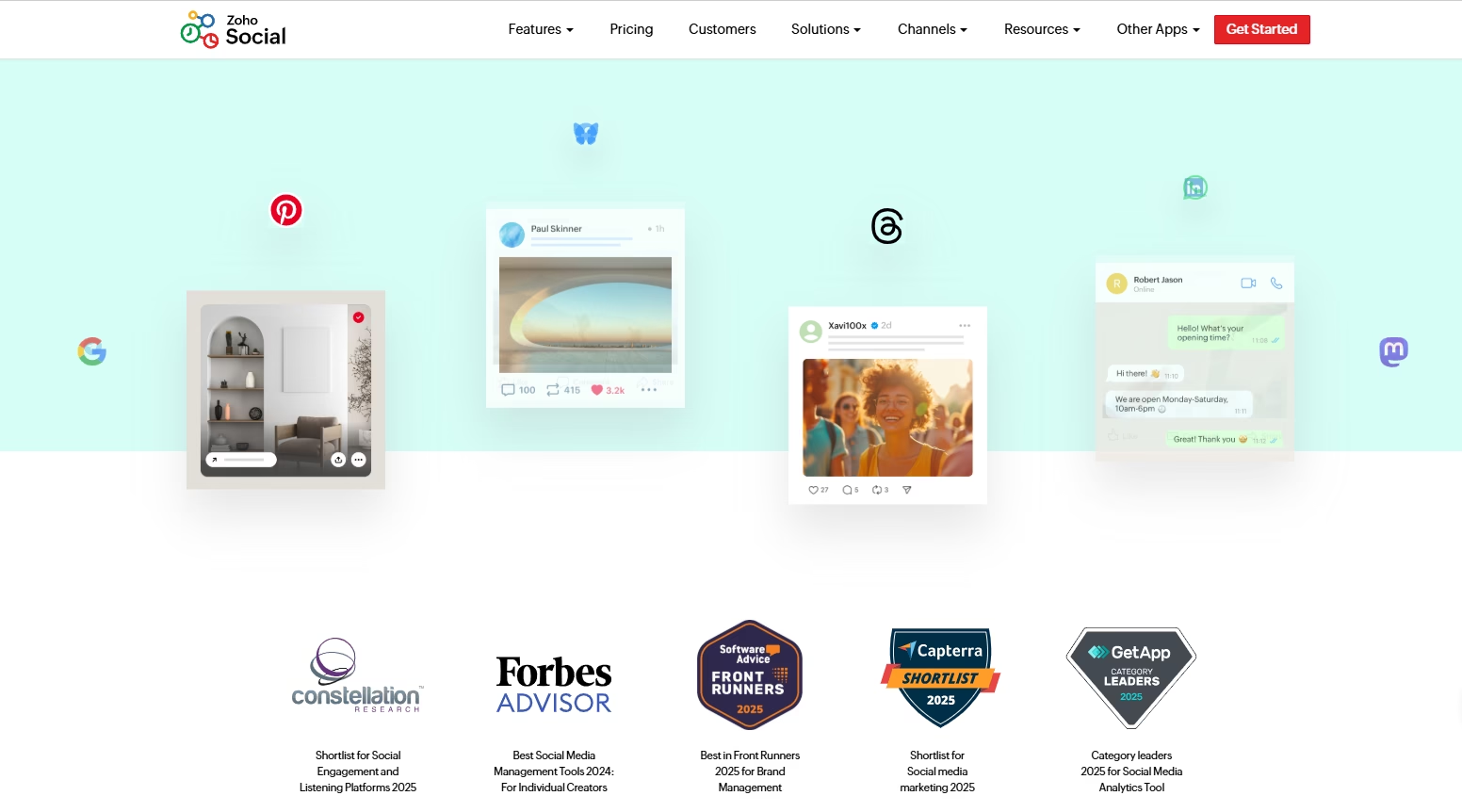
Zoho Social is a feature-rich social media management platform built for businesses and agencies that need advanced analytics, detailed reporting, and strong team collaboration. It is especially popular among companies already using the Zoho ecosystem because of its seamless CRM and business integrations.
One of the biggest strengths of Zoho Social is its analytics system. The platform provides detailed reports on audience behavior, engagement trends, post performance, impressions, and follower growth. We can easily monitor campaign performance and make data-driven decisions without relying on third-party reporting tools.
The platform supports Facebook, Instagram, LinkedIn, YouTube, TikTok, Pinterest, and X, allowing businesses to manage all major social channels from one dashboard. Zoho Social also includes scheduling tools, publishing automation, content calendars, monitoring features, and team collaboration options.
Another useful feature is the real-time monitoring dashboard. Businesses can track mentions, keywords, comments, and customer interactions across social platforms more efficiently. This improves brand communication and response management.
The interface is professional yet easy to navigate. While beginners may need a little time to understand all reporting features, the platform becomes very powerful once fully configured.
From our experience, Zoho Social works best for businesses that prioritize analytics and reporting over heavy automation. Among many available apps like Publer, it is one of the strongest choices for data-focused marketing teams.
Best For:
- Data-driven businesses
- Marketing agencies
- Teams needing advanced analytics
- Businesses using Zoho CRM
- Social media performance tracking
Key Features
- Advanced analytics and reporting
- Multi-platform scheduling
- Real-time monitoring dashboard
- CRM integration
- Team collaboration tools
- Content calendar
- Audience insights
- Automated publishing
Pros
- Excellent reporting system
- Strong CRM integration
- Professional dashboard
- Great monitoring features
- Supports multiple social platforms
Cons
- Slight learning curve for beginners
- Advanced features require higher plans
- Interface may feel complex initially
5) RecurPost
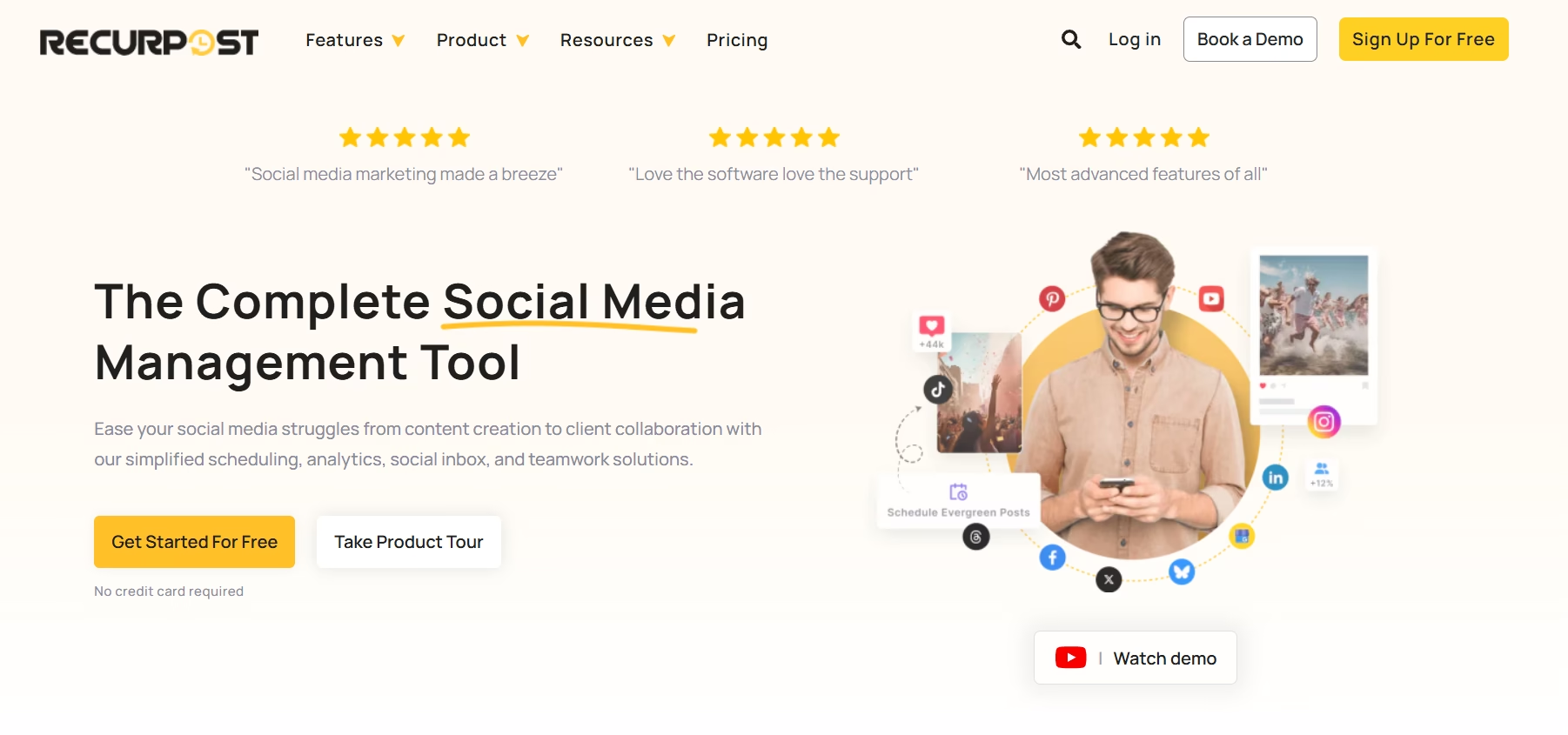
RecurPost is a smart social media scheduling platform known mainly for its evergreen content recycling and automation capabilities. It is a strong option for businesses, creators, coaches, and marketers who want to keep their social media accounts active without manually reposting content every time.
One of the best features of RecurPost is its automated content recycling system. We can create content libraries and allow the platform to repost evergreen content automatically at scheduled intervals. This saves a huge amount of time, especially for businesses that regularly share blogs, promotional posts, educational content, or motivational updates.
The platform supports major social media channels like Facebook, Instagram, LinkedIn, Pinterest, Google Business Profile, TikTok, and X. Its scheduling interface is simple and easy to manage, even for beginners.
RecurPost also includes bulk scheduling, AI caption generation, analytics, content categorization, and team collaboration features. The content libraries help businesses organize posts more effectively and maintain consistent publishing schedules.
Another useful feature is social inbox management, which allows users to monitor interactions from different platforms in one place. This improves engagement management and customer communication.
From our experience, RecurPost works extremely well for businesses focused on automation and evergreen marketing strategies.
Best For:
- Evergreen content scheduling
- Coaches and consultants
- Small businesses
- Automated content recycling
- Consistent posting strategies
Key Features
- Evergreen content automation
- Content libraries
- Bulk scheduling
- AI caption generation
- Multi-platform publishing
- Analytics dashboard
- Team collaboration tools
- Social inbox management
Pros
- Excellent content recycling system
- Easy-to-use interface
- Strong automation features
- Saves time on repetitive posting
- Affordable for small businesses
Cons
- Analytics are not very advanced
- Limited enterprise-level features
- Design interface feels basic in some areas
6) SocialPilot (Best for Social Media Agencies)
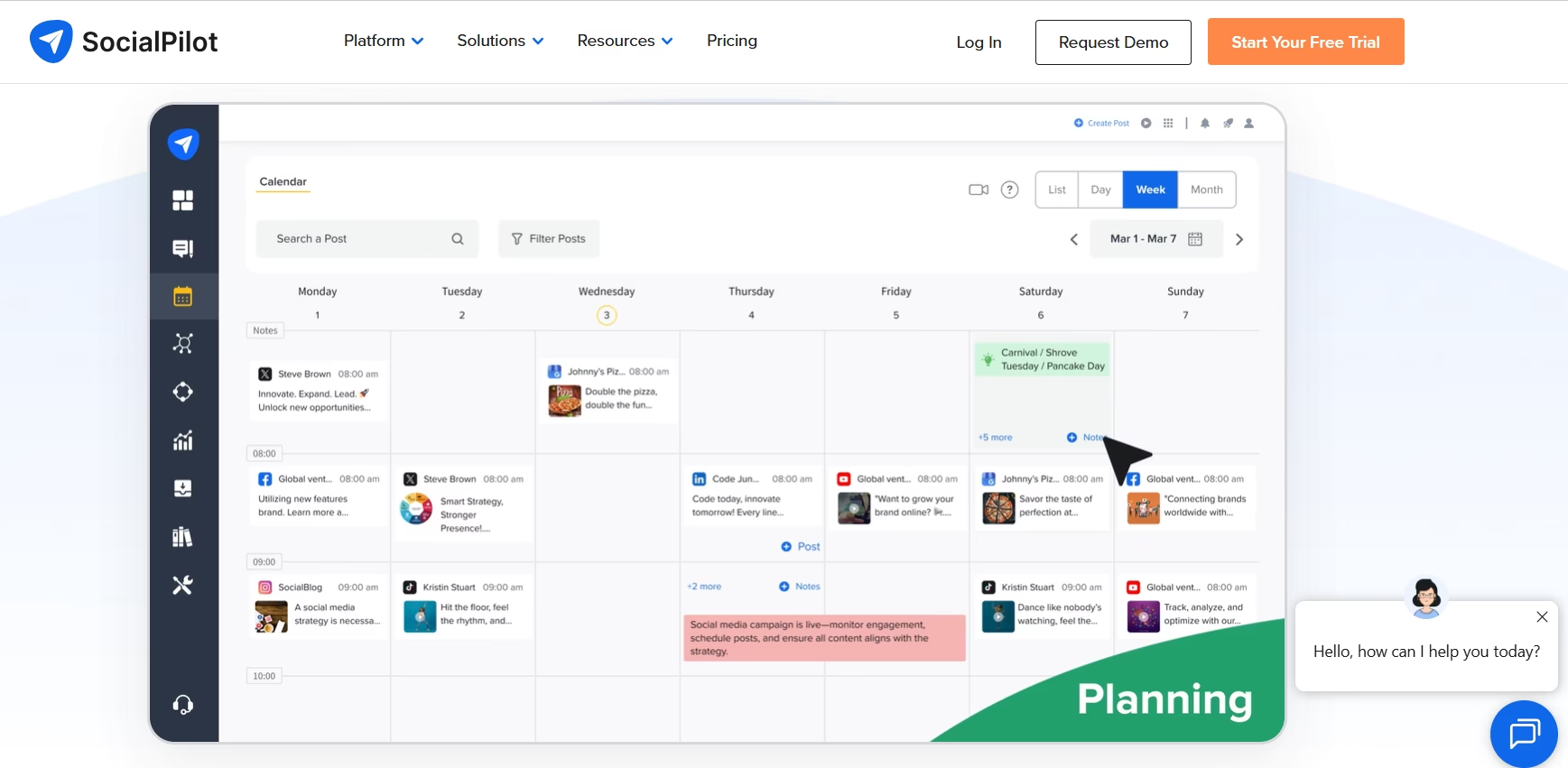
SocialPilot is a highly popular social media management platform built mainly for agencies, marketing teams, and businesses that manage multiple client accounts. It combines scheduling, collaboration, analytics, and client management features in one organized dashboard.
One of the biggest strengths of SocialPilot is its agency-focused workflow. We can manage multiple brands, schedule large volumes of content, assign team roles, and organize approvals without making the process complicated. The platform is designed to save time while handling large-scale social media operations.
SocialPilot supports platforms like Facebook, Instagram, LinkedIn, TikTok, Pinterest, YouTube, and X. It also provides bulk scheduling, content calendars, analytics, client reporting, and AI-powered caption suggestions.
Another major advantage is its client management system. Agencies can generate branded reports, manage separate workspaces, and collaborate with clients more efficiently. The dashboard remains simple even when managing many social accounts at once.
The analytics section offers clear performance tracking for engagement, audience growth, clicks, and post reach. While it may not be as advanced as enterprise-level reporting tools, it provides more than enough insights for most agencies and growing businesses.
From our experience, SocialPilot delivers an excellent balance between affordability, usability, and scalability. Among today’s social media automation tools, it is one of the strongest choices for agencies that need reliable automation and multi-client management without paying enterprise pricing.
Best For:
- Social media agencies
- Marketing teams
- Multi-client management
- Bulk scheduling
- Growing businesses
Key Features
- Bulk scheduling
- Multi-account management
- Client approval workflows
- Analytics and reporting
- AI caption suggestions
- Content calendar
- Team collaboration tools
- Branded client reports
Pros
- Excellent for agencies
- Easy client management
- Affordable compared to enterprise tools
- Clean and user-friendly dashboard
- Strong scheduling capabilities
Cons
- Limited advanced AI features
- Analytics are less detailed than enterprise platforms
- Some integrations require higher plans
7) Later
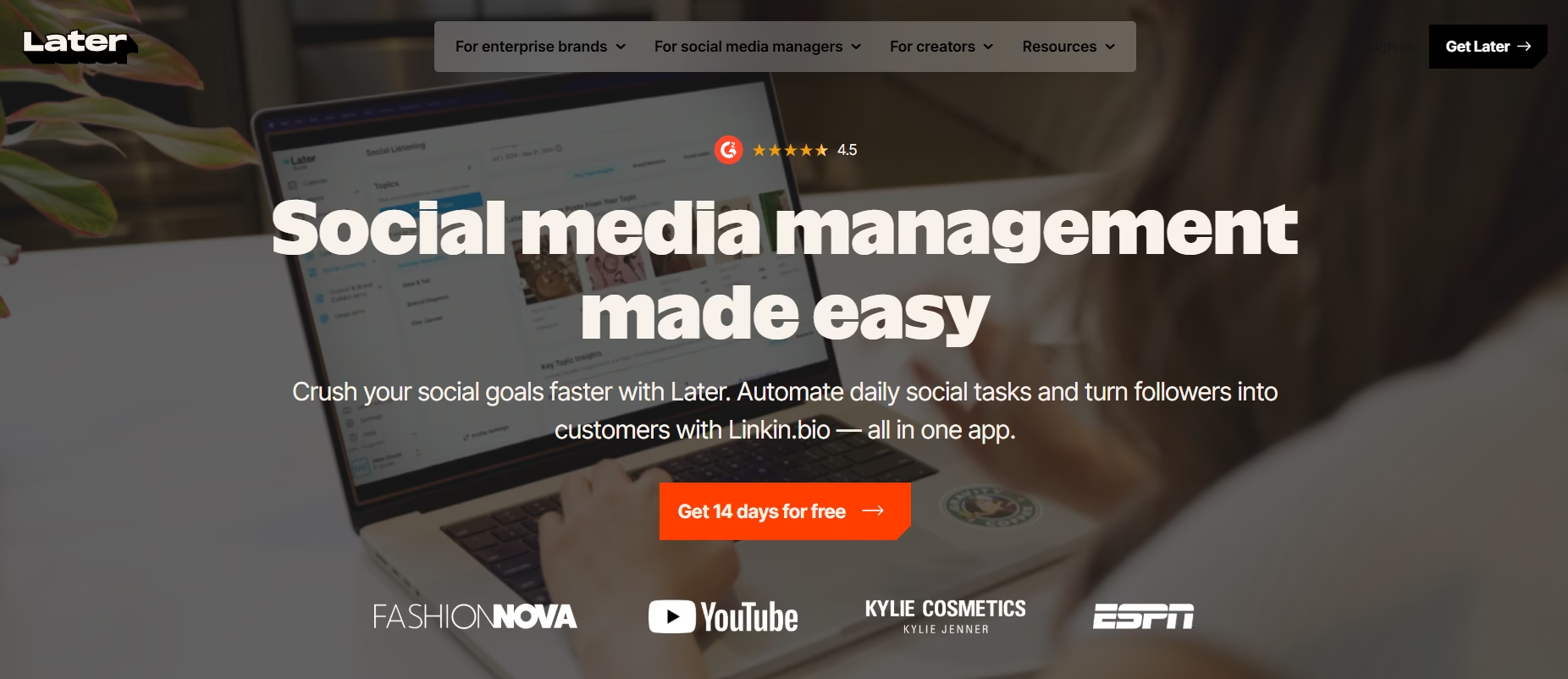
Later is a well-known social media management tool that focuses strongly on visual content planning and Instagram marketing. It is widely used by creators, influencers, eCommerce brands, and businesses that rely heavily on visual storytelling to grow their audience.
One of the biggest advantages of Later is its visual content calendar. We can easily drag and drop posts, preview Instagram grids, and organize campaigns visually before publishing them. This makes content planning much easier for brands that care about feed appearance and consistency.
The platform supports Instagram, Facebook, TikTok, LinkedIn, Pinterest, and X. Later also provides scheduling tools, analytics, hashtag suggestions, link-in-bio features, and AI caption assistance.
Another feature many users appreciate is the media library. Businesses can store images, videos, and brand assets in one place for faster content management. The platform also offers user-generated content tools and influencer collaboration features, which are especially useful for eCommerce brands.
Later’s analytics help track engagement, audience growth, reach, and post performance. While the reporting is not as deep as enterprise-focused platforms, it provides valuable insights for creators and visual brands.
From our experience, Later works exceptionally well for businesses focused on Instagram and visual marketing strategies. Among popular similar sites to Publer, it is one of the best options for creators and brands that prioritize content aesthetics and visual scheduling.
Best For:
- Instagram creators
- Influencers
- eCommerce brands
- Visual content planning
- Social media creators
Key Features
- Visual content calendar
- Instagram grid preview
- AI caption assistance
- Link-in-bio tools
- Media library management
- Multi-platform scheduling
- Analytics dashboard
- Hashtag suggestions
Pros
- Excellent visual planning tools
- Beginner-friendly interface
- Strong Instagram support
- Easy content organization
- Helpful creator-focused features
Cons
- Limited advanced automation
- Analytics are not enterprise-level
- Some advanced features cost extra
8) Metricool
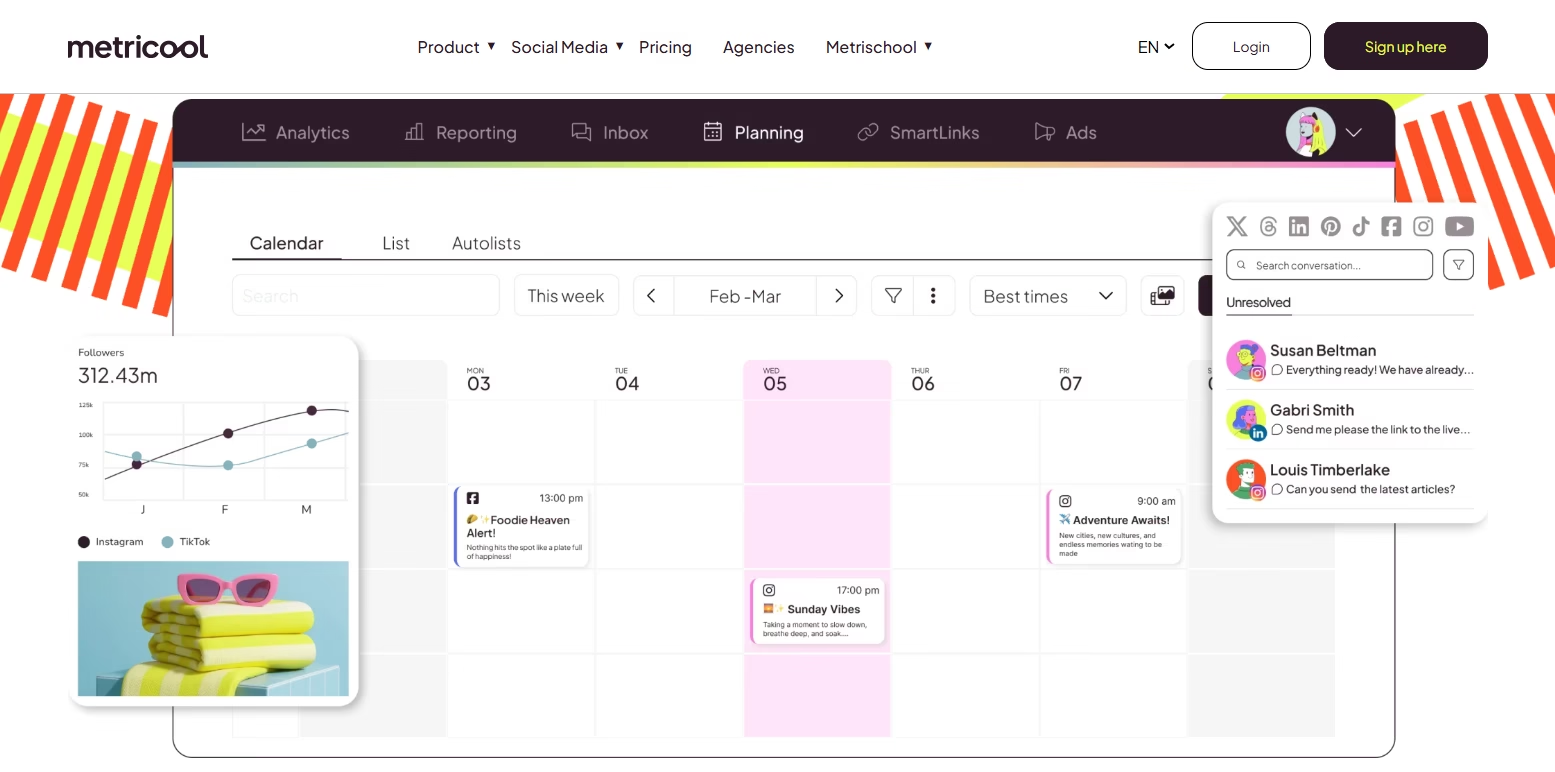
Metricool is a powerful social media management and analytics platform designed for businesses, marketers, agencies, and creators who want detailed performance tracking alongside scheduling features. It combines content planning, analytics, ad tracking, and reporting in one centralized dashboard.
One of the strongest features of Metricool is its analytics system. We can monitor engagement, audience growth, website traffic, campaign performance, and paid ad metrics from multiple platforms in one place. This makes it easier to understand what content performs best and where improvements are needed.
The platform supports Facebook, Instagram, LinkedIn, TikTok, Pinterest, YouTube, Google Business Profile, Twitch, and X. It also offers scheduling tools, automated publishing, hashtag tracking, competitor analysis, and content calendar management.
Another major advantage is ad performance tracking. Businesses running paid campaigns can monitor advertising results alongside organic social media performance without switching between different tools constantly.
Metricool also provides customizable reports that are useful for agencies managing multiple clients. The interface remains clean and organized despite offering many advanced features.
From our experience, Metricool is an excellent choice for businesses that prioritize analytics and performance monitoring as much as content scheduling. Among available Publer Alternatives, it stands out for combining social media management with detailed marketing insights and advertising analytics.
Best For:
- Analytics-focused marketers
- Agencies managing campaigns
- Ad performance tracking
- Multi-platform reporting
- Content scheduling and analysis
Key Features
- Advanced analytics dashboard
- Ad campaign tracking
- Multi-platform scheduling
- Competitor analysis
- Automated publishing
- Customizable reports
- Content calendar management
- Hashtag tracking
Pros
- Strong analytics and reporting
- Excellent ad tracking features
- Supports many social platforms
- Great for agencies and marketers
- Easy-to-understand dashboard
Cons
- Some advanced reports require higher plans
- Beginners may need time to learn all the features
- Automation features are moderate compared to some competitors
9) OnlySocial
OnlySocial is an affordable social media management platform designed for businesses, creators, startups, and agencies that want automation and scheduling features without paying high monthly costs. It focuses on simplicity, scalability, and managing multiple social media accounts efficiently.
One of the biggest advantages of OnlySocial is its unlimited scheduling approach on many plans. We can schedule large amounts of content across different platforms without constantly worrying about strict posting limits. This makes it especially useful for businesses managing high-volume publishing.
The platform supports Facebook, Instagram, LinkedIn, TikTok, Pinterest, YouTube, and X. It also provides bulk scheduling, AI caption generation, content calendars, team collaboration tools, and analytics features.
OnlySocial keeps the dashboard clean and beginner-friendly, which helps smaller teams manage content more comfortably. The platform also supports media storage and post organization, making content planning smoother for growing brands.
Another useful feature is its automation support. Businesses can automate publishing workflows and maintain consistent posting schedules without spending hours manually managing every account.
From our experience, OnlySocial delivers excellent value for businesses that need affordable automation and flexible scheduling.
Best For:
- Startups
- Small businesses
- Budget-conscious marketers
- High-volume scheduling
- Affordable automation
Key Features
- Unlimited scheduling
- AI caption generation
- Multi-platform publishing
- Bulk scheduling
- Content calendar management
- Team collaboration tools
- Media storage
- Analytics dashboard
Pros
- Affordable pricing
- Beginner-friendly dashboard
- Strong scheduling flexibility
- Supports multiple social channels
- Good automation features
Cons
- Analytics are less advanced
- Fewer enterprise-level features
- Limited deep reporting capabilities
10) RADAAR (Best for Unified Inbox & Monitoring)
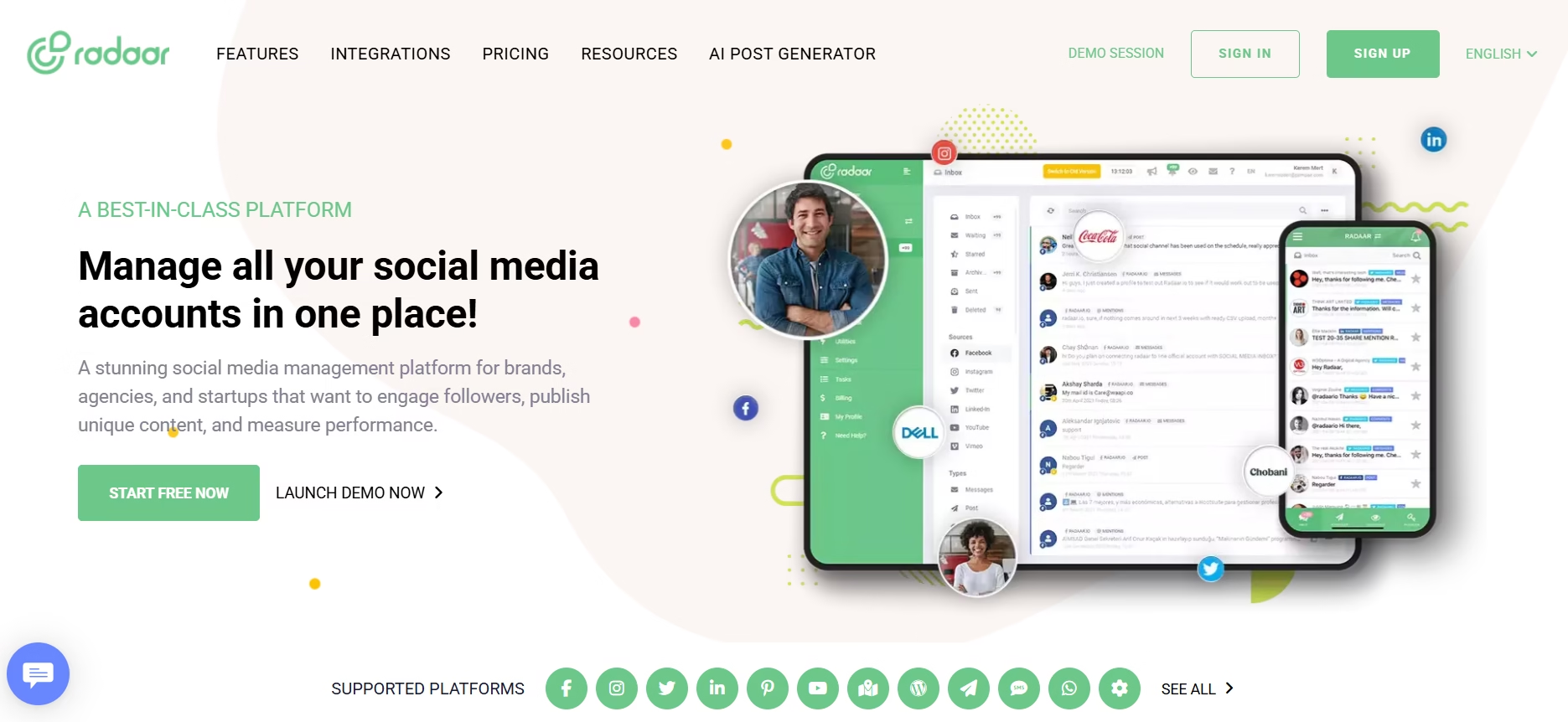
RADAAR is a modern social media management platform designed for brands, agencies, and teams that need better monitoring, collaboration, and communication management. It combines scheduling, publishing, social listening, and inbox management in one centralized dashboard.
One of the biggest strengths of RADAAR is its unified inbox system. We can manage messages, comments, mentions, and interactions from multiple social media platforms in one place. This helps businesses respond faster and maintain better customer communication without switching between different apps.
The platform supports Facebook, Instagram, LinkedIn, TikTok, Pinterest, YouTube, and X. It also offers scheduling tools, publishing automation, analytics, content management, monitoring features, and team collaboration options.
Another useful feature is social listening and brand monitoring. Businesses can track keywords, mentions, hashtags, and competitor activity to better understand audience conversations and market trends. This makes RADAAR helpful for reputation management and customer engagement.
The platform also provides approval workflows and workspace management features that help teams collaborate more efficiently. Its interface is clean, organized, and suitable for both beginners and experienced marketers.
From our experience, RADAAR works extremely well for businesses that prioritize communication, engagement tracking, and centralized inbox management. Among modern Publer Alternatives, it stands out for its monitoring and collaboration capabilities.
Best For:
- Unified inbox management
- Social listening
- Brand monitoring
- Agencies and teams
- Customer engagement tracking
Key Features
- Unified social inbox
- Social listening tools
- Multi-platform scheduling
- Keyword and hashtag monitoring
- Team collaboration
- Approval workflows
- Analytics dashboard
- Content calendar management
Pros
- Excellent inbox management
- Strong monitoring features
- Helpful collaboration tools
- Easy-to-use dashboard
- Good for engagement management
Cons
- Advanced analytics are limited
- Some automation features are basic
- Enterprise reporting could be stronger
11) Hootsuite (Best for Enterprise & Reporting)
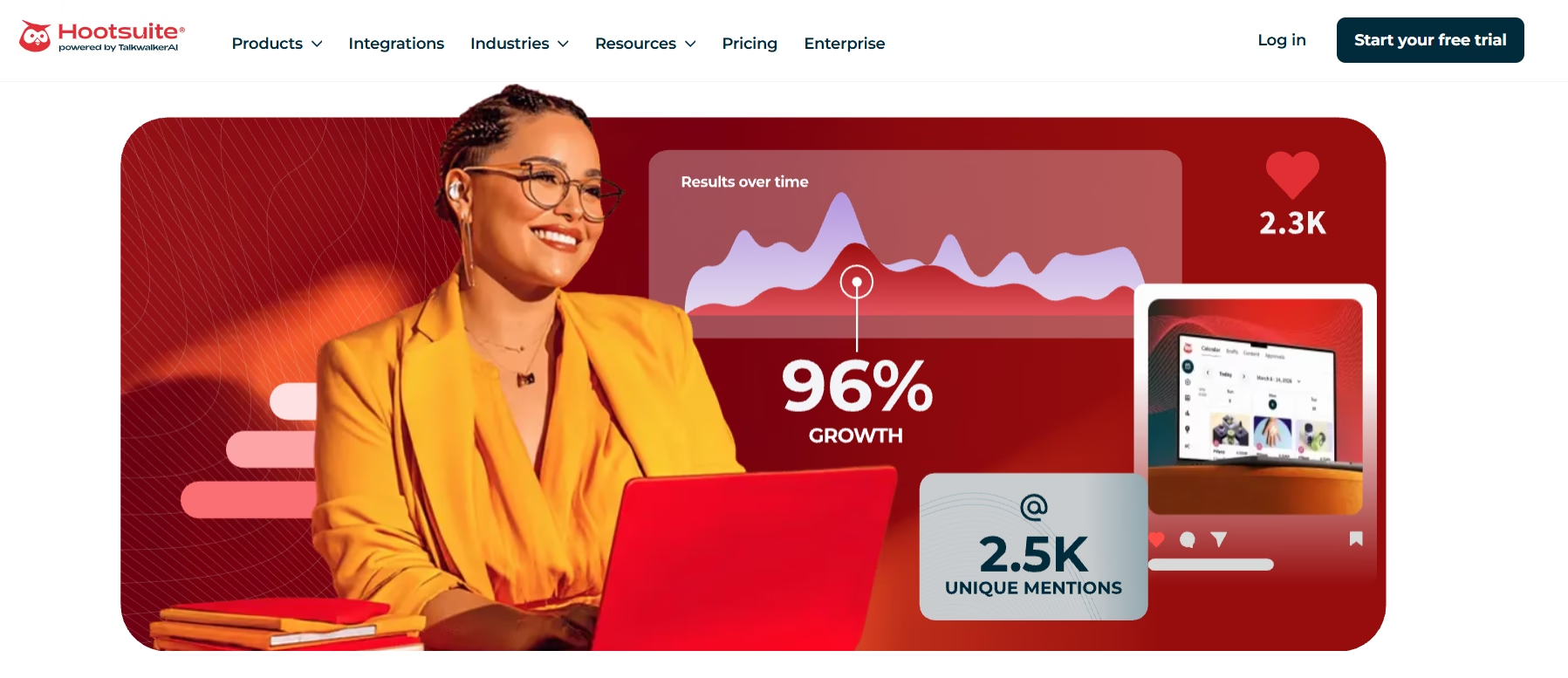
Hootsuite is one of the oldest and most recognized social media management platforms in the industry. It is widely used by large businesses, enterprises, agencies, and marketing teams that need advanced reporting, team collaboration, and large-scale social media management capabilities.
One of Hootsuite’s biggest strengths is its powerful reporting and analytics system. We can track engagement, campaign performance, audience growth, conversions, and team productivity through highly detailed reports. This makes the platform ideal for businesses that rely heavily on data-driven marketing decisions.
The platform supports major social networks including Facebook, Instagram, LinkedIn, TikTok, Pinterest, YouTube, and X. It also offers bulk scheduling, social listening, content calendars, team workflows, monitoring streams, and automation tools.
Another major advantage is its enterprise-level collaboration system. Teams can assign tasks, approve content, manage permissions, and organize workflows efficiently across multiple departments or client accounts.
Hootsuite also integrates with many third-party business tools, which improves workflow management for larger organizations. Businesses comparing enterprise tools and even exploring Sprout Social Alternatives often consider Hootsuite because of its strong reporting ecosystem and scalability.
From our experience, Hootsuite is best suited for businesses that need advanced analytics, centralized monitoring, and enterprise-level management features. Among all major Publer Alternatives, it remains one of the strongest options for large organizations handling complex social media operations.
Best For:
- Enterprises
- Large marketing teams
- Advanced reporting
- Multi-department collaboration
- Large-scale social media management
Key Features
- Advanced analytics and reporting
- Social listening tools
- Bulk scheduling
- Team collaboration workflows
- Content calendar management
- Multi-platform publishing
- Monitoring streams
- Third-party integrations
Pros
- Excellent enterprise reporting
- Strong collaboration features
- Highly scalable platform
- Supports many integrations
- Reliable social monitoring tools
Cons
- Higher pricing compared to many competitors
- Learning curve for beginners
- Some advanced features require premium plans
Read once! Fansly vs OnlyFans: Which Platform is Best for Adult Content Creators?
12) Ripl
Ripl is a creative social media content tool designed mainly for small businesses, creators, marketers, and brands that want to create visually appealing posts and short videos quickly. Unlike many traditional scheduling platforms, Ripl focuses more on content design and visual storytelling.
One of the biggest advantages of Ripl is its large collection of customizable templates. We can create animated posts, promotional videos, stories, and branded graphics without needing advanced design skills. This makes content creation much faster for businesses that regularly publish visual content.
The platform supports content creation for Facebook, Instagram, LinkedIn, TikTok, Pinterest, and X. Users can customize colors, fonts, logos, animations, and captions to match their brand identity.
Ripl also includes scheduling features, basic analytics, branding tools, and media management options. Its mobile-friendly interface allows creators to design and publish content directly from smartphones, which is very useful for busy entrepreneurs and social media managers.
Another useful feature is its simple editing workflow. Businesses can quickly turn images and short videos into engaging social media content without relying heavily on professional designers.
From our experience, Ripl works best for businesses and creators that prioritize visual content creation over advanced analytics or automation. Among many available Publer Alternatives, it is one of the easiest tools for creating engaging social graphics and promotional videos quickly.
Best For:
- Small businesses
- Social media creators
- Visual content creation
- Promotional video design
- Mobile content management
Key Features
- Animated social media templates
- Video and graphic creation
- Brand customization tools
- Mobile-friendly editing
- Social media scheduling
- Media management
- Basic analytics
- Content publishing tools
Pros
- Very easy to use
- Great for visual storytelling
- Fast content creation workflow
- Beginner-friendly interface
- Excellent mobile support
Cons
- Limited advanced analytics
- Basic automation features
- Not ideal for enterprise management
Publer Alternatives Comparison
Choosing the right social media management tool becomes much easier when we compare the most important features side by side. Every platform offers different strengths, pricing structures, analytics capabilities, and automation tools. Some platforms work better for agencies, while others are more suitable for creators, startups, or enterprise teams.
The comparison below gives a quick overview of the top platforms based on features, usability, analytics, automation, and business suitability.
| Tool | Best For | Analytics | Team Collaboration | AI Features |
|---|---|---|---|---|
| Loomly | Content collaboration | Moderate | Excellent | Basic |
| SocialBee | Content management | Moderate | Good | Good |
| OneUp | Small teams & agencies | Basic | Moderate | Basic |
| Zoho Social | Deep analytics | Advanced | Strong | Moderate |
| RecurPost | Evergreen content | Moderate | Moderate | Basic |
| SocialPilot | Agencies | Strong | Excellent | Moderate |
| Later | Instagram creators | Moderate | Good | Moderate |
| Metricool | Analytics & ads | Advanced | Good | Moderate |
| OnlySocial | Budget automation | Basic | Moderate | Moderate |
| RADAAR | Inbox & monitoring | Moderate | Strong | Basic |
| Hootsuite | Enterprise reporting | Advanced | Excellent | Moderate |
| Ripl | Visual content creation | Basic | Limited | Basic |
Quick Insights From The Comparison
- Businesses focused on analytics and reporting should consider Zoho Social, Metricool, or Hootsuite.
- Agencies managing multiple clients may benefit more from SocialPilot or Loomly.
- Content-heavy brands often prefer SocialBee or RecurPost because of their automation and recycling features.
- Budget-conscious startups can save money with OneUp or OnlySocial.
- Creators and visual brands usually find Later and Ripl more suitable for their workflow.
The right platform ultimately depends on your business goals, team size, content strategy, and automation requirements.
Want to view and download Instagram content? Try Picnob Alternatives
Which Publer Alternative Should You Choose?
Choosing the right platform depends entirely on your business goals, content strategy, team size, and budget. After working with different social media management tools for years, we can clearly say that there is no single platform that works perfectly for everyone.
Here are some simple recommendations based on different business needs:
- Best for Agencies: SocialPilot and Loomly are excellent choices for agencies managing multiple clients, approval workflows, and team collaboration.
- Best for Content Management: SocialBee works extremely well for businesses focused on evergreen content, category-based scheduling, and automation.
- Best for Analytics & Reporting: Zoho Social, Metricool, and Hootsuite provide stronger analytics and reporting features for data-driven businesses.
- Best Budget-Friendly Option: OnlySocial and OneUp are great choices for startups and small businesses looking for affordable automation tools.
- Best for Visual Content Creators: Later and Ripl are ideal for creators, influencers, and brands focused on Instagram and visual storytelling.
- Best for Monitoring & Engagement: RADAAR performs very well for unified inbox management, customer communication, and social listening.
- Best for Evergreen Automation: RecurPost is highly effective for recycling evergreen content and maintaining consistent posting schedules.
The good news is that most of these tools offer free trials or demo versions. We always recommend testing a platform before making a long-term decision because every team has a different workflow and content management style.
The best choice is the one that saves time, improves collaboration, simplifies publishing, and helps your business grow consistently across social media platforms.
How Social Media Automation Tools Impact Business Growth
Social media automation tools have become extremely important for modern businesses because managing multiple platforms manually takes too much time and effort. With the right automation platform, businesses can improve productivity, maintain consistency, and scale their marketing much faster.
Here are some major ways these tools help businesses grow:
- Save Time & Increase Efficiency: Scheduling posts in advance allows teams to focus more on strategy, creativity, and audience engagement instead of repetitive manual posting.
- Improve Content Consistency: Consistent posting helps brands stay active and visible across different social platforms without interruptions.
- Better Audience Engagement: Analytics and AI-powered insights help businesses understand what type of content performs best and when audiences are most active.
- Simplify Team Collaboration: Approval workflows, shared calendars, and centralized dashboards improve communication between team members and clients.
- Support Multi-Platform Growth: Businesses can manage Facebook, Instagram, LinkedIn, TikTok, Pinterest, and other platforms from one dashboard more efficiently.
- Improve Marketing ROI: Automation reduces manual work and helps businesses achieve better results with fewer resources.
- Scalability for Growing Businesses: As brands expand, automation tools make it easier to handle larger content volumes and more social accounts.
The rapid growth of social media platforms has also increased interest in app development and platform scalability. Businesses researching Social Media App Development Cost often realize how complex and expensive it can become to build and maintain large-scale platforms. Similarly, understanding the Cost to Develop a Social Media App Like Facebook shows why many companies prefer using established automation tools instead of building custom systems from scratch.
From our experience, businesses that use automation tools effectively usually achieve better consistency, stronger engagement, and more organized social media operations over time.
Want to view Instagram profiles and posts anonymously? Try Picuki Apps
Sum up
Choosing the right social media management platform can make a huge difference in how efficiently we plan, publish, analyze, and scale our content strategy. While Publer is a useful platform, many businesses eventually need more advanced automation, deeper analytics, stronger collaboration tools, or better content management features.
In this guide, we explored some of the best Publer Alternatives available today for creators, startups, agencies, and enterprise teams. Tools like SocialBee, SocialPilot, Zoho Social, Metricool, Later, and Hootsuite each offer different strengths depending on business goals and workflow requirements.
The best approach is to focus on the features that matter most for your business. Some teams need better analytics, while others prioritize automation, visual planning, client management, or content recycling. Testing free trials can help you understand which platform fits your workflow most naturally.
As social media continues evolving rapidly, businesses that use smarter automation and AI-powered management tools will stay more organized, save time, and build stronger engagement across multiple platforms.
Compare your business needs with the platforms listed above, test a few tools, and choose the one that helps your team work faster and grow more efficiently online.
People Also Ask
What are the best Publer Alternatives for agencies?
SocialPilot, Loomly, and Hootsuite are some of the best options for agencies. These platforms offer team collaboration, client management, approval workflows, and multi-account scheduling features that help agencies manage multiple brands more efficiently.
Which Publer alternative is best for beginners?
OneUp and OnlySocial are great choices for beginners because they offer simple dashboards, affordable pricing, and easy scheduling features without a steep learning curve.
Are there free Publer alternatives available?
Yes, several platforms offer free plans or free trials. Tools like Metricool, Later, and RADAAR provide limited free versions that are suitable for small businesses and creators starting with social media automation.
Which social media management tool offers the best analytics?
Zoho Social, Metricool, and Hootsuite are known for providing advanced analytics and reporting features. These platforms help businesses track engagement, audience growth, campaign performance, and content effectiveness more accurately.
What is the best AI-powered social media scheduling tool?
SocialBee, SocialPilot, and Later offer useful AI-powered features like caption generation, scheduling suggestions, and content optimization that help improve workflow efficiency.
Which Publer alternative is best for Instagram marketing?
Later and Ripl are excellent choices for Instagram-focused businesses because they provide visual content planning, grid previews, media management, and creative design features.
Why do businesses use social media automation tools?
Businesses use automation tools to save time, schedule content in advance, improve consistency, manage multiple social platforms, and track performance from one centralized dashboard.
Can small businesses benefit from social media scheduling platforms?
Yes, small businesses can benefit significantly from scheduling tools because they simplify content management, improve posting consistency, and reduce the workload involved in manual publishing.



Alice
August 19, 2026 at 3:25 pmGreat alternatives, thanks for sharing.