


yEd Graph Editor
Free desktop flowchart and graph editor with automatic layout and data import
Free plan
- macOS
- Windows
- Linux

Free flowcharts and diagrams in your browser or on your desktop
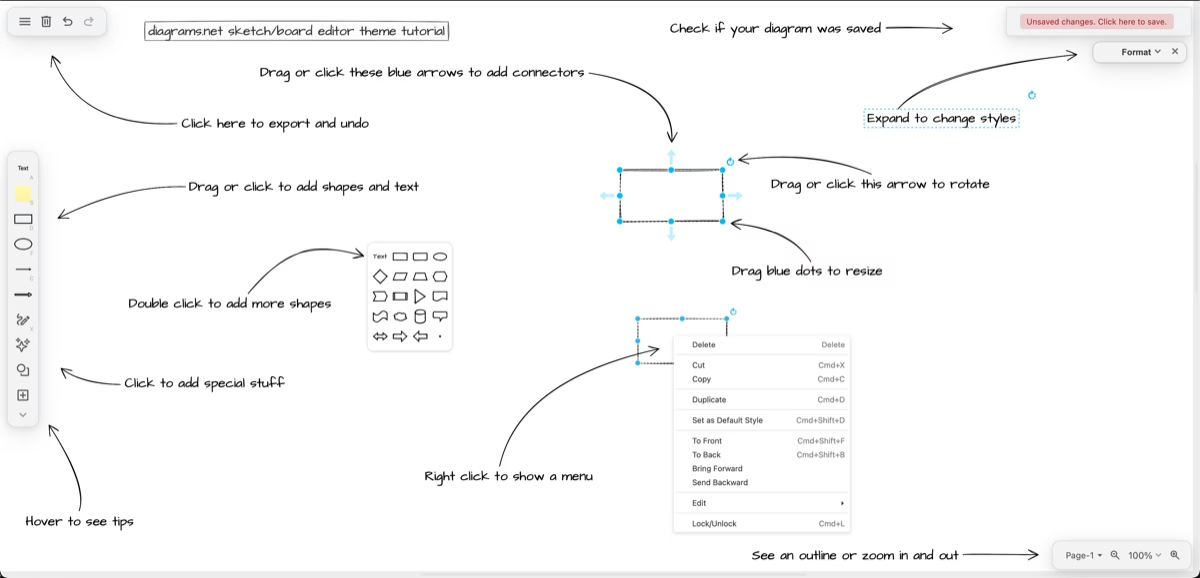
Free flowcharts and diagrams in your browser or on your desktop What draw.io does draw.io, also known through its free web editor at diagrams.net, is diagramming software for flowcharts, process maps, network diagrams and other visual documentation.
draw.io is worth considering for free core diagramming, editable files and the choice between a browser workflow and an offline desktop app. Its storage model fits teams that want diagrams alongside their existing documentation rather than in another hosted account.
This recommendation is based on official documentation, not a hands-on collaboration test. Confirm storage permissions, file versioning and the price of any separate integration before rolling it out.
draw.io, also known through its free web editor at diagrams.net, is diagramming software for flowcharts, process maps, network diagrams and other visual documentation. It offers a browser editor and a desktop app for Windows, macOS and Linux. You choose where to save your diagrams instead of depending on a draw.io-hosted document account. The core editor is free, and its source code is published under the Apache License 2.0.
For a team choosing flowchart software, its appeal is practical: create connected steps and decisions, keep an editable file and export a version other people can read. It is useful when a process needs to be explained clearly without requiring everyone to buy a diagramming subscription. The trade-off is that storage, access and teamwork depend on the environment you choose. A local file does not automatically become a shared, version-controlled team workspace.
Start from
draw.io, also known through its free web editor at diagrams.net, is diagramming software for flowcharts, process maps, network diagrams and other visual documentation. It offers a browser editor and a desktop app for Windows, macOS and Linux. You choose where to save your diagrams instead of depending on a draw.io-hosted document account. The core editor is free, and its source code is published under the Apache License 2.0.
For a team choosing flowchart software, its appeal is practical: create connected steps and decisions, keep an editable file and export a version other people can read. It is useful when a process needs to be explained clearly without requiring everyone to buy a diagramming subscription. The trade-off is that storage, access and teamwork depend on the environment you choose. A local file does not automatically become a shared, version-controlled team workspace.
Start from a blank page or template, add shapes and connect them with arrows. A useful flowchart usually needs a clear start, understandable actions and labelled decision paths. draw.io supplies shape libraries and formatting controls, but the accuracy of the process remains your responsibility. Keep each action short and name the owner or exception when that changes how a process should run.
Save the editable diagram alongside the documentation it supports. Export to SVG, PNG or PDF when the audience only needs a readable snapshot. A static export is not a replacement for the editable source: if the process changes later, someone still needs the file and permissions required to update it. For complex diagrams, use pages, layers and consistent styling rather than trying to force every detail onto one crowded canvas.
The browser version works with your chosen storage, while draw.io Desktop is an option for offline editing. Official documentation describes a desktop app that does not require an internet connection for its core diagramming features. Windows, macOS and Linux are supported; check the current installer requirements for your machine. The online tool and desktop app are related, but availability of a particular online import or service is not a promise of identical offline behavior.
draw.io also has integrations for environments such as Google Workspace, Microsoft 365, GitHub and Atlassian tools. Choose the integration that matches where your team already stores documentation. Paid Atlassian apps are separate from the free core web and desktop editor, with separate terms and pricing. Do not assume every integration is included at no charge simply because diagrams.net is free.
The core web editor at app.diagrams.net and draw.io Desktop are free. This listing describes those tools, not a paid Confluence or Jira subscription. The official terms grant use of the published applications for personal or business diagramming, while the editor source code has its own open-source license. Any costs for the storage provider or separate paid integration are outside the core editor price.
draw.io says diagram data is stored in the location you choose rather than on its own servers. That is a useful distinction, but it does not remove the need to check your chosen cloud provider, sharing settings and local-device security. Sensitive diagrams can expose architecture, credentials or business processes even when the diagramming tool itself does not host them. Review permissions before sharing a diagram or embedding it in a public page.
Consider draw.io when low-cost diagramming, editable files and storage choice matter more than an all-in-one hosted collaboration workspace. Its documented shape libraries, exports and offline desktop option cover common flowchart needs. Before adopting it across a team, test one real workflow: create a diagram, save it where colleagues work, have another person edit it and confirm how versions and permissions will be managed.
This is a desk review of official pages and public product screenshots, not a hands-on benchmark or user-satisfaction score. We have not tested collaboration performance, file compatibility across all versions or migration of a large diagram library. Official sources checked October 13, 2026: product site, about draw.io, security documentation, desktop documentation and terms of use.
Desk review of official product, security, desktop and terms pages plus two public official product screenshots on October 13, 2026. No hands-on collaboration benchmark or security audit was performed. The 3.2/5 editor rating is the saved 19/30 editorial rubric scaled to five and rounded to one decimal; it is separate from the combined AppsInsight Score. Founder, founding year and team size were not verified and are omitted.
| Pricing | Open source |
|---|---|
| Free plan | Yes |
| Free trial | No |
| Pricing page | View pricing |
| Platforms | Web app, macOS, Windows, Linux |
| API | No |
| Company | draw.io Ltd / draw.io AG |
| Apps Insight Score | 37/100 |
| Implementation | Easy |
| Learning curve | Intermediate |
Editorial points are assigned by AppsInsight editors and cannot be purchased or influenced.
| Feature | draw.io | yEd Graph Editor | Mermaid Live Editor |
|---|---|---|---|
| Rating | 3.2 / 5 | 3.3 / 5 | 3.2 / 5 |
| Pricing | Open source | Free plan | Open source |
| Starting price | — | Free | — |
| Free plan | Yes | Included | Yes |
| Free trial | No | No | No |
| Platforms | Web app, macOS, Windows, Linux | macOS, Windows, Linux | Web app |
| Best for | Free flowcharts, Local/offline diagrams, Teams with an existing documentation storage workflow | Individual process documentation, technical graphs, data-driven layouts | Technical writers, developers, diagrams kept as text |
$0 /mo
$0 billed annually
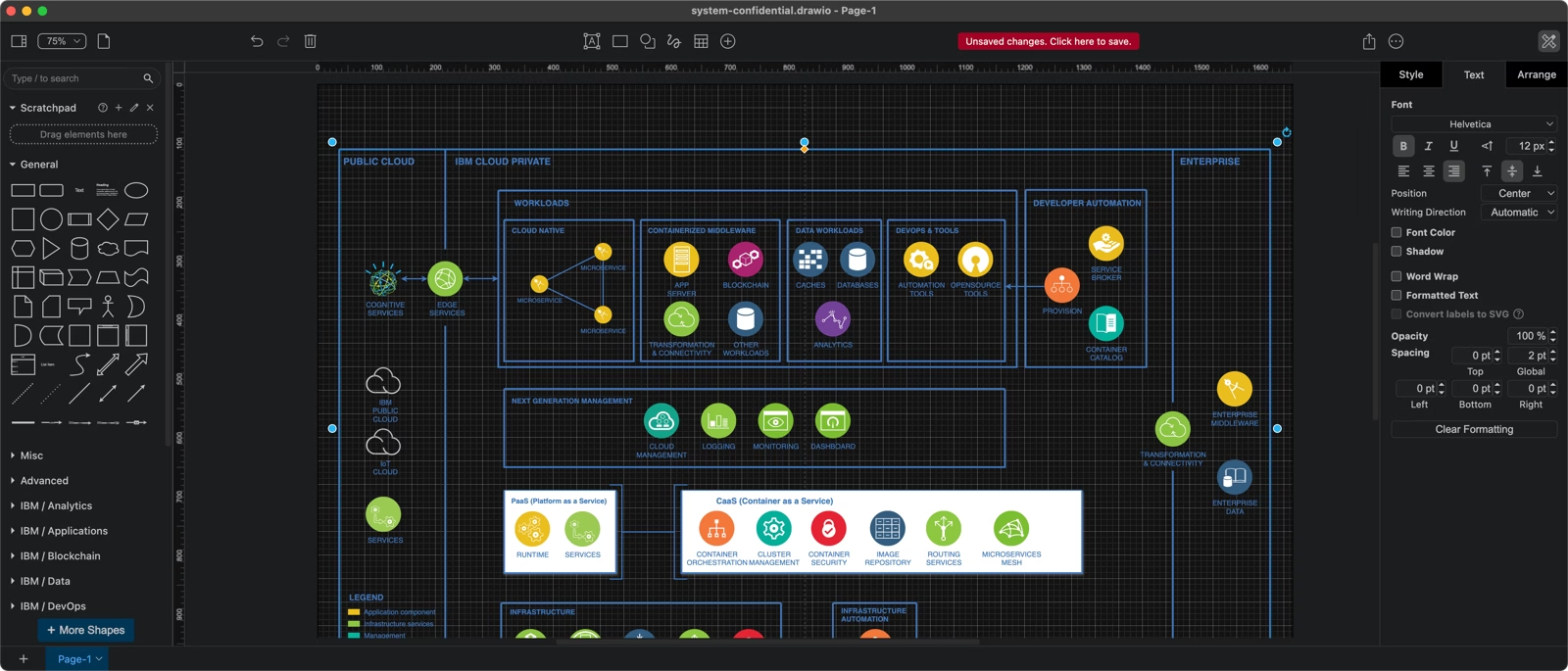
Free desktop flowchart and graph editor with automatic layout and data import

Free browser editor for text-based flowcharts and technical diagrams
Free browser editor for text-based flowcharts and technical diagrams
Free desktop flowchart and graph editor with automatic layout and data import
No reviews yet. Be the first to review this app.
Already have an account? Log in to track your reviews.