


draw.io
Free flowcharts and diagrams in your browser or on your desktop
Open sourceFree plan
- Web app
- macOS
- Windows
- Linux

Free desktop flowchart and graph editor with automatic layout and data import
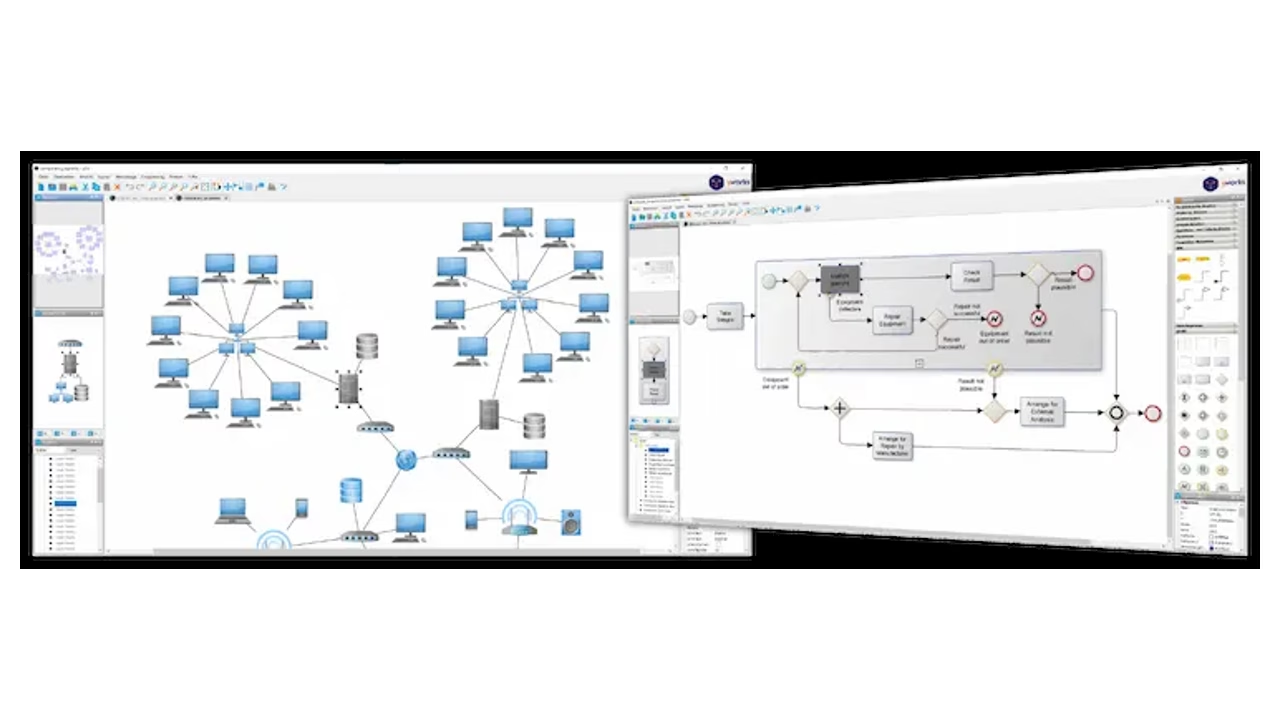
Free desktop flowchart and graph editor with automatic layout and data import yEd Graph Editor is a free desktop diagramming application from yWorks.
yEd is worth trying when automatic layout and structured data import are central to your diagram work. The free desktop app has useful palettes and export choices, but a learning curve and license limits. This desk review does not claim hands-on testing, real-time collaboration or automation rights.
yEd Graph Editor is a free desktop diagramming application from yWorks. It can create flowcharts, process diagrams, organization charts and technical networks, with automatic layout tools that arrange connected elements. Its strongest fit is structured diagram work: draw relationships manually or import data, then use layout algorithms to turn a crowded graph into a readable starting point.
The price is zero, including commercial use under the yEd license, but this is not open-source software. The license also excludes use as part of an automated process and redistribution. yEd Live, the browser app, and yFiles, the commercial developer SDK, are separate products. Their cloud, AI and integration features should not be assumed to exist in the desktop editor reviewed here.
Start with the palette of ready-made symbols, place nodes on the canvas and connect them with edges. yEd includes flowchart symbols as well as
yEd Graph Editor is a free desktop diagramming application from yWorks. It can create flowcharts, process diagrams, organization charts and technical networks, with automatic layout tools that arrange connected elements. Its strongest fit is structured diagram work: draw relationships manually or import data, then use layout algorithms to turn a crowded graph into a readable starting point.
The price is zero, including commercial use under the yEd license, but this is not open-source software. The license also excludes use as part of an automated process and redistribution. yEd Live, the browser app, and yFiles, the commercial developer SDK, are separate products. Their cloud, AI and integration features should not be assumed to exist in the desktop editor reviewed here.
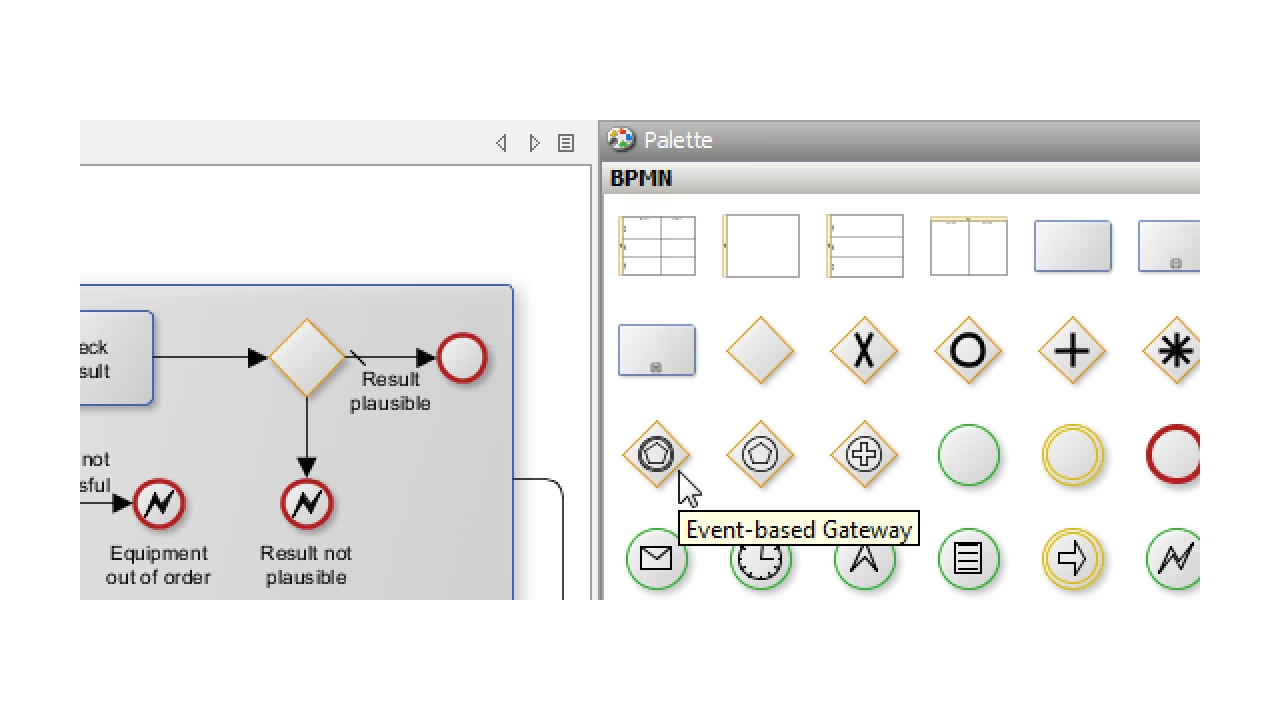
Start with the palette of ready-made symbols, place nodes on the canvas and connect them with edges. yEd includes flowchart symbols as well as BPMN, UML, entity-relationship and network elements. Group nodes, swimlanes and table nodes help organize related parts of a diagram. You can also import custom images, SVG graphics and Visio VSX stencils into the palette.
That VSX support is a symbol-import feature, not a promise that arbitrary Visio documents will open with perfect fidelity. When moving an existing workflow into yEd, test its actual source format before relying on the editor. A symbol library and a complete editable-document import are different things.
yEd offers several layout algorithms rather than asking you to position every box by hand. Layout can help when a flowchart gains branches or when an imported network has too many connections to organize manually. Label positioning, edge routing and alignment tools provide further control after the first arrangement.
Automatic layout does not understand whether your business logic is correct. Check the direction of arrows, the meaning of decision branches and the readability of labels before sharing a diagram. A neat drawing can still describe the wrong process. For important workflows, have someone who owns the process review both its logic and its layout.
The official feature list includes GraphML, Excel XLS, GEDCOM and GML import. XML can be transformed into GraphML using an XSLT stylesheet. These routes make yEd useful when relationships already exist as data rather than as a hand-drawn picture. Imported custom properties can be mapped to visible characteristics using the Properties Mapper.
GraphML is the main editable project format. Keep that project file when exporting an image for a document or presentation. A PNG preserves the appearance, not the same editable nodes and connections. Data cleanup and a small import test are sensible steps before loading a larger spreadsheet or graph.
yEd exports bitmap and vector formats including PNG, JPG, SVG and PDF. Pick a bitmap for simple image placement and a vector format when scalable text and lines matter. Check the export at its intended viewing size, especially when a diagram contains many labels. A poster-size diagram can become unreadable when squeezed into a slide.
This listing does not claim built-in real-time team editing for the desktop app. Share exported files or editable projects using your organization’s normal process. If browser access or a hosted collaboration workflow is essential, compare a different product rather than assuming yEd Live capabilities are part of this desktop application.
The standard desktop application is free to use for diagram creation, including in a commercial environment, subject to its license. There is no paid desktop subscription tier or time-limited trial listed for that core app. The commercial yFiles library is a developer product with its own licensing, not a required upgrade for ordinary yEd diagramming.
Windows, macOS and Linux packages are available. Platform-specific installers include a suitable Java runtime, while the generic Java package requires one to be installed. Match the package to the operating system and processor shown on the current download page. Do not assume a desktop package works on a phone.
The license prohibits automated-process use and redistribution, and yWorks is not required to provide maintenance or support under that agreement. Those terms matter if an organization wants to embed yEd in a service, run it unattended or promise a support response time. For such needs, check the appropriate developer or commercial product instead.
The app has a detailed manual and a support channel at yed@yworks.com. It also offers integrated help, keyboard shortcuts, search and dockable panels. Those tools help with repeat use, but the number of graph and layout options creates a learning curve. Older independent reviews and community feedback flag interface quirks; they are useful context, not proof that a particular current bug remains.
yWorks publishes a privacy policy covering its services. Some provisions describe AI features in other products, including yEd Live. Do not apply those features to this desktop listing. This documentation-based review does not establish a security certification or an independently audited privacy guarantee for yEd.
Try yEd when automatic arrangement and data-driven graph creation matter more than a familiar browser canvas. It is a useful free option for individual process documentation and technical diagrams. It is less suitable for open-source requirements, unattended automation or a team expecting a managed cloud workspace from the desktop editor.
draw.io is a relevant alternative for a broad diagramming workflow. Compare using the same small process, the formats you need to import and the final document you will share. Choose based on that test rather than the size of either symbol palette.
Our source-based editorial assessment is 20/30: product quality7/10, ease of use3/5, feature depth4/5, innovation2/5, value3/3 and recommendation confidence1/2. That scales to3.3/5. It is not a hands-on performance benchmark or a user-review score. We checked official product, feature, download, license, manual, release and company pages plus independent and community reviews on October13,2026.
Documentation-based desk review checked October13,2026: official product/features/download/license/manual/release/company pages, independent review and community feedback. No hands-on benchmark.20/30 editorial inputs scale to3.3/5; no invented certifications.
Official latest release3.25.1: edge-template drag preview, layout fixes and macOS file-chooser/quit fixes. Installer runtime requirements differ by package; consult current downloads.
| Pricing | Free plan |
|---|---|
| Free plan | Yes |
| Free trial | No |
| Pricing page | View pricing |
| Platforms | macOS, Windows, Linux |
| API | No |
| Company | yWorks GmbH |
| Apps Insight Score | 41/100 |
Editorial points are assigned by AppsInsight editors and cannot be purchased or influenced.
| Feature | yEd Graph Editor | draw.io | Mermaid Live Editor |
|---|---|---|---|
| Rating | 3.3 / 5 | 3.2 / 5 | 3.2 / 5 |
| Pricing | Free plan | Open source | Open source |
| Starting price | Free | — | — |
| Free plan | Included | Yes | Yes |
| Free trial | No | No | No |
| Platforms | macOS, Windows, Linux | Web app, macOS, Windows, Linux | Web app |
| Best for | Individual process documentation, technical graphs, data-driven layouts | Free flowcharts, Local/offline diagrams, Teams with an existing documentation storage workflow | Technical writers, developers, diagrams kept as text |
yEd Graph Editor vs draw.io yEd Graph Editor vs Mermaid Live Editor
0 /mo
0 billed annually
Free flowcharts and diagrams in your browser or on your desktop

Free browser editor for text-based flowcharts and technical diagrams
Free browser editor for text-based flowcharts and technical diagrams
Free flowcharts and diagrams in your browser or on your desktop
No reviews yet. Be the first to review this app.
Already have an account? Log in to track your reviews.