


Smartsheet
Spreadsheet-style work management platform for projects, portfolios and processes at scale.
Paid SubscriptionFrom $9/user/mo30-day trial
- Web app
- iOS (iPhone & iPad)
- Android
- macOS

Free, open source desktop spreadsheet from The Document Foundation.
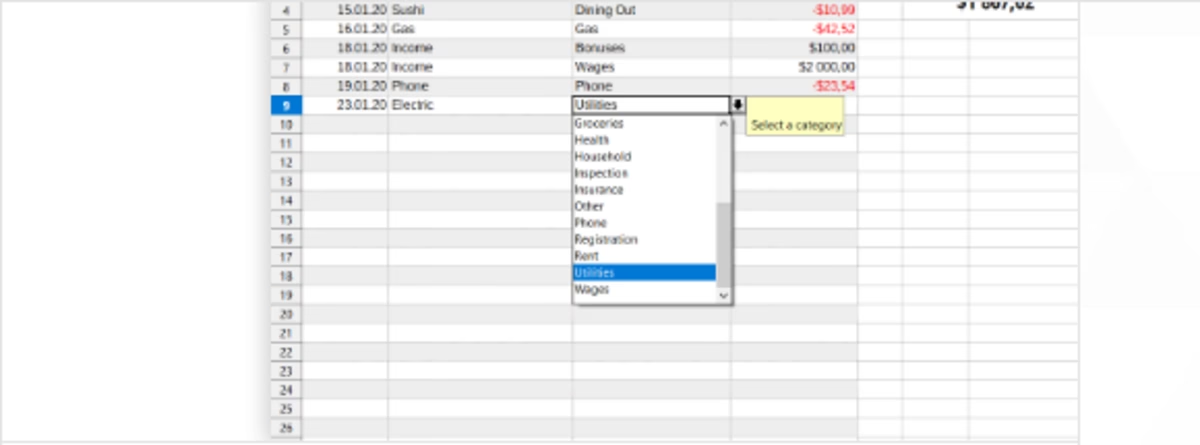
Free, open source desktop spreadsheet from The Document Foundation. LibreOffice Calc is the spreadsheet application inside LibreOffice, the free and open source office suite developed by The Document Foundation, a charitable foundation under German law headquartered in Berlin.
LibreOffice Calc earns its rating as the free-forever desktop spreadsheet: open source under MPL 2.0, available on Windows, macOS and Linux, with pivot tables, charts, hundreds of functions and Excel file compatibility. It trails cloud-native rivals on real-time collaboration, published support channels and automation APIs.
LibreOffice Calc is the spreadsheet application inside LibreOffice, the free and open source office suite developed by The Document Foundation, a charitable foundation under German law headquartered in Berlin. Calc ships as part of every LibreOffice download for Windows, macOS and Linux, and the pitch is disarmingly simple: a full desktop spreadsheet with formulas, charts, pivot tables and broad file-format compatibility that costs nothing – no license fee, no subscription, and no account required to start. Version 26.8.1 is the current release on the project’s download page, with installers for all three desktop platforms.
Feature depth is the draw. Calc covers the spreadsheet fundamentals businesses rely on daily: cell and conditional formatting, hundreds of built-in functions, pivot tables, charts and graphs for visualizing data, sorting and filtering, and scenario analysis tools. The project describes it as a feature-rich spreadsheet to analyze data, crunch numbers, and create clear visuals. It reads
LibreOffice Calc is the spreadsheet application inside LibreOffice, the free and open source office suite developed by The Document Foundation, a charitable foundation under German law headquartered in Berlin. Calc ships as part of every LibreOffice download for Windows, macOS and Linux, and the pitch is disarmingly simple: a full desktop spreadsheet with formulas, charts, pivot tables and broad file-format compatibility that costs nothing – no license fee, no subscription, and no account required to start. Version 26.8.1 is the current release on the project’s download page, with installers for all three desktop platforms.
Feature depth is the draw. Calc covers the spreadsheet fundamentals businesses rely on daily: cell and conditional formatting, hundreds of built-in functions, pivot tables, charts and graphs for visualizing data, sorting and filtering, and scenario analysis tools. The project describes it as a feature-rich spreadsheet to analyze data, crunch numbers, and create clear visuals. It reads and writes Microsoft Excel .xlsx workbooks alongside its native OpenDocument format, which makes it a practical drop-in for mixed-office environments, and macros through the built-in Basic environment extend it for power users who want automation. Because files stay local, Calc also suits users who would rather keep financial or personal data off third-party cloud servers entirely.
Pricing could not be simpler: LibreOffice Calc is free. The whole suite is published under the Mozilla Public License 2.0, so anyone can download, install and use it for personal or commercial work without paying anything. Development is funded by donations to The Document Foundation rather than license sales, and there is no paid tier hiding features – the download is the complete product.
Where it falls short: Calc is a desktop application with no native cloud sync or real-time co-editing of the kind Google Sheets and Zoho Sheet offer; there is no published support email or ticket channel – help runs through community forums at ask.libreoffice.org and the official documentation at help.libreoffice.org; there is no cloud API for automation; and the interface, while functional, shows its age next to web-native rivals. Teams that want comments, share links and live multi-user editing will need a cloud platform instead. Response times on community forums vary, since answers come from volunteers rather than a paid support desk.
Overall, LibreOffice Calc is the free-forever pick of this category: a genuinely capable desktop spreadsheet from an established open source project, ideal for users who want Excel-class calculation without Excel-class licensing costs. Teams living in shared, cloud-first workflows will feel the collaboration gap.
We researched LibreOffice Calc in October 2026 using the official LibreOffice website, download pages, imprint, license and privacy pages, and help documentation, and compared its published capabilities against other spreadsheet tools in this category. Ratings reflect editorial judgment based on that research. We did not run a live pilot for this listing.
| Pricing | Free plan |
|---|---|
| Free plan | Yes |
| Free trial | No |
| Pricing page | View pricing |
| Platforms | macOS, Windows, Linux |
| API | No |
| Company | The Document Foundation |
| Apps Insight Score | 40/100 |
Editorial points are assigned by AppsInsight editors and cannot be purchased or influenced.
| Feature | LibreOffice Calc | Smartsheet | Airtable | Google Sheets |
|---|---|---|---|---|
| Rating | 4.3 / 5 | 4.6 / 5 | 4.5 / 5 | 4.5 / 5 |
| Pricing | Free plan | Paid Subscription | Free+Paid | Free+Paid |
| Starting price | Free | From $9/user/mo | From $20/seat/mo | From $7 |
| Free plan | Included | Included | Included | Included |
| Free trial | No | Yes (30 days) | No | Yes (14 days) |
| Platforms | macOS, Windows, Linux | Web app, iOS (iPhone & iPad), Android, macOS, Windows | Web app, iOS (iPhone & iPad), Android, macOS, Windows | Web app, iOS (iPhone & iPad), Android |
| Best for | Individuals and small businesses wanting a free, full-featured desktop spreadsheet Organizations avoiding subscription licensing for office software Users on Windows, macOS or Linux needing Excel file compatibility Privacy-conscious users who prefer local files and no account requirement | Teams whose shared spreadsheets have become fragile project trackers Project and PMO teams needing Gantt, dashboards and automations Enterprises that need SSO, governance and portfolio tooling Spreadsheet-comfortable teams that want structure without retraining | Operations, content teams, light CRM | Teams of any size that collaborate on spreadsheets daily Individuals and small businesses that need a free, capable spreadsheet Organizations already on Google Workspace Analysts who want AI help building and filling spreadsheets Mixed environments that exchange Excel files with partners |
LibreOffice Calc vs Smartsheet LibreOffice Calc vs Airtable LibreOffice Calc vs Google Sheets
Spreadsheet-style work management platform for projects, portfolios and processes at scale.


Spreadsheet-database hybrid for flexible workflows

Collaborative, AI-powered spreadsheets - free with a Google account
Free web spreadsheets or full desktop power with Microsoft 365 and Copilot AI

Free collaborative spreadsheet with an AI data analyst, part of Zoho Workplace.

AI-first spreadsheet with live data integrations and a plain-language AI Analyst.
AI-first spreadsheet with live data integrations and a plain-language AI Analyst.
Free collaborative spreadsheet with an AI data analyst, part of Zoho Workplace.
Spreadsheet-style work management platform for projects, portfolios and processes at scale.
Free web spreadsheets or full desktop power with Microsoft 365 and Copilot AI
No reviews yet. Be the first to review this app.
Already have an account? Log in to track your reviews.