What is SMS and RCS? SMS is the familiar carrier text service; RCS is its internet-based upgrade, adding better photos, typing indicators and read receipts when everyone in the conversation supports it. Your phone can use both inside the same messaging app. On an iPhone, iMessage is a third, separate system.
That explains a common frustration: yesterday you could see someone typing, but today the same chat says “Text Message.” Nothing about the relationship necessarily changed. Your phone may simply be using a different delivery method.
This guide explains what actually happens on US iPhones and Android phones, how to check the current message type, and what changes when a message falls back. Checked October 7, 2026. Menu wording varies by software version and carrier. Encryption is also changing, so the lock in the conversation matters more than an old claim that all green bubbles are insecure.
1. What SMS, MMS and RCS actually mean
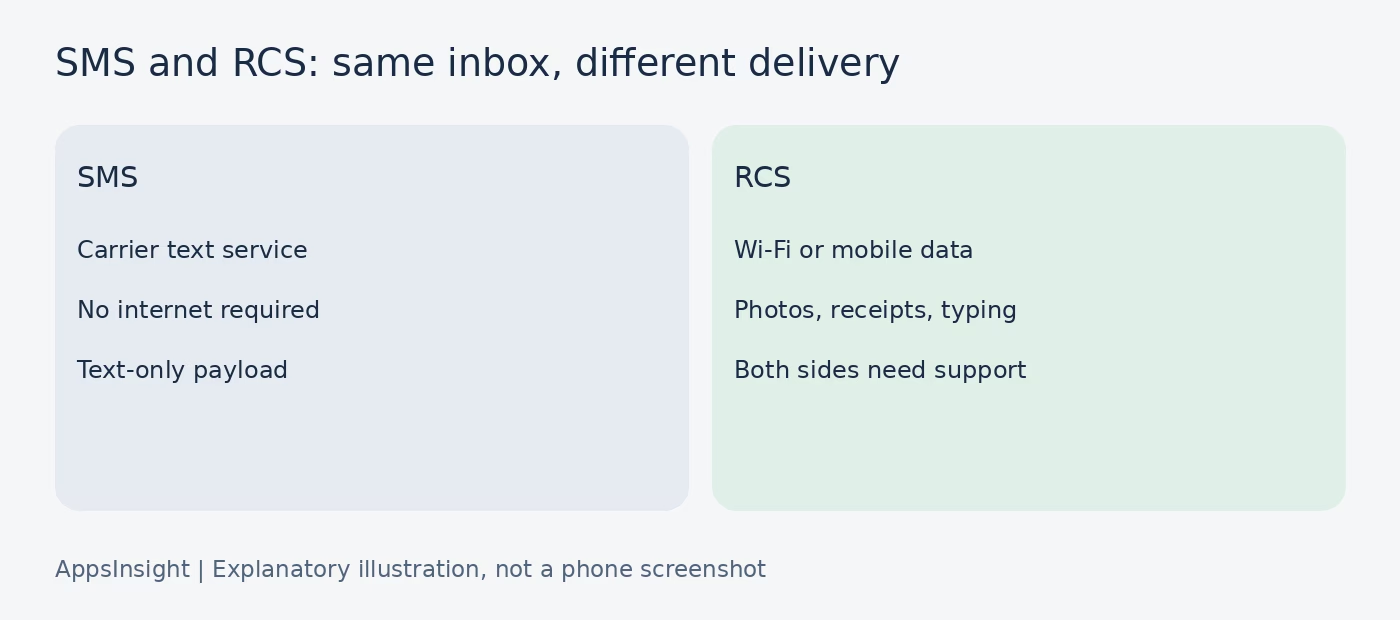
SMS means Short Message Service. It sends text through your mobile carrier’s messaging service. It does not require an internet connection in the way RCS does, although your phone still needs a working carrier messaging connection. Turning off mobile data is different from losing all cellular service.
MMS means Multimedia Messaging Service. It is the older carrier service used for photos, videos and many group texts. People often call all of this “SMS,” but a picture attachment is not being carried inside an ordinary text-only SMS payload.
RCS means Rich Communication Services. It sends messages over Wi-Fi or mobile data and can add high-resolution media, delivery and read receipts, typing indicators and better group conversations. Google or your carrier can provide the RCS service. Both sides need compatible support; your toggle alone cannot upgrade another person’s phone.
A messaging app is not the same as a messaging protocol
Google Messages is an app. SMS and RCS are delivery methods it can use. Apple’s Messages app can use iMessage, RCS and SMS/MMS. Installing an app and enabling a protocol are therefore different steps. A hybrid app is another architecture choice, not a messaging standard.
Think of the app as the inbox and the protocol as the route a particular message takes. A conversation can remain in that inbox even when the next outgoing message takes another route. That is why a familiar-looking chat can suddenly lose features. Clear labels are a UI/UX design concern, not decoration.
For a related distinction, our guide to native, hybrid and web apps explains how software is built. Our Lindy review illustrates the separate category of assistants accessed through messaging. Those categories do not tell you whether a message uses SMS or RCS. A native phone app can still use several services behind the same screen.
For everyday use, you do not need to memorize the standards. Remember the dividing line: SMS is basic carrier text, MMS adds older carrier media delivery, and RCS adds richer messaging over an internet connection. None of those names guarantees that a specific recipient is currently reachable.
2. SMS vs RCS: the differences that matter
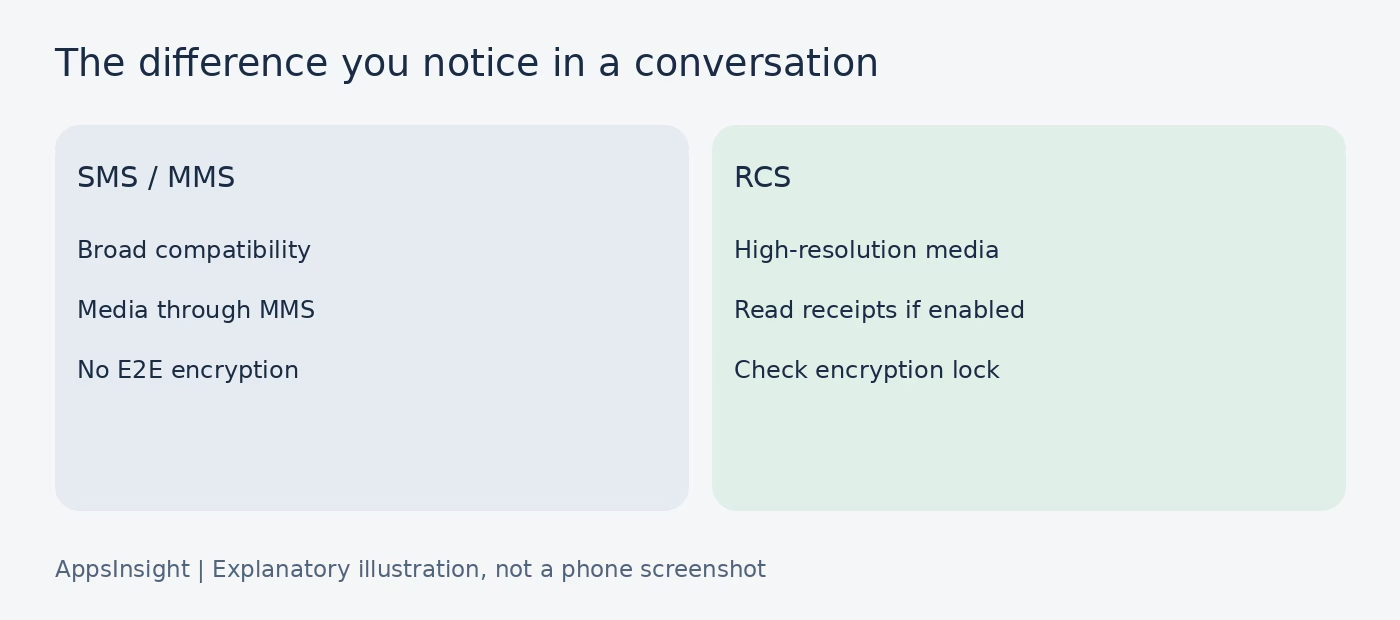
The practical difference is what survives the trip from your phone to someone else’s. A sharp photo, a long explanation and a typing indicator all depend on the route and the recipient’s support.
Why “160 characters” is not a total conversation limit
An SMS has a small payload. Longer messages can be split into segments and reassembled by the receiving phone. Twilio’s documentation describes 160 characters for a single GSM-7 segment and 70 for UCS-2; multipart segments normally have less room because some space is used for reassembly information.
An emoji or a character outside GSM-7 can change the encoding. That is why two texts with a similar visible length may use different numbers of segments. This matters especially to businesses billed per segment. It does not mean you must stop typing after 160 characters on your personal phone.
Why there is no honest universal photo-size number
Carrier limits, apps, file types and receiving devices all affect media delivery. “MMS always supports X MB” or “RCS always sends the original file” is too broad. RCS supports higher-quality sharing, but that is not a promise of unlimited, unmodified video transfer.
If someone needs the original video for editing, confirm the received quality or use a file-sharing link. If you are comparing popular apps in the US, treat media quality as a workflow question, not a reason to assume every messaging app behaves the same way.
3. Which one your iPhone uses: blue, green and the actual label
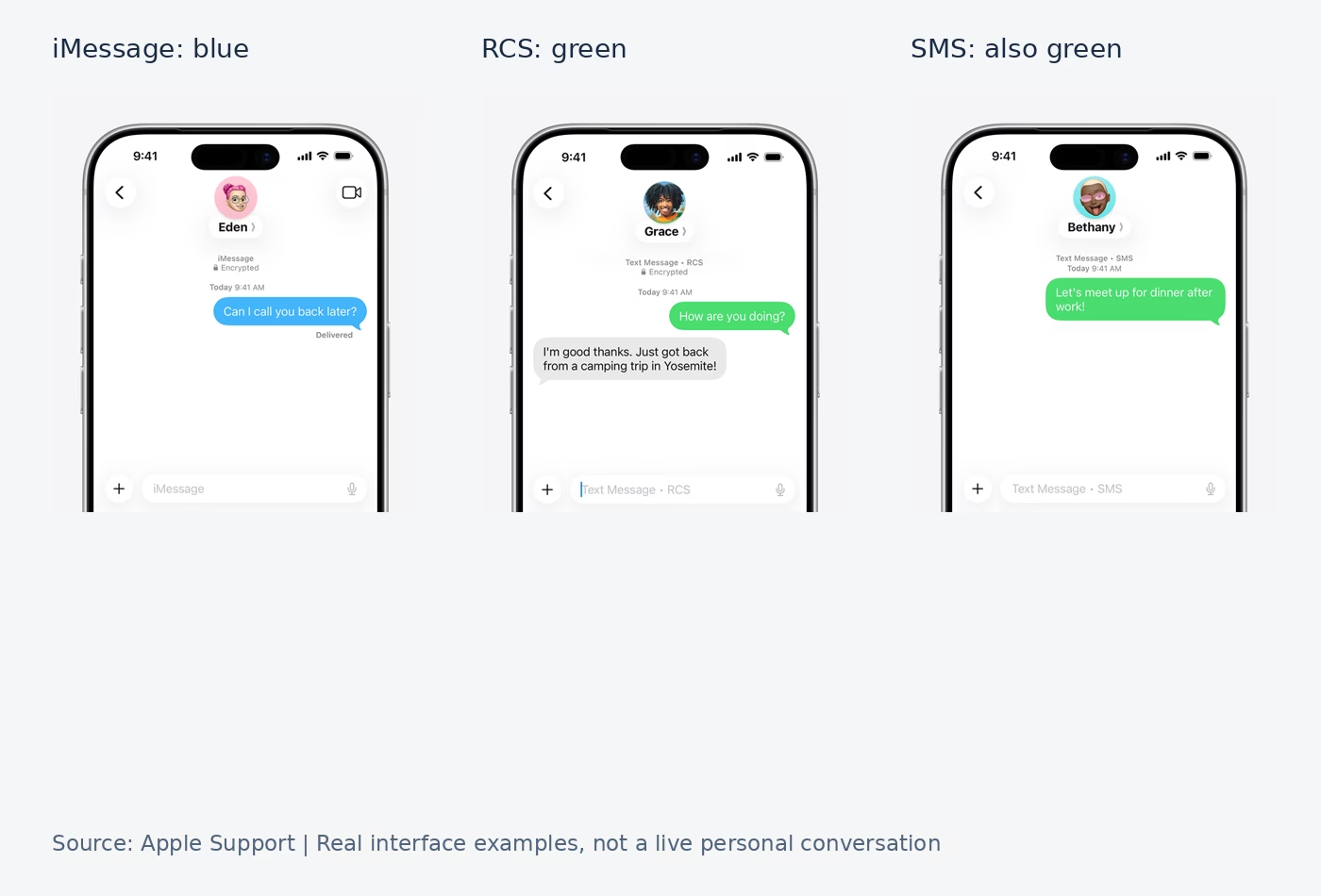
On an iPhone, blue bubbles mean iMessage. Green bubbles can mean RCS or SMS/MMS. Green does not identify the other person’s operating system with certainty: another iPhone can send non-iMessage messages too.
Apple says iMessage sends over Wi-Fi or cellular data between Apple devices and supports high-resolution media, read receipts and typing indicators. RCS is the richer option when you are not using iMessage and the required support is available. SMS/MMS is the older carrier route when neither rich service is in use.
Check the message type before guessing
- Open the conversation in Messages.
- Look at the compose area and conversation details for RCS, iMessage or text-message labeling.
- Check the latest message, not only older bubbles.
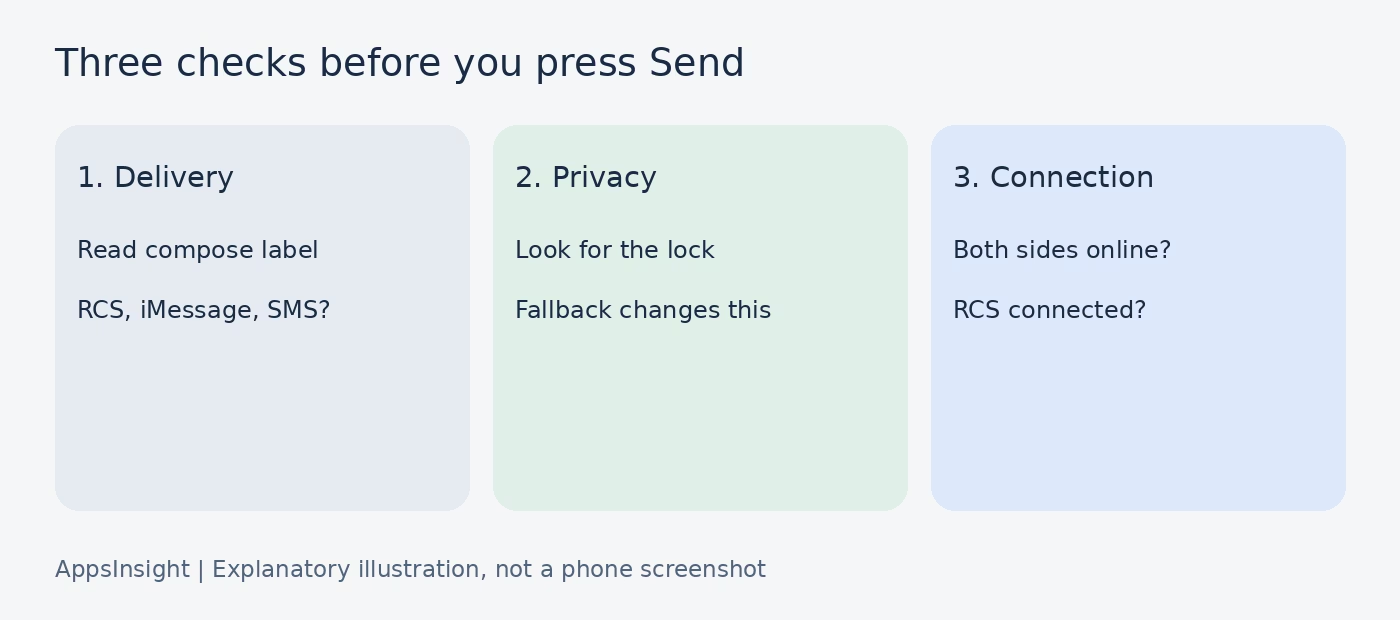
- For privacy, look for the lock and encryption wording separately.
The Apple screenshots above illustrate the problem: RCS and plain text both appear green. Color is a useful first clue for iMessage, but it is an incomplete troubleshooting tool.
Where to turn on RCS
On current iPhone software, open Settings > Apps > Messages > RCS Messaging if that option is available. Apple requires iOS 18 or later and a text-messaging plan from a carrier that supports RCS on iPhone. An up-to-date phone with an unsupported carrier can still lack the option.
Apple also warns activation can take a few hours. If the toggle has just appeared after an update or carrier change, do not assume every contact will immediately show RCS. Check one supported conversation after setup completes.
An iPhone-to-iPhone chat commonly uses iMessage when enabled and available. An iPhone-to-Android chat can use RCS when compatible support is active on both sides. Otherwise, SMS/MMS may be used. These are practical rules, not a guarantee that every message will send: account setup, coverage and the recipient’s current connection still matter. Developers should test these transitions; our software testing tools guide covers the broader toolkit.
4. How to check RCS on Android with Google Messages
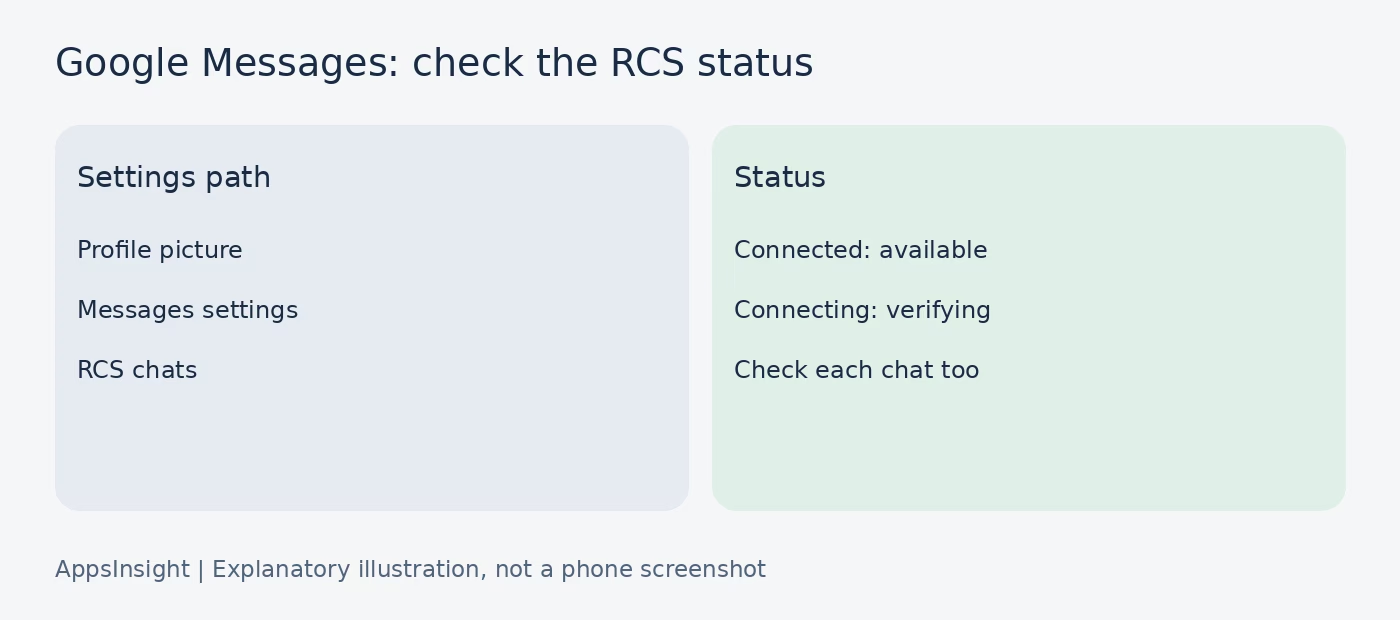
For Android, start with the messaging app you actually use. This walkthrough is for Google Messages. Another manufacturer’s app can use different labels, controls or support, so do not hunt for identical menus in every Android inbox.
- Open Google Messages and tap your profile picture or initial.
- Open Messages settings > RCS chats. Some versions use “Chat features.”
- Look at the connection status.
- Open the intended conversation and inspect the compose/send indicator.
Connected means RCS is available with other people who have it enabled. Connecting means your number is being verified. Trouble connecting. Awaiting retry indicates a verification issue. Google says to submit feedback if that state lasts more than 30 minutes. A carrier-disabled message calls for contacting the carrier.
The global setting does not settle every chat
You can be connected to RCS and still send SMS to a specific contact. That person may not support RCS, may have disabled it, or may not currently be reachable through the service. Google Messages shows the send method in its compose/send area; look there rather than assuming all conversations were upgraded.
Google documents different sent, delivered and read indicators for RCS. A sent indicator is not the same as a delivered indicator, and a delivered indicator is not the same as a read indicator. Those RCS icons do not appear on ordinary SMS/MMS messages.
Settings you can control
- Read receipts: decide whether others see that you read their messages.
- Typing indicators: decide whether your typing activity is shown.
- Resend options: choose what happens if a rich message cannot send.
These controls serve different purposes. Disabling read receipts does not disable RCS. Enabling RCS does not force a contact to share their read status. If you recently moved numbers, changed phones or use two SIMs, check that the number and SIM configuration match the service you expect before repeatedly switching toggles.
5. Photos, read receipts and groups: what changes in real chats
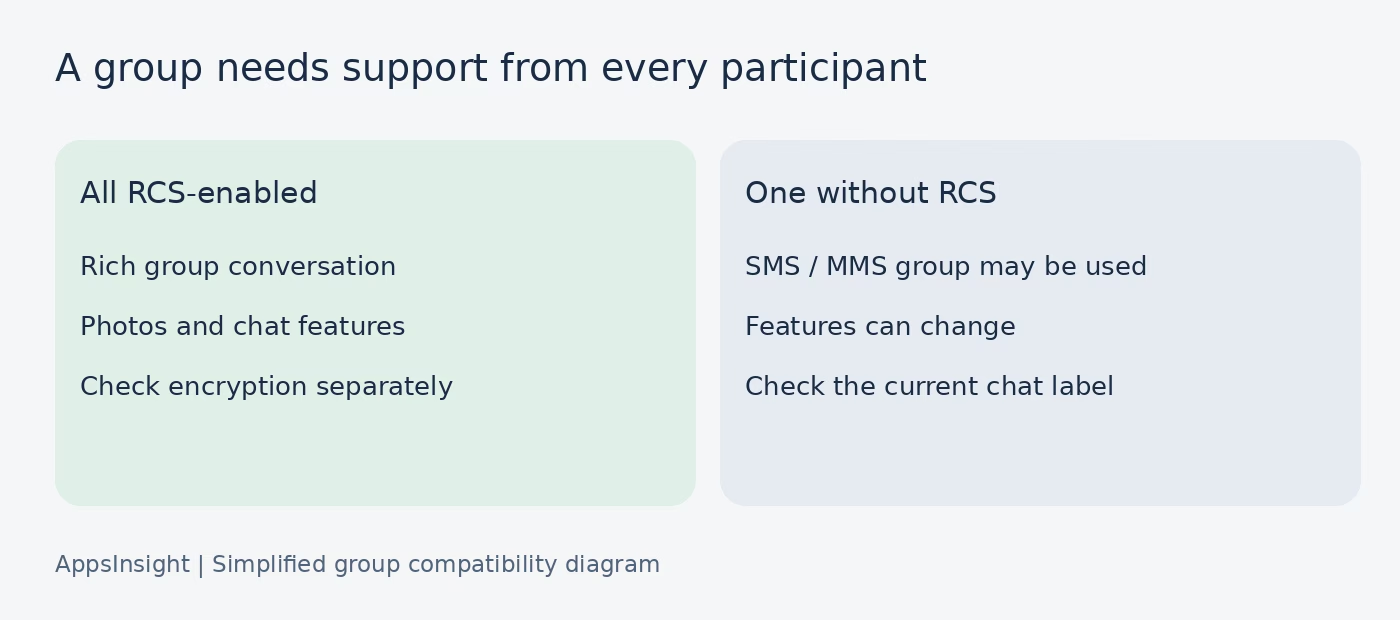
Imagine a mixed iPhone-and-Android family group planning a weekend trip. With RCS supported and active for everyone, sharing high-resolution photos and managing the group can work better than an older MMS thread. Add a participant who does not have RCS, and the group may use SMS/MMS instead.
Google says RCS chats are enabled only when all participants in a conversation have RCS. Your successful one-to-one RCS chat therefore does not prove that a group containing the same person will be RCS. Check the whole group’s delivery method.
Read receipts are a setting, not a social verdict
A missing read receipt does not establish that someone ignored you. Their setting may be off, the conversation may have changed protocols, or the message may not have been read. Google says the other person must enable read receipts for you to see when they read your message.
Typing indicators are similarly temporary signals, not commitments. Someone can start typing and stop, or lose their connection. Do not turn a feature into an explanation of someone’s intentions.
Keep important files out of ambiguous fallback
If a group says a video looks blurry, first check whether the message went by RCS or MMS. Resending the same attachment repeatedly through the same route is unlikely to diagnose the cause. For a file where resolution matters, agree on a shared file link or another suitable delivery method.
The same distinction matters for product teams. A messaging feature is more than a chat-bubble design: the app and its backend must handle unavailable recipients, media constraints, group membership and changing connection states. Our social media app development cost guide discusses broader product planning; this protocol comparison is not a development quote.
If your goal is a community or anonymous discussion rather than phone-number texting, our Whisper alternatives guide covers a different app category. Do not confuse anonymity with encryption: hiding a display name and protecting message content in transit are separate questions.
6. Is RCS encrypted? The 2026 answer needs a qualification
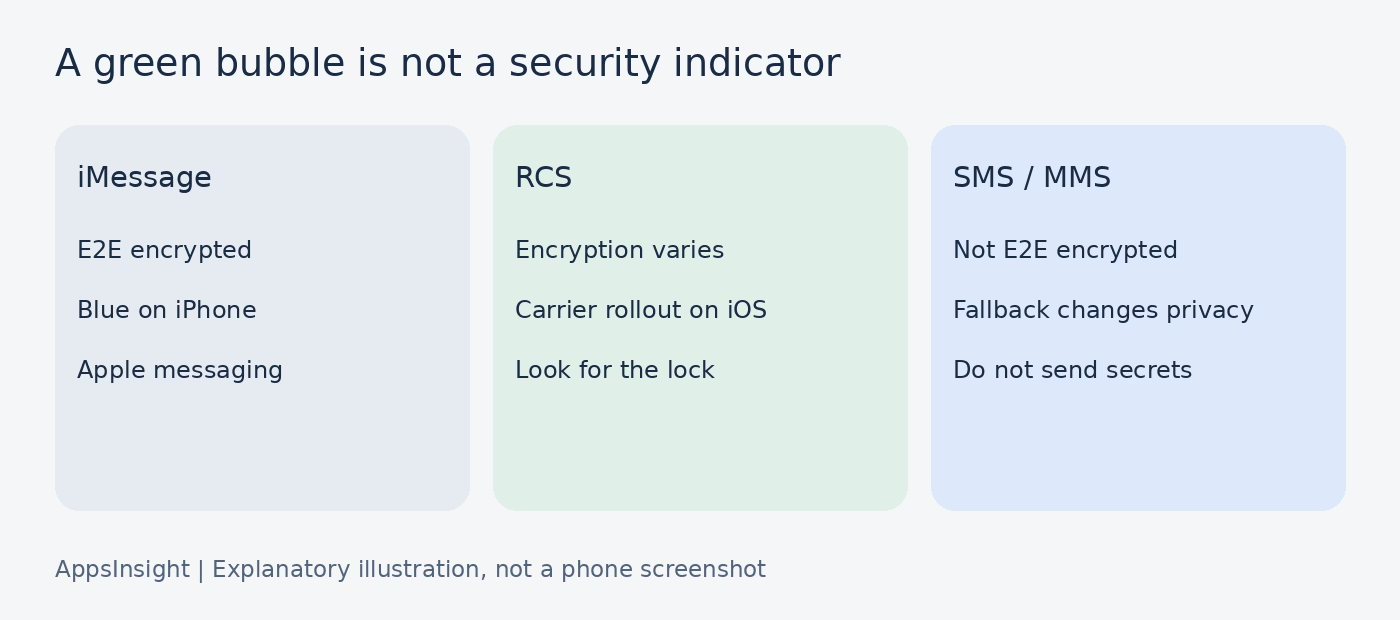
SMS and MMS are not end-to-end encrypted. iMessage is end-to-end encrypted. RCS needs a more careful answer because the app, software version, carrier and participants affect whether a particular conversation has that protection.
Google documents automatic end-to-end encryption for eligible RCS conversations between Google Messages users who have RCS enabled and use Wi-Fi or data. It tells users to look for a lock on the send button and beside the message timestamp.
What changed on iPhone
Apple’s support page, dated May 11, 2026, says end-to-end encrypted RCS messaging (Beta) starts with iOS 26.5 on supported carriers and rolls out over time. It says all participants must have carriers supporting encryption. On encrypted RCS conversations, Messages displays “Encrypted” with a lock at the top.
Apple says the beta feature is on by default where supported. Its control is under Settings > Apps > Messages > RCS Messaging > End-to-End Encryption (Beta). This is not the same as saying every iPhone RCS chat is encrypted. Having iOS 26.5, seeing green bubbles, or having basic RCS enabled is insufficient by itself. Apple says that without the encryption indicator, the RCS conversation is not protected from third parties reading messages in transit.
There is a documentation mismatch worth knowing: Google’s RCS FAQ still says RCS chats with iPhone users do not have end-to-end encryption. Apple’s newer rollout guidance describes conditional support. We therefore do not label all mixed-platform chats encrypted or unencrypted. Check the actual conversation’s indicator, the software version and your carrier’s support.
A standard is not a completed rollout
The GSMA’s Universal Profile 3.0 includes requirements for end-to-end encryption of RCS messages and files. Publishing those requirements does not instantly update every phone, app and network. Compatibility must arrive in the products people use. For developers, that is an app maintenance issue as well as a launch requirement.
Encryption also does not make the recipient trustworthy or prevent them from copying a message. It does not protect an unlocked phone from someone holding it. Google notes that received messages can be accessible to apps with relevant permissions and included in Android backup. Treat backups, notification access and device security as separate checks.
7. Why RCS falls back to SMS, and what to check first
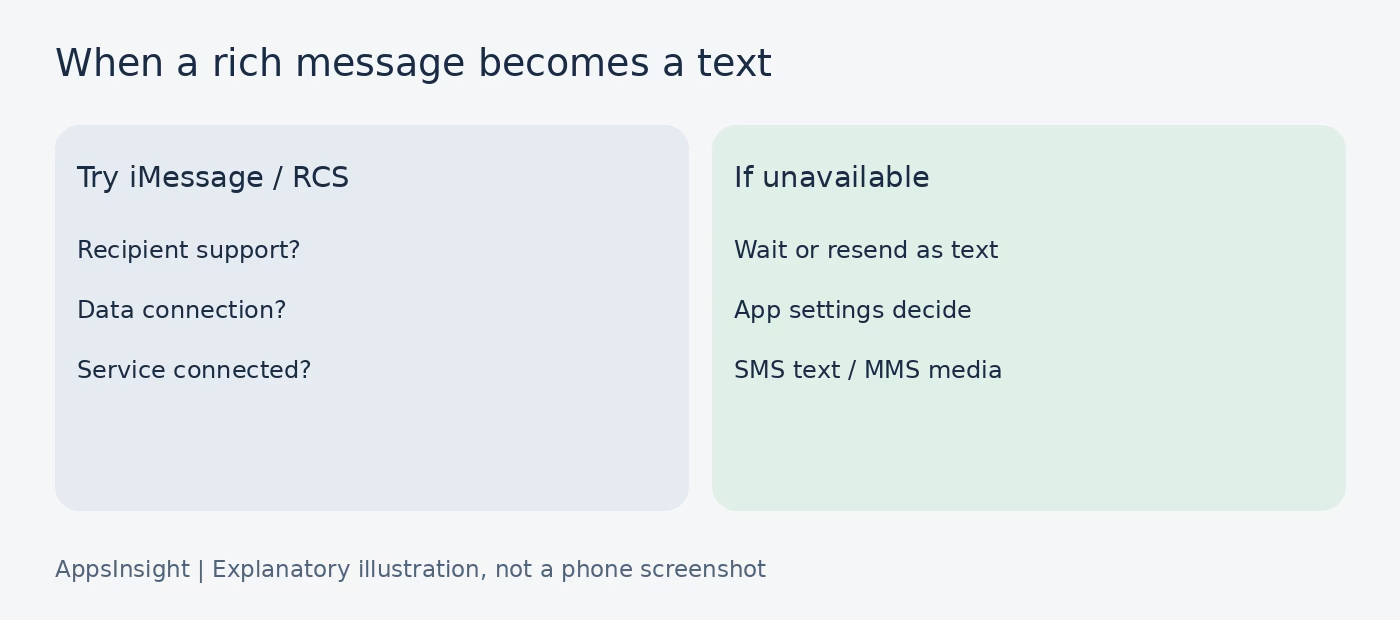
Fallback means a message uses an older delivery method when the rich route is unavailable. It can help a text reach someone, but it can change privacy, media quality and chat features. It is not always immediate or successful; app settings and carrier availability still control the outcome.
- The recipient does not have compatible RCS support or has disabled it.
- One side lacks the Wi-Fi or mobile-data connection needed for RCS.
- RCS number verification or service setup is incomplete.
- A group includes someone without RCS.
- A phone, SIM or messaging-app change interrupted registration.
A sensible troubleshooting order
- Check the current chat label. Is this actually RCS, or already SMS/MMS?
- Check your connection. Confirm that internet access works, not merely that a Wi-Fi symbol is visible.
- Check RCS status. In Google Messages, look for Connected; on iPhone, check that the setting and carrier support are present.
- Check one other supported contact. If that chat works, focus on the first conversation rather than changing every setting.
- Review resend options. Decide whether sending an unencrypted text is acceptable or whether you should wait.
Google’s documentation uses both “Resend messages” and “Automatically resend as text (SMS/MMS)” for version-dependent controls. Look under RCS chats rather than expecting a single identical label across all phones.
One option deserves extra care: Google warns that sending “SMS with a link” can make the media accessible through a public link not controlled by Google. A successful resend is not automatically a private resend. Do not use that option for sensitive attachments without understanding the consequence.
Avoid switching RCS off and on repeatedly as your first fix. Google specifically warns that toggling it can remove you from group chats. For a stuck verification state, follow the official troubleshooting route or contact the carrier. If a message is urgent, call or use another agreed channel instead of assuming fallback will eventually work.
8. Should you use SMS or RCS?
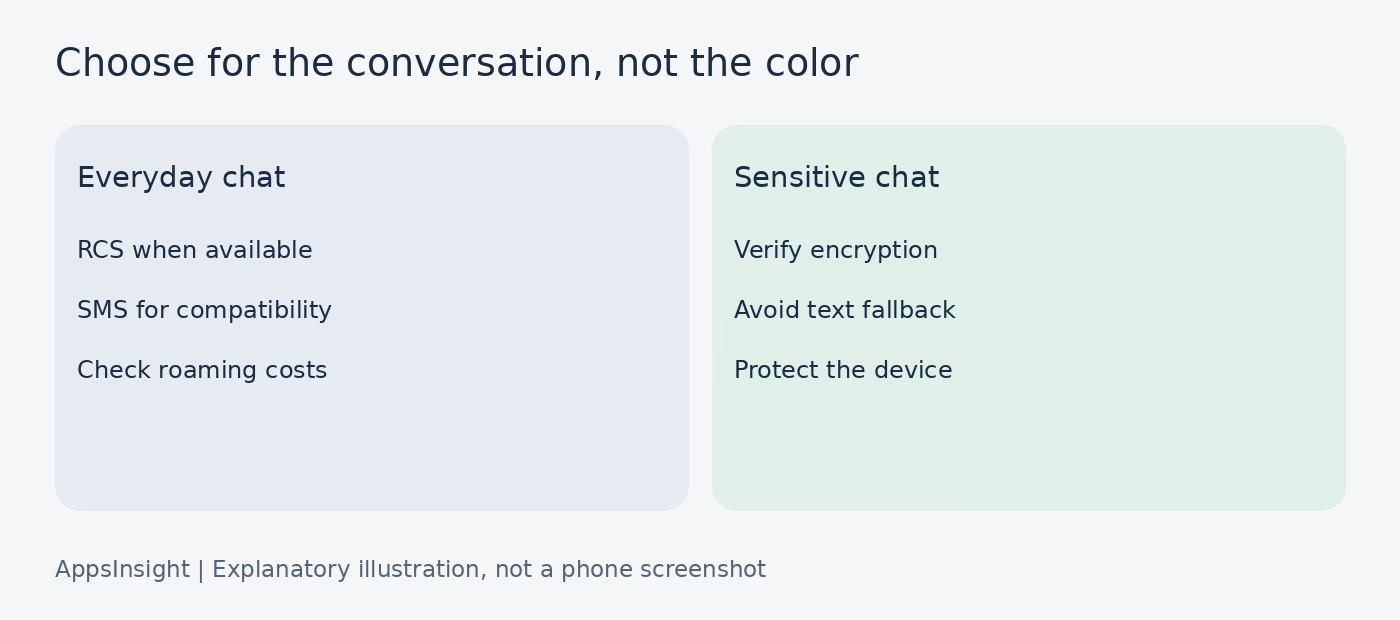
For ordinary person-to-person texting, use RCS when it is available and fits the conversation. You get a better media and chat experience without asking everyone to move to another app. Keep SMS/MMS available for compatibility, but know what you lose when they are used.
For a sensitive conversation, make encryption the deciding check. Verify the lock or encryption label before sending. If an encrypted conversation becomes an unencrypted text, waiting or changing to another agreed encrypted channel can be preferable to forcing delivery.
For travel, check your mobile plan. Google says RCS over free Wi-Fi has no additional messaging cost, while mobile-data use follows your data plan. SMS/MMS and roaming charges depend on the carrier plan. “Uses Wi-Fi” is not the same as “always free,” and an unlimited domestic plan does not settle international roaming.
For teams designing a messaging product, distinguish app architecture from transport support. A React Native app is not automatically an RCS client. Our guide to choosing a React Native development company is a useful next step for evaluating implementation work, but carrier integration and messaging standards require their own technical assessment.
For broader budgeting, see our React Native app cost guide; a framework budget is not evidence that SMS or RCS integration is included. The useful rule is simple: prefer the richer supported route, inspect the conversation you are actually in, and do not trade away privacy without noticing. Bubble color is a design choice; the delivery and encryption indicators tell you more.
9. Frequently asked questions about SMS and RCS
Is RCS the same as iMessage?
No. RCS is an industry messaging standard used through compatible apps and carrier services. iMessage is Apple’s separate messaging service for Apple devices. Both can use Wi-Fi or mobile data and offer rich features, but their compatibility and security conditions differ. On iPhone, iMessage is blue; RCS is green.
Why are my messages green if RCS is turned on?
Apple uses green for RCS as well as SMS/MMS. The color therefore does not show whether RCS activation worked. Read the compose or conversation label. If the chat says RCS, green is expected. If it uses SMS/MMS, check recipient support, connection and activation status rather than changing the bubble color.
Can RCS work without Wi-Fi?
Yes, with mobile data. RCS needs an internet connection, not specifically Wi-Fi. Without either Wi-Fi or mobile data, the app may offer or use SMS/MMS according to settings and availability. That changes features and can remove encryption. If cellular messaging is unavailable too, a text fallback may also fail.
Does RCS work between Android and iPhone in the US?
Yes, when the devices, apps and carriers support it and RCS is active. Apple requires iOS 18 or later for basic RCS on iPhone and a supporting carrier plan. Encryption has additional conditions, including Apple’s iOS 26.5 supported-carrier rollout. Check the conversation instead of assuming that country or phone brand alone proves compatibility.
Can I turn off read receipts without turning off RCS?
Yes. Google Messages has a separate Send read receipts setting under RCS chats. Turning that off changes the read-status information you share; it does not by itself switch every conversation to SMS. Whether you can see another person’s read receipt also depends on their setting. Missing receipts are not reliable evidence about their intentions.
Will turning off RCS delete my text history?
Do not use the toggle as a history-management tool. Google’s guidance warns that turning RCS off and on can remove you from group chats, and changing apps or devices can affect service registration. Before a phone migration, follow the official instructions for that device and protect your history through the appropriate backup process.
Does an RCS lock mean the message is safe to send?
It means the conversation has the indicated encryption protection, not that every other risk disappears. Confirm the recipient, consider what they can copy or share, and secure the phone itself. A scammer can receive an encrypted message. End-to-end encryption protects the delivery path; it does not certify the person at the other end.
Sources and verification notes
This guide is based on documentation, not a claimed hands-on test of every US carrier. Apple and Google use different wording and their encryption guidance is not fully aligned. We describe that conflict rather than presenting a universal rollout promise. Interface images are Apple’s published examples; the other inline figures are explanatory illustrations.
- Apple: differences between iMessage, RCS and SMS/MMS (May 11, 2026).
- Apple: turn on RCS and encrypted RCS on iPhone.
- Google: turn on RCS chats and manage settings.
- Google: RCS FAQ, fallback, groups and charges.
- Google: end-to-end encryption in Messages.
- GSMA: Universal Profile 3.0 encryption requirements.
- Twilio: SMS encoding and segment limits.