Sign In

Vmaker logo

Vmaker

AI video editor and repurposing tool for clips, subtitles, avatars, and screen recording.
4.0 Editor rating
#15 in Marketing Automation Rank
31
AppsInsight Score Needs Improvement
Best Video Editing Tool
  • Trusted by 10,000+ buyers worldwide
  • 500+ verified reviews from real users
  • Updated weekly fresh & accurate data
  • Independent editorial research 100% unbiased

What is Vmaker?

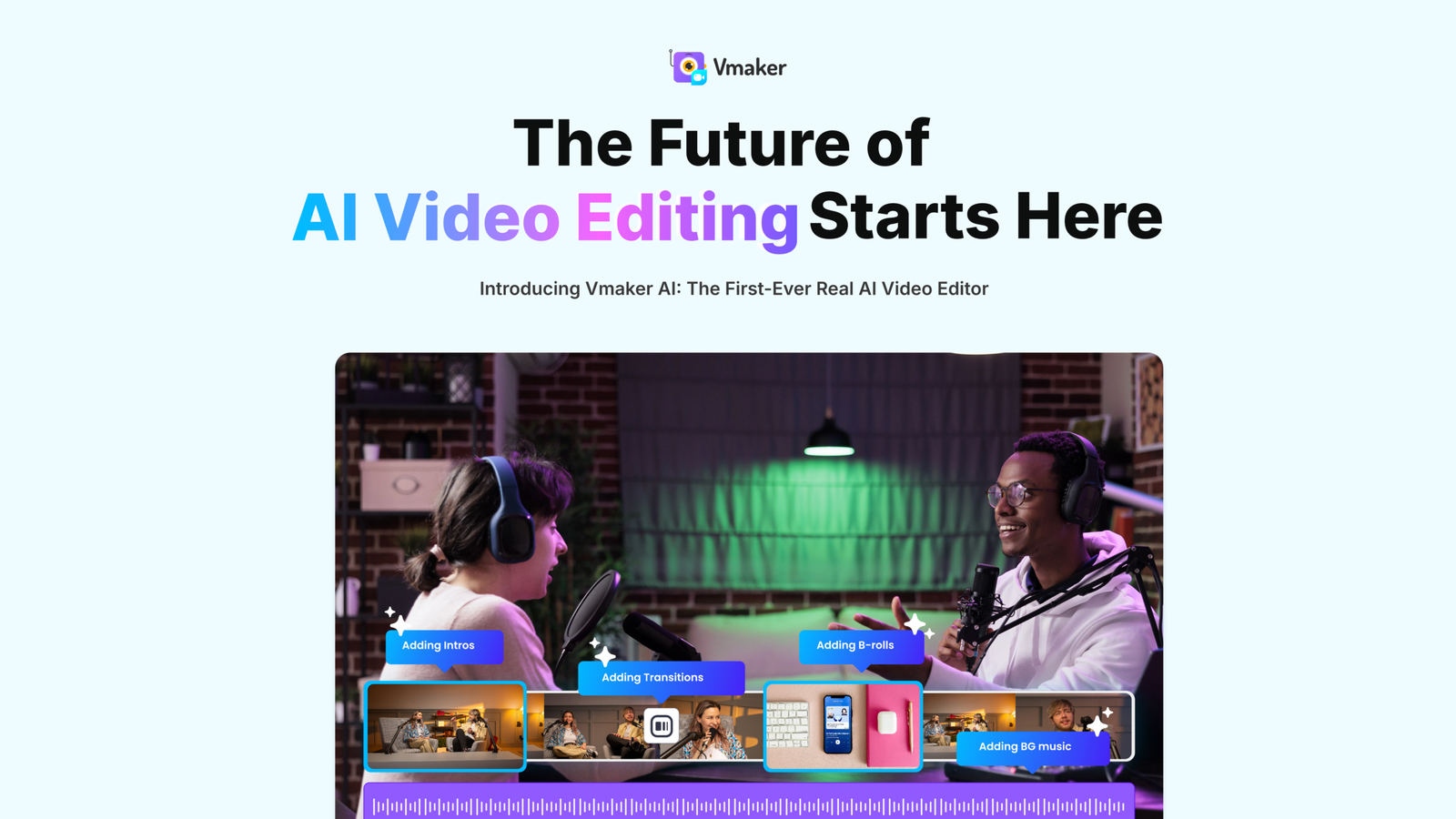
AI video editor and repurposing tool for clips, subtitles, avatars, and screen recording. Vmaker is a web-based video tool for making, editing, and repurposing content with AI.

Vmaker screenshot

Our verdict

Final Verdict: Is Vmaker Worth It?

After evaluating Vmaker, I found it to be one of the most user-friendly screen recording and AI video creation platforms available in 2026. It combines high-quality screen and webcam recording with AI-powered editing tools, making it easy to create professional videos without complicated editing software.

What impressed me most was how quickly I could record, edit, and share videos from one platform. The AI features, including automatic subtitles, transcript generation, filler-word removal, and background noise reduction, significantly reduce editing time. These capabilities make Vmaker an excellent solution for product demos, tutorials, customer support videos, sales presentations, employee training, and online courses.

I also appreciated the cloud-based workflow. Videos can be shared instantly through links, making collaboration much easier for remote teams and businesses. The interface remains clean and intuitive, so even first-time users can begin creating videos within minutes.

While Vmaker offers an impressive feature set, some advanced AI capabilities and higher storage limits are reserved for premium plans. Professional video editors may also find the editing tools less advanced than dedicated software such as Adobe Premiere Pro or DaVinci Resolve. However, for everyday business communication and content creation, Vmaker delivers excellent results.

Overall, I believe Vmaker offers outstanding value for businesses and creators who need a fast, reliable, and AI-powered video recording solution.

What I Liked

  • Simple and intuitive interface with minimal learning curve
  • High-quality screen and webcam recording
  • AI-powered subtitles, transcripts, and noise reduction
  • Quick cloud sharing and collaboration features
  • Branding and annotation tools for professional videos
  • Suitable for tutorials, demos, sales videos, training, and customer support
  • Excellent value for small businesses and remote teams

What Could Be Better

  • Some AI features are limited to paid plans
  • Editing tools are less advanced than professional video editing software
  • Higher storage and premium collaboration features require upgraded subscriptions
  • Large video projects can take longer to process depending on internet speed

AppsInsight Recommendation

I recommend Vmaker for businesses, educators, marketers, sales teams, customer support professionals, and content creators who need an easy-to-use platform for recording, editing, and sharing videos. If your goal is to create professional tutorials, product demonstrations, training videos, or asynchronous team communication without investing in complex editing software, Vmaker is an excellent choice in 2026.

How I Tested Vmaker

Before writing this review, I spent time evaluating Vmaker to understand how well it performs for screen recording, webcam recording, AI-powered editing, and video sharing. Rather than relying on feature descriptions, my team and I focused on how practical the platform is for everyday use by businesses, educators, marketers, and content creators.

Here's what I evaluated during the review:

  • Ease of Use: I tested how quickly users can install Vmaker, start recording, and create videos without technical expertise.
  • Recording Quality: I evaluated screen recording, webcam recording, audio clarity, resolution options, and recording stability.
  • AI Features: I reviewed AI-powered video editing, automatic subtitles, background noise removal, filler-word detection, and transcript generation.
  • Editing Experience: I tested trimming, annotations, callouts, transitions, cursor effects, branding options, and video customization.
  • Collaboration & Sharing: I explored cloud storage, video sharing, team collaboration, comments, and workspace management.
  • Performance: I assessed recording reliability, export speed, application responsiveness, and overall user experience.
  • Pricing & Value: I compared Vmaker with Loom, Riverside, ScreenPal, and Camtasia to determine whether its pricing matches the value offered.
  • User Feedback: I also reviewed verified customer experiences to understand long-term reliability, customer support, and overall satisfaction.

This hands-on evaluation helped me assess whether Vmaker delivers practical value for professionals who create videos regularly.

Reviewed by Ashley Richmond Chief Marketing Officer at AppsInsight Last updated July 12, 2026

Full review

Vmaker is a web-based video tool for making, editing, and repurposing content with AI. It helps YouTubers, marketers, L&D teams, and internal comms teams turn raw footage, PDFs, and long recordings into shorter, publish-ready videos. The main draw is how many jobs it covers in one place. You can record screen and webcam in 4K, generate short clips from long videos, add AI subtitles in 35+ languages, and build avatar-led videos from text, audio, or documents. One concrete differentiator from the site is its long-to-short workflow. Vmaker can scan webinars, podcasts, interviews, and other long-form videos, then turn them into multiple social-ready clips with reframing, subtitles, and B-roll suggestions. That makes it a fit for teams that need to publish more often without cutting everything by hand. Pricing starts with a free plan, then paid tiers for Starter, Teams, and Enterprise. Based on the product pages, it is aimed at

Vmaker is a web-based video tool for making, editing, and repurposing content with AI. It helps YouTubers, marketers, L&D teams, and internal comms teams turn raw footage, PDFs, and long recordings into shorter, publish-ready videos. The main draw is how many jobs it covers in one place. You can record screen and webcam in 4K, generate short clips from long videos, add AI subtitles in 35+ languages, and build avatar-led videos from text, audio, or documents. One concrete differentiator from the site is its long-to-short workflow. Vmaker can scan webinars, podcasts, interviews, and other long-form videos, then turn them into multiple social-ready clips with reframing, subtitles, and B-roll suggestions. That makes it a fit for teams that need to publish more often without cutting everything by hand. Pricing starts with a free plan, then paid tiers for Starter, Teams, and Enterprise. Based on the product pages, it is aimed at people who want an online editor that can also act as a repurposing engine, not just a basic recorder or subtitle tool.

Who it's for

Best for

  • YouTubers
  • social media creators
  • marketers
  • L&D teams
  • internal communications teams
  • businesses repurposing webinars and podcasts

At a glance

PricingFree+Paid
Free planYes
Free trialNo
Pricing pageView pricing
PlatformsWeb app
APINo
Apps Insight Score31/100

Why this app scored 31/100

Editorial Review 20/30
  • Product quality 7/10 7/10
  • Ease of use 3/5 3/5
  • Feature depth 3/5 3/5
  • Innovation 4/5 4/5
  • Value for money 2/3 2/3
  • Recommendation confidence 1/2 1/2
Trust & Verification 1/25
  • AppsInsight badge installed Badge not installed 0/15
  • HTTPS website HTTPS 1/1
  • Business support email Missing 0/1
  • Privacy policy published Missing 0/2
  • Terms of service published Missing 0/1
  • Security certifications None listed 0/2
  • Knowledge base / help center Missing 0/2
  • Social profiles linked 0 profiles linked 0/1
Community 0/20
  • Verified reviews & rating 0 reviews (5 needed) 0/15
  • Recent reviews No reviews yet 0/5
Product Profile 9/20
  • Detailed description 173 words 1/3
  • Screenshots 6 screenshots 2/3
  • Demo video No demo video 0/2
  • FAQ 4 items 1/2
  • Feature list 7 items 1/2
  • Pricing published Plan tiers published 3/3
  • Pros & cons Pros & cons listed 1/1
  • Integrations 0 integrations 0/2
  • API available No 0/1
  • Company details 0 of 3 details filled 0/1
Freshness 1/5
  • Listing recently updated Updated 62 days ago 1/3
  • Recent changelog entry No changelog entries 0/2

Editorial points are assigned by AppsInsight editors and cannot be purchased or influenced.

Built for

How Vmaker compares

FeatureVmakerRobynnZapierPost Planner
Rating4.0 / 55.0 / 54.6 / 54.0 / 5
PricingFree+PaidFree+PaidFree+PaidFree plan
Starting priceFreeFrom $29.99/moFree
Free planIncludedIncludedIncludedIncluded
Free trialNoNoNoNo
PlatformsWeb appWeb appWeb appWeb app, iOS (iPhone & iPad), Android
Best forYouTubers, social media creators, marketers, L&D teams, internal communications teams, businesses repurposing webinars and podcastsSaaS marketing teams, marketing agencies, growth teams, ABM teams, founders managing website conversionOps teams, marketers, solo foundersSmall businesses, solo creators, marketing agencies

Vmaker vs Robynn Vmaker vs Zapier Vmaker vs Post Planner

Key features

Long-to-Short Video Maker
Turn webinars, podcasts, interviews, and other long videos into multiple short clips for social platforms.
AI Video Editor
Generate and edit videos from text, voice, documents, or existing footage with AI-assisted cleanup and finishing.
Screen and Webcam Recorder
Record your screen and webcam in 4K, then bring the recording into the editor for polishing.
AI Subtitle Generator
Create subtitles in 35+ languages with animation styles and translation options.
Text, Audio, and Doc to Video
Convert text prompts, audio, or documents into avatar-led videos without starting from a blank timeline.
AI B-Roll Generator
Add relevant B-roll, transitions, and stock media to keep videos from feeling static.
Repurpose Video AI
Find key moments in long-form footage and turn them into multiple social-ready clips in one workflow.

Key benefits

  • Cut down editing time when you need multiple clips from a single recording or webinar.
  • Publish more often on YouTube, TikTok, Instagram, and LinkedIn without manually re-cutting every asset.
  • Turn dense docs and training materials into videos that are easier to follow and reuse across teams.
  • Reduce the handoff between recording, editing, captioning, and clipping by keeping more of the workflow in one place.
  • Make content easier to consume for global audiences with multilingual subtitles and voiceovers.

Pricing

Free+Paid

Free

0 /mo

  • 3 video downloads/ mo
  • 3 Social Publish/ mo
  • 600 Long to Short Form AI Credits
  • 720p export quality
  • 5 mins export length
  • 5 GB or 120 mins max upload length
  • 20 mins auto subtitle/ mo
  • 4 AI Avatars
  • 60 sec generative credits
  • 1 min screen recording

Starter

18 /mo

216 billed annually

  • 10 video downloads/ mo
  • 10 Social Publish/ mo
  • 2000 Long to Short Form AI Credits
  • 1080p export quality
  • 30 mins export length
  • 10 GB or 120 mins max upload length
  • 29 premium assets/ mo
  • $15 per additional download
  • 60 mins auto subtitle/ mo
  • 40 min subtitle translation/ mo
  • 80 AI Avatars
  • 3 mins generative credits/ mo
  • 36 mins generative credits/ year
  • 30 mins screen recording

Teams

25 /mo

300 billed annually

  • 30 video downloads/ mo
  • 30 Social Publish/ mo
  • 3500 Long to Short Form AI Credits
  • 2k export quality
  • 45 mins export length
  • 10 GB or 120 mins max upload length (multi-project included)
  • 60 premium assets/ mo
  • $10 per additional download
  • 15 mins video BG removal
  • Green screen removal
  • 120 mins auto subtitle/ mo
  • 60 min subtitle translation/ mo
  • 99 AI Avatars
  • 12 mins generative credits/ mo
  • 144 mins generative credits/ year
  • 200+ Premium voices
  • 4 hours screen recording
  • Branded video player page

Enterprise

299888 billed annually

  • Custom Pricing
  • Watermark-Free Videos

View official pricing

Pros & Cons

Pros

  • Has a free plan, so teams can test the workflow before paying.
  • Offers clear paid tiers: Starter at $18/month, Teams at $25/month, and Enterprise pricing for larger deployments.
  • Lets you record screen and webcam in 4K, which is useful for demos, tutorials, and product walkthroughs.
  • Supports 35+ subtitle languages and 100+ translation languages on the site, which helps with multilingual publishing.
  • Includes several repurposing paths on the site, including long-to-short video, repurpose video, PDF-to-video, and B-roll generation.

Cons

  • There is no free trial listed in the fact sheet, so testing is limited to the free plan.
  • No integrations are listed in the fact sheet, which may matter if you want to connect it to a wider stack.
  • The product is web-only in the fact sheet, so there is no desktop or mobile app listed.
  • API access is not available according to the fact sheet.

Screenshots & media

Vmaker alternatives

View all alternatives

User reviews

No reviews yet. Be the first to review this app.

Write a review

Already have an account? Log in to track your reviews.

Frequently asked questions

Does Vmaker have a free plan?
Yes. The fact sheet lists a free plan, plus paid Starter, Teams, and Enterprise tiers.
Does Vmaker offer a free trial?
No free trial is listed in the fact sheet.
What platforms does Vmaker support?
The fact sheet lists web as the supported platform.
Does Vmaker have API access or integrations?
No API or integrations are listed in the fact sheet.