


ElevenLabs
AI voice platform for text to speech, voice cloning, dubbing, music and conversational voice agents, with…
Free planPaid from $0
- Web app
- iOS (iPhone & iPad)
- Android
- API / SDK
Turn plans, room photos and sketches into editable 3D models, AI renders and targeted material edits.
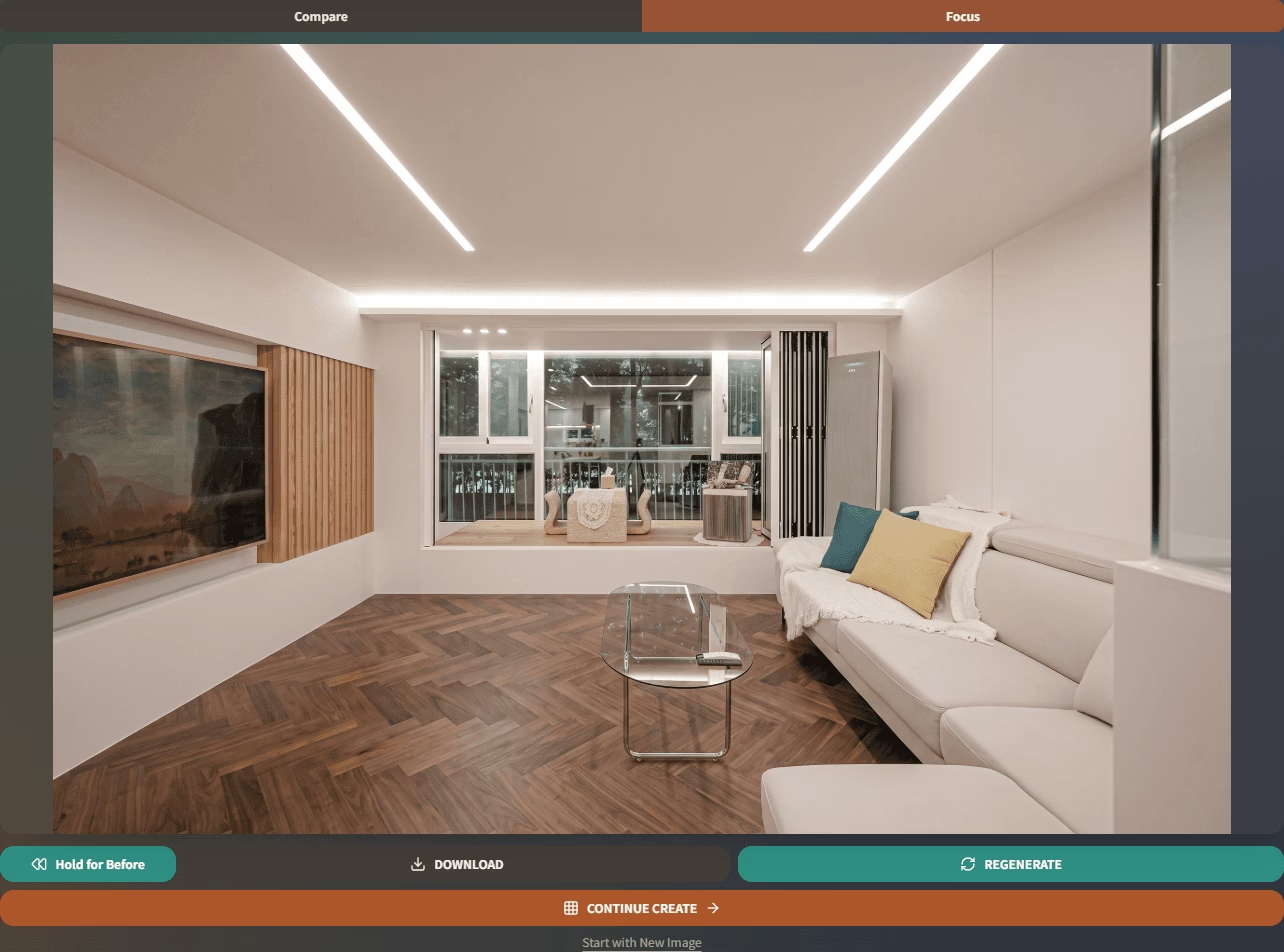
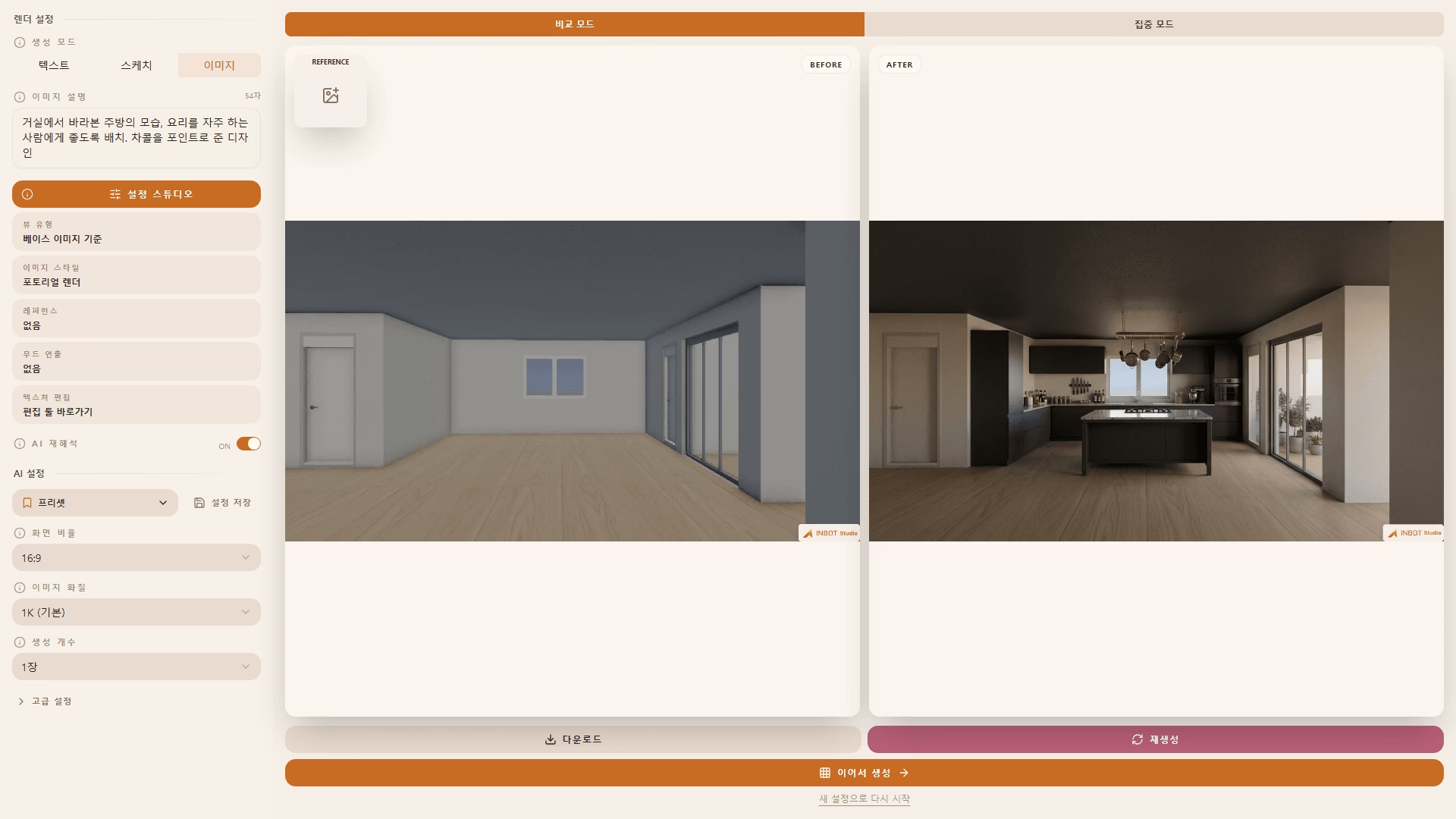
Turn plans, room photos and sketches into editable 3D models, AI renders and targeted material edits. INBOT Studio is an interior-design workspace from MARS AI Inc.
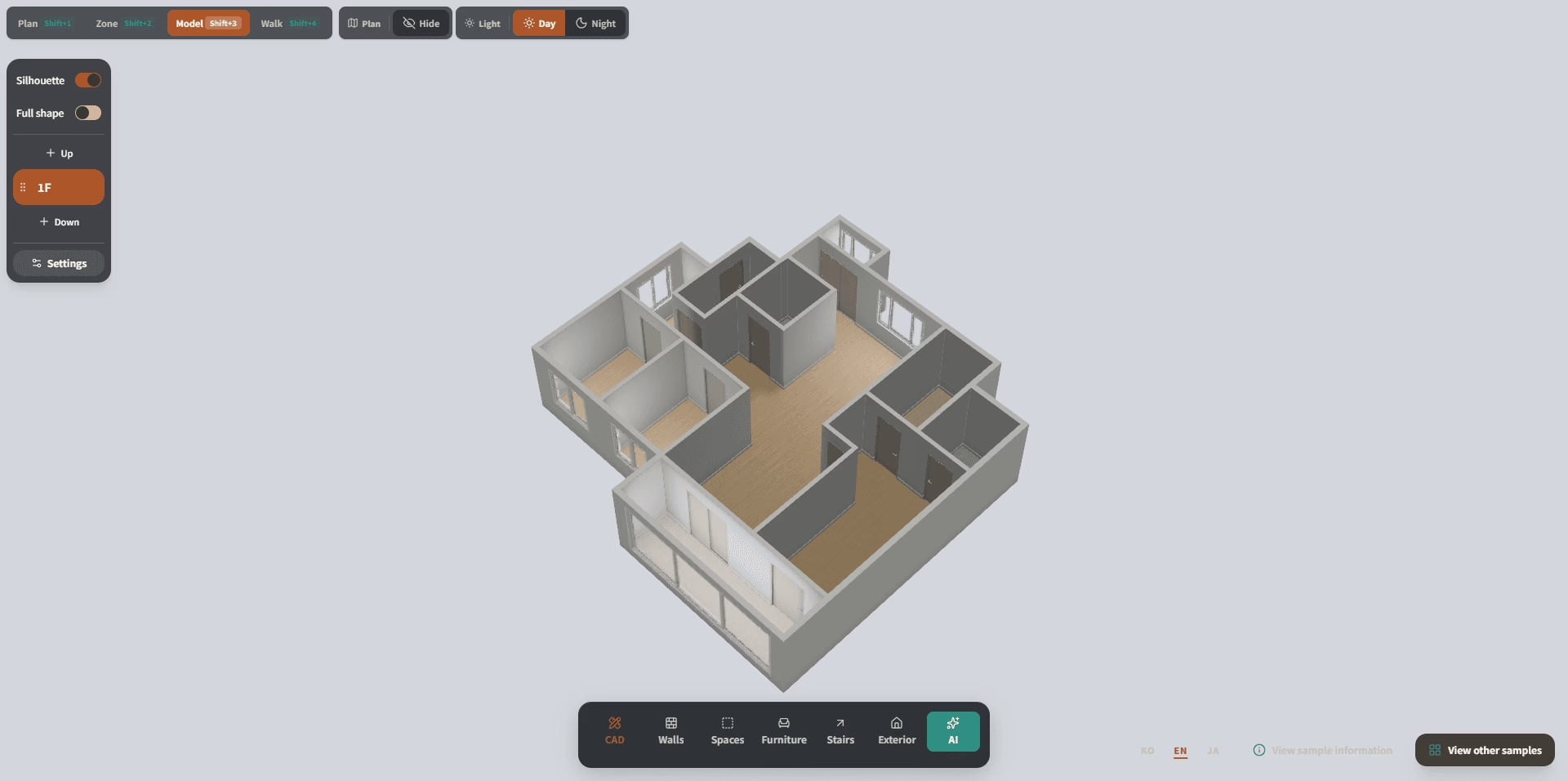
INBOT Studio is worth considering when an interior concept needs several rounds rather than one attractive image. Modeling, rendering and finish changes live in the same documented workflow, and DXF/DAE/GLB export gives the draft model a route into CAD or SketchUp. Targeted editing is the practical value: changing a wall finish or one object should not require starting the scene again.
The credit table is unusually useful for estimating small jobs, but subscription credits expire each billing cycle. Shared seats only begin on Pro, and the free-credit allowance disagrees between homepage and pricing page. Treat renders and extracted drawings as material for review, not construction-ready truth. The vendor's terms explicitly warn that AI output can be inaccurate or incomplete.
Prepared by the AppsInsight desk in Ashley Richmond's editorial voice from the official INBOT Studio homepage, license page, terms, privacy and MARS AI company page on September 30, 2026. Desk research only; no generation, model export, collaboration or paid subscription was tested. Vendor claims are reported as documented capabilities, not hands-on results.
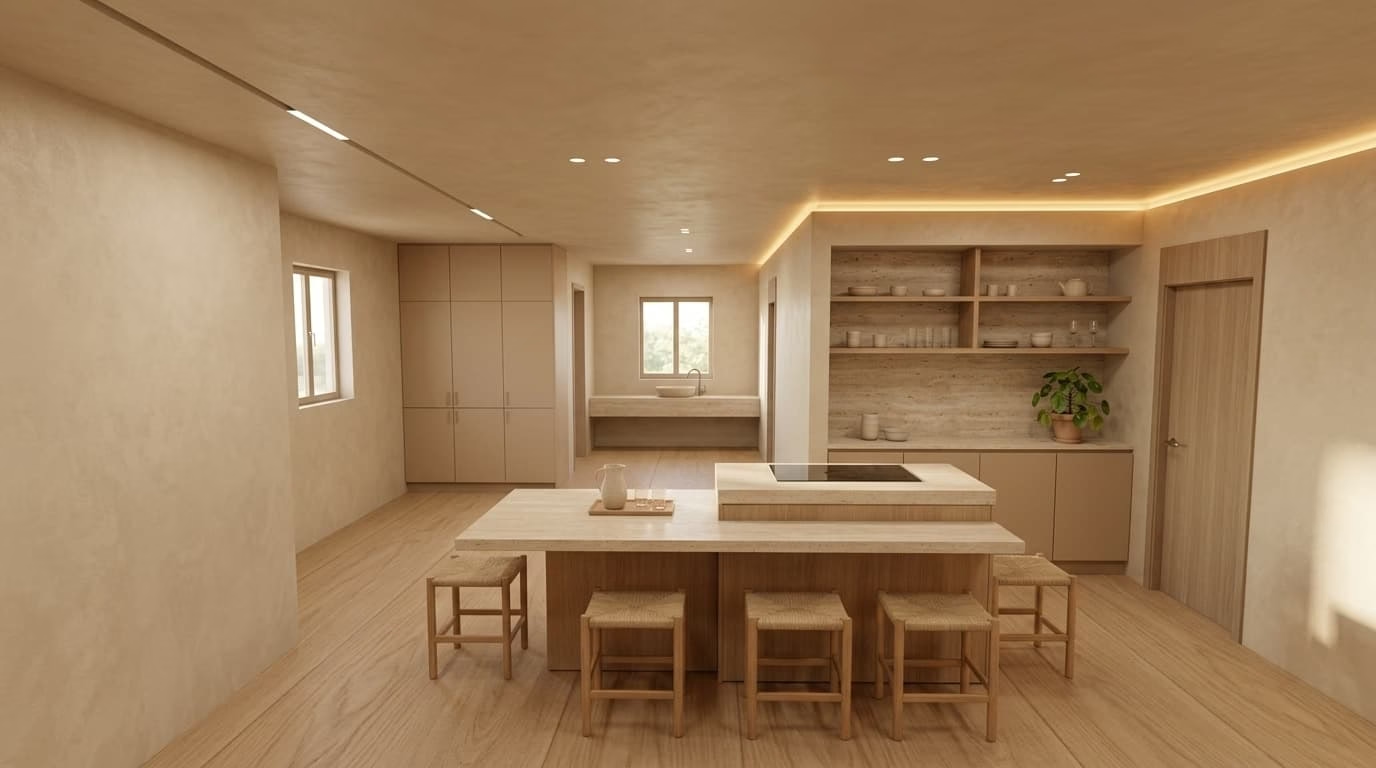
INBOT Studio is an interior-design workspace from MARS AI Inc. It starts from a floor plan, room photo or sketch and carries the work through draft 3D modeling, AI rendering, material changes and targeted image edits. The distinction from a general image generator is the workflow: keep a useful room composition, change only the finishes or selected object, then export an output that can be reviewed or continued elsewhere.
Floor-plan modeling produces a draft model that can feed render viewpoints. Model exports are DXF, DAE or GLB for continuing in CAD or SketchUp. Rendering can use plans, photos or sketches; refinement tools cover mood, texture, precise object/area edits, camera framing and isometric views. HD Upscale adds a 4K presentation option, while blueprint extraction creates floor-plan, section or elevation-style drawings from a render. These are vendor-documented outputs, not a guarantee of architectural accuracy.
Pricing is credit-based within monthly or annual subscriptions.
INBOT Studio is an interior-design workspace from MARS AI Inc. It starts from a floor plan, room photo or sketch and carries the work through draft 3D modeling, AI rendering, material changes and targeted image edits. The distinction from a general image generator is the workflow: keep a useful room composition, change only the finishes or selected object, then export an output that can be reviewed or continued elsewhere.
Floor-plan modeling produces a draft model that can feed render viewpoints. Model exports are DXF, DAE or GLB for continuing in CAD or SketchUp. Rendering can use plans, photos or sketches; refinement tools cover mood, texture, precise object/area edits, camera framing and isometric views. HD Upscale adds a 4K presentation option, while blueprint extraction creates floor-plan, section or elevation-style drawings from a render. These are vendor-documented outputs, not a guarantee of architectural accuracy.
Pricing is credit-based within monthly or annual subscriptions. Free is listed with 10 credits on the license page, while the homepage says a new signup receives 15 free credits. That discrepancy should be checked before signing up. Lite is $14.90/month or $11.92/month billed annually, with 40 monthly credits; Plus $29 or $23.20 annually, with 90; Pro $65 or $52 annually, with 240 and up to 5 shared seats; Team $139 or $111.20 annually, with 560 and up to 10 seats. Enterprise is custom for 11 or more people. The annual view advertises 20% off and displays a monthly equivalent, not an annual total.
Rendering uses 1 credit for 1K or 2K and 2 for 4K; modeling generation uses 4, and model export uses 0. Subscription credits do not roll over. Optional extra-credit packs are 10 for $9, 50 for $39 and 100 for $75, valid for 36 months under the published policy. Uploaded reference materials need the necessary rights; commercial output use is permitted by the terms. AI outputs still require professional review and do not replace architectural or design advice.
Desk research of INBOT Studio homepage, license page both monthly and annual toggles, terms and privacy, plus MARS AI company page on September 30, 2026. No model generation, rendering, API, collaboration or purchase tested. Vendor images reused. Free-credit discrepancy: homepage 15 signup credits; license Free plan 10 credits. Annual prices are displayed monthly equivalents. No timed free trial documented.
| Pricing | Free+Paid |
|---|---|
| Starting price | $14.90/mo; annual view from $11.92/mo |
| Free plan | Yes |
| Free trial | No |
| Pricing page | View pricing |
| Platforms | Web app |
| API | No |
| Company | MARS AI Inc. |
| Apps Insight Score | 40/100 |
| Implementation | Easy |
| Learning curve | Intermediate |
Editorial points are assigned by AppsInsight editors and cannot be purchased or influenced.
| Feature | INBOT Studio | ElevenLabs | Claude Sonnet 5.5 | Arsaze |
|---|---|---|---|---|
| Rating | 3.8 / 5 | 4.6 / 5 | 4.2 / 5 | 4.2 / 5 |
| Pricing | Free+Paid | Free+Paid | Free+Paid | Free+Paid |
| Starting price | $14.90/mo; annual view from $11.92/mo | $0 | — | — |
| Free plan | Included | Included | Included | Included |
| Free trial | No | No | No | No |
| Platforms | Web app | Web app, iOS (iPhone & iPad), Android, API / SDK | Web app, iOS (iPhone & iPad), Android, macOS, Windows, API / SDK | Web app, Windows |
| Best for | Interior designers, freelancers and small studios preparing concepts and client proposals; teams that want to refine materials and export draft models to CAD or SketchUp. | Creators, video and podcast producers, developers building voice features, and companies that want voice agents or dubbing at scale. | Developers and teams who want a fast, lower-cost model for everyday coding, documents and agentic tasks across apps, API and major clouds. | Video creators and editors who want a real NLE their AI assistant can drive - text-based editing, grading, client review and generation on one timeline, with free local exports. |
INBOT Studio vs ElevenLabs INBOT Studio vs Claude Sonnet 5.5 INBOT Studio vs Arsaze
$0 /mo
$0 billed annually
USD 14.90/mo /mo
USD 11.92/mo equivalent; annual billing billed annually
USD 29/mo /mo
USD 23.20/mo equivalent; annual billing billed annually
USD 65/mo /mo
USD 52/mo equivalent; annual billing billed annually
USD 139/mo /mo
USD 111.20/mo equivalent; annual billing billed annually
Custom quote /mo
Custom quote billed annually
AI voice platform for text to speech, voice cloning, dubbing, music and conversational voice agents, with…

The second model in the Claude 5.5 family: 30%+ faster than Sonnet 5 at up to…

Let Claude, ChatGPT or Gemini edit your real timeline - an AI-native video editor for agents…
AI clipping, captions, dubbing, and social publishing for long-form video.
Build and publish real apps from Claude, ChatGPT or Cursor, with backend and hosting included
Agentic video platform that plans, records, edits and updates videos

Browser AI voice generation with SSML and multi-speaker scripts

AI creative suite for generating and editing videos and images across multiple models and workflows.

Real-time world model that generates interactive video and audio as you give it input
Build and publish real apps from Claude, ChatGPT or Cursor, with backend and hosting included
No reviews yet. Be the first to review this app.
Already have an account? Log in to track your reviews.