


Render
Cloud hosting that deploys from Git: web services, databases, cron jobs and static sites in one…
Free planPaid from $0
- Web app
- API / SDK
- CLI / Terminal
Manage Linux servers from a local desktop app with AI-assisted terminal commands
Manage Linux servers from a local desktop app with AI-assisted terminal commands What is CtrlOps?
CtrlOps solves an ordinary but costly problem: the operator who has too many server tabs and no clear view of which one is production. Named hosts, a visual file manager and live resource views make that workflow easier to understand. The AI terminal is most useful as a guided helper, with the actual command visible before execution.
The flat per-user plans and unlimited server allowance are easy to evaluate, and the one-month trial gives teams time to test real tasks. I would check SSH reliability, deployment rollback, backup restore and model-provider handling before putting it into production operations. Local credential storage is a vendor claim, not an independent security assurance. This is a desk-research opinion.
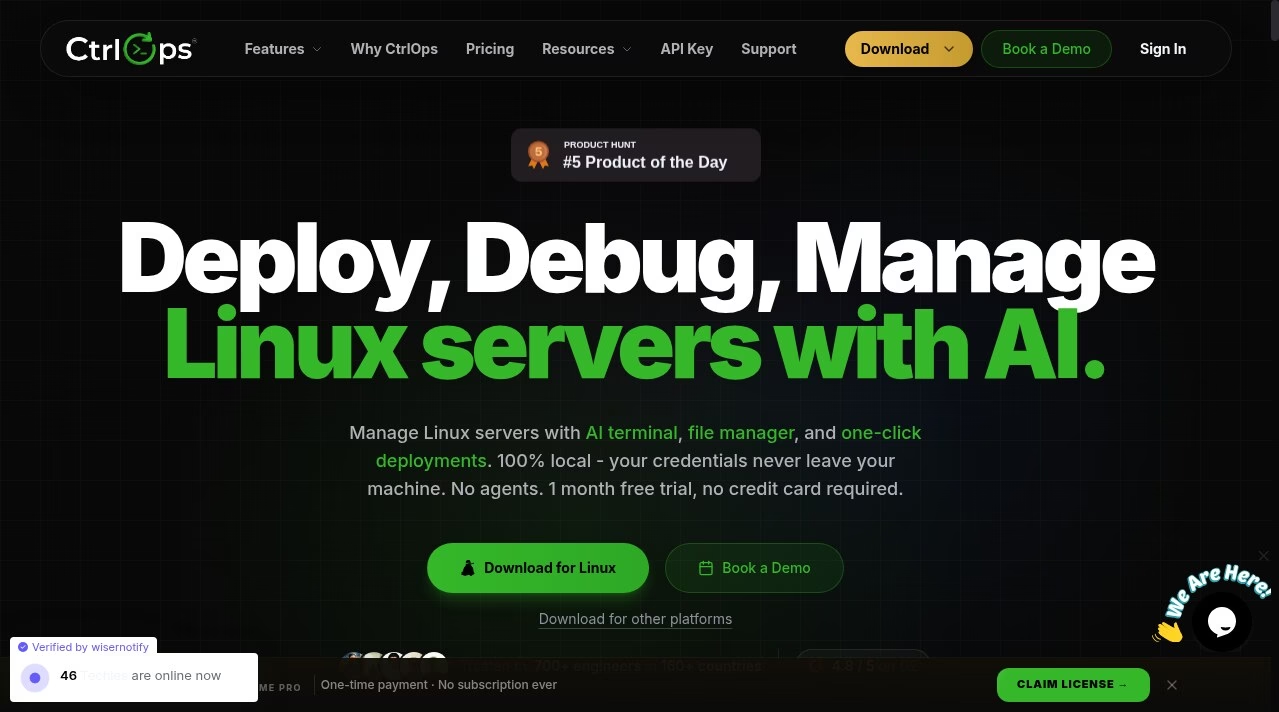
CtrlOps is a desktop workspace for managing Linux servers over SSH. It combines a terminal, remote file manager, server metrics, access management and deployment controls in one app. The aim is practical: reduce the need to switch between SSH tabs, a separate SFTP client and scattered server notes.
The AI terminal accepts plain-language requests and helps explain logs or suggest commands. CtrlOps says users review and approve commands before they run. That boundary is important for production work, but it is not a reason to stop checking commands. Use ordinary change control, backups and least-privilege accounts when operating live infrastructure.
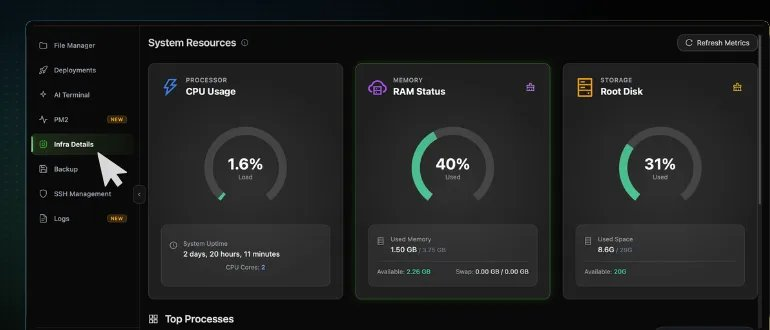
Add servers as named hosts and move between their tabs. The file manager supports upload, download, folder creation, permissions and an adjacent terminal. Infrastructure views show CPU, RAM and disk figures. The security audit module runs 25
CtrlOps is a desktop workspace for managing Linux servers over SSH. It combines a terminal, remote file manager, server metrics, access management and deployment controls in one app. The aim is practical: reduce the need to switch between SSH tabs, a separate SFTP client and scattered server notes.
The AI terminal accepts plain-language requests and helps explain logs or suggest commands. CtrlOps says users review and approve commands before they run. That boundary is important for production work, but it is not a reason to stop checking commands. Use ordinary change control, backups and least-privilege accounts when operating live infrastructure.
Add servers as named hosts and move between their tabs. The file manager supports upload, download, folder creation, permissions and an adjacent terminal. Infrastructure views show CPU, RAM and disk figures. The security audit module runs 25 predefined checks over SSH, produces a hardening score and PDF report, and offers approval-gated fixes. Other documented modules cover authorized SSH keys, fleet access, PM2 processes, logs, S3-compatible backups, cron jobs, port forwarding and alerts.
The deployment workflow accepts a GitHub repository, environment variables and domain information, with PM2, Nginx and SSL setup described by the vendor. SSH connectivity lets CtrlOps work with Linux VPS hosts across providers rather than requiring a separate server agent. Alerts can go to Slack, Telegram or a webhook. The AI terminal supports configured model providers and MCP servers; external model processing must be assessed separately from local credential storage.
The official pricing page checked October 5, 2026 lists a one-month free trial with no credit card and no automatic charge at the end. Monthly is $7 per user, Yearly is $70 per user per year, and Lifetime is $149 per user once. All tiers include unlimited server connections and core Pro features. The difference is billing cycle and support: Yearly includes priority email support and early feature access; Lifetime includes premium support and future features according to the vendor. Larger team pricing is available by request.
CtrlOps fits developers and small teams that manage several Linux servers but do not need a centralized cloud operations platform. Its desktop-first setup is attractive when SSH credentials should remain on the operator’s machine. It is less suitable if your organization requires a hosted shared control plane, or if operators expect AI suggestions to remove the need for Linux knowledge. The official documentation covers macOS, Windows and Linux key storage, and the homepage offers desktop builds for all three.
Editorial review by Deepika Pandey. This desk-research assessment uses CtrlOps’s official product, pricing, about and documentation pages checked October 5, 2026. We did not install the app, connect a server, run an audit or independently verify privacy, uptime, user ratings or time-saving claims. Screenshots come from the vendor’s documentation.
Desk research by Deepika Pandey, October 5, 2026. Sources: official homepage, pricing, about, SSH security, first connection, file manager, infrastructure and AI terminal documentation. No installed-app test, server connection, audit run or independent security benchmark. Vendor testimonial figures and external ratings are not represented as verified results.
| Pricing | Paid Subscription |
|---|---|
| Starting price | 7 |
| Free plan | No |
| Free trial | Yes (30 days) |
| Pricing page | View pricing |
| Platforms | macOS, Windows, Linux |
| API | No |
| Company | TST Technology |
| Apps Insight Score | 39/100 |
Editorial points are assigned by AppsInsight editors and cannot be purchased or influenced.
| Feature | CtrlOps | Render | Mastra | Bitrise |
|---|---|---|---|---|
| Rating | 3.5 / 5 | 4.5 / 5 | 4.0 / 5 | 4.0 / 5 |
| Pricing | Paid Subscription | Free+Paid | Free+Paid | Free+Paid |
| Starting price | 7 | $0 | $0 | From $99 |
| Free plan | Included | Included | Included | Included |
| Free trial | Yes (30 days) | No | No | Yes (30 days) |
| Platforms | macOS, Windows, Linux | Web app, API / SDK, CLI / Terminal | Web app, API / SDK, CLI / Terminal | Web app |
| Best for | Developers managing Linux VPS servers Small teams with several client servers Operators wanting a desktop SSH and SFTP workspace | Startups, indie developers and small teams who want to deploy web apps and APIs from Git without managing servers | TypeScript and Node developers building production AI agents who want observability and evals alongside the code. | Mobile engineering teams from indie developers to enterprises that want managed CI/CD, release management and build caching tuned for iOS and Android. |
7 /mo
70 billed annually
0 /mo
Cloud hosting that deploys from Git: web services, databases, cron jobs and static sites in one…

Open source TypeScript framework for building, observing and improving AI agents

Mobile DevOps platform for building, testing and releasing iOS and Android apps on dedicated Apple silicon…

Free domain, IP and ASN reports for hosting, DNS, network routes and public website diagnostics.

Heartbeat monitoring and alerts for cron jobs that stop checking in

Free, open-source desktop client for Kubernetes clusters
Heartbeat monitoring and alerts for cron jobs that stop checking in
Mobile DevOps platform for building, testing and releasing iOS and Android apps on dedicated Apple silicon…
Cloud hosting that deploys from Git: web services, databases, cron jobs and static sites in one…

No reviews yet. Be the first to review this app.
Already have an account? Log in to track your reviews.