


Managing social media is no longer simple because brands now publish content across many platforms every single day. According to Grand View Research, the global social media management market reached nearly USD 29.93 billion in 2025 and is projected to reach USD 171.62 billion by 2033, growing at a CAGR of 24.8% from 2026 to 2033.
At the same time, companies want better reporting, smoother collaboration, and smarter automation features. That is why many marketers and agencies now search for reliable OneUp Alternatives that can improve workflow and save more time.
Here, you will learn:
- The best OneUp competitors for different business needs
- Which tools offer better analytics and automation
- How to choose the right platform for long-term growth
As someone who has worked in social media marketing for over 10 years, I have tested many scheduling platforms for agencies, creators, and growing businesses. Some tools focus on simplicity, while others deliver advanced reporting, automation, and team collaboration. In this detailed guide, you will discover the best platforms that can help you manage social media more effectively and grow your brand faster.
What is OneUp?
OneUp is a social media scheduling and automation platform designed to help businesses, creators, and agencies manage content across multiple social networks from one dashboard. It allows users to schedule posts, automate publishing, and organize content more efficiently. Over the years, it has become popular among small businesses because of its clean interface and easy scheduling process.
The platform supports major social media channels such as Facebook, Instagram, LinkedIn, Twitter/X, Pinterest, TikTok, and Google Business Profile. Users can upload posts in advance, create repeating content, and maintain a consistent posting schedule without manual work every day.
OneUp is especially useful for users who want a simple tool without a steep learning curve. You can quickly plan campaigns, manage captions, and monitor posting activity from a single place. Many marketers also appreciate its evergreen content recycling feature because it saves time when reposting high-performing content.
However, as businesses grow, some users start looking for more advanced features. For example, agencies often need stronger collaboration tools, deeper analytics, approval workflows, and better reporting systems. Others want AI-powered content suggestions or more advanced social listening features.
That is why many professionals eventually start comparing different OneUp Alternatives to find a platform that better matches their workflow, team size, and long-term marketing goals.
Listed here! Top Growing Social Media Platforms In The US
What’s The Need To Look for OneUp Alternatives
OneUp works well for basic scheduling and content automation. However, many businesses eventually need more advanced features as their marketing grows. Social media management has become more competitive, and brands now expect tools that can handle analytics, collaboration, automation, and customer engagement together.
One common reason users switch platforms is limited reporting functionality. Many agencies and marketing teams want detailed performance reports that help them measure engagement, conversions, audience growth, and campaign success. Advanced analytics can improve decision-making and help businesses adjust strategies faster.
Team collaboration is another important factor. Growing businesses often need approval workflows, client access, shared calendars, and role-based permissions. Some users feel restricted when managing multiple clients or larger teams inside a simple scheduling platform.
Pricing also influences buying decisions. Businesses want flexible plans that match their growth. Some tools provide better value by including analytics, inbox management, AI assistance, and collaboration features in lower-tier plans.
Automation has also evolved quickly in recent years. Modern marketers now expect AI captions, smart scheduling, hashtag suggestions, and social listening features. As competition increases, businesses look for platforms that save more time and improve campaign performance.
As a result, many businesses start exploring OneUp Alternatives that provide stronger scalability, advanced analytics, and better workflow management for long-term success.
Key Features To Consider Before Choosing a OneUp Alternative
Choosing the right social media management platform is not only about scheduling posts. You should focus on features that improve productivity, simplify teamwork, and help you grow your online presence consistently. Before selecting from different OneUp Alternatives, it is important to compare the tools carefully.
Multi-Platform Scheduling
A good platform should support all major social networks in one place. This helps you publish content faster and maintain consistency across channels without switching between multiple dashboards.
Easy Content Planning
Content calendars make campaign planning much easier. You should look for drag-and-drop scheduling, bulk uploading, and recurring post options. These features save time and improve organization.
Advanced Analytics
Analytics help you understand what content performs best. Strong reporting tools can track engagement, clicks, reach, audience growth, and conversions. This allows you to improve your marketing strategy using real data instead of assumptions.
Team Collaboration Features
If you work with a team or clients, collaboration tools become very important. Features like approval workflows, user roles, shared workspaces, and client access improve communication and reduce mistakes.
AI and Automation Tools
Modern social media platforms now include AI-powered captions, hashtag suggestions, and smart posting schedules. Automation helps businesses publish content more consistently while reducing manual work.
Unified Inbox and Monitoring
Managing messages and comments from one dashboard improves response time and customer engagement. This is especially helpful for agencies and growing brands.
Flexible Pricing
Every business has a different budget. Some tools offer affordable plans for freelancers, while others target enterprise-level organizations. Always compare features with pricing before making a decision.
Integration Support
Good platforms should integrate with design tools, CRMs, cloud storage systems, and analytics software. Integrations improve workflow efficiency and simplify content management.
Listed here! Free AI Tools For Creating Social Media Posts
How Social Media Automation Improves Marketing Performance
Social media marketing has changed dramatically over the last few years. Businesses now publish content across multiple platforms every day, which makes manual management difficult and time-consuming. That is why automation has become one of the most valuable parts of modern marketing strategies.
According to Statista, global social media users are expected to surpass 6 billion by 2028. This massive growth means brands must stay active consistently to remain visible and competitive online.
Automation helps businesses schedule posts in advance, maintain posting consistency, and reduce repetitive work. Instead of manually publishing content daily, marketers can plan campaigns for weeks or even months. This improves efficiency and saves valuable time.
Another major benefit is better audience engagement. Automated scheduling tools help brands publish content at the best times when followers are most active. As a result, businesses often see higher engagement, better reach, and improved brand visibility.
Automation also improves teamwork. Agencies and marketing teams can collaborate through shared calendars, approval systems, and centralized dashboards. This reduces communication issues and helps campaigns run more smoothly.
Data tracking has also become easier with automation platforms. Businesses can monitor engagement trends, audience growth, and campaign performance in real time. These insights help marketers create stronger content strategies and improve future campaigns.
Looking for? Top Social Media App Developers
1. Buffer (Best for User Experience)
Buffer is one of the most user-friendly social media management platforms available today. It is designed for businesses, creators, freelancers, and agencies that want a clean and simple dashboard without sacrificing important marketing features. Over the years, Buffer has built a strong reputation because it focuses heavily on ease of use and smooth workflow management.
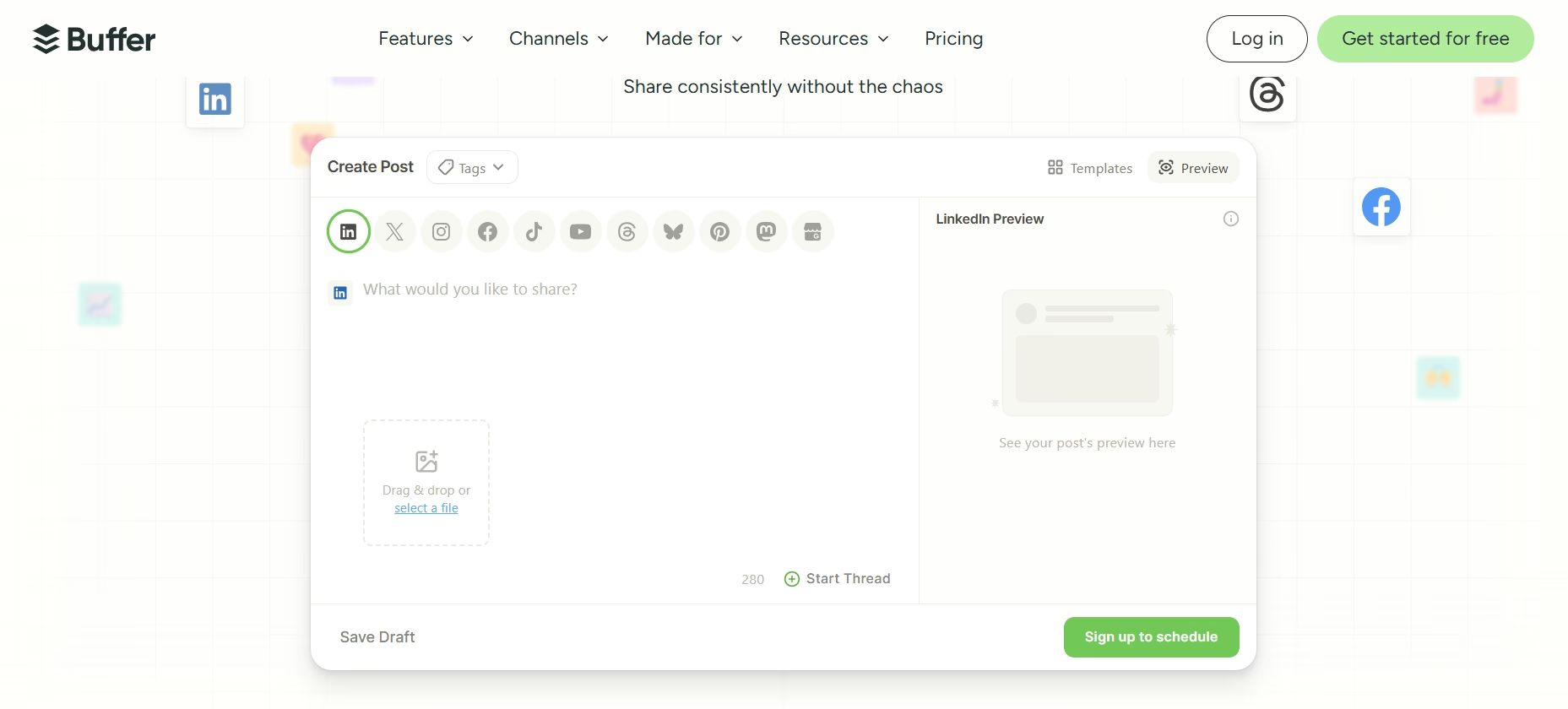
The platform allows users to schedule and publish content across major social media channels including Facebook, Instagram, LinkedIn, TikTok, Pinterest, and Twitter/X. Its drag-and-drop calendar makes content planning simple even for beginners. You can organize posts, preview campaigns, and maintain a consistent publishing schedule with very little effort.
One of Buffer’s biggest strengths is its minimal learning curve. New users can understand the interface quickly, which helps teams start working faster without spending hours on training. At the same time, Buffer includes advanced tools like analytics, engagement tracking, AI content assistance, and team collaboration features.
Another major advantage is its mobile-friendly experience. Users can manage campaigns, approve posts, and monitor performance from almost anywhere. This flexibility is especially helpful for freelancers and remote teams.
Buffer also continues improving its automation tools and reporting system, making it a reliable choice for businesses that want a balance between simplicity and performance. Many marketers prefer Buffer because it reduces complexity while still supporting professional-level social media management.
Best For:
- Small businesses
- Freelancers
- Beginners
- Content creators
- Remote marketing teams
Key Features
- Multi-platform post scheduling
- AI content assistant
- Visual content calendar
- Engagement analytics
- Team collaboration tools
- Mobile app support
- Link shortening and tracking
Pros and Cons
Pros
- Very easy to use
- Clean and modern dashboard
- Fast scheduling process
- Helpful analytics tools
- Great for beginners
Cons
- Limited advanced automation compared to enterprise tools
- Some analytics features require higher plans
- Fewer social listening features
Pricing
Buffer offers a free plan for basic scheduling needs. Paid plans scale based on channels and advanced features, making it flexible for growing businesses.
Why It’s a Strong Alternative
Buffer stands out because it combines simplicity with strong functionality. Businesses that feel overwhelmed by complex dashboards often switch to Buffer for a smoother experience. It is especially valuable for teams that prioritize speed, easy collaboration, and clean content planning workflows.2. SocialBee (Best for Content Management)
2. SocialBee: Apps like OneUp
SocialBee is a powerful social media management platform built for businesses that publish large amounts of content regularly. It is especially popular among agencies, entrepreneurs, coaches, and content-focused brands because it offers advanced content organization and automation features in a very structured way.
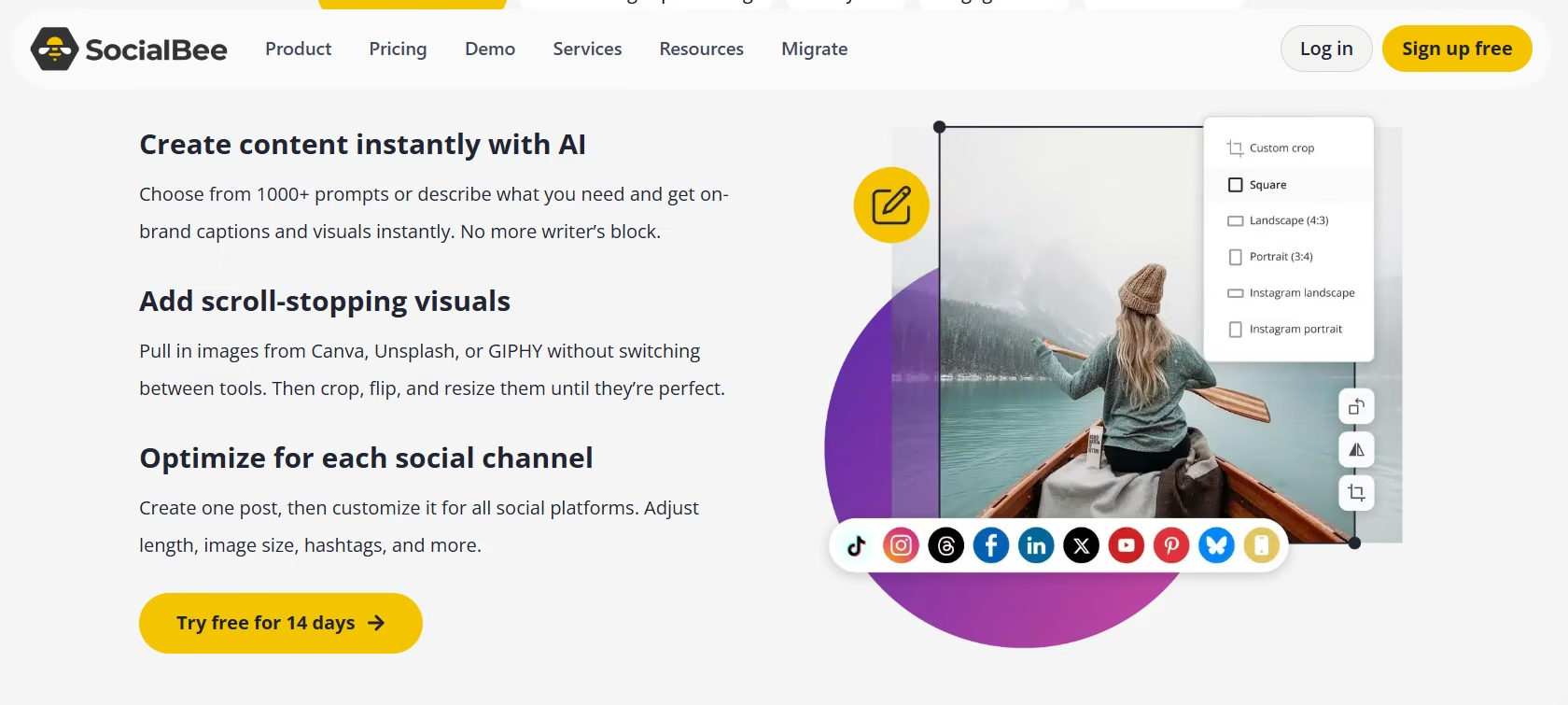
One of SocialBee’s strongest advantages is its category-based scheduling system. Instead of managing posts randomly, users can organize content into different categories such as promotions, blogs, educational posts, testimonials, or evergreen updates. This makes content planning much more efficient and helps maintain a balanced posting strategy across multiple platforms.
The platform supports major social media channels including Facebook, Instagram, LinkedIn, Twitter/X, Pinterest, TikTok, and Google Business Profile. Users can schedule posts, recycle evergreen content, and customize posts for each network from one dashboard.
SocialBee also includes AI-powered content generation tools that help marketers create captions, hashtags, and post ideas faster. This feature is especially useful for small businesses and solo creators who need consistent content without spending hours writing posts every day.
Another important benefit is workflow management. Teams can collaborate easily, review drafts, and manage approval systems without confusion. The dashboard remains organized even when handling large content libraries.
For businesses focused heavily on long-term content strategies and automation, SocialBee provides an excellent balance between scheduling, organization, and productivity. Many marketers consider it one of the strongest content-focused alternatives available today.
Best For:
- Content-heavy businesses
- Marketing agencies
- Coaches and consultants
- Entrepreneurs
- Evergreen content strategies
Key Features
- Category-based scheduling
- Evergreen content recycling
- AI content generation
- Multi-platform publishing
- Team collaboration tools
- Content approval workflows
- Visual content calendar
Pros and Cons
Pros
- Excellent content organization
- Strong evergreen automation
- AI writing assistance
- Easy scheduling workflow
- Good collaboration features
Cons
- Slight learning curve for new users
- Advanced features require paid plans
- Analytics are less detailed than enterprise tools
Why It’s a Strong Alternative
SocialBee is ideal for businesses that publish content consistently and need better organization. Its category system helps marketers maintain balance, improve efficiency, and automate long-term content strategies more effectively. For brands focused on scaling content production, SocialBee delivers strong value without making the workflow overly complicated.
3. Publer (Best for Small Teams/Agencies)
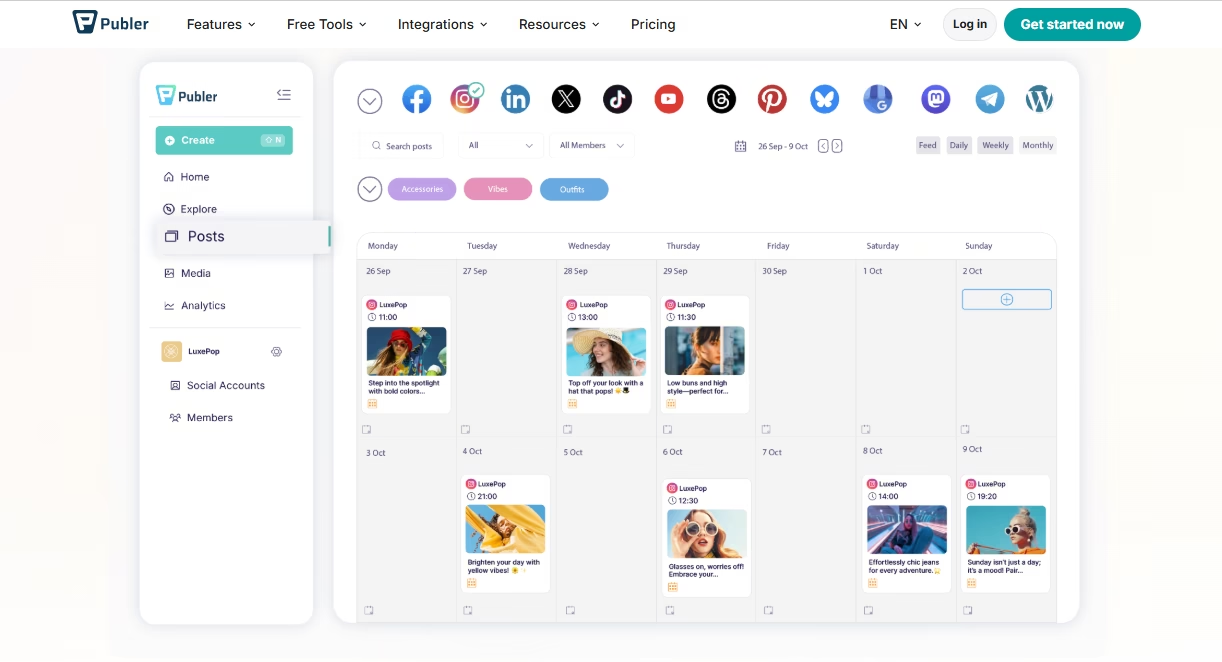
Publer has become a popular social media management platform for small teams, startups, and growing agencies that need affordable scheduling and collaboration tools. It combines automation, content planning, and team management features in a simple dashboard that is easy to navigate.
The platform supports multiple social media channels including Facebook, Instagram, LinkedIn, TikTok, Pinterest, Twitter/X, YouTube, and Google Business Profile. Users can schedule posts, create content calendars, manage drafts, and automate publishing across several accounts from one place.
One of Publer’s biggest strengths is its collaboration system. Team members can work together, review content, and manage approval workflows without confusion. This makes the platform highly useful for agencies handling multiple clients or businesses managing several brands at once.
Publer also includes useful automation tools such as recurring posts, bulk scheduling, post recycling, and automatic watermarking for images and videos. These features help businesses maintain a consistent posting schedule while reducing manual work.
Another strong advantage is affordability. Many small agencies and startups prefer Publer because it offers advanced features at a lower price compared to larger enterprise-focused platforms. The interface remains clean and beginner-friendly while still offering enough functionality for professional marketing teams.
In addition, Publer supports content customization for each platform, helping users optimize captions, hashtags, and media formats for better engagement. This flexibility makes campaign management much smoother and more effective.
Best For:
- Small agencies
- Startups
- Team collaboration
- Budget-conscious businesses
- Multi-account management
Key Features
- Multi-platform scheduling
- Team collaboration system
- Bulk post scheduling
- Evergreen content recycling
- Media watermarking
- Analytics and reporting
- Content approval workflows
Pros and Cons
Pros
- Affordable pricing structure
- Strong collaboration tools
- Easy content scheduling
- Helpful automation features
- Beginner-friendly dashboard
Cons
- Analytics are less advanced than enterprise tools
- Limited social listening features
- Some integrations are still growing
Pricing
Publer offers flexible pricing plans for individuals, teams, and agencies. Its affordable structure makes it attractive for businesses that need advanced scheduling without high monthly costs.
Why It’s a Strong Alternative
Publer is an excellent choice for businesses that need affordable collaboration and automation features without unnecessary complexity. Small agencies especially benefit from its workflow tools, approval systems, and content scheduling flexibility. It delivers strong functionality while keeping the platform simple and accessible for growing teams.
4. Zoho Social (Best for Deep Analytics)
Zoho Social is a feature-rich social media management platform designed for businesses that rely heavily on analytics, reporting, and performance tracking. It is widely used by growing brands, marketing teams, and agencies that want deeper insights into audience behavior and campaign results.
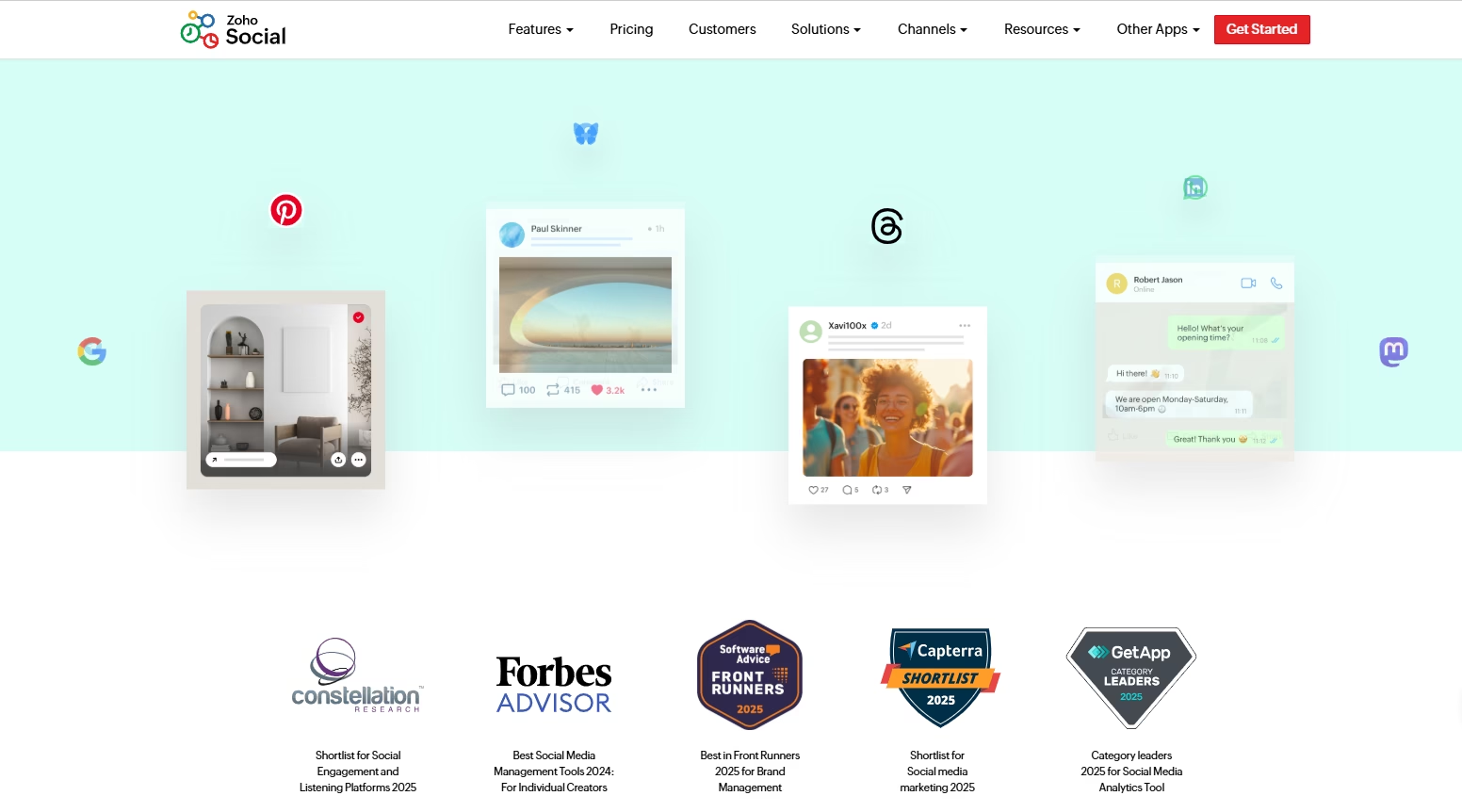
The platform supports major social media networks including Facebook, Instagram, LinkedIn, Twitter/X, YouTube, TikTok, and Google Business Profile. Users can schedule posts, monitor audience engagement, track mentions, and manage multiple brands from a centralized dashboard.
One of Zoho Social’s strongest features is its advanced analytics system. The platform provides detailed reports on audience engagement, impressions, clicks, follower growth, reach, and content performance. These insights help marketers identify what works best and improve future campaigns using real-time data.
Zoho Social also includes smart scheduling tools that recommend the best posting times based on audience activity. This helps businesses increase engagement and improve visibility without manually analyzing performance patterns.
Another major advantage is its integration ecosystem. Since Zoho offers many business applications, users can connect Zoho Social with CRM systems, email marketing tools, customer support software, and workflow automation platforms. This creates a smoother business management experience for growing organizations.
The dashboard is professional yet easy to understand, making it suitable for both experienced marketers and businesses upgrading from simpler scheduling tools. Agencies also benefit from team collaboration features, approval workflows, and custom reporting capabilities.
Best For:
- Analytics-focused businesses
- Marketing professionals
- Growing agencies
- Data-driven campaigns
- Multi-brand management
Key Features
- Advanced analytics and reporting
- Smart scheduling suggestions
- Social media monitoring
- Team collaboration tools
- CRM integrations
- Multi-brand management
- Custom reporting dashboards
Pros and Cons
Pros
- Excellent analytics features
- Strong reporting system
- Smart posting recommendations
- Powerful integrations
- Helpful collaboration tools
Cons
- Slight learning curve for beginners
- Interface can feel advanced initially
- Some premium features increase pricing
Pricing
Zoho Social offers multiple plans for individuals, businesses, and agencies. Its pricing remains competitive considering the advanced reporting and integration features included.
Why It’s a Strong Alternative
Zoho Social is ideal for businesses that depend on data-driven marketing decisions. Its analytics capabilities provide valuable insights that help marketers optimize campaigns, improve engagement, and track growth more effectively. For teams that want stronger reporting and business integrations, Zoho Social offers excellent long-term value.
5. RecurPost: Best OneUp alternatives for social media scheduling
RecurPost is a social media scheduling platform focused heavily on automation and evergreen content management. It is designed for businesses, bloggers, coaches, and marketers who want to keep their social media accounts active without constantly creating new posts every day.
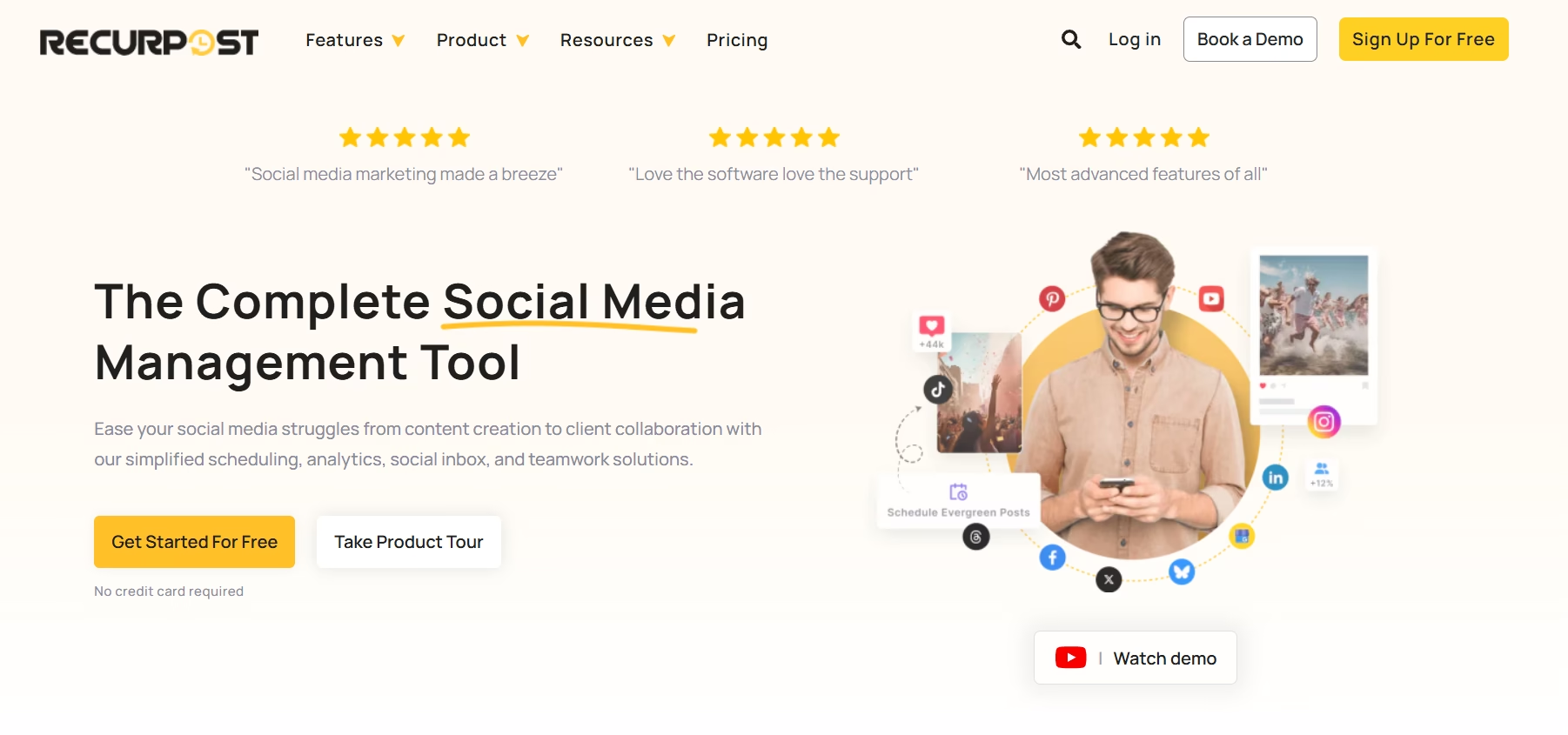
One of RecurPost’s biggest strengths is its content recycling system. Users can create libraries of evergreen posts that automatically repost at scheduled intervals. This helps businesses maximize the value of high-performing content while maintaining consistent activity across social media platforms.
The platform supports major channels including Facebook, Instagram, LinkedIn, Twitter/X, Pinterest, TikTok, and Google Business Profile. Users can organize content into categories, automate publishing schedules, and customize posts for different platforms from a single dashboard.
RecurPost also offers bulk scheduling features that save time for businesses managing large content calendars. Instead of publishing manually, marketers can upload multiple posts at once and automate future campaigns efficiently.
Another advantage is the platform’s user-friendly interface. Even beginners can quickly understand the dashboard and start scheduling content with minimal training. This simplicity makes RecurPost attractive for solopreneurs and small businesses with limited marketing resources.
The platform also provides analytics and performance tracking features that help users understand engagement trends and audience response. While its reporting tools may not be as advanced as enterprise platforms, they remain highly useful for most growing businesses.
For marketers focused on long-term automation and evergreen marketing strategies, RecurPost provides a reliable and cost-effective solution.
Best For:
- Evergreen content marketing
- Bloggers
- Solopreneurs
- Small businesses
- Automated reposting strategies
Key Features
- Evergreen content recycling
- Bulk scheduling tools
- Content libraries
- Multi-platform publishing
- Automated posting queues
- Analytics and engagement tracking
- Platform-specific customization
Pros and Cons
Pros
- Excellent evergreen automation
- Easy to use
- Saves significant time
- Affordable pricing
- Helpful bulk scheduling features
Cons
- Analytics are less advanced than enterprise tools
- Limited social listening capabilities
- Fewer advanced collaboration features
Pricing
RecurPost offers several pricing plans suitable for individuals, small businesses, and agencies. Its automation-focused features provide strong value for businesses looking to simplify content management.
Why It’s a Strong Alternative
RecurPost is a great choice for marketers who rely heavily on evergreen content strategies. Its automated reposting system helps businesses stay active online while reducing repetitive work. For solopreneurs and small teams, the platform offers an excellent balance between simplicity, automation, and affordability.
6. SocialPilot (Best for Social Media Agencies)
SocialPilot is a powerful social media management platform designed mainly for agencies, marketing professionals, and businesses that manage multiple social accounts at scale. It offers advanced scheduling, collaboration, client management, and reporting tools while keeping the platform affordable compared to many enterprise-level competitors.
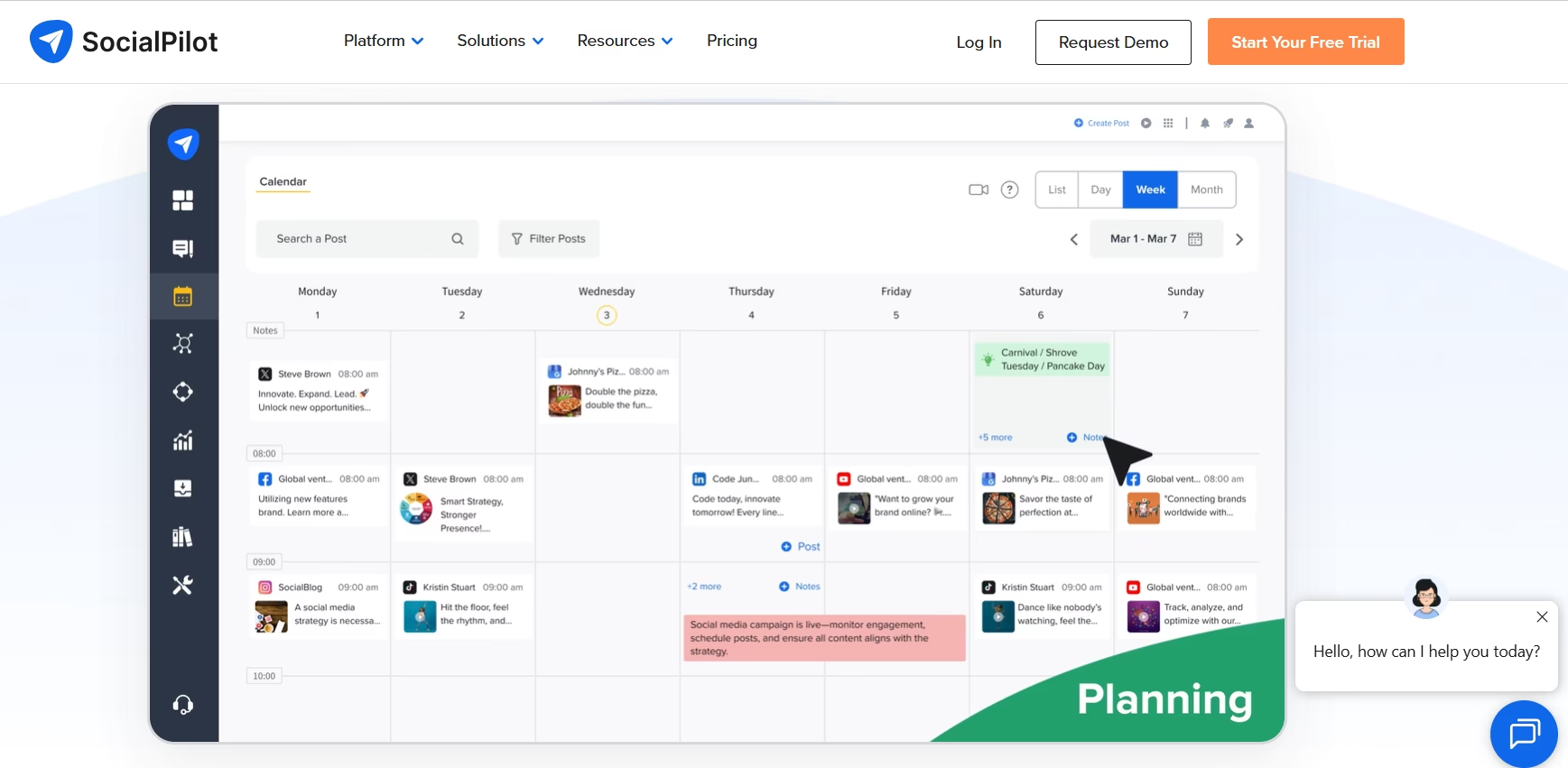
The platform supports major social networks including Facebook, Instagram, LinkedIn, TikTok, Twitter/X, Pinterest, Google Business Profile, and YouTube. Users can schedule content, manage campaigns, analyze performance, and handle client workflows from a centralized dashboard.
One of SocialPilot’s strongest advantages is its agency-focused features. Marketing teams can onboard clients, create approval workflows, assign user roles, and generate branded reports efficiently. These capabilities help agencies manage large numbers of social profiles without creating operational confusion.
SocialPilot also includes bulk scheduling features that allow marketers to upload hundreds of posts at once. This significantly reduces manual work and improves productivity for large campaigns. The platform’s content calendar provides a clear visual overview of scheduled content, making campaign planning much easier.
Analytics and reporting are another major strength. Businesses can track engagement, audience growth, clicks, impressions, and campaign performance using customizable reports. Agencies especially benefit from white-label reporting options that improve professionalism during client communication.
Despite offering advanced features, SocialPilot maintains a relatively simple and user-friendly interface. This balance between functionality and usability makes it highly attractive for growing agencies that need scalable workflow management without enterprise-level complexity or pricing.
Best For:
- Social media agencies
- Marketing teams
- Multi-client management
- Large scheduling campaigns
- Scalable workflow management
Key Features
- Bulk scheduling tools
- Client management dashboard
- White-label reporting
- Team collaboration features
- Content approval workflows
- Multi-platform publishing
- Analytics and performance tracking
Pros and Cons
Pros
- Excellent for agencies
- Affordable compared to enterprise tools
- Strong collaboration features
- Bulk scheduling saves time
- Professional reporting system
Cons
- Some advanced features require higher-tier plans
- Interface may feel crowded initially
- Limited deep social listening features
Pricing
SocialPilot offers flexible pricing plans for individuals, small teams, agencies, and larger businesses. Its agency-focused plans provide strong value considering the collaboration and reporting features included.
Why It’s a Strong Alternative
SocialPilot is one of the best options for agencies and businesses managing multiple clients or brands. Its collaboration tools, white-label reports, and scalable scheduling features make campaign management far more efficient. For growing marketing teams, it offers a strong combination of affordability, automation, and professional workflow management.
7. Later
Later is a highly popular social media management platform known for its visual content planning and Instagram-focused scheduling features. Over time, it has expanded into a complete social media management solution that supports multiple platforms while maintaining its strong visual-first approach.
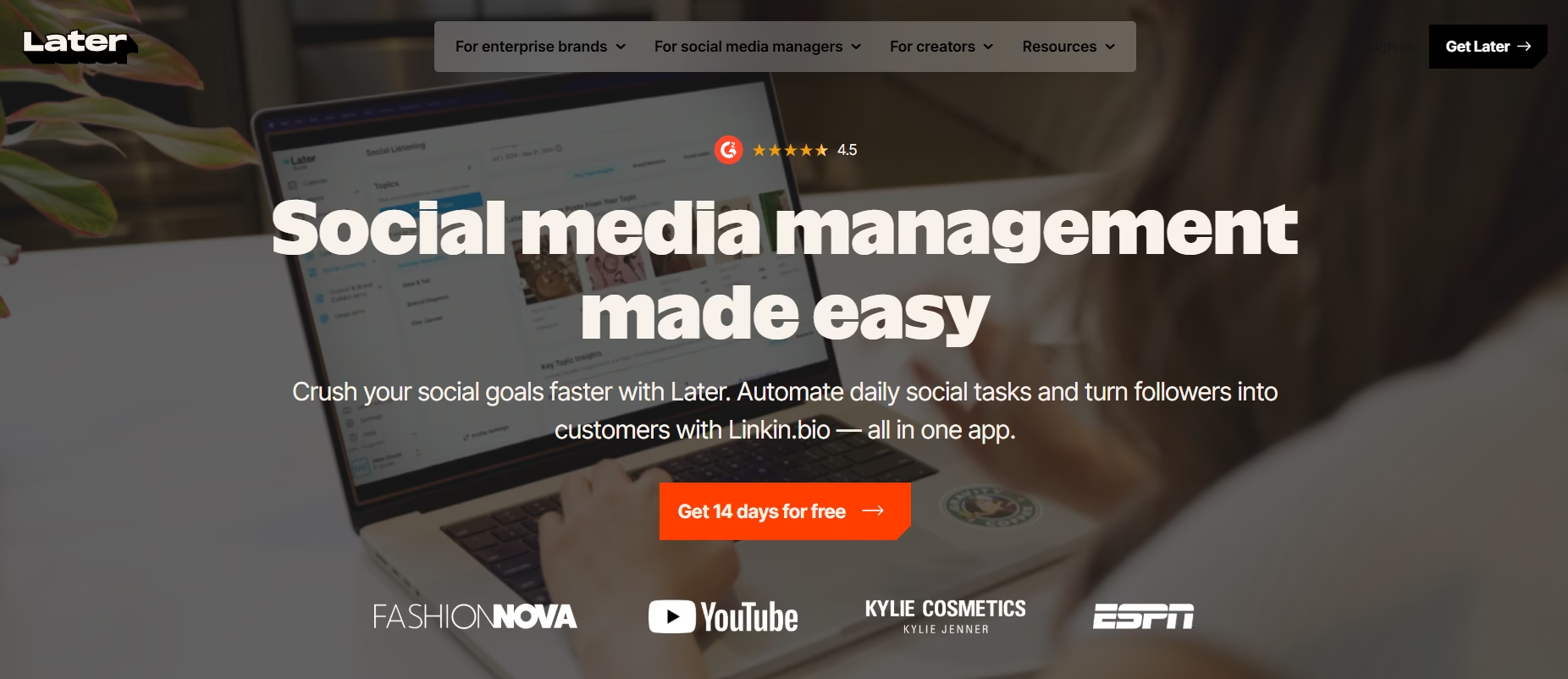
The platform supports Instagram, Facebook, TikTok, LinkedIn, Pinterest, Twitter/X, and YouTube. It is especially useful for creators, influencers, eCommerce brands, and businesses that rely heavily on visual storytelling and content aesthetics.
One of Later’s biggest strengths is its drag-and-drop visual planner. Users can preview how posts will appear before publishing, which helps maintain a clean and consistent brand appearance. This feature is extremely valuable for Instagram marketing where visual presentation directly impacts audience engagement.
Later also includes smart scheduling tools, hashtag suggestions, analytics, and link-in-bio features that help businesses drive more traffic and improve engagement. The platform simplifies campaign management while helping users optimize posting schedules for better visibility.
Another major advantage is its creator-focused workflow. Influencers and brands can organize media libraries, collaborate with teams, and schedule campaigns efficiently from one dashboard. The interface remains clean and beginner-friendly, making it accessible even for users with limited social media management experience.
For businesses focused heavily on visual branding, content consistency, and audience engagement, Later provides an excellent balance between design-focused planning and practical automation features.
Best For:
- Instagram creators
- Influencers
- Visual content brands
- eCommerce businesses
- Social media beginners
Key Features
- Visual drag-and-drop planner
- Instagram scheduling tools
- Media library management
- Link-in-bio features
- Hashtag suggestions
- Analytics and reporting
- Multi-platform publishing
Pros and Cons
Pros
- Excellent visual content planning
- Very beginner-friendly
- Great Instagram features
- Clean dashboard design
- Helpful media organization tools
Cons
- Advanced analytics are limited compared to enterprise platforms
- Best features focus mainly on visual platforms
- Some automation tools require premium plans
Pricing
Later offers both free and paid plans depending on scheduling needs, user limits, and advanced features. Its pricing works well for creators and small businesses.
Why It’s a Strong Alternative
Later is an ideal choice for businesses and creators that prioritize visual branding and Instagram growth. Its visual planner, content organization system, and beginner-friendly experience make campaign management much easier. Brands focused on aesthetics and audience engagement often find Later more practical and efficient for daily content planning.
8. Metricool: Best social media planner tools in 2026
Metricool is a comprehensive social media and digital analytics platform designed for marketers who want detailed performance tracking alongside scheduling and automation tools. It combines social media management, analytics, ad tracking, and website monitoring into a single dashboard, making it highly useful for businesses focused on data-driven marketing.
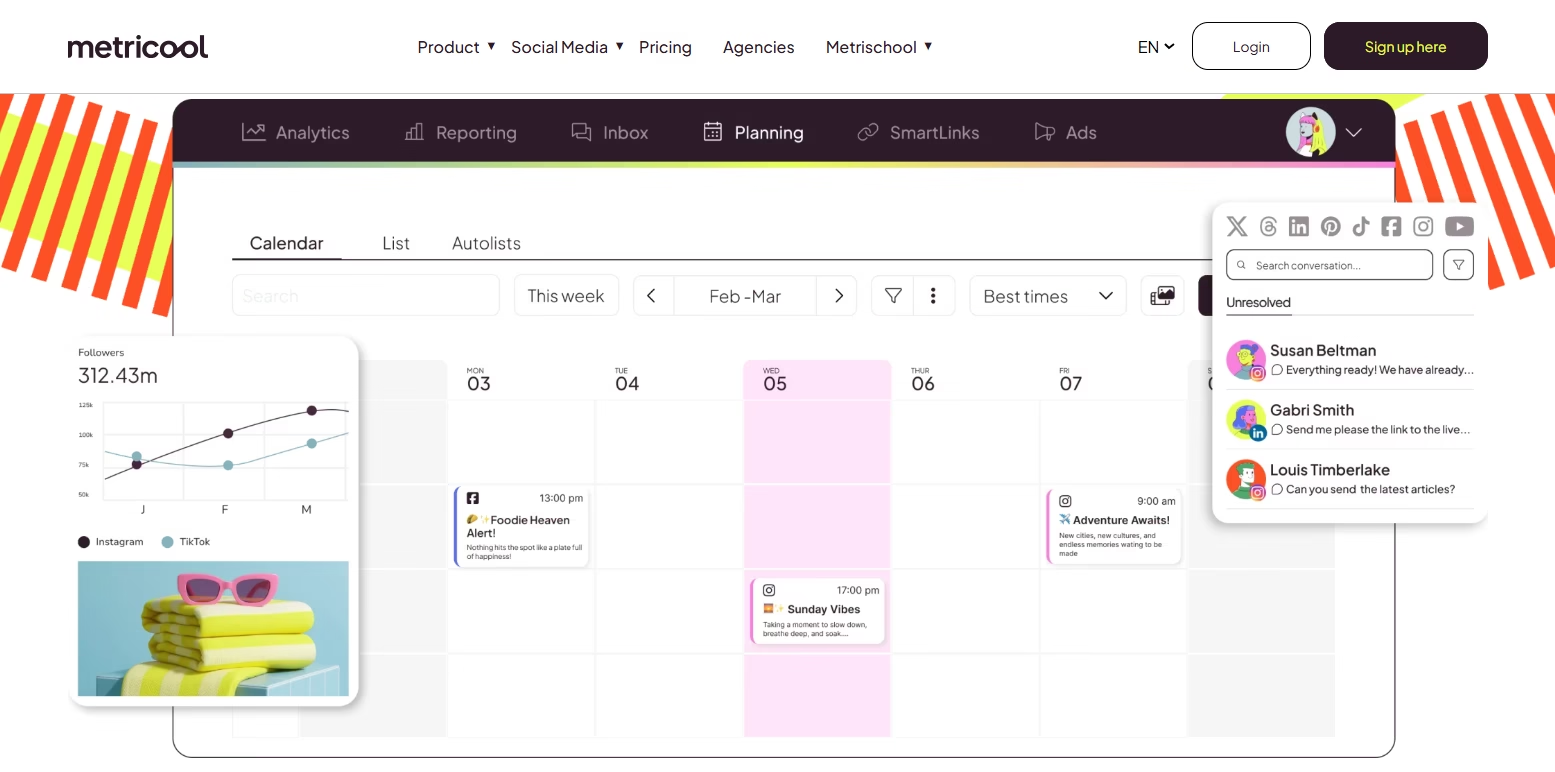
The platform supports major social media networks including Facebook, Instagram, LinkedIn, TikTok, Twitter/X, Pinterest, YouTube, and Google Business Profile. Users can schedule posts, monitor engagement, track campaigns, and analyze audience behavior from one centralized system.
One of Metricool’s biggest strengths is its analytics capabilities. The platform provides detailed reports on impressions, clicks, engagement rates, audience growth, website traffic, and advertising performance. These insights help marketers understand how social campaigns impact overall business goals.
Metricool also includes competitor analysis features that allow businesses to compare their social performance with other brands in their industry. This helps marketers identify opportunities for improvement and adjust strategies more effectively.
Another important advantage is ad management integration. Users can monitor both organic and paid campaign performance from a single dashboard, which simplifies reporting and campaign optimization.
The platform’s visual reporting system makes complex data easier to understand, even for non-technical users. Agencies also benefit from customizable reports and multi-account management features that improve client communication and campaign tracking.
For businesses that value analytics, campaign tracking, and marketing performance insights, Metricool offers a powerful and well-balanced solution.
Best For:
- Data-driven marketers
- Performance tracking
- Multi-channel campaigns
- Advertising analytics
- Growing agencies
Key Features
- Advanced analytics dashboard
- Social media scheduling
- Competitor analysis
- Ad campaign tracking
- Website traffic monitoring
- Custom reporting tools
- Multi-account management
Pros and Cons
Pros
- Excellent analytics features
- Tracks both social and website data
- Helpful competitor analysis
- Easy-to-read reports
- Strong ad tracking capabilities
Cons
- Interface can feel advanced initially
- Some premium reports require higher plans
- Learning curve for beginners
Pricing
Metricool offers free and paid plans based on account limits and advanced reporting needs. Its pricing remains competitive for businesses focused on analytics and performance tracking.
Why It’s a Strong Alternative
Metricool is a strong option for marketers who want more than simple scheduling. Its combination of social media analytics, website tracking, and ad performance monitoring helps businesses make smarter marketing decisions. For data-focused teams, it provides valuable insights that improve campaign optimization and long-term growth strategies.
Do you know? Cost To Develop A Social Media App Like Facebook
9. RADAAR (Best for Unified Inbox & Monitoring)
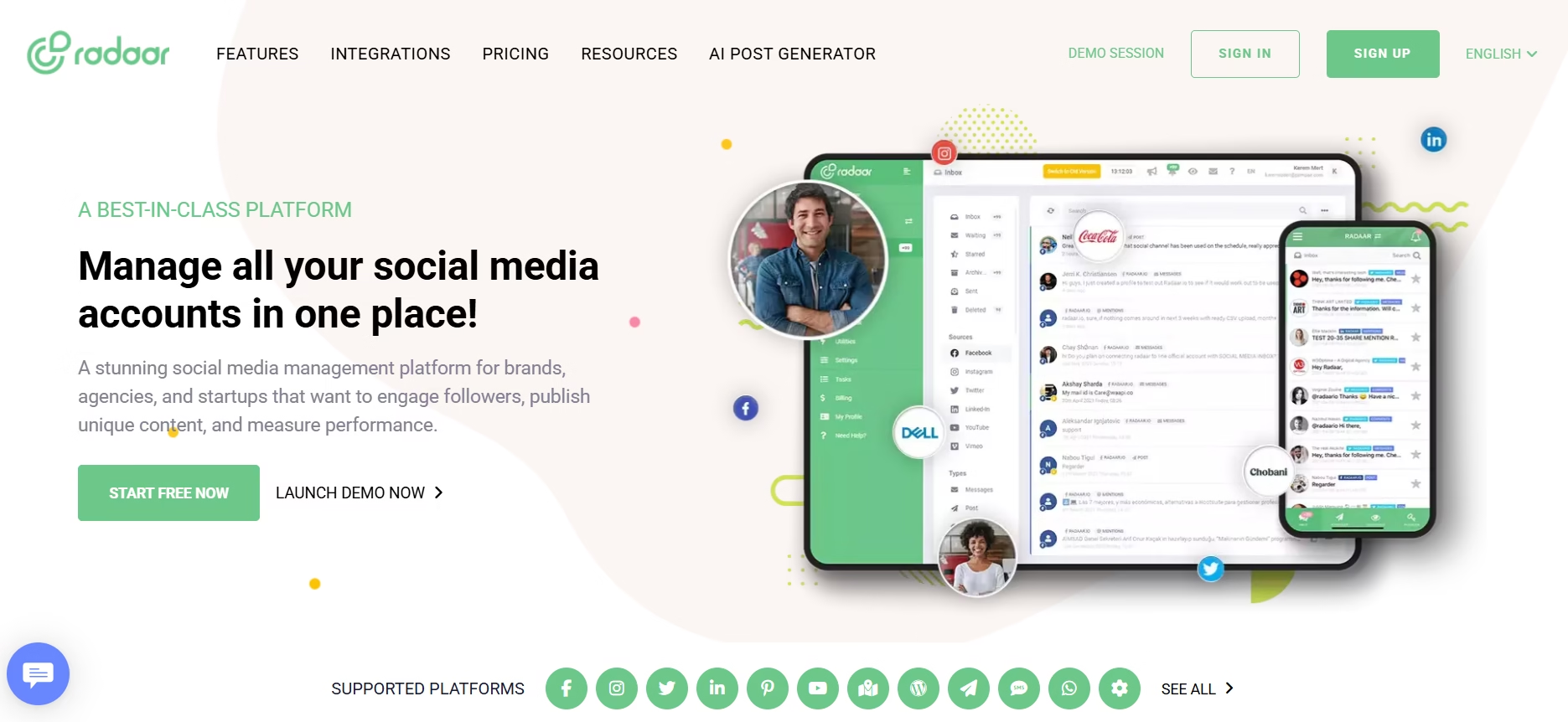
RADAAR is a modern social media management platform designed for brands, agencies, and marketing teams that need stronger communication management and social monitoring features. It combines scheduling, publishing, engagement tracking, and unified inbox functionality into a centralized dashboard that simplifies daily workflow management.
The platform supports major social networks including Facebook, Instagram, LinkedIn, TikTok, Twitter/X, Pinterest, and YouTube. Users can schedule posts, manage multiple brands, monitor conversations, and respond to audience interactions from one place.
One of RADAAR’s strongest features is its unified inbox system. Instead of checking messages and comments separately on every platform, users can manage all conversations inside a single dashboard. This improves response time and helps businesses maintain better customer engagement.
RADAAR also offers social listening and monitoring tools that help brands track mentions, keywords, hashtags, and audience discussions. These features allow marketers to monitor brand reputation, discover trends, and identify engagement opportunities more efficiently.
Another major advantage is team collaboration. Agencies and businesses can assign tasks, approve content, and manage workflows smoothly across multiple team members. The platform also includes scheduling automation, content planning tools, and performance reporting features that support long-term campaign management.
The interface remains clean and organized despite offering many advanced features. This makes RADAAR suitable for both growing businesses and agencies that need scalable communication and monitoring tools without overly complicated systems.
Best For:
- Unified inbox management
- Social media monitoring
- Customer engagement
- Brand reputation tracking
- Multi-team collaboration
Key Features
- Unified social inbox
- Social listening tools
- Keyword and hashtag monitoring
- Multi-platform scheduling
- Team collaboration features
- Analytics and reporting
- Content approval workflows
Pros and Cons
Pros
- Excellent inbox management
- Strong monitoring features
- Helpful collaboration system
- Easy-to-manage dashboard
- Good brand tracking tools
Cons
- Analytics are less advanced than enterprise-focused platforms
- Fewer third-party integrations
- Some advanced monitoring features require premium plans
Pricing
RADAAR offers flexible pricing plans suitable for freelancers, small businesses, and agencies. Its collaboration and monitoring tools provide strong value for growing teams.
Why It’s a Strong Alternative
RADAAR is an excellent choice for businesses that prioritize audience engagement and communication management. Its unified inbox and monitoring capabilities help brands respond faster, manage conversations efficiently, and track online reputation more effectively. For agencies handling multiple brands, the platform offers a practical balance between scheduling, collaboration, and social listening features.
Looking for? Best Affordable Sprout Social Alternatives
10. Hootsuite (Best for Enterprise & Reporting)
Hootsuite is one of the oldest and most established social media management platforms in the industry. It is widely trusted by enterprises, large organizations, marketing agencies, and global brands because of its advanced reporting, collaboration, and large-scale campaign management capabilities.
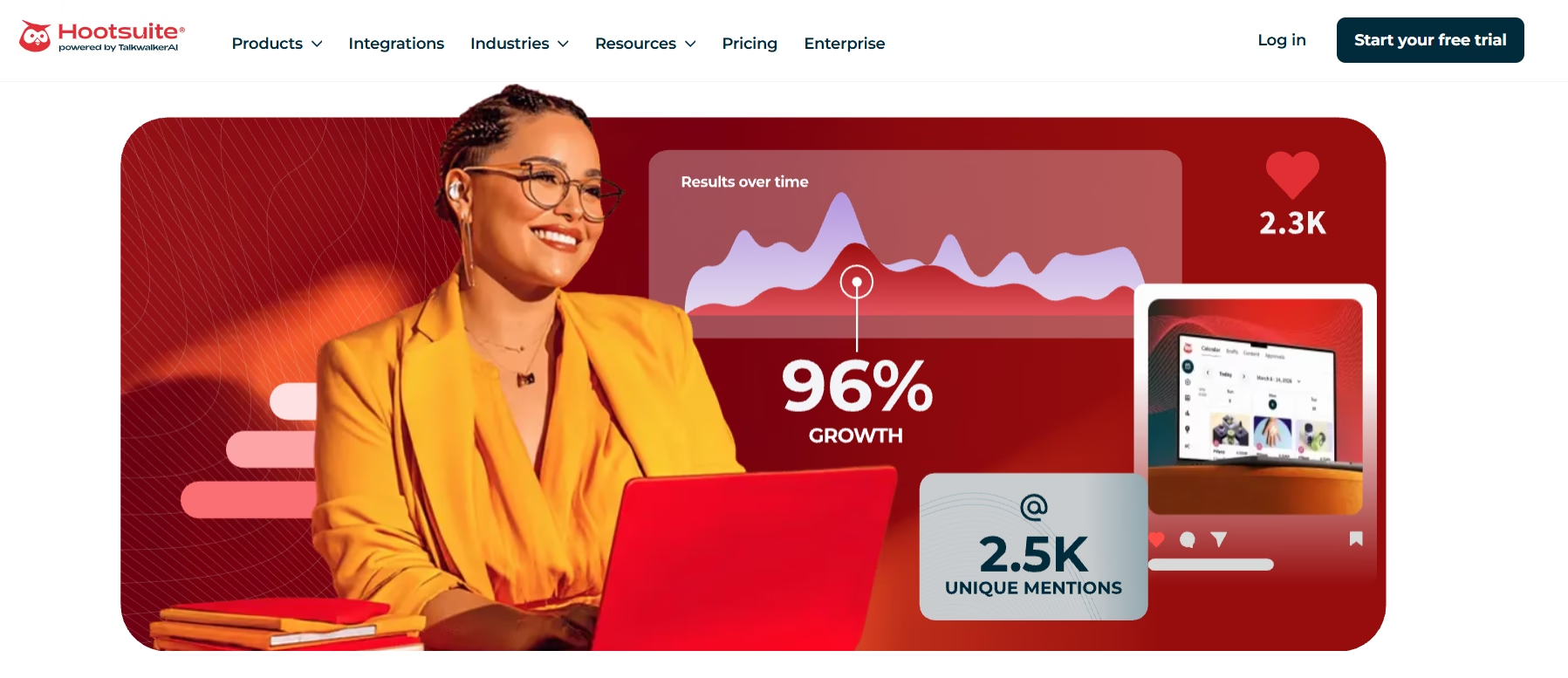
The platform supports major social media networks including Facebook, Instagram, LinkedIn, TikTok, Twitter/X, Pinterest, and YouTube. Users can manage multiple accounts, schedule campaigns, monitor audience interactions, and analyze performance from one professional dashboard.
One of Hootsuite’s biggest strengths is its enterprise-level reporting system. The platform provides highly detailed analytics that help businesses track engagement, reach, clicks, audience behavior, conversions, and campaign performance across multiple social channels. These insights help large teams make data-driven marketing decisions more effectively.
Hootsuite also offers advanced team collaboration features. Businesses can create approval workflows, assign tasks, manage permissions, and organize multi-user operations with ease. This is especially valuable for enterprises that handle large social media operations across departments or clients.
Another major advantage is its integration ecosystem. Hootsuite connects with many third-party tools including CRM systems, customer support platforms, analytics software, and content creation applications. These integrations help businesses streamline workflow management across different departments.
The platform also includes social listening, monitoring, AI-powered content assistance, and advertising management tools. Although the dashboard may feel more advanced for beginners, experienced marketing teams often appreciate the depth of functionality it provides.
For enterprises that require scalability, advanced reporting, and professional workflow management, Hootsuite remains one of the strongest solutions available.
Best For:
- Enterprises
- Large marketing teams
- Advanced reporting
- Multi-department collaboration
- Large-scale campaign management
Key Features
- Enterprise-level analytics
- Advanced reporting dashboards
- Team collaboration tools
- Social listening features
- Multi-platform scheduling
- Workflow approval systems
- Third-party integrations
Pros and Cons
Pros
- Excellent reporting capabilities
- Strong enterprise features
- Advanced collaboration tools
- Large integration ecosystem
- Scalable for large organizations
Cons
- Higher pricing compared to smaller platforms
- Learning curve for beginners
- Some advanced tools require premium plans
Pricing
Hootsuite offers several pricing tiers designed for professionals, businesses, and enterprises. While pricing is higher than many competitors, the platform delivers advanced features suitable for large-scale operations.
Why It’s a Strong Alternative
Hootsuite is ideal for enterprises and agencies that require advanced analytics, deep reporting, and scalable collaboration systems. Its powerful integrations and enterprise-focused tools help businesses manage complex social media operations more efficiently. For large organizations looking for professional-grade workflow management, Hootsuite remains a highly reliable option.
Want to know? What Is Picnob? Instagram Viewer And Downloader
OneUp Alternatives Comparison at Glance
| Platform | Best For | AI Features | Free Plan |
|---|---|---|---|
| Buffer | Beginners & freelancers | Yes | Yes |
| SocialBee | Content management | Yes | No |
| Publer | Small teams & agencies | Limited | Yes |
| Zoho Social | Deep analytics | Yes | Yes |
| RecurPost | Evergreen automation | Limited | Yes |
| SocialPilot | Agencies | Yes | No |
| Later | Visual content planning | Limited | Yes |
| Metricool | Analytics & tracking | Limited | Yes |
| RADAAR | Unified inbox & monitoring | Limited | Yes |
| Hootsuite | Enterprise management | Yes | Limited |
Best OneUp Alternatives Based on Business Type
Which Tool Fits Your Needs Best?
Choosing the right platform depends on your business size, marketing goals, and workflow requirements. Some tools focus on simplicity, while others provide advanced analytics and automation for larger teams.
Best for Beginners
Buffer is one of the easiest platforms for beginners. Its clean dashboard and simple scheduling tools help new users manage campaigns without confusion.
Best for Agencies
SocialPilot and Publer work extremely well for agencies managing multiple clients. Both platforms offer collaboration tools, approval systems, and scalable scheduling features.
Best for Enterprises
Hootsuite is ideal for large organizations that need advanced reporting, integrations, and enterprise-level workflow management.
Best for Analytics
Zoho Social and Metricool are excellent for businesses focused on data analysis and campaign performance tracking.
Best for Visual Content Creators
Later is perfect for influencers, creators, and brands that depend heavily on Instagram and visual storytelling.
Best Budget-Friendly Option
RecurPost and Publer provide strong automation and scheduling features at affordable pricing levels, making them great for startups and small businesses.
Best for Content Organization
SocialBee stands out because of its category-based scheduling and evergreen content management system.
Best for Communication & Monitoring
RADAAR is highly useful for businesses that prioritize customer engagement, social listening, and inbox management.
Technical SEO Benefits of Using Social Media Management Tools
Many businesses think social media management tools only help with scheduling posts. However, these platforms also support technical SEO and overall online visibility in several important ways. Consistent social activity can strengthen brand authority, increase traffic, and improve audience engagement signals that indirectly support search engine performance.
Consistent Content Distribution
Search engines value active brands that regularly publish fresh content. Social media scheduling tools help businesses maintain consistency across platforms without missing publishing opportunities. This steady activity keeps audiences engaged and increases brand visibility online.
Faster Content Discovery
When blog posts, landing pages, or product pages are shared regularly on social platforms, they often get discovered faster by users and search engines. Increased sharing can generate more traffic, engagement, and backlinks over time.
Improved Brand Authority
Consistent social media activity helps businesses build trust and recognition. Strong brand visibility often increases direct searches, branded traffic, and audience engagement, all of which can positively influence long-term SEO performance.
Better User Engagement Signals
Social platforms help businesses attract visitors who spend more time interacting with content. Higher engagement rates, lower bounce rates, and increased page visits can contribute to stronger website performance signals.
Increased Content Reach
Automation tools allow businesses to distribute content across multiple channels efficiently. This broader reach improves opportunities for shares, mentions, and referral traffic.
Stronger Multi-Platform Presence
Modern search visibility is no longer limited to Google alone. Businesses now build audiences across social media, video platforms, and online communities simultaneously. A strong multi-platform strategy improves overall digital authority and brand recognition.
Some marketers also explore digital verification platforms associated with image recognition technologies while researching audience authenticity and online visibility trends. This reflects how modern digital marketing increasingly combines content distribution with broader online intelligence strategies.
Listed here! AI Brand Monitoring Tools
How To Choose The Right Social Media Scheduling Platform (Simple Checklist Before You Buy)
Selecting the right platform becomes easier when you focus on your actual business needs instead of only comparing features. Every business has different goals, budgets, and workflow requirements.
1) Define Your Budget
Start by deciding how much you can spend monthly. Some tools are ideal for freelancers and startups, while others target large enterprises with higher pricing structures.
2) Identify Your Team Size
If you work alone, a simple scheduling tool may be enough. However, agencies and growing businesses usually need collaboration features, approval workflows, and multi-user access.
3) Check Platform Support
Always confirm that the platform supports all the social networks your business uses regularly. Managing everything from one dashboard saves time and improves productivity.
4) Compare Analytics Features
If reporting matters to your business, choose a platform with strong analytics and customizable reporting dashboards. Data-driven insights help improve future marketing strategies.
5) Focus on Ease of Use
A complicated dashboard can slow down workflow and reduce efficiency. User-friendly platforms help teams learn faster and work more effectively.
6) Review Automation Features
Automation tools like bulk scheduling, evergreen recycling, AI captions, and smart posting suggestions can significantly improve productivity.
7) Look for Scalability
Your social media needs may grow over time. Choose a platform that can scale with your business without forcing you to switch systems later.
8) Test Before You Commit
Most platforms offer free trials or free plans. Testing the dashboard, scheduling tools, and reporting system before purchasing helps you make a smarter long-term decision.
Frequently Asked Questions
Which is the best OneUp alternative?
The best alternative depends on your business goals and workflow needs. Buffer is excellent for beginners, SocialPilot works well for agencies, Zoho Social offers advanced analytics, and Hootsuite is ideal for enterprises. Businesses focused on visual content often prefer Later, while SocialBee is strong for content organization and automation.
Are these tools good for agencies?
Yes. Many of these platforms are specifically designed for agencies that manage multiple clients and social accounts. Tools like SocialPilot, Publer, Hootsuite, and RADAAR include collaboration systems, approval workflows, and client management features that simplify agency operations.
Which platform offers the best analytics?
Zoho Social, Metricool, and Hootsuite provide some of the strongest analytics and reporting capabilities. These platforms help businesses track engagement, audience growth, clicks, impressions, and campaign performance using detailed reports and real-time insights.
Is there any free OneUp alternative?
Yes. Several platforms offer free plans with basic scheduling features. Buffer, Publer, Later, RecurPost, Metricool, and Zoho Social all provide limited free versions suitable for individuals and small businesses starting with social media management.
Which platform is easiest for beginners?
Buffer is widely considered one of the easiest platforms for beginners because of its clean interface and simple scheduling workflow. Later is also beginner-friendly, especially for creators focused on visual content planning.
Sum up
Choosing the right social media management platform can significantly improve your marketing workflow, audience engagement, and overall productivity. While OneUp remains a useful scheduling tool, many businesses now require stronger analytics, better automation, deeper collaboration features, and scalable workflow management.
In this guide, you explored the best OneUp Alternatives for different business needs. You learned which platforms work best for agencies, creators, enterprises, and growing businesses. You also discovered how automation, analytics, and collaboration tools can help brands save time while improving campaign performance.
The best choice ultimately depends on your goals, budget, and team size. Some businesses need simplicity and affordability, while others require enterprise-level reporting and advanced automation capabilities.
As social media marketing continues evolving, choosing a flexible and scalable platform will help your business stay competitive long term. The next smart step is to compare free trials, test dashboards, and evaluate which platform fits your daily workflow most effectively.