


OrcaSlicer
Free open-source FDM slicer with calibration tools and detailed print controls
Open sourceFree plan
- macOS
- Windows
- Linux

Free open-source desktop slicer for preparing compatible filament 3D prints
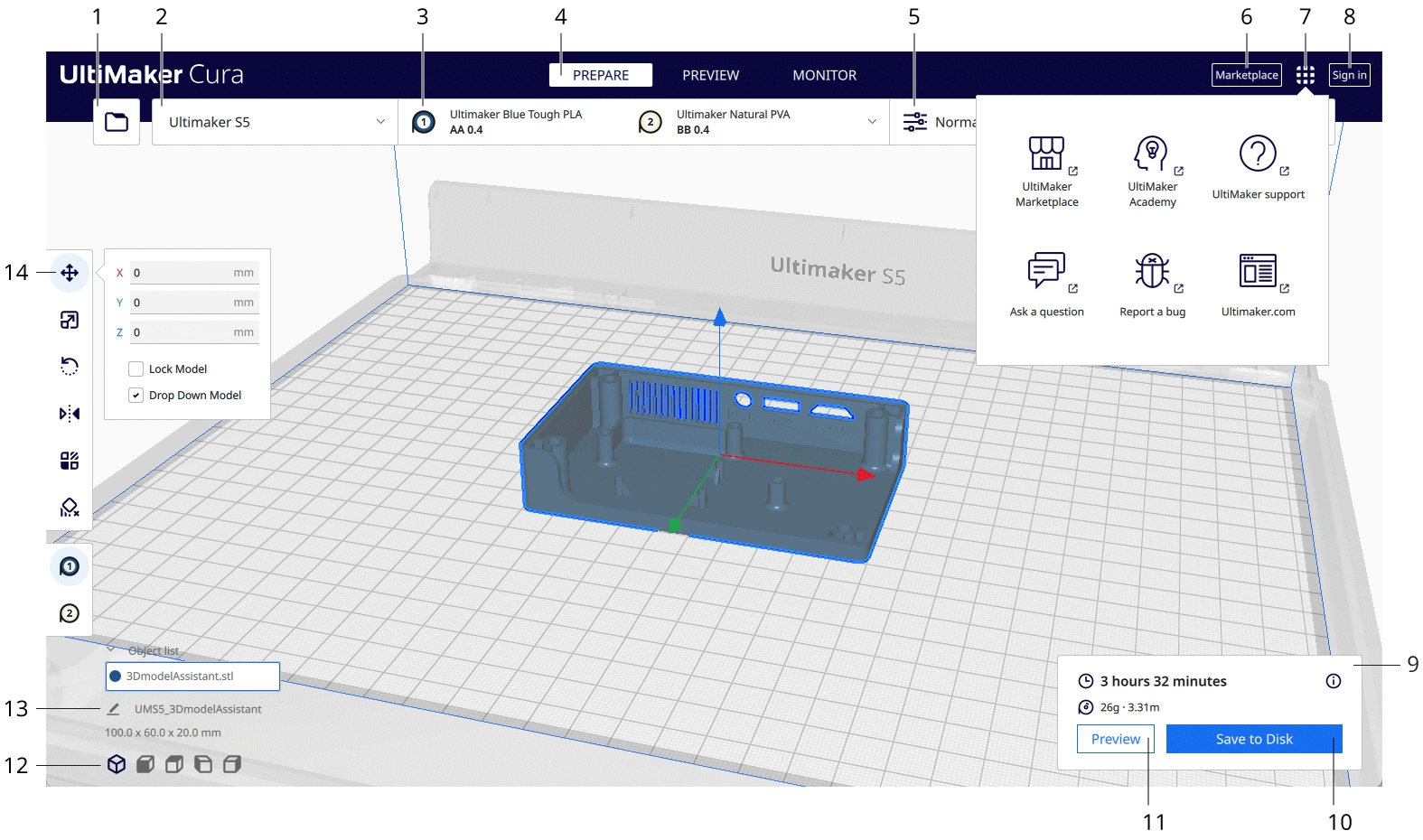
Free open-source desktop slicer for preparing compatible filament 3D prints UltiMaker Cura is a free, open-source desktop slicer for preparing 3D models for compatible filament printers.
Cura offers a useful progression from recommended profiles to detailed Custom settings without a base-software fee. It suits compatible filament printers and prepared models. Check the exact printer configuration, preview layers and test a small print first. This is a source-based assessment, not hands-on testing.
UltiMaker Cura is a free, open-source desktop slicer for preparing 3D models for compatible filament printers. It turns a model into printer instructions, with recommended profiles for a manageable start and a Custom mode with more than 400 settings. It is a sensible first option when your printer has a suitable profile and you want room to refine print quality without buying slicing software.
Cura is print-preparation software, not a full CAD modeling program. Choose a printer, nozzle and material combination before changing print settings. A profile for a similar printer is not proof that the dimensions, temperatures or startup instructions match your machine. Standard Cura is the subject of this review; Cura Enterprise and Digital Factory services have separate deployment, support and subscription terms.
Open a supported model and arrange it on the virtual build plate. Cura provides tools to move, rotate,
UltiMaker Cura is a free, open-source desktop slicer for preparing 3D models for compatible filament printers. It turns a model into printer instructions, with recommended profiles for a manageable start and a Custom mode with more than 400 settings. It is a sensible first option when your printer has a suitable profile and you want room to refine print quality without buying slicing software.
Cura is print-preparation software, not a full CAD modeling program. Choose a printer, nozzle and material combination before changing print settings. A profile for a similar printer is not proof that the dimensions, temperatures or startup instructions match your machine. Standard Cura is the subject of this review; Cura Enterprise and Digital Factory services have separate deployment, support and subscription terms.
Open a supported model and arrange it on the virtual build plate. Cura provides tools to move, rotate, mirror and scale objects. The printer-selection panel sets the active machine, while the configuration panel identifies materials and nozzles or print cores. Getting those choices right matters more than picking a high-quality preset: a good profile for the wrong machine is still the wrong setup.
Recommended settings offer an accessible starting point. Custom mode exposes detailed controls so you can adjust a particular problem rather than accept every default. Profiles and available settings depend on the printer and material combination. When you make changes, save a project as well as the printer output so that you can return to the setup later.
After slicing, switch to Preview and inspect the planned layers. Look for missing details, unsupported areas and supports that may be hard to remove. The preview shows planned movements, not a guarantee of adhesion, strength or accuracy. Treat the displayed duration and material use as estimates, and test unfamiliar combinations on a small print before starting a long job.
Output options depend on the printer. Cura can save a file to the computer or removable drive. Supported UltiMaker configurations can use local-network or cloud routes. The presence of a Monitor tab does not mean every third-party printer supports remote monitoring or cloud printing.
The Marketplace supplies plugins and material packages. That can help adapt print preparation to a particular workflow, but check plugin compatibility with your Cura version and the terms of any optional service. A third-party add-on is not automatically part of the free base app.
Cura’s depth is also its learning cost. More than 400 Custom settings give experienced users control, but beginners should change one setting at a time and compare the result. Model repair and detailed CAD changes belong in an appropriate modeling or mesh tool. Cura’s placement controls are useful, but they do not replace a complete design workflow.
The standard desktop app is free and open source under the GNU Lesser General Public License version 3. There is no paid base-software tier or time-limited trial to purchase for ordinary slicing. A compatible computer, printer and printing materials are separate costs.
Cura Enterprise is a different business-oriented offering. Its deployment packages, assessed releases and support lifecycle should not be attributed to the standard free build. Organizations that need managed rollout or defined security-support terms should check the current Enterprise subscription portal rather than assume the download’s zero price includes those services.
The official download page offers Windows, Linux and macOS installers, including Intel and Apple Silicon choices for Mac. Check the current operating-system and hardware requirements before downloading. This is a desktop application, not an iOS or Android slicer.
The welcome setup includes a data-sharing choice and an UltiMaker account step. Accounts enable services such as Marketplace access and cloud-related workflows. Review the privacy policy for those services and keep confidential-model handling within your organization’s rules. This source-based review does not establish a security certification for the standard desktop build.
Cura suits hobbyists, educators and teams that have a supported filament-printing setup and want a free slicer with a gradual path into detailed settings. It is less suitable as the sole tool for designing parts, repairing difficult models or managing enterprise deployment requirements.
PrusaSlicer is a relevant alternative. Compare both using the same small model, your actual printer and the output you need. Reliable existing prints are a reason to keep a working setup; switch when another tool solves a specific preparation or compatibility problem.
This is a documentation-based assessment, not a hands-on printer benchmark. Our six inputs total 20/30: product quality 7/10, ease of use 3/5, feature depth 4/5, innovation 2/5, value for money 3/3 and recommendation confidence 1/2. Scaled to five stars, that is 3.3/5. The site’s combined score also includes other signals and is not the same as the editor rating.
We checked the official product page, installation and interface documentation, repository license, Enterprise documentation, privacy policy, company history and an independent review on October 13, 2026. We did not invent user counts, awards, certification or print-performance results.
Source-based desk review of official product, interface, installation, license, privacy and Enterprise documents plus independent review, checked October 13, 2026. No hands-on print benchmark. Six editorial inputs20/30, editor rating3.3/5; no invented awards or security certification.
GitHub latest stable release5.13.0 (May28,2026) adds Factor4+ profiles and support/infill settings, with support-blocker and tree-support fixes. Check release notes for the full list.
| Pricing | Open source |
|---|---|
| Free plan | Yes |
| Free trial | No |
| Pricing page | View pricing |
| Platforms | macOS, Windows, Linux |
| API | No |
| Company | UltiMaker |
| Apps Insight Score | 40/100 |
Editorial points are assigned by AppsInsight editors and cannot be purchased or influenced.
| Feature | UltiMaker Cura | OrcaSlicer | PrusaSlicer |
|---|---|---|---|
| Rating | 3.3 / 5 | 3.3 / 5 | 3.2 / 5 |
| Pricing | Open source | Open source | Open source |
| Starting price | — | — | — |
| Free plan | Yes | Yes | Yes |
| Free trial | No | No | No |
| Platforms | macOS, Windows, Linux | macOS, Windows, Linux | macOS, Windows, Linux, CLI / Terminal |
| Best for | Hobbyists, educators, compatible filament-printing workflows | FDM printer tuning, calibration, detailed print controls | Makers with supported FDM or mSLA printers, Prusa printer owners, Local print preparation and CLI automation |
0 /mo
0 billed annually
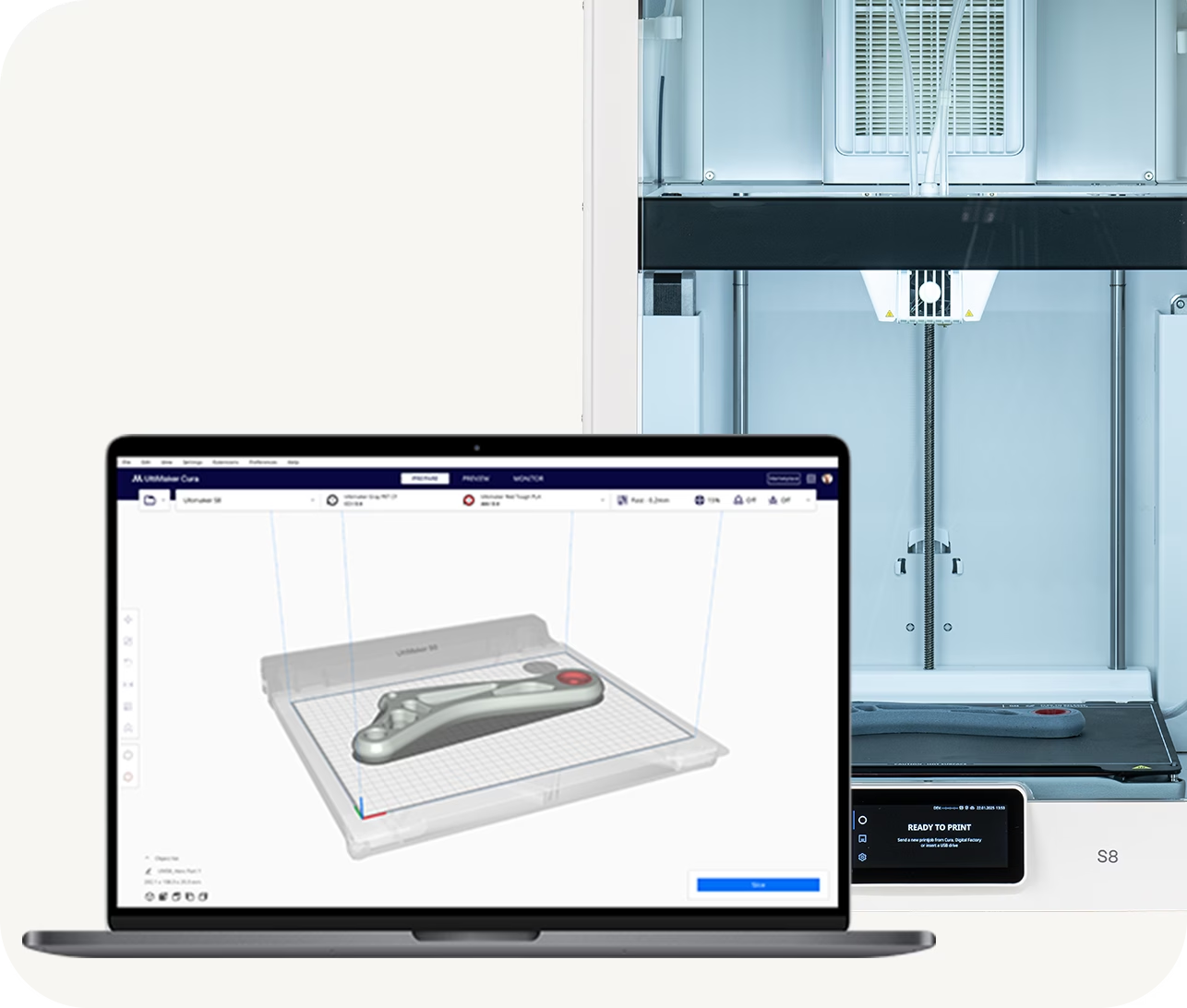
Free open-source FDM slicer with calibration tools and detailed print controls

Free, open-source 3D print preparation for supported FDM and resin printers
Free open-source FDM slicer with calibration tools and detailed print controls
Free, open-source 3D print preparation for supported FDM and resin printers
No reviews yet. Be the first to review this app.
Already have an account? Log in to track your reviews.