


Budgeting is one of the most important financial habits, but ironically, many budgeting apps charge fees that can eat into your savings. In today’s economy, where a 2024 Bankrate survey revealed that 63% of Americans live paycheck to paycheck, finding free yet effective budgeting solutions has never been more important.
The good news? Many free alternatives to paid budgeting apps provide the same powerful tools—sometimes even more—without monthly subscription costs.
The truth is, budgeting apps have become more than just calculators. They’re now full financial assistants, offering features like real-time expense tracking, goal monitoring, credit score checks, and even investment insights. And while premium versions add perks like unlimited syncing or advanced analytics, the free versions often cover everything you really need to stay in control of your money.
For example, apps like Rocket Money help you cancel forgotten subscriptions, while Goodbudget modernizes the classic envelope system. Others, like SoFi Relay, act as all-in-one financial dashboards. And if you’re not a fan of apps at all? You still have reliable alternatives like bank dashboards, spreadsheets, or even pen-and-paper systems that can keep you just as disciplined.
We can say, whether you’re saving for a vacation, trying to pay off debt, or simply want to stop wondering “where did all my money go?”—there are free solutions that actually work. Now let’s explore the features, apps, and alternatives that can help you finally take control of your finances.
Key Features of Budgeting Apps
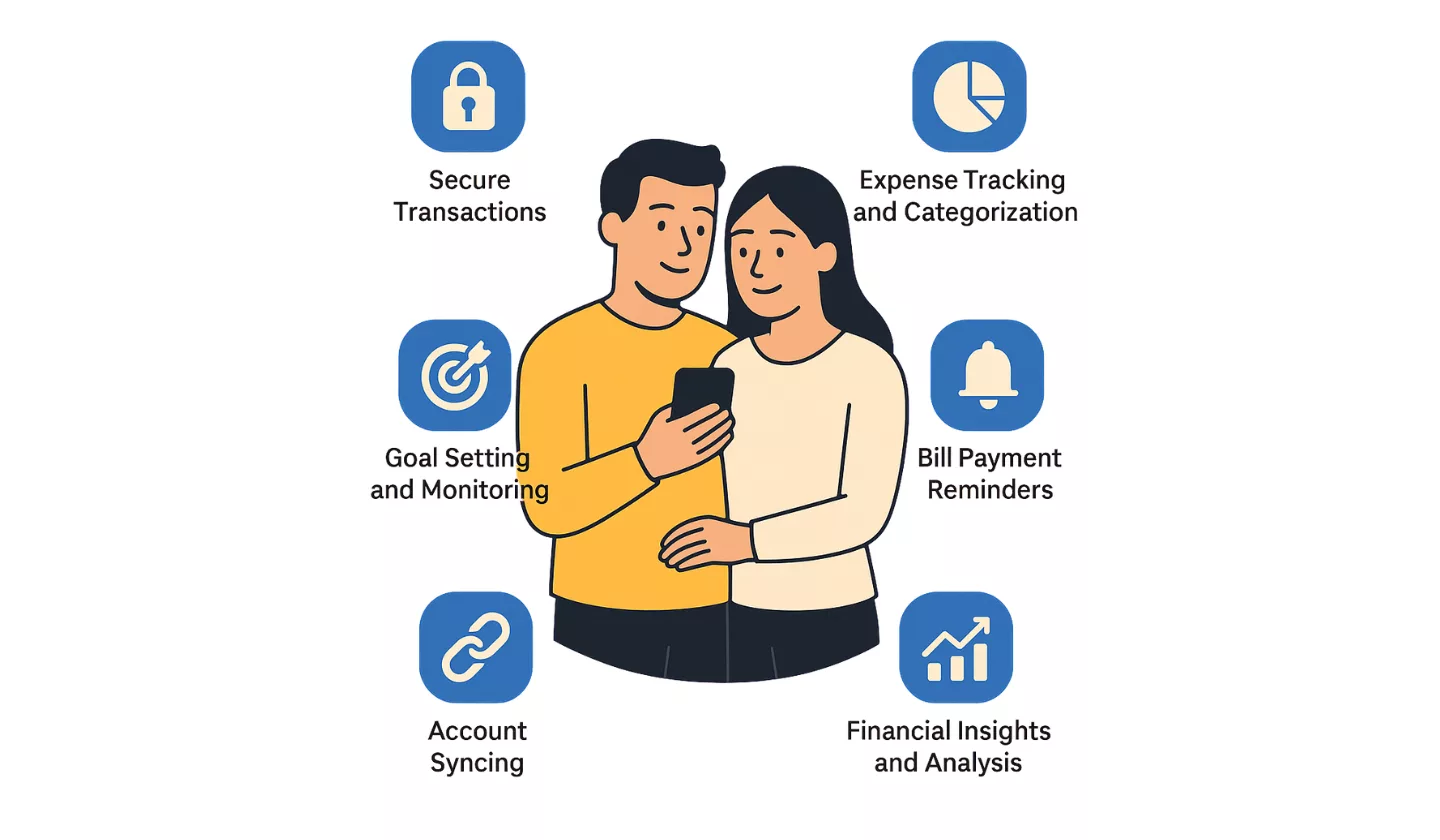
Before downloading your first budgeting app, it’s important to understand the features that matter most. After all, not every app is created equal—and knowing what to look for helps you pick the one that matches your needs.
- Secure Transactions: Since these apps often deal with sensitive financial information, strong encryption and authentication are non-negotiable. Look for “bank-level” security to protect your data.
- Expense Tracking and Categorization: This is the bread and butter of budgeting. The app should make it easy to record spending, whether automatically through bank syncing or manually through user entry. Categories like “groceries,” “rent,” or “entertainment” help you see where your money is going.
- Goal Setting and Monitoring: From building an emergency fund to paying off student loans, the app should allow you to set specific goals and track your progress toward them.
- Bill Payment Reminders: Nobody likes late fees. Good apps notify you of due dates and upcoming payments.
- Account Syncing: While often a premium feature, syncing with your bank accounts and credit cards saves time and provides real-time updates.
- Financial Insights and Analysis: Charts, reports, and spending patterns give you a clearer picture of your financial health and help you make smarter choices.
Now that we know the essentials, let’s explore the free tools that deliver on these features.
We have listed! Finance Apps for Young Professionals
What Are Free Alternatives to Paid Budgeting Apps?
Here’s a detailed breakdown of the most effective free budgeting apps. Each one brings unique strengths to the table, so think about your lifestyle and financial habits as you explore them.
1) Rocket Money – Best App to Manage Your Subscriptions
Rocket Money (formerly Truebill) shines for its ability to help you spot forgotten subscriptions draining your account. The free version lets you connect financial accounts, track bills, and manage spending alerts. It’s especially powerful if you’ve signed up for multiple streaming services, memberships, or trials.
Key Features:
- Identify and cancel unwanted subscriptions.
- Bill tracking with upcoming due date alerts.
- Account linking for spending analysis.
- Customizable budget categories.
- Savings goals setup.
Best For: People who need better visibility into recurring charges.
2) Goodbudget – Best App for Envelope Budgeting
Goodbudget modernizes the envelope method, where you assign money into “virtual envelopes” for categories like groceries or rent. The free version requires manual input but encourages mindful spending and discipline. Couples can share budgets across devices.
Key Features:
- Digital envelope budgeting system.
- Sync across two devices with free plan.
- Track expenses with manual input.
- Export data to spreadsheets.
- Monthly and yearly financial reports.
Best For: Structured budgeters who want accountability and clear limits.
3) EveryDollar – Best Zero-Based Budgeting App
Created by financial expert Dave Ramsey, EveryDollar focuses on zero-based budgeting—every dollar is assigned a purpose before the month begins. While the free version lacks account syncing, its simplicity makes it perfect for beginners.
Key Features:
- Zero-based budgeting framework.
- Manual expense entry.
- Custom budget categories.
- Track savings and debt repayment goals.
- User-friendly interface.
Best For: Beginners and Ramsey followers who want a disciplined budgeting style.
4) Empower Personal Dashboard – Best App for Tracking Net Worth
Empower (formerly Personal Capital) is best known for investment tracking, but its free version offers robust budgeting features too. It connects to multiple accounts and provides snapshots of spending, cash flow, and net worth.
Key Features:
- Net worth tracker across accounts.
- Expense categorization and reporting.
- Cash flow analysis.
- Portfolio and retirement tools.
- High-level financial insights.
Best For: People balancing budgeting with investment goals.
5) NerdWallet – Best App for Comparing Financial Products
NerdWallet combines budgeting with powerful product comparison tools. You can track spending, monitor your credit score, and compare loans, credit cards, and more—all within the app.
Key Features:
- Track net worth and cash flow.
- Follow 50/30/20 budgeting style.
- Credit score monitoring.
- Personalized financial advice.
- Compare credit cards, loans, and insurance.
Best For: Savvy users who want both budgeting and financial product recommendations.
6) Honeydue – Best Budget App for Couples
Honeydue is designed for couples to manage finances together. You can track both joint and individual expenses, set budget limits, and even chat within the app to discuss money matters.
Key Features:
- Track shared and personal finances.
- Bill reminders and alerts.
- Built-in chat for couples.
- Set monthly limits.
- Works on mobile only.
Best For: Couples seeking transparency and collaboration in budgeting.
7) PocketGuard – Best Budget App for Spending Limits
PocketGuard makes budgeting simple by showing how much “free” money you have after bills, savings, and essentials. The free version offers manual input, spending limits, and simple reports.
Key Features:
- “In My Pocket” leftover balance display.
- Expense tracking and categorization.
- Spending limit alerts.
- Bill reminders.
- Easy-to-use dashboard.
Best For: People who tend to overspend and need spending guardrails.
8) SoFi Relay – Best All-in-One Budget Tracker
SoFi Relay offers surprisingly robust features for free. It tracks spending, credit scores, savings, and investments while syncing with thousands of financial institutions.
Key Features:
- Free credit score monitoring.
- Account syncing across multiple banks.
- Spending analysis and insights.
- Track savings and investment accounts.
- Access to SoFi financial experts.
Best For: People who want an all-in-one solution for budgeting and investing.
9) Fudget – Best Simple Budget Tracker
Fudget is minimalistic and distraction-free. With manual entry, you simply log income and expenses, no categories required. Perfect for those who don’t want complexity.
Key Features:
- Simple budget list format.
- Quick entry for repeated items.
- Offline access.
- Export budgets to spreadsheets.
- No categories—just numbers.
Best For: Minimalists who want a straightforward budgeting tool.
10) GnuCash – Best for Small Businesses and Power Users
GnuCash is an open-source desktop application using double-entry accounting. It’s more technical but powerful for individuals and small businesses alike.
Key Features:
- Double-entry accounting system.
- Expense and income reports.
- Multiple currency support.
- Invoicing and vendor tracking.
- Free desktop software.
Best For: Advanced users or small businesses that want pro-level financial management.
Looking for? Leading AI Accounting Software Tools for Business
Comparison of Free Budgeting Apps
Choosing the right free budgeting app depends on your personal financial style. Some people prefer automation and account syncing, while others like manual control with simple tools.
To help you compare at a glance, here’s a breakdown of the best free budgeting apps, their unique features, and what type of users they’re best suited for.
| App | Best For | Account Syncing | Automation | Unique Feature | Rating (out of 5) |
|---|---|---|---|---|---|
| Rocket Money | Managing subscriptions & alerts | Yes (limited free) | Subscription alerts | Subscription cancellation & alerts | 4.3 |
| Goodbudgt | Envelope-style budgeting | No | Manual entry only | Digital envelope system | 4.1 |
| EveryDollar | Zero-based budgeting | No | Manual entry only | Zero-based method | 4.2 |
| Empower Dashboard | Net worth & investment tracking | Yes | Spending snapshots | Investment focus + budgeting | 4.6 |
| NerdWallet | Comparing products & monitoring | Yes | Cash flow & credit tools | 50/30/20 budget model | 4.4 |
| Honeydue | Couples managing joint finances | Yes | Shared expenses & reminders | In-app chat for couples | 4.3 |
| PocketGuad | Controlling spending limits | Limited | Leftover money calculation | Shows “In My Pocket” money | 4.2 |
| SoFi Relay | All-in-one financial tracking | Yes | Full syncing & analysis | Tracks credit, savings & investments | 4.7 |
| Fudget | Simple manual budgeting | No | None, manual input | Minimalist & offline friendly | 4.0 |
| GnuCash | Small businesses & power users | No | Double-entry accounting | Professional accounting features | 4.1 |
Tips for Choosing the Right Free Budgeting Tool
With so many options out there, choosing the right free budgeting app or alternative can feel overwhelming. The key is to focus on what fits your lifestyle, habits, and financial goals—not just what looks fancy. Here’s how to make the smartest choice:
1) Match the Tool to Your Budgeting Style
Everyone approaches money differently. Some people want a hands-off system that automatically tracks spending, while others prefer the discipline of entering every transaction manually.
- If you like automation, apps like SoFi Relay or Empower sync directly with your bank accounts to give real-time insights.
- If you prefer control, tools like Goodbudget or EveryDollar let you log expenses manually and stick to strict categories.
Think about whether you want ease of use or accountability—you’ll stick with it longer if it fits your natural style.
2) Consider Your Financial Goals
Not all budgeting tools are designed with the same purpose in mind.
- If your goal is to cut spending, try Rocket Money for subscription tracking or PocketGuard to see how much “free” money you actually have left.
- If you’re saving for long-term investments, Empower and NerdWallet are better suited since they include net worth and portfolio tools.
- Couples looking to manage money together will love Honeydue, designed specifically for shared expenses.
The clearer you are about your goals, the easier it is to pick the right app.
3) Don’t Ignore Security
Free doesn’t mean you should compromise on safety. Always check that the tool uses bank-level encryption and two-factor authentication if it connects to your accounts. If you’re uncomfortable linking your bank, consider manual-entry apps like Fudget or EveryDollar to keep control without sharing credentials.
4) Test Before Committing
You don’t have to marry the first app you download. Try two or three for a few weeks and see how they feel. Notice which one makes you actually log in regularly and track your spending without dread. The “best” tool is the one you’ll consistently use, not the one with the flashiest dashboard.
5) Balance Features With Simplicity
It’s tempting to go for the most feature-packed app, but more isn’t always better. If you’re just starting out, a simple tool like Fudget or even a Google Sheets template may be less intimidating than a complex all-in-one solution. Once you’re comfortable, you can move to more advanced apps like SoFi Relay or Empower.
6) Think Beyond Apps
Remember, apps aren’t the only option. Bank-provided budgeting dashboards or old-school methods like envelope budgeting can be just as effective, especially if you prefer low-tech solutions. Sometimes, pen and paper create more accountability than tapping a screen.
7) Revisit and Adjust Regularly
Your financial life changes new jobs, different expenses, or major goals like buying a house. Revisit your tool every few months to ensure it still works for your current situation. What fit last year may no longer be the best choice today.
Sum up
The right free budgeting tool isn’t about finding the “perfect app for budgeting,” it’s about finding a system that aligns with your personality, financial goals, and daily habits. Start small, stay consistent, and you’ll see real results.
Budgeting doesn’t have to cost you a dime. With apps like Rocket Money for subscription tracking, Goodbudget for envelope-style planning, and Empower for investment-savvy users, you can find the right match without paying monthly fees. Add in alternatives like spreadsheets or bank tools, and you’ve got everything you need to build a solid money plan.
The real key is consistency, whichever tool you choose, use it daily or weekly. Over time, even small tracking habits can lead to big financial wins.
FAQs
Are free budgeting apps safe to use?
Most free budgeting apps use bank-level encryption to keep your data secure. They also require two-factor authentication and follow industry security standards. However, it’s smart to choose apps with strong reputations, check their privacy policies, and avoid apps that ask for unnecessary permissions. If you’re still concerned, apps like Goodbudget or Fudget allow you to enter data manually without linking your bank accounts, which gives you more control over privacy.
Do free budgeting apps have enough features compared to paid ones?
Free versions usually cover the basics: expense tracking, budgeting categories, and spending reports. The main difference is automation. Paid versions often include features like automatic account syncing, bill payment reminders, or detailed financial analysis. For example, Empower offers powerful free tools, but you’ll need premium options to unlock advanced wealth management. If you’re disciplined and okay with some manual entry, free apps are more than enough to manage your finances effectively.
What’s the best free budgeting app for beginners?
For beginners, apps like EveryDollar and Goodbudget are excellent because they’re simple, structured, and don’t overwhelm you with too many features. EveryDollar uses the zero-based budgeting method, which makes sure every dollar has a purpose, while Goodbudget follows the envelope method, which is straightforward for planning monthly expenses. If you’re just starting out, pick a tool that makes budgeting a daily habit without being complicated.
Can I use free budgeting apps for family or joint budgeting?
Apps like Honeydue are designed specifically for couples and families. With Honeydue, partners can share expenses, set limits, and even chat inside the app about financial decisions. Goodbudget also allows budget sharing across devices, which works for families who want transparency. These apps make it easier to avoid money-related conflicts by keeping everyone on the same page.
What alternatives work if I don’t want to use an app?
If you’re not a fan of apps, you still have effective choices:
- Banking Apps – Many banks now have built-in spending trackers and budgeting dashboards.
- Spreadsheets – Free templates in Google Sheets or Excel let you customize budgets to your exact needs.
- Manual Budgeting – Pen-and-paper methods, spending journals, or physical envelope systems can be just as effective if you’re disciplined.
These alternatives work well if you want full control over your data or if you simply prefer a hands-on approach.