


Homebase
All-in-one employee scheduling, time clocks, payroll and HR for small business hourly teams.
Free planPaid from $30/location/mo14-day trial
- Web app
- iOS (iPhone & iPad)
- Android

Work schedule maker and time clock for hourly teams, free for up to 20 employees.
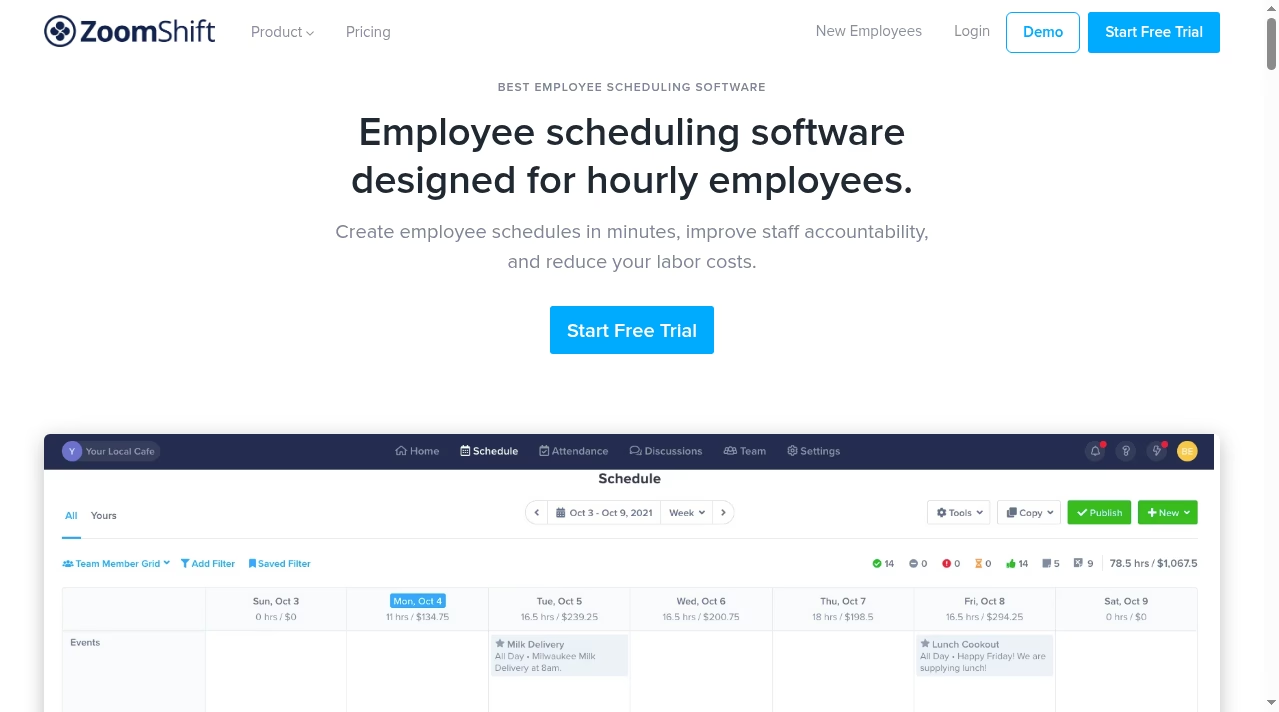
Work schedule maker and time clock for hourly teams, free for up to 20 employees. ZoomShift is a work schedule maker and time clock aimed squarely at hourly teams, and its pitch is simplicity at the lowest price in this category: a free plan that covers up to 20 employees, with paid plans from $2 per active team member per month.
ZoomShift earns its rating as the simplest low-cost scheduler for hourly teams: a real free plan for 20 employees, paid plans from $2 per active member per month, and a clean scheduling plus time-clock core. The trade-offs are a thin integration list, no native payroll and limited company transparency.
ZoomShift is a work schedule maker and time clock aimed squarely at hourly teams, and its pitch is simplicity at the lowest price in this category: a free plan that covers up to 20 employees, with paid plans from $2 per active team member per month. The vendor says more than 20,000 businesses use it – a vendor-reported figure – spanning independent restaurants, retail shops, franchises and departments inside larger organizations.
The feature set covers the scheduling week end to end: drag-and-drop shift planning, availability and time-off tracking, shift swapping with manager approval, open-shift offers, schedule templates, and automatic shift reminders. A built-in time clock with GPS and IP restrictions handles attendance, and timesheets flow into labor cost tracking with overtime warnings. Team discussions and announcements keep schedule chatter inside the app, and native iOS and Android apps keep hourly staff off personal text threads. A public developer API at
ZoomShift is a work schedule maker and time clock aimed squarely at hourly teams, and its pitch is simplicity at the lowest price in this category: a free plan that covers up to 20 employees, with paid plans from $2 per active team member per month. The vendor says more than 20,000 businesses use it – a vendor-reported figure – spanning independent restaurants, retail shops, franchises and departments inside larger organizations.
The feature set covers the scheduling week end to end: drag-and-drop shift planning, availability and time-off tracking, shift swapping with manager approval, open-shift offers, schedule templates, and automatic shift reminders. A built-in time clock with GPS and IP restrictions handles attendance, and timesheets flow into labor cost tracking with overtime warnings. Team discussions and announcements keep schedule chatter inside the app, and native iOS and Android apps keep hourly staff off personal text threads. A public developer API at developer.zoomshift.com covers custom connections. The free Essentials tier is positioned for small teams and does limit how many team members and locations you can add, while the paid Starter and Premium plans remove those caps entirely.
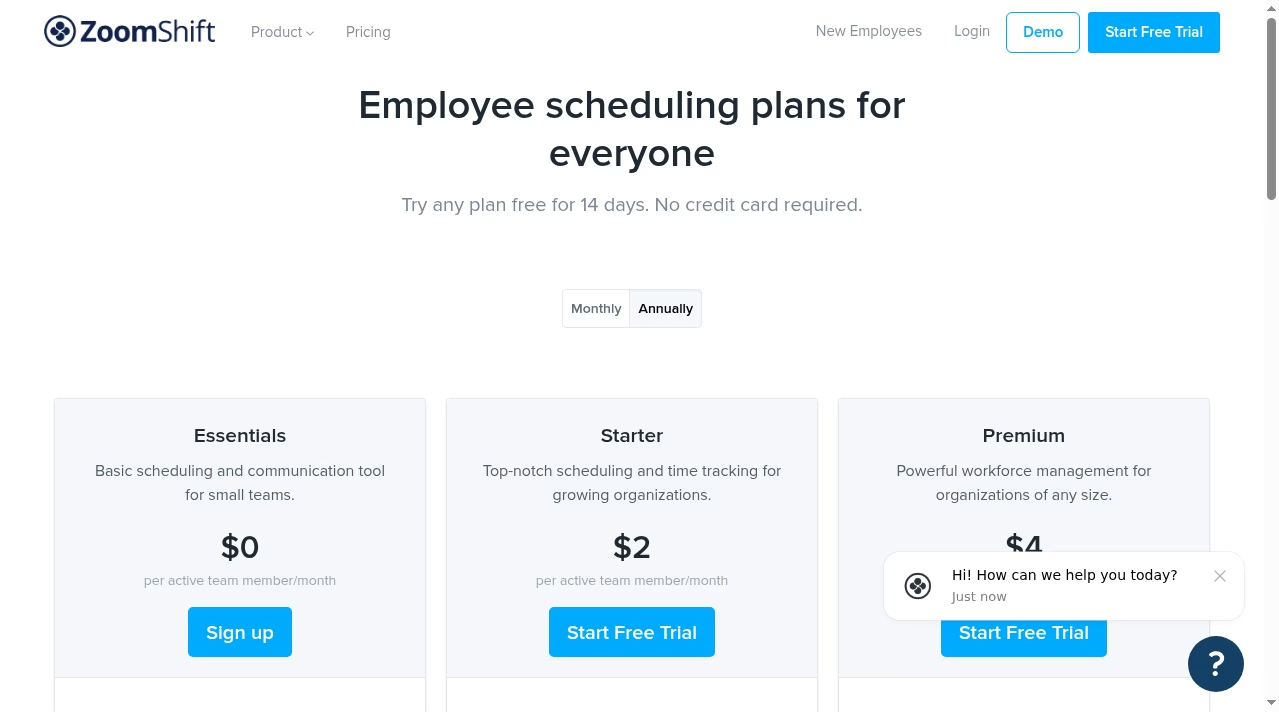
Pricing is per active team member, which suits seasonal businesses. The Essentials plan is free for up to 20 users with basic scheduling and communication. Starter runs $2 per active member per month billed annually ($2.50 monthly) and Premium $4 ($5 monthly), both with unlimited team members and locations. Every plan can be tried free for 14 days with no credit card, and subscriptions can be paused in off-season months without losing data. That pause option is unusual in this category and genuinely useful for seasonal operations like patios, farms and holiday retail that only schedule part of the year.
Where it falls short: there is no native payroll (you export hours to your payroll provider); the integration catalog is thin next to restaurant-specialist rivals; there is no published demo video from the vendor’s channel; and company information like founding year and headquarters is not published on the site. Advanced labor compliance and forecasting features found in pricier competitors are limited here.
Overall, ZoomShift is the budget-friendly generalist for hourly scheduling: the free 20-employee plan is genuinely useful, paid tiers undercut almost every rival, and the product stays easy to learn. Teams that need deep compliance, payroll or POS integrations should look at restaurant specialists instead. Support is reachable through a published support email and the in-app help center.
We researched ZoomShift in October 2026 using its official website, pricing page, product pages, knowledge base, developer documentation and legal pages, and compared its published capabilities and pricing against other employee scheduling tools in this category. Ratings reflect editorial judgment based on that research. We did not purchase a plan or run a live pilot for this listing.
| Pricing | Free+Paid |
|---|---|
| Starting price | From $2/user/mo |
| Free plan | Yes |
| Free trial | Yes (14 days) |
| Pricing page | View pricing |
| Platforms | Web app, iOS (iPhone & iPad), Android |
| API | Yes |
| Company | ZoomShift |
| Apps Insight Score | 40/100 |
Editorial points are assigned by AppsInsight editors and cannot be purchased or influenced.
| Feature | ZoomShift | Homebase | When I Work | Deputy |
|---|---|---|---|---|
| Rating | 4.3 / 5 | 4.5 / 5 | 4.4 / 5 | 4.4 / 5 |
| Pricing | Free+Paid | Free+Paid | Paid Subscription | Paid Subscription |
| Starting price | From $2/user/mo | From $30/location/mo | From $2.50 | From $5 |
| Free plan | Included | Included | Included | Included |
| Free trial | Yes (14 days) | Yes (14 days) | Yes (14 days) | Yes (31 days) |
| Platforms | Web app, iOS (iPhone & iPad), Android | Web app, iOS (iPhone & iPad), Android | Web app, iOS (iPhone & iPad), Android | Web app, iOS (iPhone & iPad), Android |
| Best for | Small businesses that need free scheduling for up to 20 employees Restaurants and retail shops wanting simple scheduling plus time clock Seasonal businesses that pause subscriptions in off months Budget-conscious teams comparing per-user costs | Restaurants, cafes, bars and hospitality venues Retail shops and boutiques Health, beauty and wellness businesses Single-location small businesses wanting a free scheduling plan Hourly teams that want scheduling, time clock and payroll in one app | Restaurants, cafes, bars Retail shops and franchises Healthcare providers and clinics Multi-location service businesses Any hourly, shift-based team of 5 to 500 | Hospitality businesses - restaurants, cafes, pubs, hotels Retail stores and multi-location chains Healthcare and aged-care providers with rotating rosters Growing hourly workforces that need compliance and labor-cost controls Managers who want AI-assisted scheduling and demand forecasting |
ZoomShift vs Homebase ZoomShift vs When I Work ZoomShift vs Deputy

All-in-one employee scheduling, time clocks, payroll and HR for small business hourly teams.

All-in-one employee scheduling, time tracking and team messaging for hourly teams

AI-powered employee scheduling, HR and payroll software for shift-based teams
Restaurant employee scheduling, time clocking, payroll and team messaging in one platform.

Scheduling, time tracking, communication and HR in one app for deskless teams

Free employee scheduling, time clock and team messaging for hourly teams, by Toast.
Restaurant employee scheduling, time clocking, payroll and team messaging in one platform.
Free employee scheduling, time clock and team messaging for hourly teams, by Toast.
All-in-one employee scheduling, time clocks, payroll and HR for small business hourly teams.
Scheduling, time tracking, communication and HR in one app for deskless teams
No reviews yet. Be the first to review this app.
Already have an account? Log in to track your reviews.