

Best Social Media Scheduler

Sprout Social

AI-powered social intelligence for teams that manage publishing, engagement, and analytics.
Paid Subscription$19930-day trial
- Web app
- iOS (iPhone & iPad)
- Android
- macOS

AI-assisted video creation and editing with direct social sharing
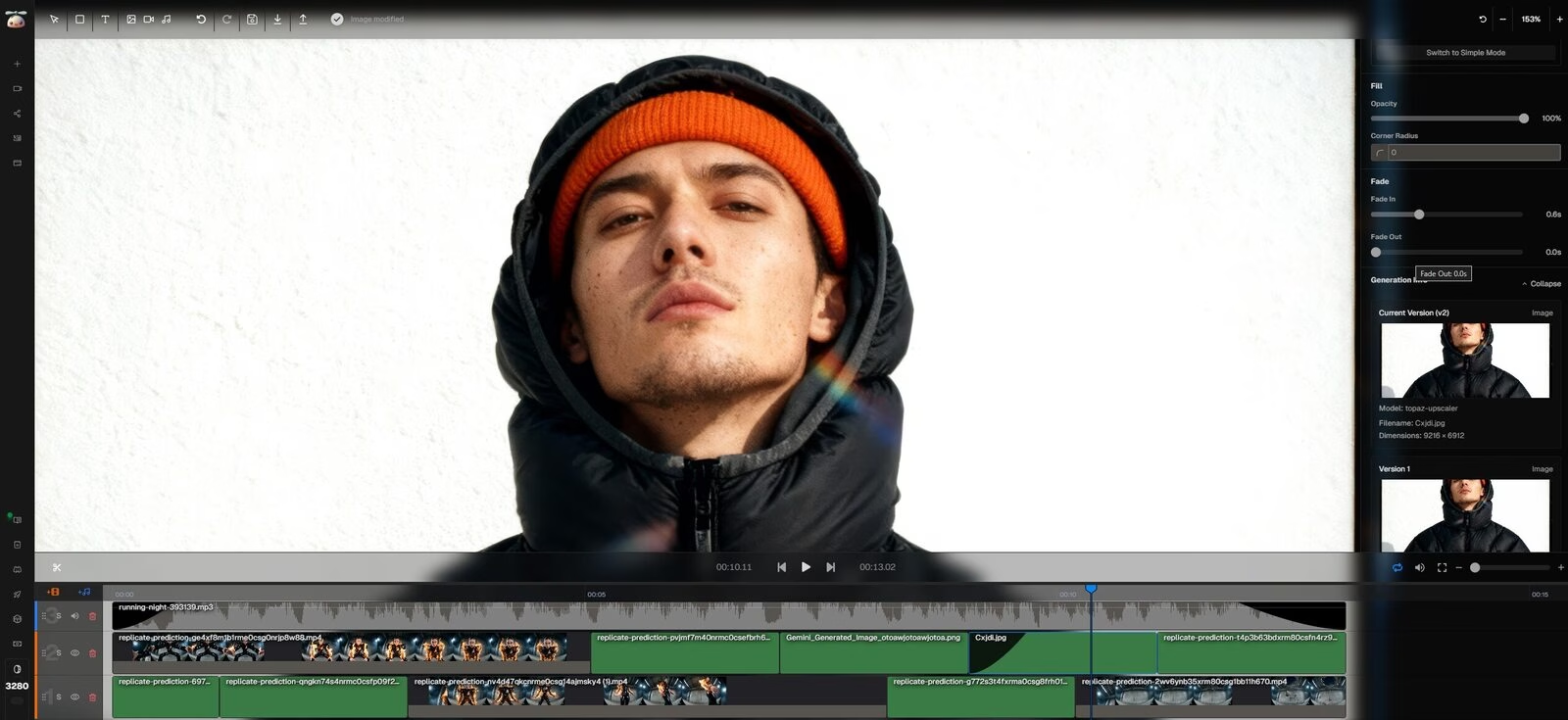
AI-assisted video creation and editing with direct social sharing CopyCopter is an AI-assisted video creation and editing tool for social content.
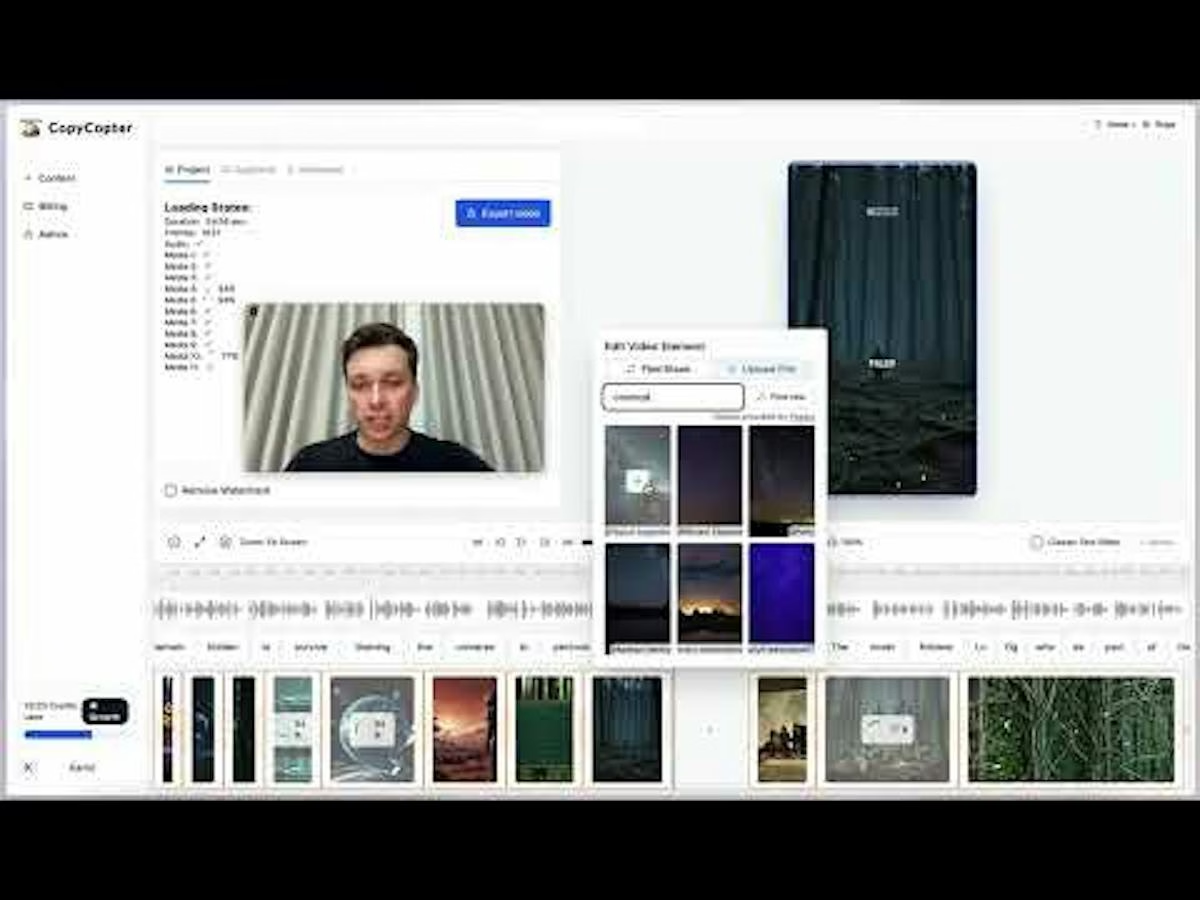
CopyCopter is a better fit for creators who want to shape a short video than for teams looking for a social-media command centre. The current Studio pairs AI-assisted production with a multitrack editor, reusable assets, style presets, versioned exports, and YouTube/TikTok sharing. That gives a creator room to revise timing and presentation after a first cut, rather than treating the first generated clip as final. Its older Product Hunt pitch centred on turning written material into videos; buyers should judge the current Studio workflow, not assume every launch-era feature is unchanged. The trade-off is cost clarity: credits vary by operation and model, so test a representative production workflow before budgeting at scale. This is a desk review of official documentation and the Product Hunt listing, not a hands-on product test.
CopyCopter is an AI-assisted video creation and editing tool for social content. Its current Studio site emphasizes editing control: a multitrack timeline, visual and audio lanes, style presets, motion graphics, reusable assets, cloud rendering, autosave, versioned exports, and direct sharing to YouTube and TikTok. Product Hunt described an earlier workflow turning blogs, newsletters, ideas, or websites into short videos; the current official site focuses more broadly on its Studio, so this profile follows the current positioning. The official pricing page explains a credit-based system, with charges varying by task and model. It does not present a simple public subscription price, so a starting price is left blank. Teams should check credit consumption for their chosen generation and rendering workflow before buying.
Editorial review of the official product, pricing, company and help pages; no hands-on account test.
| Pricing | Usage-based |
|---|---|
| Starting price | Pay-as-you-go credits (~$0.10/credit) |
| Free plan | No |
| Free trial | No |
| Pricing page | View pricing |
| Platforms | Web app |
| API | No |
| Apps Insight Score | 31/100 |
Editorial points are assigned by AppsInsight editors and cannot be purchased or influenced.
| Feature | CopyCopter | Sprout Social | ContentStudio | Metricool |
|---|---|---|---|---|
| Rating | 3.5 / 5 | 5.0 / 5 | 5.0 / 5 | 5.0 / 5 |
| Pricing | Usage-based | Paid Subscription | Paid Subscription | Free plan |
| Starting price | Pay-as-you-go credits (~$0.10/credit) | $199 | $ 19 | Free |
| Free plan | Included | Included | Included | Included |
| Free trial | No | Yes (30 days) | No | No |
| Platforms | Web app | Web app, iOS (iPhone & iPad), Android, macOS, Windows | Web app, iOS (iPhone & iPad), Android | Web app, iOS (iPhone & iPad), Android |
| Best for | Short-form video creators, social content teams | Social media teams, marketing teams, SaaS and tech companies, enterprise social media managers, influencer marketing teams, customer care teams | Agencies, marketing teams, solo creators, multi-brand social media managers, teams that need client approvals, businesses automating content workflows | Marketing agencies, social media managers, SMB marketing teams, solo creators, multi-brand operators |
CopyCopter vs Sprout Social CopyCopter vs ContentStudio CopyCopter vs Metricool

AI-powered social intelligence for teams that manage publishing, engagement, and analytics.

AI social media management for agencies and teams

Plan, publish, analyze, and reply from one social media dashboard.

Unified API + MCP to post, schedule, reply, and track analytics across 9+ social platforms.

AI social listening that tracks mentions across social media, news, blogs, videos, forums, podcasts and reviews…

Social media scheduling, analytics and influencer marketing - plan and auto-publish across 8 networks with AI…

We run the numbers. You run the show - cross-platform analytics and recommendations for creators.

AI that plans, creates, schedules, and tracks your small business social media.

AI automated comments on LinkedIn and X to grow audience and profile visibility.

No reviews yet. Be the first to review this app.
Already have an account? Log in to track your reviews.