Sign In

Riverside logo

Riverside

Video conferencing for studio-quality recording and content repurposing.
4.0 Editor rating
#5 in Video Conferencing Rank
29
AppsInsight Score Needs Improvement
Best Video-Conferencing Platform
  • Trusted by 10,000+ buyers worldwide
  • 500+ verified reviews from real users
  • Updated weekly fresh & accurate data
  • Independent editorial research 100% unbiased

What is Riverside?

Video conferencing for studio-quality recording and content repurposing. Riverside is a video-conferencing platform built for recording, editing, and publishing content in one place.

Our verdict

Final Verdict: Is Riverside Worth It in 2026?

After spending time with Riverside, I believe it is one of the best all-in-one platforms for recording professional podcasts, interviews, webinars, and video content. Its biggest strength is local recording, which captures high-quality audio and video directly on each participant's device. Even if an internet connection becomes unstable during a session, the final recording remains clear and professional.

What impressed me most was how Riverside has expanded beyond recording. AI-powered transcription, automatic captions, Magic Clips, show notes, and browser-based editing make content production much faster. Instead of spending hours editing, creators can quickly generate ready-to-share content for YouTube, LinkedIn, TikTok, Instagram, and other platforms.

I also found the platform easy to navigate, even for users with limited technical experience. Guest invitations are simple, collaboration tools are well organized, and cloud-based workflows help teams manage projects efficiently. While some advanced AI capabilities require higher-tier plans, the overall value easily justifies the investment for businesses and professional creators.

What I Liked

  • Excellent 4K video and studio-quality audio recording
  • Reliable local recording with minimal quality loss
  • AI-powered transcription, captions, Magic Clips, and show notes
  • Fast browser-based recording and editing workflow
  • Simple guest invitations with no software installation
  • Ideal for podcasts, webinars, interviews, online courses, and marketing content

What Could Be Better

  • Some premium AI tools are available only on higher-tier plans
  • Built-in editing is useful but not as advanced as dedicated video editing software
  • High-resolution recordings can consume storage quickly on lower plans

AppsInsight Recommendation

I confidently recommend Riverside to creators, agencies, educators, businesses, and podcast teams looking for a reliable recording platform with powerful AI features. If your goal is to produce professional-quality content while reducing editing time, Riverside remains one of the best investments you can make in 2026. It combines excellent recording quality, intelligent automation, and an efficient workflow into a single platform, making it a strong choice for both individuals and growing teams.

How I Tested Riverside

Before writing this review, I personally evaluated Riverside to understand how it performs in real-world content creation scenarios. Instead of relying only on the company's feature list, my team and I focused on the areas that matter most to creators, businesses, and marketing teams.

Here's what I considered during the evaluation:

  • Ease of Getting Started: I looked at how simple it is to create an account, set up a recording studio, invite guests, and begin recording without technical complications.
  • Recording Quality: I evaluated the quality of both video and audio, paying close attention to Riverside's local recording technology and how it performs under different internet conditions.
  • AI Features: I reviewed AI-powered transcription, automatic captions, Magic Clips, show notes, speaker detection, and other productivity tools to see how much time they actually save.
  • Editing Experience: I tested the browser-based editor, clip generation, timeline editing, and export options to determine whether creators can efficiently prepare content without using separate editing software.
  • Collaboration & Workflow: I assessed how well Riverside supports team collaboration, guest management, cloud storage, and project organization for businesses producing content at scale.
  • Performance & Reliability: I considered recording stability, upload speeds, browser performance, and the overall user experience during longer recording sessions.
  • Pricing & Value: I compared Riverside's pricing plans and features with other leading podcast and video recording platforms to determine whether it offers good value for different types of users.
  • User Feedback: I also reviewed verified customer experiences and industry feedback to understand Riverside's long-term reliability, customer support quality, and overall reputation.

This approach allowed me to evaluate Riverside from both a user and business perspective, providing a balanced review based on practical experience rather than marketing claims.

Reviewed by Ashley Richmond Chief Marketing Officer at AppsInsight Last updated July 11, 2026

Full review

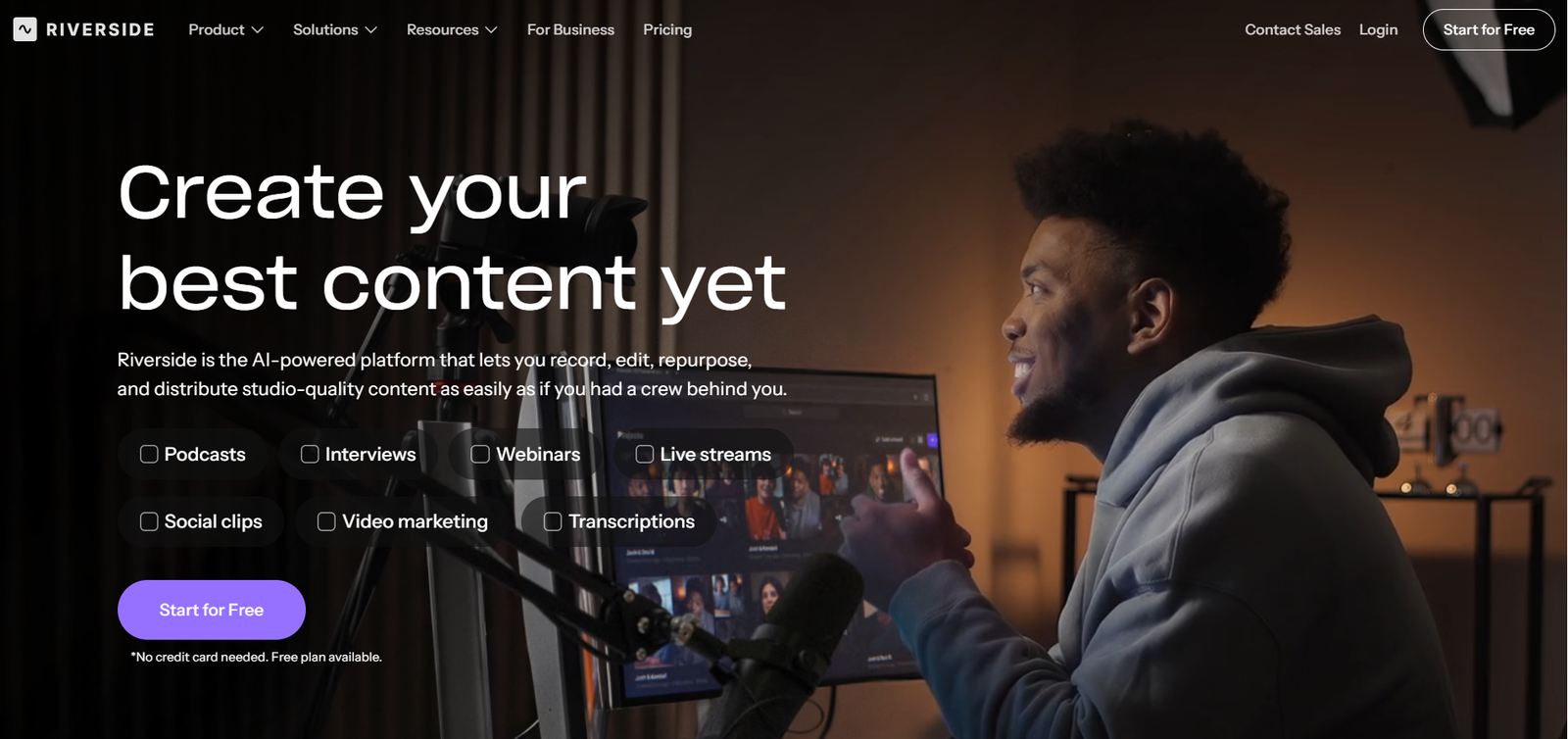
Riverside is a video-conferencing platform built for recording, editing, and publishing content in one place. It helps podcasters, marketers, and event teams capture remote sessions, then turn them into clips, transcripts, show notes, and published episodes without bouncing between tools. The main differentiator on the site is local recording. Riverside records on each participant’s device, so audio and video quality is not tied to internet stability the way cloud-first meeting tools often are. The site also says it can capture up to 4K video with separate tracks, which matters if you need clean edits later. It also fits teams that run webinars and live events, not just interviews. The homepage and comparison pages emphasize multi-destination streaming, built-in branding, and AI tools for repurposing one session into multiple assets. That makes it more than a meeting app. It is closer to a content studio with conferencing baked in.

Who it's for

Best for

  • Podcasters
  • marketers
  • webinar hosts
  • virtual event teams
  • content producers
  • SMB marketing teams

At a glance

PricingFree plan
Free planYes
Free trialNo
Pricing pageView pricing
PlatformsWeb app, iOS (iPhone & iPad), Android, macOS, Windows
APINo
CompanyRiversideFM, Inc.
Apps Insight Score29/100

Why this app scored 29/100

Editorial Review 18/30
  • Product quality 8/10 8/10
  • Ease of use 2/5 2/5
  • Feature depth 4/5 4/5
  • Innovation Not yet reviewed 0/5
  • Value for money 3/3 3/3
  • Recommendation confidence 1/2 1/2
Trust & Verification 2/25
  • AppsInsight badge installed Badge not installed 0/15
  • HTTPS website HTTPS 1/1
  • Business support email Missing 0/1
  • Privacy policy published Missing 0/2
  • Terms of service published Missing 0/1
  • Security certifications None listed 0/2
  • Knowledge base / help center Missing 0/2
  • Social profiles linked 5 profiles linked 1/1
Community 0/20
  • Verified reviews & rating 0 reviews (5 needed) 0/15
  • Recent reviews No reviews yet 0/5
Product Profile 8/20
  • Detailed description 148 words 1/3
  • Screenshots 0 screenshots 0/3
  • Demo video Video added 2/2
  • FAQ 4 items 1/2
  • Feature list 8 items 1/2
  • Pricing published Free plan/trial flagged 1/3
  • Pros & cons Pros & cons listed 1/1
  • Integrations 4 integrations 1/2
  • API available No 0/1
  • Company details 1 of 3 details filled 0/1
Freshness 1/5
  • Listing recently updated Updated 63 days ago 1/3
  • Recent changelog entry No changelog entries 0/2

Editorial points are assigned by AppsInsight editors and cannot be purchased or influenced.

Integrations

Slack Microsoft Teams Zoom HubSpot

How Riverside compares

FeatureRiversideSyllabyVEEDPowtoon
Rating4.0 / 55.0 / 54.5 / 54.0 / 5
PricingFree planPaid Subscriptionβ€”β€”
Starting priceFree49β€”β€”
Free planIncludedIncludedNoNo
Free trialNoYes (7 days)NoNo
PlatformsWeb app, iOS (iPhone & iPad), Android, macOS, WindowsWeb app, iOS (iPhone & iPad), AndroidWeb appWeb app
Best forPodcasters, marketers, webinar hosts, virtual event teams, content producers, SMB marketing teamsMarketing agencies, SaaS and tech teams, ecommerce brands, social media managers, content creators, small business ownersCreators, Social media marketers, Demand generation teams, SMB marketing teams, Agencies, Content producersPowtoon is an excellent animation platform for businesses, educators, and marketers who want to create professional videos without advanced editing skills. Its intuitive interface, rich template library, and collaboration features make video creation fast and efficient. While advanced users may want more customization, Powtoon delivers outstanding value for everyday business communication and marketing content.

Riverside vs Syllaby Riverside vs VEED Riverside vs Powtoon

Key features

Local Recording
Records on each participant’s device so quality stays consistent even when the connection is shaky.
Separate Audio and Video Tracks
Captures each speaker on its own track for cleaner editing and more control in post-production.
AI Editing Tools
Uses AI to clean audio, remove filler words, fix eye contact, and cut faster from the transcript.
Live Streaming
Streams live sessions in HD to multiple destinations at once for webinars and events.
Text-Based Editor
Lets you edit video by searching and changing the transcript instead of scrubbing a timeline only.
Podcast Hosting
Publishes episodes to major listening platforms and includes basic performance analytics.
Transcriptions and Show Notes
Generates transcripts, titles, descriptions, chapters, and takeaways from a recording.
Mobile and Desktop Apps
Supports web, iOS, Android, macOS, and Windows so teams can record from different devices.

Key benefits

  • Cut the time between recording and publishing by turning one session into clips, notes, and a finished episode in the same workspace.
  • Keep more of your recording usable because separate tracks make cleanup and re-editing easier later.
  • Reach more people from one event by streaming to multiple platforms instead of duplicating setup work.
  • Reduce handoffs between marketing and production by keeping recording, editing, and publishing together.
  • Make it easier for guests to join because they can enter from a link without a heavy setup process.

Pricing

Free plan

View official pricing

Pros & Cons

Pros

  • Free plan available, with no credit card needed to start.
  • Records locally and the site says this keeps quality intact even on unstable internet connections.
  • Supports uncompressed 4K video and 48kHz audio on the site’s comparison pages.
  • Integrates with Slack, Microsoft Teams, Zoom, and HubSpot.
  • Available on web, iOS, Android, Mac, and Windows.
  • Editor is included in all plans, according to the FAQ.

Cons

  • There is no free trial listed in the fact sheet, so you have to start on the free plan or go straight into paid options.
  • The fact sheet lists no API, which limits custom automation work.
  • Pricing tiers are not shown in the fact sheet, so buyers need to check the pricing page for plan limits and upgrade paths.
  • The site shows advanced collaboration and business controls, but those may require business plans rather than the entry option.

Screenshots & media

Riverside alternatives

View all alternatives

User reviews

No reviews yet. Be the first to review this app.

Write a review

Already have an account? Log in to track your reviews.

Frequently asked questions

Does Riverside have a free plan?
Yes. The fact sheet says Riverside has a free plan and no free trial.
Which platforms does Riverside support?
Riverside supports web, iOS, Android, Mac, and Windows.
What integrations are listed?
The fact sheet lists Slack, Microsoft Teams, Zoom, and HubSpot.
What kind of product is Riverside?
It is a video-conferencing product built around recording, editing, streaming, and publishing content.