


Backblaze Computer Backup
Automatic unlimited file backup for one Windows PC or Mac per license
Paid Subscription$915-day trial
- macOS
- Windows
Open-source encrypted file snapshots with your choice of local or cloud storage
Open-source encrypted file snapshots with your choice of local or cloud storage Kopia is free, open-source backup software for encrypted snapshots of files and directories.
Kopia makes sense when you want encrypted file snapshots and control over your destination. Its software is free, but storage, credentials and restore testing are your responsibility. Choose a managed service instead if you want bundled cloud storage and less setup. This is a documentation-based assessment.
Kopia is free, open-source backup software for encrypted snapshots of files and directories. It combines incremental backups, deduplication and compression with a choice of local, network or cloud storage. Windows, macOS and Linux users can choose a desktop interface, KopiaUI, or a command-line interface.
The important distinction is that Kopia supplies the backup software, not a bundled cloud-storage subscription. You choose, set up and pay for the destination separately. It is a useful option for people who want control over storage and retention, but that control brings responsibility for credentials, capacity, scheduling and restore testing.
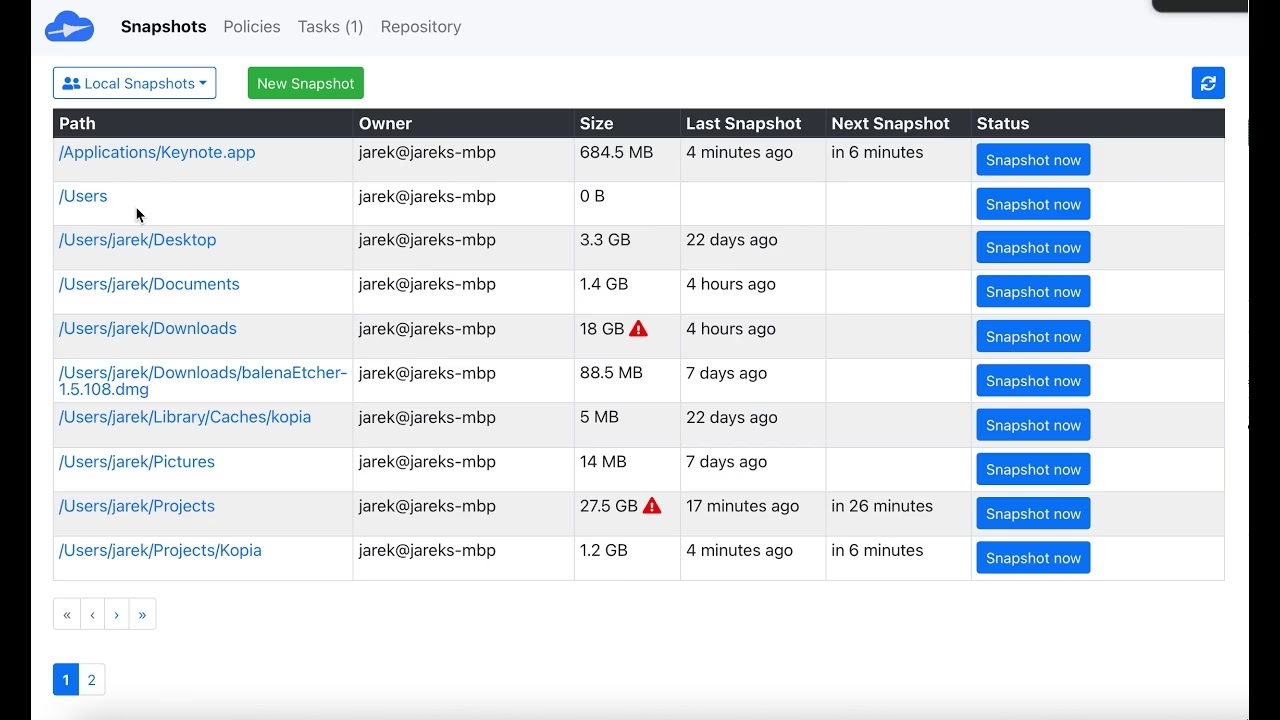
A snapshot records selected files and directories at a point in time. A repository is the destination holding those snapshots. Policies define what to include or ignore, how often to take snapshots, how long to retain them and whether to use compression. These concepts make the app more flexible than a
Kopia is free, open-source backup software for encrypted snapshots of files and directories. It combines incremental backups, deduplication and compression with a choice of local, network or cloud storage. Windows, macOS and Linux users can choose a desktop interface, KopiaUI, or a command-line interface.
The important distinction is that Kopia supplies the backup software, not a bundled cloud-storage subscription. You choose, set up and pay for the destination separately. It is a useful option for people who want control over storage and retention, but that control brings responsibility for credentials, capacity, scheduling and restore testing.
A snapshot records selected files and directories at a point in time. A repository is the destination holding those snapshots. Policies define what to include or ignore, how often to take snapshots, how long to retain them and whether to use compression. These concepts make the app more flexible than a simple folder mirror, but they are worth understanding before relying on it.
Kopia is not a full-machine imaging tool. Select the directories that matter and verify that important files are included. A successful job cannot protect a folder that was never selected. Keep an off-device copy where appropriate rather than assuming a repository on the same disk protects against disk failure.
Supported destinations include local directories or NAS, Amazon S3 and compatible storage, Azure Blob, Backblaze B2, Google Cloud Storage, WebDAV and SFTP. Some additional destinations work through Rclone, whose support is described as experimental. A listed destination does not guarantee that every storage configuration has the consistency and availability needed for reliable backup.
The software is licensed under Apache2.0 and costs $0. Storage capacity, cloud requests, downloads, network transfer and hardware can still cost money. Read the chosen provider’s current terms. Backblaze B2 is object storage, not the bundled service in Backblaze Computer Backup.
Kopia encrypts content and file names locally before sending data to the repository. Encryption is required rather than an optional paid feature. The repository password protects access to the key needed to read and restore backups.
Keep that password safely outside the machine you may need to recover. If you forget it and cannot connect to the repository, there is no vendor password-reset route that restores access to the encrypted data. The official FAQ notes that a still-connected client can change the repository password using the CLI. That exception is not a reason to skip safe password storage.
Directly sharing a repository also requires care. The feature documentation warns that sharing its password gives other users access to the data in it. Do not treat a shared repository as a private per-person workspace. Server mode has separate setup and access considerations and should be researched for a multi-user deployment.
Kopia identifies content rather than relying only on file names. Later snapshots upload content not already in the repository, and identical content can be stored once within that repository. Moving or renaming a file does not necessarily require uploading it again. These mechanisms can reduce repeated storage and transfer work, though actual savings depend on the data.
Compression is controlled by policy and can trade computer resources for lower stored size. Do not assume a published speed claim predicts your system. The storage destination, connection, file mix and computer all affect the result. Try a small representative folder before committing a large backup plan.
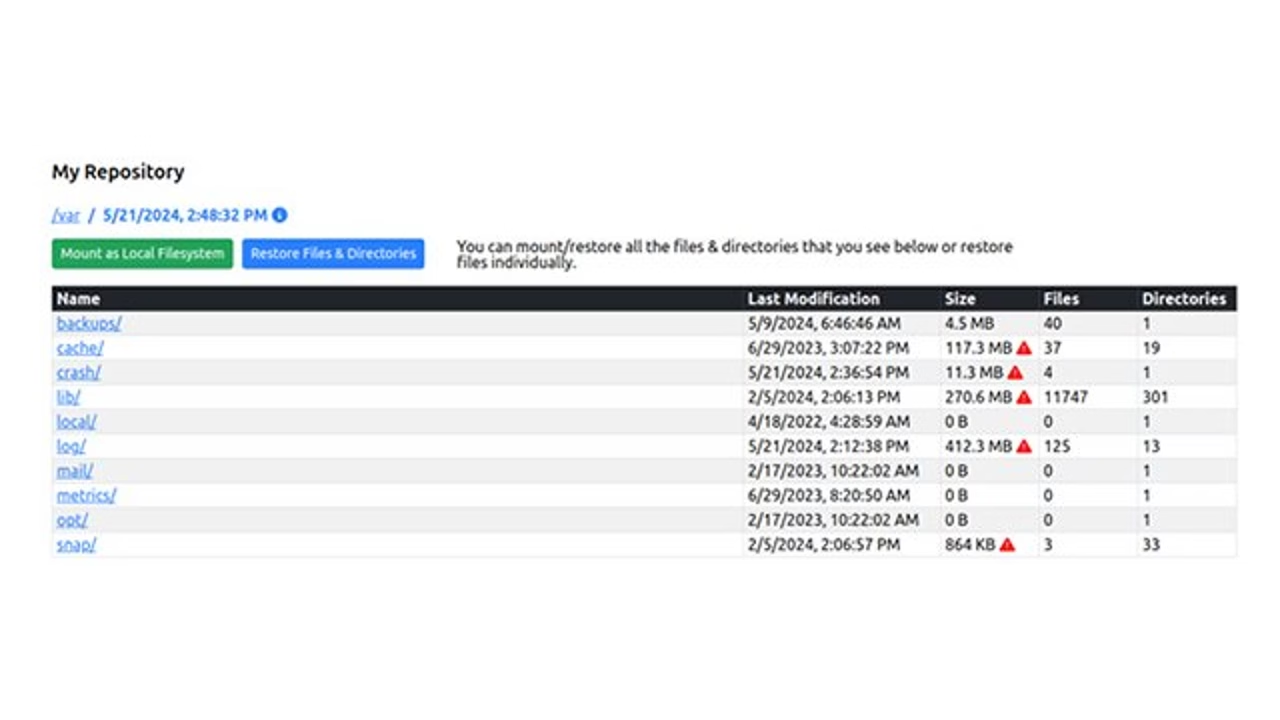
Kopia can restore files and directories, download individual files or mount a snapshot for browsing and copying. A restore test is part of setup, not something to postpone until a disk fails. Restore a sample to a separate location and check that it opens and contains the expected data.
Repository consistency checks and complete content verification are different. A structural check can confirm required metadata and blobs exist without downloading, decrypting and decompressing every file. The official consistency guide explains deeper file-verification options and their possible transfer cost. This review does not claim that a completed snapshot guarantees a recoverable backup forever.
KopiaUI covers core tasks such as repository setup, snapshot policies, backup creation and restores. Some advanced functions remain CLI-only. Optional server mode offers centralized access and an API, but should not be confused with a hosted account supplied by Kopia.
The app is a community project with documentation, issue tracking and a user forum. This listing does not promise a paid support SLA. The published privacy policy describes website data handling and application update checks; it is not an independent security audit. Screenshots show real historical product interfaces and may differ from the latest release.
Kopia fits technically comfortable users who want encrypted file backups and control over their storage destination. It is less suitable for someone expecting a bundled unlimited-cloud subscription, full-system image recovery or a vendor-managed password reset. Compare it with a managed backup service based on the setup and restore work you are willing to own.
This is a source-based desk review, not a hands-on recovery benchmark. Our six inputs total19/30: quality7/10, ease2/5, depth4/5, innovation2/5, value3/3 and confidence1/2, scaled to3.2/5. We checked official documentation, license, releases, privacy and independent tutorials on October13,2026. No performance guarantee or certification is inferred from the open-source license.
Source-based desk review,October13,2026: official features, installation, repository, FAQ, consistency, license, privacy and release docs plus independent tutorial. No hands-on recovery benchmark.19/30 editorial inputs scale to3.2/5. Historical screenshots credited in sources.
Latest GitHub stablev0.23.1 (June16,2026) fixes a rare race condition that could lead to data loss; official release recommends upgrading. Read linked release notes before deployment.
| Pricing | Open source |
|---|---|
| Free plan | Yes |
| Free trial | No |
| Pricing page | View pricing |
| Platforms | macOS, Windows, Linux |
| API | No |
| Company | Kopia open-source community |
| Apps Insight Score | 38/100 |
Editorial points are assigned by AppsInsight editors and cannot be purchased or influenced.
| Feature | Kopia | Backblaze Computer Backup | Duplicati |
|---|---|---|---|
| Rating | 3.2 / 5 | 3.3 / 5 | 3.2 / 5 |
| Pricing | Open source | Paid Subscription | Open source |
| Starting price | — | $9 | — |
| Free plan | Yes | Included | Yes |
| Free trial | No | Yes (15 days) | No |
| Platforms | macOS, Windows, Linux | macOS, Windows | macOS, Windows, Linux |
| Best for | Technical users, encrypted file snapshots, self-managed storage | One Windows PC or Mac, Large eligible personal file collections, Automatic off-site backup | Technical home users and teams comfortable managing storage, schedules and restore tests |
0 /mo
0 billed annually
Automatic unlimited file backup for one Windows PC or Mac per license

Encrypted file backups to your choice of local or cloud storage
Encrypted file backups to your choice of local or cloud storage
Automatic unlimited file backup for one Windows PC or Mac per license
No reviews yet. Be the first to review this app.
Already have an account? Log in to track your reviews.