
Kopia
Open-source encrypted file snapshots with your choice of local or cloud storage
Open sourceFree plan
- macOS
- Windows
- Linux

Automatic unlimited file backup for one Windows PC or Mac per license
Automatic unlimited file backup for one Windows PC or Mac per license What is Backblaze Computer Backup?
Backblaze Computer Backup is worth shortlisting for straightforward automatic file backup on a Windows PC or Mac. Flat per-computer pricing and unlimited eligible data reduce storage-plan decisions. Its limits are equally important: no NAS or Linux client in this product, no full-system image and no multi-computer coverage under a single license. Check retention and perform a restore test before relying on it.
Backblaze Computer Backup is a subscription service that automatically backs up eligible files from a Windows PC or Mac to the cloud. Each license covers one computer and its supported, directly attached external drives. The attraction is a flat price with unlimited backup storage rather than a storage-capacity plan. This profile covers Computer Backup, not the separate Backblaze B2 object-storage service.
The distinction matters. A backup preserves recoverable copies of files; it is not automatically a shared drive, a multi-device sync folder or a full operating-system image. Backblaze’s supported-data documentation excludes network-mounted drives and NAS from Computer Backup and describes default exclusions for system, application and temporary files. Check the actual files you need to protect instead of assuming “unlimited” means every device or workload.
Install the native client, allow the required operating-system permissions and review the selected drives and
Backblaze Computer Backup is a subscription service that automatically backs up eligible files from a Windows PC or Mac to the cloud. Each license covers one computer and its supported, directly attached external drives. The attraction is a flat price with unlimited backup storage rather than a storage-capacity plan. This profile covers Computer Backup, not the separate Backblaze B2 object-storage service.
The distinction matters. A backup preserves recoverable copies of files; it is not automatically a shared drive, a multi-device sync folder or a full operating-system image. Backblaze’s supported-data documentation excludes network-mounted drives and NAS from Computer Backup and describes default exclusions for system, application and temporary files. Check the actual files you need to protect instead of assuming “unlimited” means every device or workload.
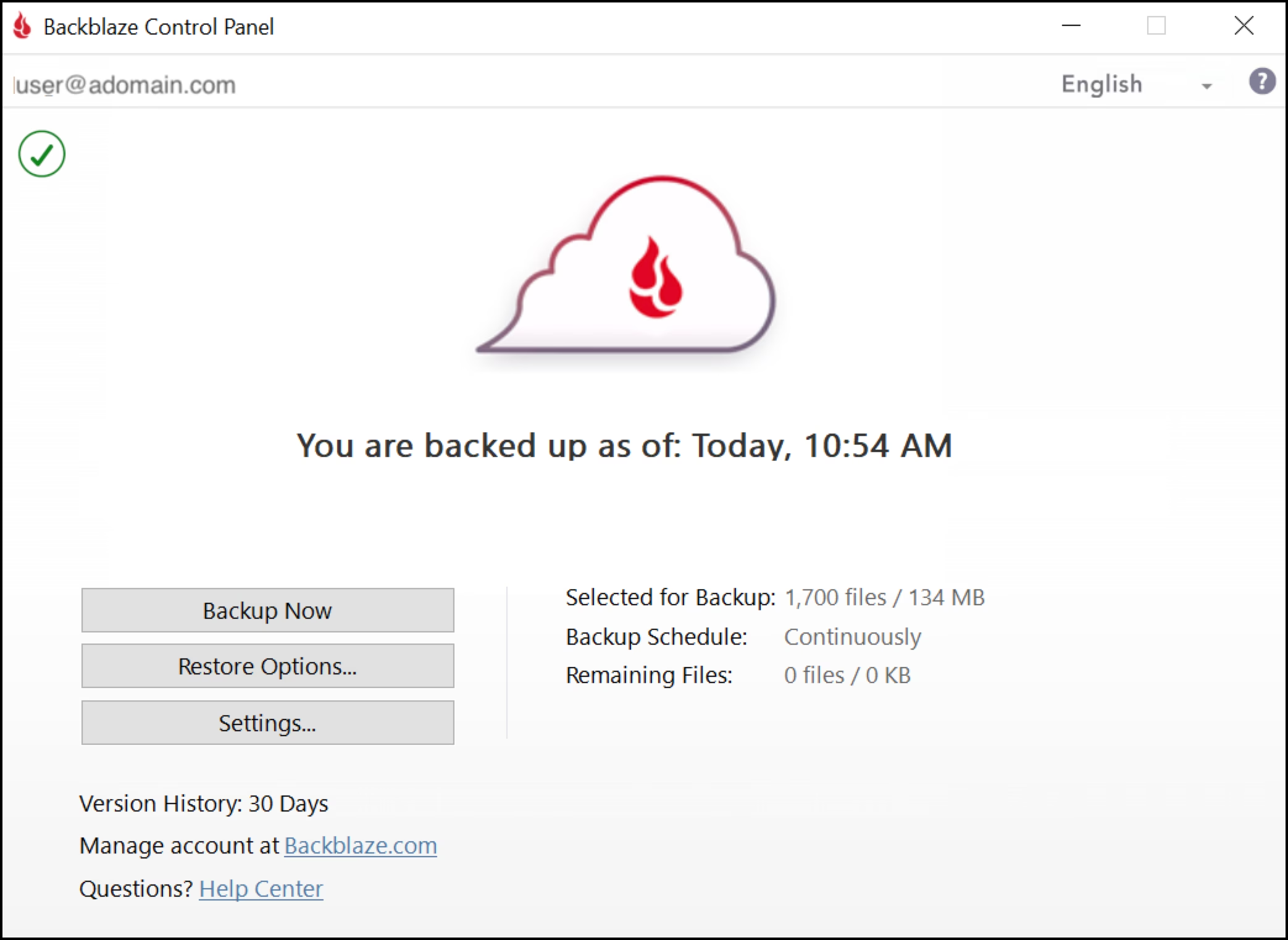
Install the native client, allow the required operating-system permissions and review the selected drives and exclusions. The client can back up continuously, with its control panel showing the selected data, remaining upload queue and backup status. The official Windows control-panel guide explains an important limit: recently changed files may not have been detected yet even when the previous upload queue reached zero. A displayed backup time is not a promise that every just-created file is already safe.
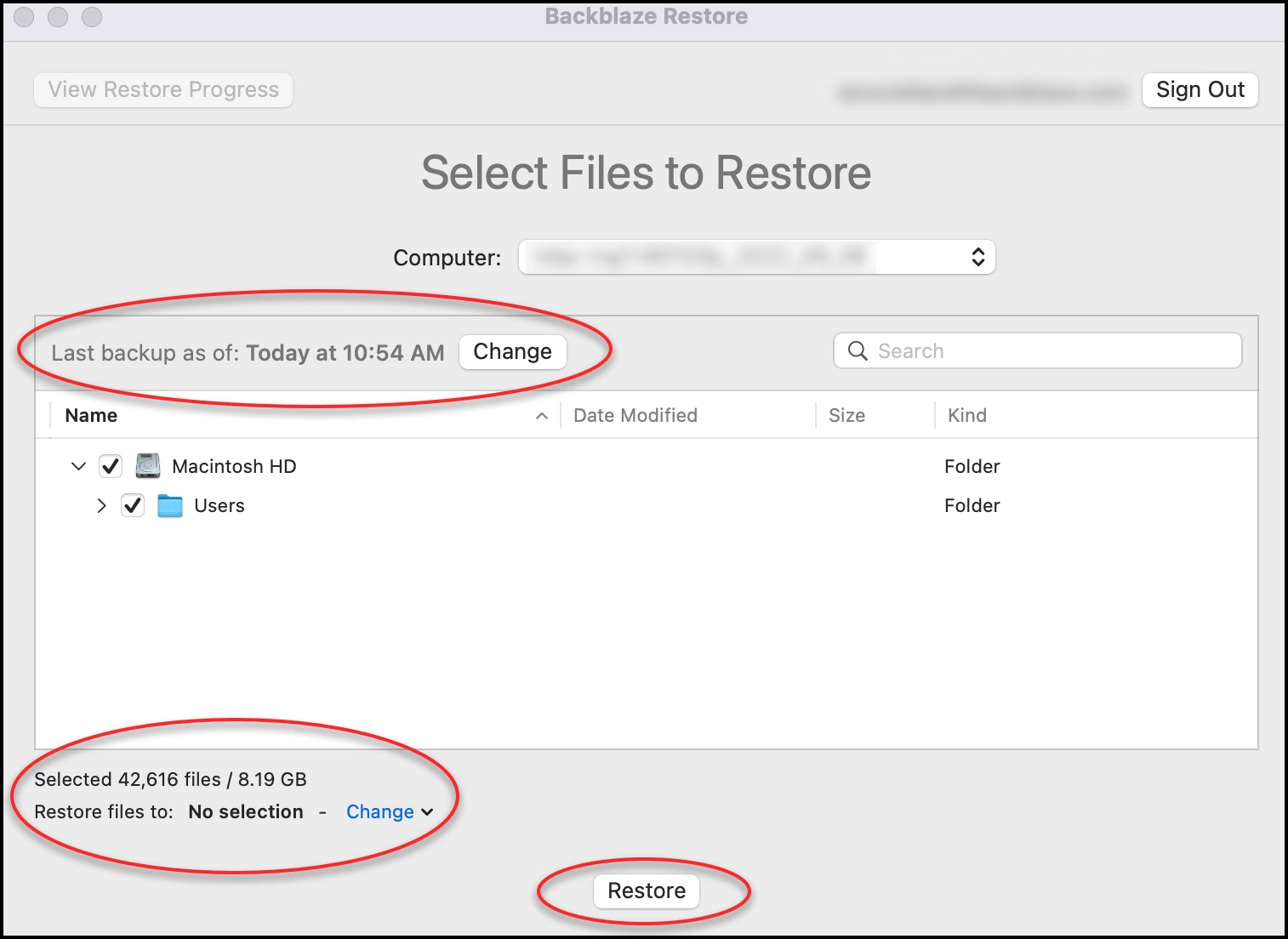
Initial backup time depends on the size of the data, the internet upload connection and the computer’s availability. Keep the machine online and inspect the backup rather than relying on a first-day estimate. After setup, perform a small restore test. That checks the full recovery path, including sign-in, file selection, destination permissions and available disk space.
The restore documentation describes choosing a computer, a historical time and a destination, then selecting files and folders to recover. Restores need free space for temporary data and completed files. Backblaze also offers web downloads and a mailed-drive option; mailed recovery has purchase, shipping and return conditions that should be checked when needed, not treated as an unconditional free service.
Official personal pricing is US$9 per month, US$99 per year or US$189 for two years, per computer. A 15-day trial is available; there is no permanent free Computer Backup tier. The pricing page also covers business administration and enterprise options, which should not be assumed included in a personal license. Taxes and optional extras can change the checkout total.
By default, old versions and deleted files are retained for 30 days. Backblaze’s current version-history page says one-year history can be enabled for free. Forever history adds US$0.006 per GB per month for files older than one year. This is a settings choice with cost and retention consequences, not a reason to delete the only local copy of a file and treat backup as permanent storage.
External-drive handling deserves special attention. Drives must meet the supported connection and filesystem rules, and their continued availability affects backup maintenance. Read the external-drive guide and the current retention settings before putting a drive away for months. Computer Backup does not include NAS backup or mobile-device backup under the desktop license.
Backblaze describes encrypted transmission and storage, optional private encryption keys and two-factor authentication. These are vendor-documented controls, not the results of our security audit. Account recovery, key management and the ability to complete a restore remain the user’s responsibility. Review the privacy policy and terms before subscribing, especially for regulated or confidential business data.
Our desk-review verdict: Backblaze is a sensible shortlist for someone who wants broad automatic file protection for one supported computer without choosing a storage allowance. It is a weaker fit for Linux, NAS, full-system imaging, multi-computer coverage under one license or a collaboration/sync workspace. Test recovery with representative files and retain another appropriate backup copy. No hands-on upload-speed, recovery or ransomware-resilience benchmark was performed for this review.
Desk review on October 13, 2026 of current official pricing, retention, supported-data, backup/restore documentation and company/legal pages, with a third-party review used to identify trade-offs. No hands-on backup speed, recovery or security audit was performed. The 3.3/5 editor rating scales the 20/30 editorial rubric to five and rounds to one decimal. Screenshots are official documentation examples, not our test account.
Official Windows Restore App release notes updated September 14, 2026 describe a standalone restore app and restore reliability improvements. Check the current release notes for your platform.
| Pricing | Paid Subscription |
|---|---|
| Starting price | $9 |
| Free plan | No |
| Free trial | Yes (15 days) |
| Pricing page | View pricing |
| Platforms | macOS, Windows |
| API | No |
| Company | Backblaze, Inc. |
| Apps Insight Score | 42/100 |
| Implementation | Easy |
| Learning curve | Beginner |
Editorial points are assigned by AppsInsight editors and cannot be purchased or influenced.
| Feature | Backblaze Computer Backup | Kopia | Duplicati |
|---|---|---|---|
| Rating | 3.3 / 5 | 3.2 / 5 | 3.2 / 5 |
| Pricing | Paid Subscription | Open source | Open source |
| Starting price | $9 | — | — |
| Free plan | Included | Yes | Yes |
| Free trial | Yes (15 days) | No | No |
| Platforms | macOS, Windows | macOS, Windows, Linux | macOS, Windows, Linux |
| Best for | One Windows PC or Mac, Large eligible personal file collections, Automatic off-site backup | Technical users, encrypted file snapshots, self-managed storage | Technical home users and teams comfortable managing storage, schedules and restore tests |
Backblaze Computer Backup vs Kopia Backblaze Computer Backup vs Duplicati
$9 /mo
$99 billed annually
No reviews yet. Be the first to review this app.
Already have an account? Log in to track your reviews.