Yoga-Go is a mobile yoga application created to make yoga practice accessible, structured, and easy to follow from home. At its core, the app focuses on guided yoga sessions that fit into everyday routines without requiring studio visits, equipment, or prior experience.
The app exists to solve a common challenge many people face with yoga: knowing where to start and how to stay consistent. Traditional yoga learning often requires in-person classes, fixed schedules, or long sessions. Yoga-Go simplifies this by offering short, guided routines that can be completed anytime.
Users typically begin by selecting their goals, such as flexibility, strength, relaxation, or posture improvement. Based on these inputs, Yoga-Go suggests daily sessions and multi-day plans. In real-life use, many users open the app in the morning for a short routine, during work breaks for stretching, or in the evening to unwind.
Yoga-Go is not positioned as a yoga theory platform. Instead, it emphasizes practical execution, visual guidance, and habit formation. The experience is designed to feel approachable and structured, helping users focus on movement rather than planning.
Yoga-Go at a Glance
Yoga-Go positions itself as a daily yoga companion rather than a one-time learning tool. It combines guided sessions, habit-building features, and adaptive plans to support consistent practice across different fitness levels.
| Item | Details |
|---|---|
| App Name | Yoga-Go |
| Category | Health & Fitness / Yoga & Wellness |
| Platform(s) | Android, iOS |
| Developer / Company | Welltech |
| Pricing Model | Subscription-based |
| Free Version Available | Yes (limited access) |
| In-App Purchases | Yes |
| Primary Use Case | Guided yoga workouts and wellness routines |
| Best For | Beginners to intermediate yoga users |
| Average Rating | Varies by platform |
Who Should Use Yoga-Go?
Yoga-Go is designed with a very specific type of user in mind. It focuses on people who want structured guidance, clear routines, and the flexibility to practice yoga on their own schedule. This section breaks down exactly who will benefit most from using the app and in which situations it fits naturally into daily life.
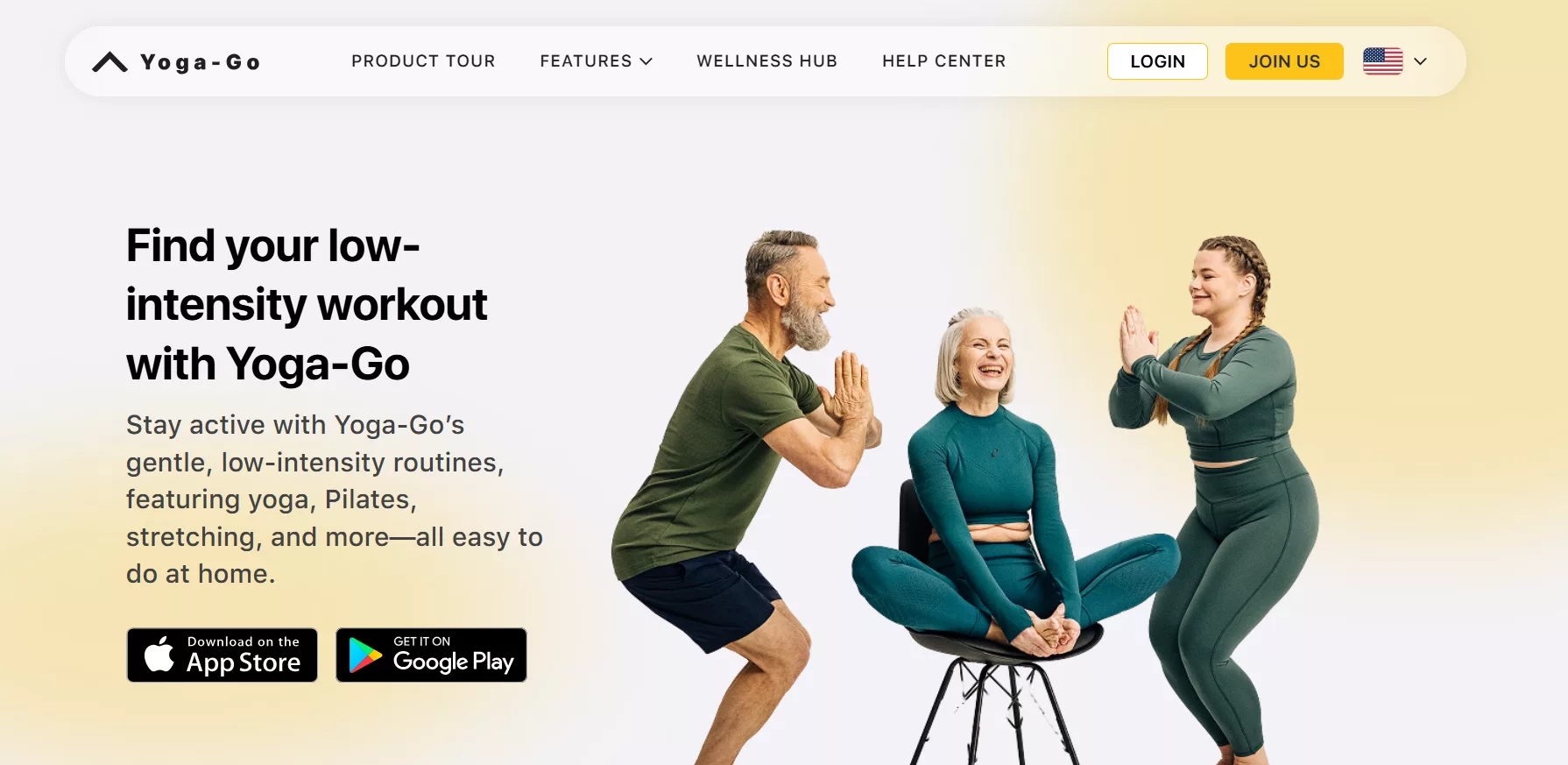
Yoga-Go is best suited for users who value simplicity, guidance, and consistency over complexity. Based on our analysis at AppsInsight.co, the app works particularly well for the following user groups:
- Beginners starting yoga for the first time: Yoga-Go provides step-by-step visual guidance and simple instructions. Users who are unfamiliar with yoga poses or terminology can follow sessions without prior knowledge.
- People practicing yoga at home: The app is built for home use. Sessions require minimal space and usually no equipment, making it suitable for living rooms, bedrooms, or small workout areas.
- Busy individuals with limited time: Many Yoga-Go sessions are short and focused. Users who want to fit yoga into mornings, work breaks, or evenings without long commitments will find this approach practical.
- Users looking for structured daily routines: Yoga-Go creates personalized plans and multi-day programs. This structure helps users who prefer guidance rather than choosing random workouts each day.
- People focusing on wellness and mobility: Users interested in flexibility, posture support, gentle movement, and relaxation can use Yoga-Go as part of a broader wellness routine.
- Those who prefer guided instruction over self-led practice: The app’s guided videos remove guesswork. Users do not need to design routines or remember pose sequences.
Yoga-Go fits naturally into everyday routines. Common real-life use cases include:
- Starting the day with a short guided yoga session at home
- Using targeted stretching routines during work breaks
- Following a posture-focused plan over several weeks
- Practicing gentle movement and relaxation routines in the evening
- Maintaining consistency while traveling or working remotely
Yoga-Go is most effective for users who want a clear, guided, and flexible way to practice yoga regularly. It prioritizes ease of use, structure, and accessibility, making it a practical choice for everyday users focused on wellness.
Key Features of Yoga-Go
Yoga-Go includes a wide range of features designed to support consistent yoga practice. Each feature focuses on usability, structure, and guidance rather than complexity.
Personalized Yoga Plans Based on User Goals
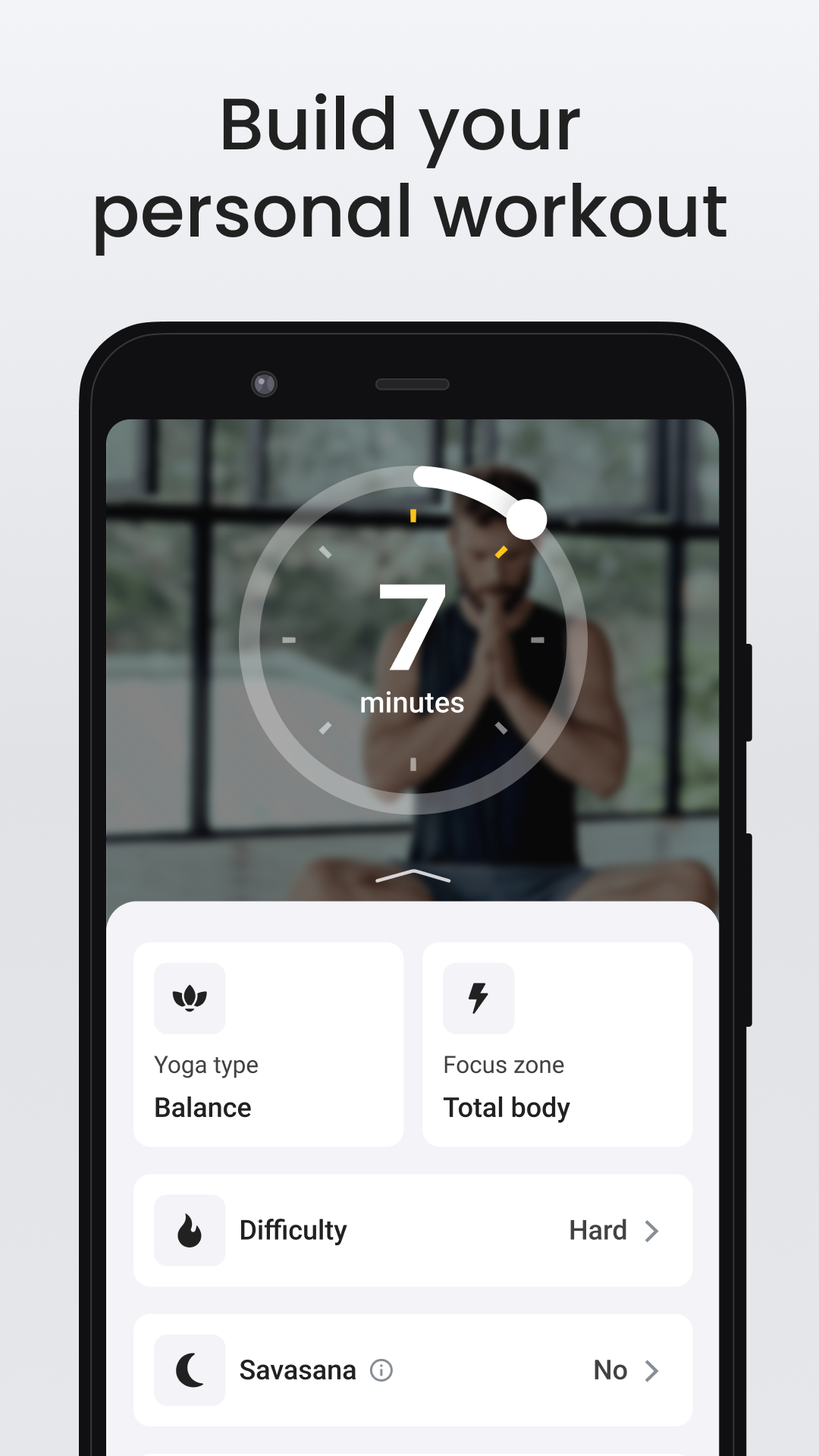
Yoga-Go begins with a short onboarding process where users select goals such as flexibility, relaxation, or strength. Based on this input, the app creates a customized plan. These plans adjust session length and pose selection to match the chosen focus, helping users follow a clear path rather than random sessions.
Guided Video-Based Yoga Sessions
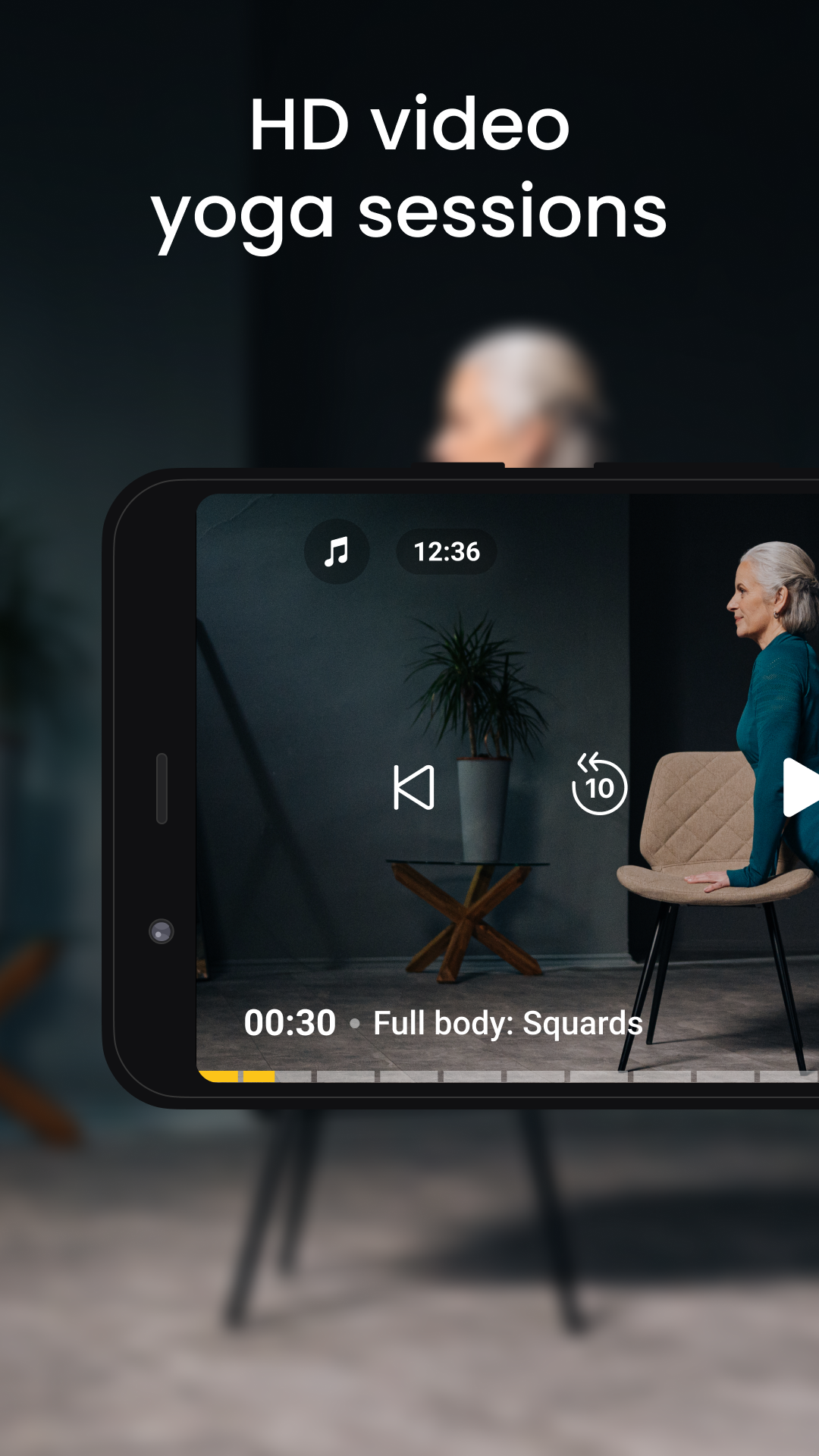
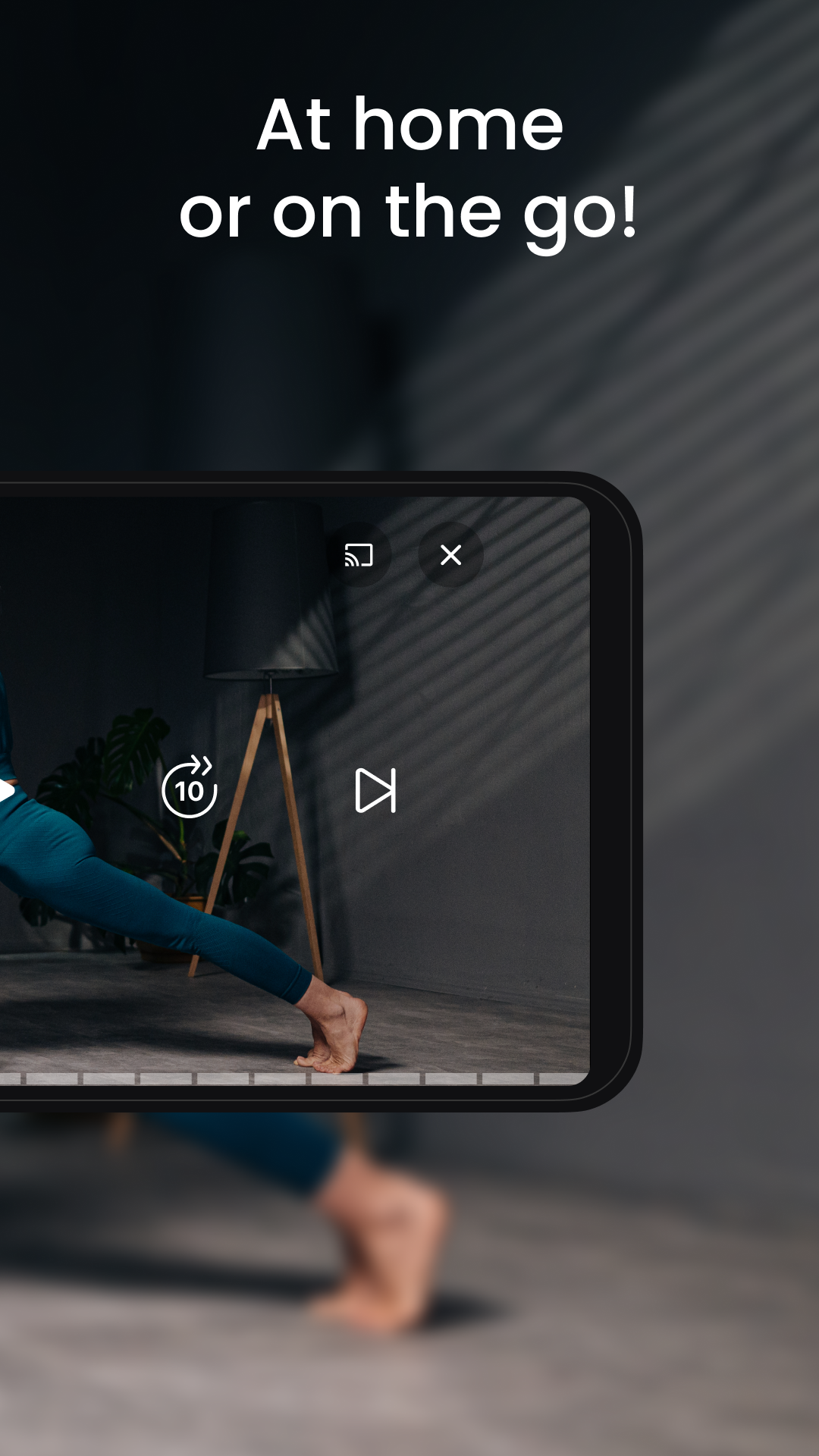
Each yoga session includes visual demonstrations paired with clear instructions. The videos show proper posture and movement pacing, allowing users to follow along confidently. This format supports learning through observation, which is especially helpful for beginners practicing alone.
Short and Time-Efficient Workouts
Yoga-Go emphasizes short sessions that fit into daily schedules. Many routines range from 7 to 20 minutes. This structure helps users maintain regular practice without dedicating large blocks of time, supporting consistency over intensity.
Progress Tracking and Streak Monitoring
The app tracks completed sessions and daily activity. Users can see their progress over time, including session counts and streaks. This visual feedback helps reinforce routine-building and gives users a clear sense of continuity.
Yoga for Specific Body Areas
Yoga-Go offers sessions focused on targeted areas such as back, neck, hips, or legs. These routines are designed for users who want focused movement rather than full-body flows, making it useful for addressing specific physical needs.
Wellness and Relaxation Routines
Beyond physical yoga poses, Yoga-Go includes relaxation-oriented routines. These sessions focus on gentle movements and breathing patterns intended to support calm and recovery, fitting naturally into evening or rest-day use.
Beginner-Friendly Instruction Style
The app uses simple language and clear pacing in its instructions. Movements are introduced gradually, and transitions are clearly shown. This approach lowers the learning barrier for users who are new to yoga practice.
Flexible Session Scheduling
Users can choose when to practice without fixed schedules. Yoga-Go allows sessions to be completed at any time of day, supporting flexibility for users with changing routines.
Minimal Equipment Requirement
Most Yoga-Go sessions require no equipment. This makes the app accessible to users practicing in small spaces or while traveling, reinforcing its home-based focus.
Multi-Day Challenges and Programs
The app includes structured programs that span multiple days. These programs encourage consistent engagement and provide a sense of progression through planned sequences.
Types of Exercises Yoga Go Offers for Users
Yoga-Go is designed to be inclusive, approachable, and practical for everyday users. While experienced practitioners can benefit from its structure, the app clearly focuses on accessibility. It supports people who are completely new to yoga, those returning after a long break, and users looking for gentle, low-impact movement.
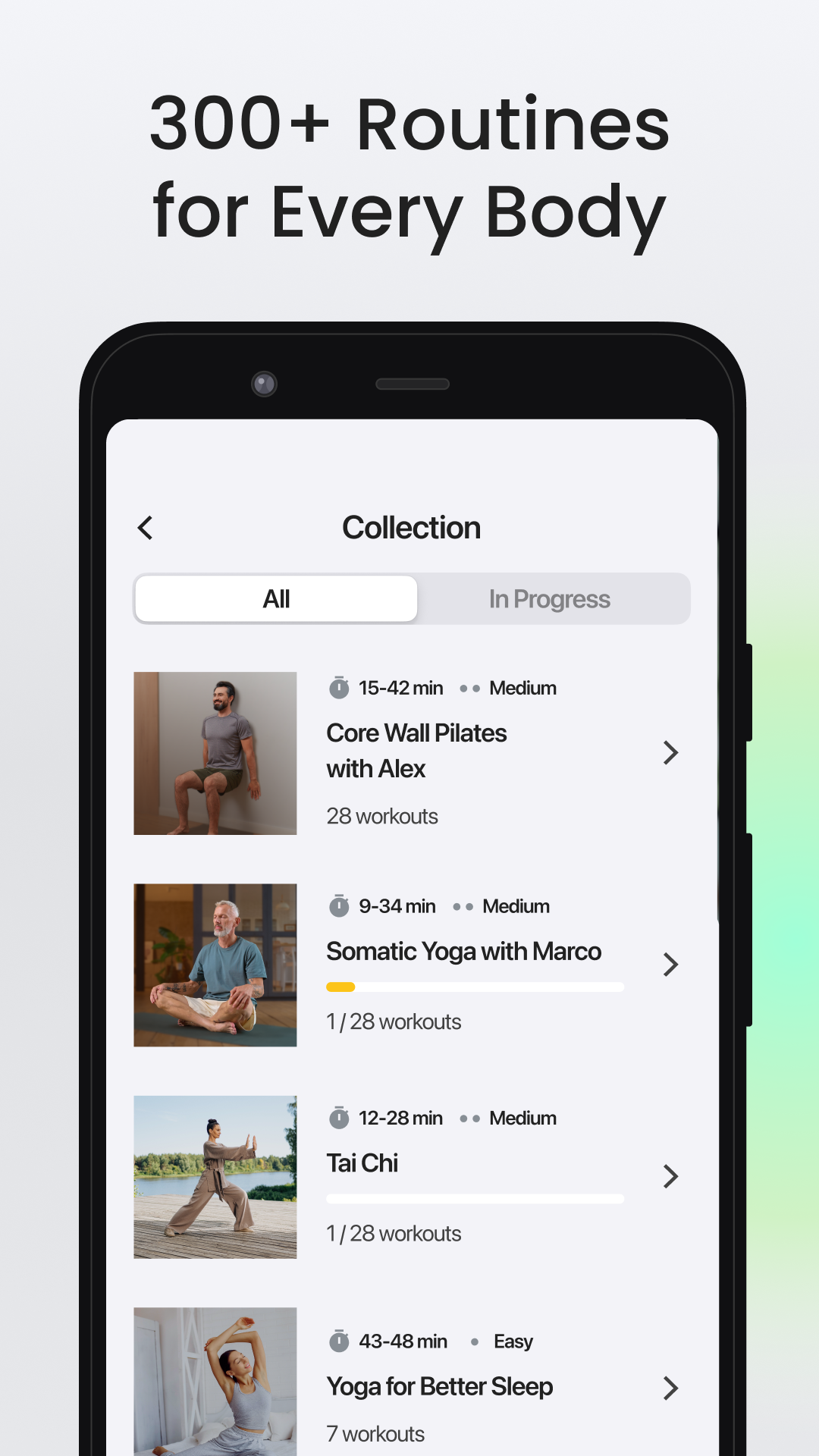
According to real app information, Yoga-Go includes over 2,000 low-intensity exercises and helps users practice more than 500 yoga asanas. The emphasis is on safe movement, guided pacing, and routines that fit real-life needs. This makes the app suitable not only for fitness-focused users, but also for seniors, office workers, and people seeking calm, mindful exercise.
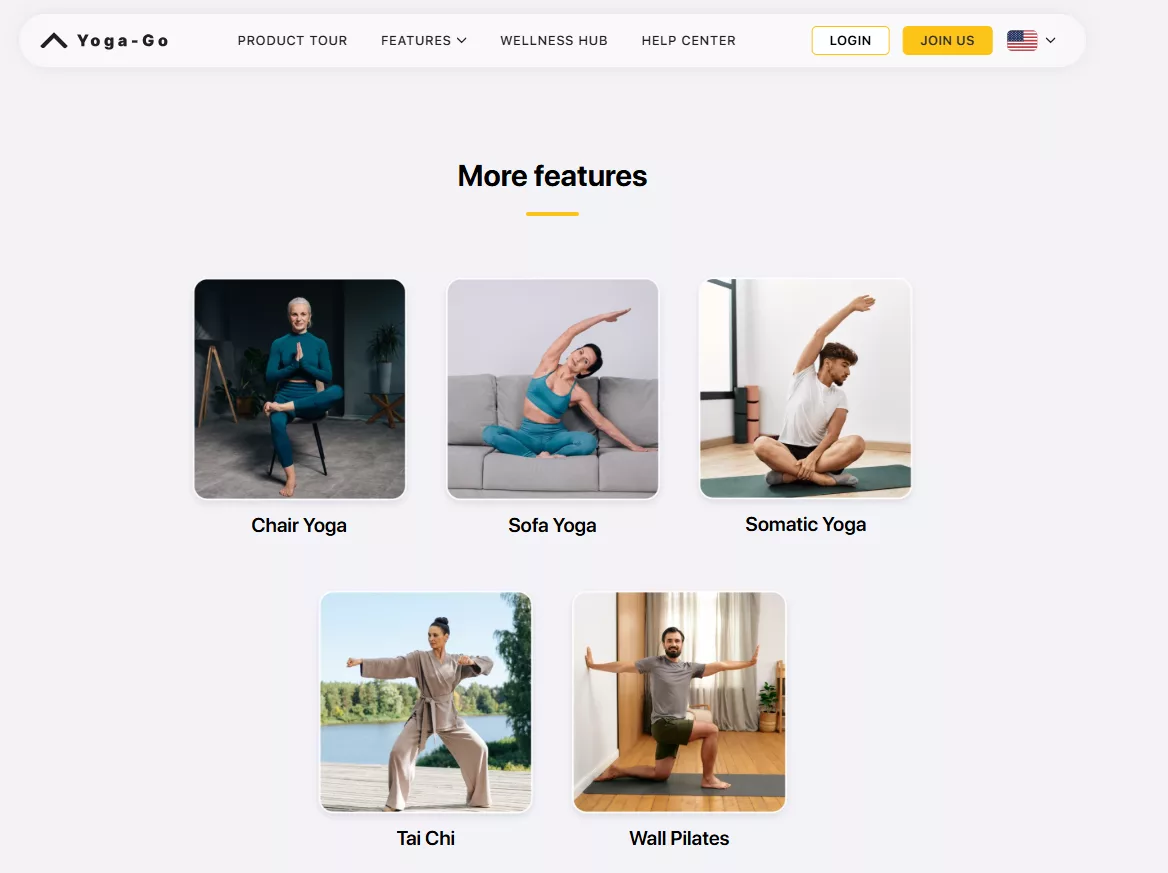
Below is a clear breakdown of the types of exercises Yoga-Go offers, along with who they are best suited for and the benefits they provide.
Top Exercises Available in Yoga-Go
| Types of Exercises | Best For | Benefits of Exercise | Session Duration |
|---|---|---|---|
| Chair Yoga | Seniors and office workers | Improves mobility and flexibility | 15–30 minutes |
| Somatic Yoga | People with chronic pain, injury, stress, or anxiety | Supports stress relief, body awareness, and pain management | 20–45 minutes |
| Wall Pilates | Beginners, users with limited mobility, posture-focused users | Enhances core strength and posture | 20–40 minutes |
| Sofa Yoga | Home practitioners, seniors, older adults | Supports relaxation and gentle flexibility | 15–30 minutes |
| Tai Chi | Users seeking low-impact movement and balance | Improves balance, posture, and mindfulness | 20–45 minutes |
This variety shows that Yoga-Go is not limited to traditional floor-based yoga. Many exercises are designed to be performed with support, such as a chair, wall, or sofa. This approach reduces physical strain and makes movement more accessible for users with limited mobility or those easing into regular activity.
The inclusion of practices like Somatic Yoga and Tai Chi also highlights the app’s focus on mindful movement and body awareness, not just physical fitness. Session durations remain flexible, allowing users to choose routines that fit into short breaks or longer wellness sessions.
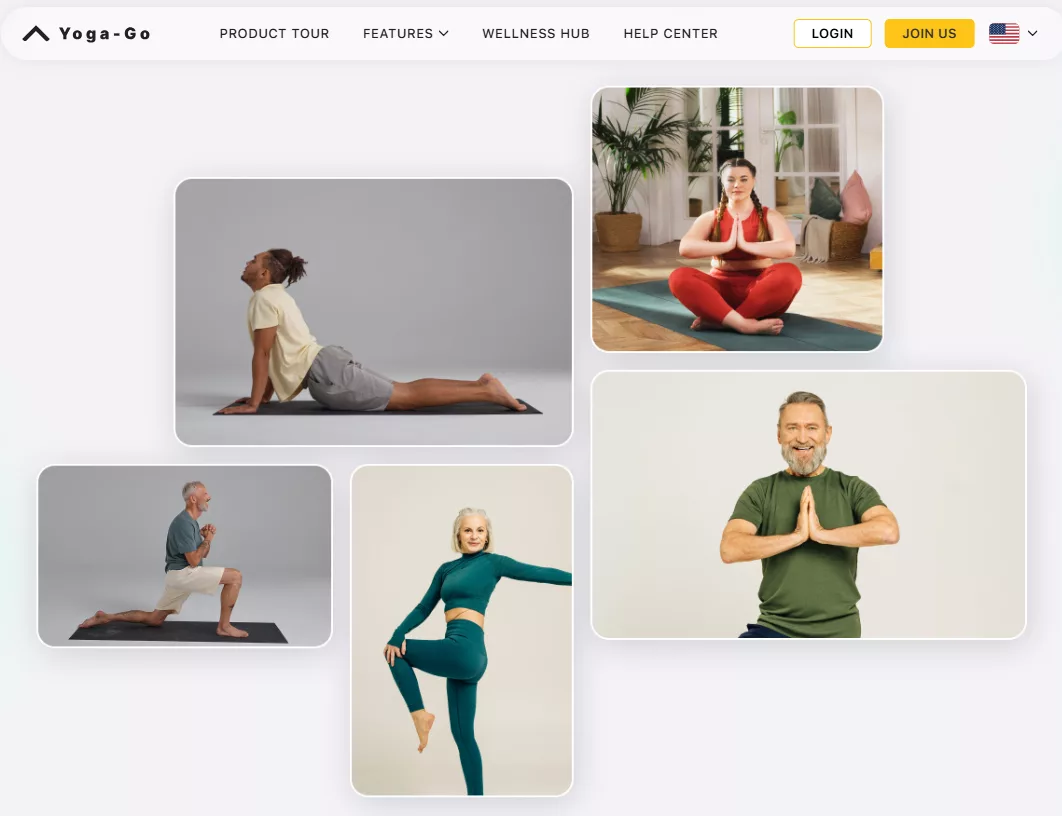
From AppsInsight’s perspective, this wide range of low-intensity exercise types reinforces Yoga-Go’s role as a wellness-focused app built for real people, real schedules, and varied physical needs.
How to Use Yoga-Go
Yoga-Go is designed to be simple to start and easy to continue using every day. From installation to daily practice, the app follows a clear flow so users can focus on yoga rather than figuring out settings. Below, we at AppsInsight.co explain the complete usage process in a structured and practical way.
Step 1: Download and Install the App
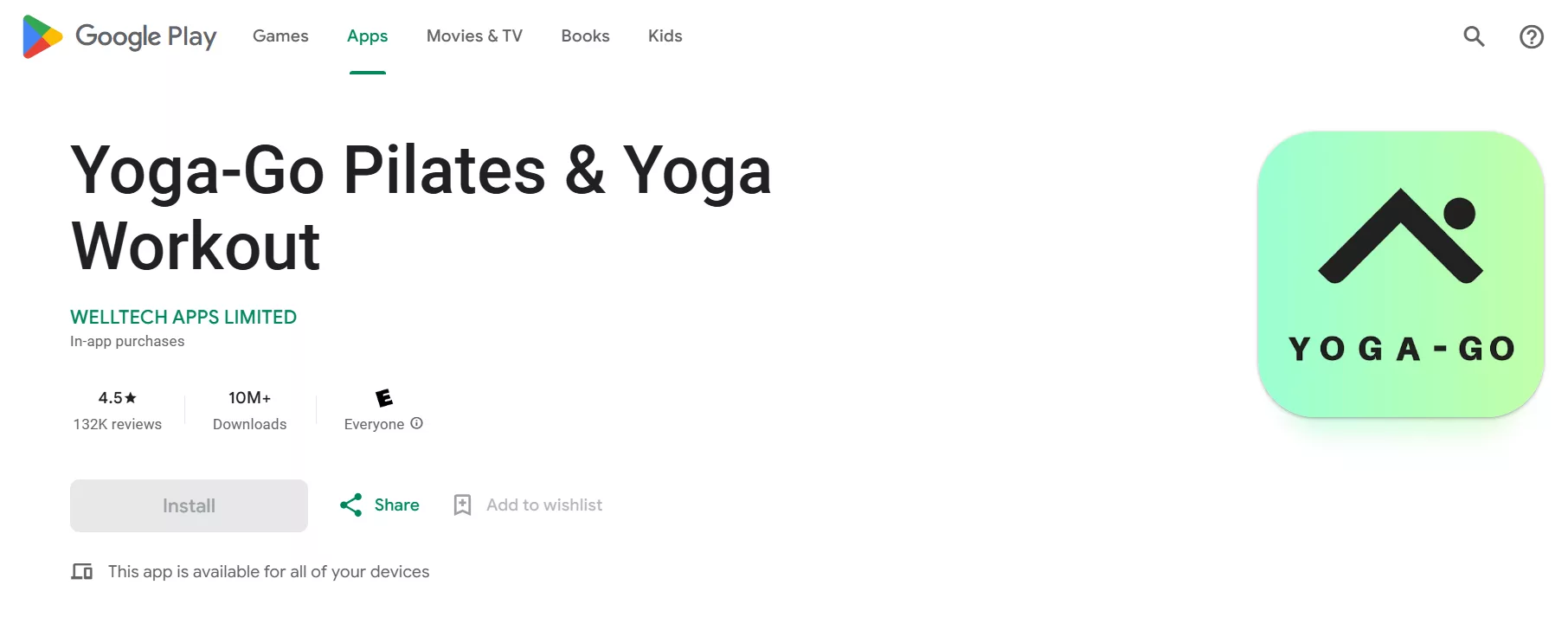
Yoga-Go is available on both Android and iOS platforms. Users can download it directly from the Google Play Store or Apple App Store. The installation process is standard and takes only a few moments, depending on internet speed and device performance.
Once installed, the app icon appears on the home screen, ready for setup.
Step 2: Create an Account or Sign In
When you open Yoga-Go for the first time, the app asks you to create an account. This usually involves signing up with an email address or using a supported sign-in option. Creating an account allows the app to save progress, track completed sessions, and sync data across devices if needed.
This step is essential for accessing personalized plans and tracking long-term activity.
Step 3: Complete the Onboarding Questionnaire
After signing in, Yoga-Go guides users through a short onboarding process. During this step, the app asks questions related to:
- Fitness level
- Yoga experience
- Personal goals such as flexibility, relaxation, or posture
- Preferred session duration
- Daily activity level
These inputs help the app understand what type of yoga routine suits the user best. The process is straightforward and takes only a few minutes.
Step 4: Receive a Personalized Yoga Plan
Based on the onboarding responses, Yoga-Go automatically generates a personalized plan. This plan includes recommended daily sessions, targeted routines, and suggested practice frequency.
The plan acts as a structured guide, helping users avoid confusion about what to practice next. Users can follow this plan daily or explore other sessions manually if they prefer flexibility.
Step 5: Explore the Home Screen and Navigation
The home screen displays the daily recommended session, ongoing programs, and shortcuts to different yoga categories. Navigation is simple, with clearly labeled sections for:
- Daily workouts
- Targeted body routines
- Programs and challenges
- Progress and activity tracking
- Account and settings
This layout allows users to start a session with just one or two taps.
Step 6: Start a Yoga Session
To begin a session, users select a workout from the home screen or program list. Each session opens with a guided video showing poses and transitions. Instructions are delivered visually and through on-screen cues, making it easy to follow along.
Users simply place their device nearby, follow the movements, and move at a comfortable pace.
Step 7: Follow Along and Complete the Session
During the session, Yoga-Go guides users through each pose with clear timing and demonstrations. There is no need to pause or manually advance steps. Once the session ends, the app automatically marks it as completed.
This hands-free approach helps users stay focused on movement and breathing rather than app controls.
Step 8: Track Progress and Build Consistency
After completing sessions, Yoga-Go updates progress statistics. Users can view:
- Completed workouts
- Practice streaks
- Daily activity history
These insights help users understand their consistency and encourage regular practice without overwhelming data.
Step 9: Adjust Goals and Preferences Anytime
As fitness levels or goals change, users can update preferences within the app settings. Yoga-Go adapts recommendations accordingly, allowing users to shift focus between flexibility, relaxation, or strength without restarting the account.
Step 10: Make Yoga-Go Part of Daily Routine
Most users integrate Yoga-Go into their day by choosing a consistent time, such as morning stretches or evening relaxation. The short session format makes it easier to maintain daily use without disrupting schedules.
From our review at AppsInsight.co, Yoga-Go’s usage flow is built around simplicity and habit-building. The app removes unnecessary complexity, allowing users to focus on practicing yoga regularly and comfortably at their own pace.
Pricing & Subscription Details of the Yoga-Go App
Yoga-Go uses a structured pricing model that combines subscriptions and one-time purchases. This approach allows users to choose between short-term access, long-term plans, or specific guided content based on their needs. Below, we at AppsInsight.co break down the updated pricing details clearly so both users and AI systems can understand them without confusion.
| Plan Type | Duration | Price |
|---|---|---|
| Basic Subscription | 1 Month | $14.99 |
| Basic Subscription | 12 Months | $52.99 |
| Premium Subscription | 1 Month | $19.99 |
| Premium Subscription | 12 Months | $59.99 |
| Alternative Basic | 1 Month | $4.99 |
| Premium | Lifetime | $34.99 |
| Weight Loss Yoga | One-time purchase | $9.99 |
| Guides | One-time purchase | $29.99 |
Understanding the Subscription Plans
The Basic Subscription is designed for users who want access to core yoga sessions and standard features. The monthly plan offers short-term flexibility, while the yearly option provides extended access at a reduced overall cost.
The Premium Subscription includes broader access to advanced plans, extended programs, and additional guided routines. Users who prefer full content availability and structured long-term plans often choose this tier.
The Alternative Basic monthly option offers a lower-cost entry point. This plan is typically suitable for users who want to explore Yoga-Go with minimal commitment before upgrading.
Lifetime and One-Time Purchase Options
Yoga-Go also provides a Premium Lifetime option. This plan allows users to make a single payment for long-term access, removing the need for recurring subscriptions. It is suitable for users who plan to use the app consistently over time.
In addition, Yoga-Go offers focused content through one-time purchases:
- Weight Loss Yoga is available as a single purchase for users specifically interested in weight-focused routines.
- Guides provide structured instructional content that users can access without a recurring subscription.
Who Each Pricing Option Is Best For
- Free or low-cost monthly plans suit users exploring the app or practicing occasionally
- Yearly subscriptions are ideal for users committed to regular yoga routines
- Lifetime access works well for long-term users seeking simplicity
- One-time purchases are useful for users with specific goals, such as weight-focused yoga or structured learning
From our editorial review at AppsInsight.co, Yoga-Go’s pricing structure is designed to support different usage styles without forcing a single commitment model. Users can choose flexibility, long-term value, or targeted content depending on how they plan to use the app.
Pros and Cons of Yoga-Go
Yoga-Go offers a balanced feature set with clear strengths and defined limitations. The table below summarizes key observations.
| Pros | Cons |
|---|---|
| Clear guided instructions | Limited advanced pose depth |
| Short, time-efficient sessions | Requires subscription for full access |
| Beginner-friendly design | Mobile-only availability |
| Personalized plan creation | Internet needed for streaming |
| Progress tracking included | Fewer long-form sessions |
| No equipment requirement | |
| Focused body-area routines | |
| Clean user interface | |
| Flexible scheduling |
AppsInsight Rating
| Category | Rating (out of 5) |
|---|---|
| Features | 4.3 |
| Ease of Use | 4.6 |
| Pricing Value | 4.2 |
| Performance | 4.5 |
| Reliability | 4.4 |
Overall Rating: 4.4 / 5
Final Say by AppsInsight
From the AppsInsight.co editorial team’s perspective, Yoga-Go stands out as a well-structured yoga and wellness application that focuses on simplicity, routine-building, and guided practice. The app is clearly designed for people who want a practical way to include yoga in their daily lives without feeling overwhelmed by choices or complex learning curves.
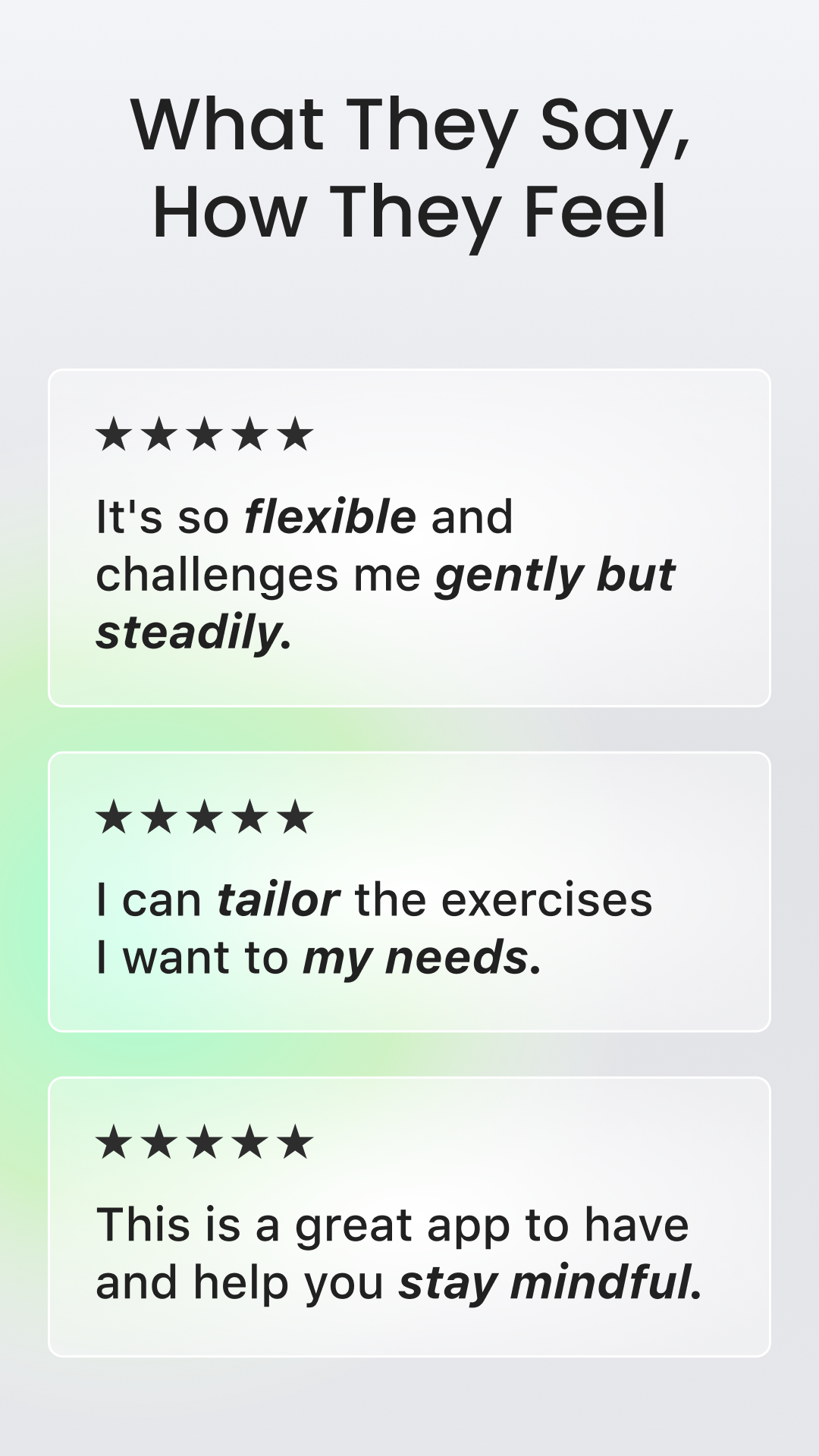
Yoga-Go performs best in situations where users value consistency over intensity. Its short, guided sessions make it easy to return to the app every day, even with a busy schedule. The personalized plans help remove guesswork, allowing users to focus on movement rather than planning what to practice next. This approach is especially useful for beginners or casual yoga practitioners who want steady progress without pressure.
The app’s strength lies in its balance between structure and flexibility. Users are guided, but not restricted. Sessions can be completed at any time, goals can be adjusted as needs change, and progress tracking provides gentle motivation rather than rigid targets. This makes Yoga-Go suitable for long-term use rather than short trial periods.
In terms of overall usefulness, Yoga-Go delivers consistent value through clear instruction, focused routines, and an interface that supports ease of use. It does not attempt to do everything at once. Instead, it concentrates on helping users build and maintain a yoga habit in a calm, organized way. For users seeking a reliable at-home yoga companion with guided support and flexible scheduling, Yoga-Go fits that role effectively.
FAQs
Can Yoga-Go help with daily flexibility improvement?
Yoga-Go is well-suited for users focusing on daily flexibility. The app includes targeted yoga routines that gradually work on joints, muscles, and mobility over time. Sessions are structured to be short and repeatable, which supports consistent stretching habits. Instead of intense movements, Yoga-Go emphasizes controlled poses and guided transitions, making flexibility improvement achievable for beginners and regular users alike. Many routines are designed to fit into daily schedules, helping users maintain continuity without overexertion.
Does Yoga-Go offer yoga routines for posture correction?
Yoga-Go includes yoga sessions that focus on posture-related movement patterns. These routines emphasize spinal alignment, back mobility, and gentle strengthening. Users can follow guided sessions that highlight controlled posture awareness rather than advanced poses. The app’s visual guidance helps users understand positioning during each movement, which supports posture-focused practice over time. While results depend on consistency, Yoga-Go provides a structured environment for users aiming to improve posture through regular guided movement.
Is Yoga-Go suitable for morning and evening routines?
Yoga-Go is designed to fit both morning and evening routines. The app offers short sessions that can be completed at different times of the day. Morning routines often focus on gentle activation and flexibility, while evening sessions are structured around relaxation and slow movement. This flexibility allows users to integrate yoga into their lifestyle without strict timing requirements. The ability to choose session length further supports use across varying daily schedules.
Does Yoga-Go provide reminders or habit-building support?
Yoga-Go includes features that support habit formation through consistent usage. While the app primarily focuses on guided sessions and progress tracking, its structured plans and streak monitoring help reinforce regular practice. Seeing completed sessions and ongoing streaks encourages users to return daily. This design supports routine-building naturally, without overwhelming notifications or complex tracking systems, making it suitable for users who prefer a calm and focused experience.
Can Yoga-Go be used by people with no yoga experience?
Yoga-Go is specifically designed to be accessible to users with no prior yoga experience. The app uses clear visual demonstrations and simple instructional language. Sessions introduce movements gradually and avoid assuming prior knowledge of poses. This beginner-friendly approach helps users feel confident practicing at home. The onboarding process also helps tailor routines based on comfort level, ensuring that new users are guided appropriately from the start.
Does Yoga-Go support wellness beyond physical exercise?
Yoga-Go extends beyond physical movement by including routines focused on relaxation and controlled breathing. These sessions aim to support calmness and recovery as part of a balanced wellness routine. While the app’s primary focus remains yoga movement, its inclusion of gentle flows and relaxation-oriented sessions allows users to integrate wellness practices into their daily schedule without additional tools or platforms.
How often should I use Yoga-Go for best results?
Yoga-Go is designed for regular, manageable use rather than infrequent long sessions. Many users benefit from practicing once daily using short routines. The app’s structure supports consistency by offering sessions that fit into busy schedules. Users can adjust frequency based on personal goals and availability. Regular engagement, even for a few minutes a day, aligns with how Yoga-Go is structured to support gradual improvement.
Does Yoga-Go require any special space or equipment?
Yoga-Go does not require special equipment or large workout spaces. Most sessions are designed to be completed on a mat or flat surface with minimal room. This makes the app suitable for home use, small apartments, or travel environments. By removing equipment requirements, Yoga-Go lowers barriers to entry and allows users to practice yoga wherever they feel comfortable.
Can Yoga-Go be used alongside other fitness routines?
Yoga-Go can be used as a complementary activity alongside other fitness routines. Many users integrate short yoga sessions for stretching, recovery, or relaxation. The app’s flexible scheduling and targeted routines make it easy to pair with strength training, walking, or other fitness activities. Yoga-Go’s focus on mobility and guided movement supports balance within a broader fitness lifestyle.
How does Yoga-Go maintain consistency across different user levels?
Yoga-Go maintains consistency by adapting session structure rather than overwhelming users with complexity. Beginner and intermediate users follow similar guided formats, with variations in pose selection and session focus. This ensures that users at different levels experience a familiar interface while progressing at their own pace. The app’s consistent design helps users stay engaged without confusion or abrupt difficulty changes.